Alumni directory contact details can stay online for years
Alumni directory contact details often linger in school portals, reunion tools, class lists, and cached pages. Learn where to look and what to do.
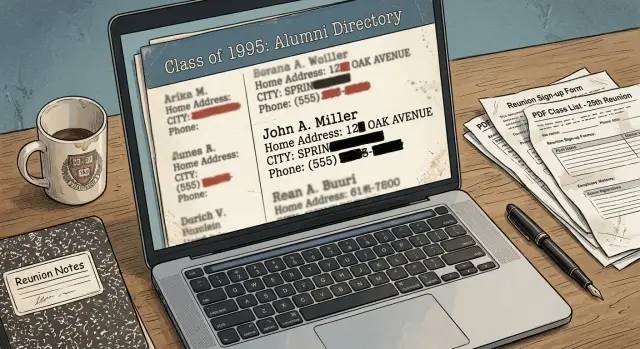
Why old contact details stay online
Old contact details stay online for a simple reason: once something is posted, nobody goes back and checks every old page by hand.
A school, alumni office, or club might update the current directory, but that does not mean anyone is reviewing ten years of event pages, PDFs, newsletters, and archived announcements. If an old page still loads and nobody complains, it often stays live.
That is why outdated alumni records can linger long after you moved, changed jobs, or stopped using an old email address. In many cases, the information is not being maintained at all. It is just sitting there because nobody was told to clean it up.
Old copies add up
Many alumni groups run on small teams, volunteers, or part-time staff. Their attention goes to the next reunion, fundraiser, or newsletter, not to cleaning old files.
Reunion pages are a common example. After the event ends, the page may still list names, cities, email addresses, or phone numbers. Months later, or even years later, it can still appear in search results because nobody took it down.
Profile updates also do less than people expect. If you change your details in one portal, that may fix only the current profile. It might not touch older exports saved as separate files or reposted somewhere else.
The hardest leftovers are often the least visible at first: old reunion registration pages, class list PDFs, alumni newsletters, reused spreadsheets, and archived copies inside older directory tools.
PDFs cause a lot of trouble. People treat them like finished documents, so once they are uploaded, they are often forgotten. A newsletter from 2018 may still include your mailing address. A class list PDF may still show an old phone number even though the main directory was updated later.
A common pattern looks like this: you update your profile today, but a 2021 reunion PDF still shows your old details. Then someone planning the next event copies that older file into a new mailing list. One record changed, but the older copies kept moving.
Where alumni information usually lives
Most alumni records do not sit in one tidy database. They spread across old pages, event tools, PDFs, newsletters, and member portals built years apart.
Start with the obvious place: the alumni office directory or member portal. Some schools let graduates log in and edit a profile, but older entries may still sit in a public directory, a printable class list, or a staff-managed page outside that portal. One record gets updated. Another copy stays where it was.
Then look past the alumni office. Department pages, club pages, sports team sites, and class websites often keep their own lists. A chemistry department might post alumni notes. A debate club might keep a past members page. A team site might still show a roster with an old email address. These pages are easy to miss because they are not always linked from the main alumni section.
Reunion tools add another layer. When someone signs up for a reunion, homecoming event, or fundraising dinner, their details may end up in attendee lists, event rosters, confirmation pages, and shared documents. Sometimes that information stays visible after the event ends. Sometimes it gets copied into a booklet or PDF that search engines can still index.
A few formats show up again and again: class notes, alumni newsletters, scanned yearbooks, souvenir books, downloadable PDFs, and old subdomains used for past campaigns or class years.
PDFs are especially easy to overlook because they feel hidden, but they often appear right in search results. The same goes for old subdomains, such as a reunion microsite or a forgotten club server. Even if a page is removed later, search results can still show a preview of the old text for a while.
This is also where third-party tools matter. A school may use one system for the alumni portal, another for event signups, and another for email newsletters. If your personal data was copied into those tools years ago, one correction may not fix every copy.
How reunion platforms create extra copies
A school may organize the reunion, but the information often ends up in someone else's system. That is where extra copies begin.
A signup form, payment page, ticketing tool, email service, and event page can each store their own version of your details. Even if the school updates its own records, the outside company may still hold an older copy with your old email, phone number, city, or graduation year.
Schools use these tools because they make RSVPs, payments, name tags, and donation tracking easier. The problem is that they are built to keep event records, not to clean up old contact data unless someone asks.
Extra copies often show up in reunion signup pages, ticketing systems, invitation mailing tools, archived event pages, and staff spreadsheets exported for planning.
Changes also do not always move both ways. If you ask the school to fix your profile, that update may stay inside the school's system. The vendor that handled the reunion may never receive the correction, so its copy stays live.
A small example shows how this happens. An alumni office uploads a class list to a reunion tool in 2019. A volunteer adds phone numbers and personal emails. The event ends, but the page still exists, the vendor keeps the attendee list, and a cached version of the page can still show up in search results years later.
Sometimes the school changes staff, switches software, or stops using that vendor. Cleanup gets harder after that. Old data does not disappear just because the contract ended.
If you are trying to remove school directory information, assume there is more than one copy. Ask who handled registration, payments, email invites, and the event page itself. That usually gets you much closer to every place your data may still be sitting.
A simple example
Picture Maya, who graduated ten years ago. She changes jobs, loses access to an old work email, and sends the alumni office her new contact details. A staff member updates her profile, and Maya assumes the old information is gone.
That would be a fair assumption. But school records often live in more than one place.
Her main alumni profile now shows the new email. At the same time, an older reunion page still shows the home address and phone number she shared years earlier. That page was created for a class event, then left online after the event ended. Nobody planned to keep it public forever. It just stayed there.
A second copy appears in a club newsletter PDF. Maya once joined an alumni club that published a member update for donors and classmates. The PDF repeats the same old address and phone number, and it sits on a forgotten page that no one has checked in years.
Now Maya has corrected one record, but two older copies still exist. That is how outdated alumni details stay online for years.
Why the old version keeps showing up
Search results make this worse. Months after the alumni office updates Maya's profile, her name still brings up the reunion page or the club PDF. Search engines keep showing those older pages because they were indexed earlier and still look public.
This is where people get stuck. They contact the school, hear that their details were updated, and think the problem is fixed. But the change touched only the main profile. It did not remove the reunion page, the archived PDF, or any other copy saved in a different folder or system.
The result is messy but common. One office updates a record. Another page still has the old address. A PDF repeats it again. Search results keep surfacing the old version long after the person thought everything had been changed.
If Maya wants the old details gone, she usually has to ask for each public copy to be removed, hidden, or updated one by one.
How to find your old information
Start with the plainest search first. Put your full name in quotes, then add the school name and your graduation year. That often brings up old directory pages, reunion pages, class lists, and club rosters that do not appear when you search your name alone.
If that search is clean, widen it a bit. Old records may use the name you had when the list was created, not the one you use now.
A practical search order
- Search your current full name with the school name.
- Add your graduation year, city, team, club, or department.
- Try old nicknames, a maiden name, or a middle initial.
- Search past email addresses, old phone numbers, or an old home address.
- Repeat the same searches in PDF and image results.
That last step matters. Many old class books, event programs, and member directories were uploaded as PDFs years ago. Some search results also show scanned pages as images, even when the original page is harder to find.
Next, check places that may not appear in public search results. If you still have access, sign in to alumni portals, reunion tools, booster clubs, parent associations, and private member directories. Some sites hide profiles from search engines but still show them to anyone with a login.
Do not stop at your main profile page. Check account settings, class notes, event attendee lists, donation pages, committee pages, and downloadable member lists. Schools and clubs sometimes remove one page but leave the same details live in a second spot.
Before you ask for changes, save proof. Take screenshots that show the full page, the page title, and the date. Copy the exact wording of the listing and note whether it appears on a public page, inside a portal, or in a PDF. If the same detail shows up in three places, record all three.
A simple folder helps. Save screenshots, search terms, and the names of each site or vendor. If you later ask a school, club, or third-party platform to remove directory information, you will have a clear record of what was visible and where you found it.
What to ask schools, clubs, and vendors to change
A vague request usually gets a vague fix. If you want old contact details removed, ask for exact data on exact pages.
Start with the details that expose you most quickly: your home address, personal phone number, and personal email. If you are fine with a work email or city name staying visible, say that too.
Be specific about the record. Name the page title or profile name, the file name of any PDF or class list, the event name and year, the school or club that posted it, and the exact contact details that should be removed.
That level of detail makes a difference. "Please remove my old info" is easy to ignore. "Please remove my home address and personal phone number from the 2019 reunion attendee PDF and my class profile page" is much harder to misread.
Ask one more direct question: is the record public, member-only, or archived? A school may tell you your profile is hidden, but an old PDF might still sit in a public folder. A member-only page is still a live copy, and archived pages often stay online for years.
Do not stop at profile fields. Ask them to delete or update old event pages, downloadable PDFs, scanned newsletters, class notes, and reunion lists. Those are often separate files, and they do not always change when a profile is edited.
It also helps to ask who else has the same record. Many schools use outside reunion tools, alumni associations, class clubs, or event vendors. One office may update your profile while another group keeps an old export.
A short message works well: ask what was changed, where it was changed, and whether any outside vendor or club also needs a request. That pushes the person handling your case to look past the main profile and check the copies that usually get missed.
Mistakes that keep records visible
The most common mistake is fixing one profile and assuming every copy changed with it. That almost never happens. A school site, an alumni portal, a reunion tool, and a club mailing list may all store separate versions of the same record.
Another easy miss is old content that feels harmless. Class notes, archived newsletters, donor lists, event recap pages, and reunion announcements often keep names, cities, email addresses, or phone numbers long after their original purpose is over. People look at the profile page, see it fixed, and stop there.
Requests also fail when they are too vague. If you write "please remove my info" without naming the page, the school or vendor has to guess where to look. Some will do that work. Many will not.
A better request is short and precise. Include the page title, a screenshot, the exact details you want removed, the school, club, or vendor name, and the date you found it.
Hidden file types cause problems too. Many old class lists live in PDFs, spreadsheets, scanned yearbook pages, or image captions. These files do not always appear in the main site search, but they can still show up in search results or be shared directly.
Then there is the last mistake: trusting a promised removal date and never checking again. A staff member may remove the public page but leave the file in a media folder. Or the page disappears, then comes back when an old backup is restored for reunion season.
Give it a little time, then verify. Check the public page, search for your name, and open any PDFs or images tied to old events. If a school says the item is gone but you still see it two weeks later, send a follow-up with the earlier request attached. Specific follow-ups work better than starting over.
Quick checks before and after a request
Before you send any removal request, take a full snapshot of the problem. Old alumni records often sit in more than one place, and many people report only the first page they find.
Make one record for every page or profile. Note the page name, the exact details shown, and when you saw it. Be specific. "Old contact info" is too vague. "Home address, mobile number, and 2009 work email" is much easier for a school or vendor to act on.
A short checklist helps:
- page title or profile name
- exact data shown
- whether it is public or login-only
- date you found it
- search result text that still shows old details
That last item is easy to miss. A page may be edited, but a search snippet can still show an old phone number or street name for days. Save that text before you send the request. If the page changes later, you still have a record of what was exposed.
A small example makes this clearer: your alumni profile may now be hidden behind a login, but an old reunion page might still be public, and a search result may still display your old email. Those are three separate problems, even if they all came from the same school record.
After you send the request, check the same pages again in the same order. Do one pass after a few days, then another after about two weeks. Schools often update their own pages first. Reunion vendors and outside directory tools can take longer. Search results often lag behind both.
If a page moves behind a login, note that change, but do not assume the issue is fully fixed. Your details may still be there for members, staff, or anyone with an account. If a page is still public and unchanged, keep the screenshot and send a short follow-up with the page title, the data still visible, and the date you checked again.
Keep all of this in one note or spreadsheet. It sounds basic, but it saves time later, especially if the same details reappear and you need to show exactly what changed, what did not, and where the copy likely came from.
If the records keep coming back
This is the part that frustrates people most. You get one record taken down, then the same phone number or old email shows up again a few months later.
When that happens, assume there is more than one copy. The same details can live in a school database, a reunion tool, a club mailing list, an exported spreadsheet, and an archived page at the same time.
Start by moving past the first contact who answered you. If the alumni office says the record was removed but it still appears, ask who owns the site, who runs the directory software, and whether a third-party vendor republishes member data for class pages or reunion signups.
A short follow-up works better than a long complaint. Ask whether your record was removed from the live directory and archived versions, whether old exports or shared spreadsheets still hold your details, whether a reunion platform or club tool still syncs your record, and who can confirm the deletion once every copy is cleared.
If nobody gives a clear answer, escalate. Ask for the web team, the site owner, the database manager, or the outside vendor that hosts the directory. Schools often control the front page but not the tool behind it.
It also helps to time your checks. Old records tend to resurface before reunion season, annual fundraising drives, or class update campaigns, when older lists get imported again. Set a reminder to search for your name and contact details before those periods, then check once more a week or two later.
Some copies end up far beyond school pages. A class list can be copied into people-search sites or data brokers, and school staff usually cannot remove those for you. If that happens, Remove.dev can handle removals across more than 500 data brokers and keep monitoring for relistings, which cuts down a lot of repeat work.
If the same record returns after a confirmed deletion, ask for one specific thing: the source file that keeps repopulating it. That question often gets you closer to the real problem than another general removal request.
FAQ
Why do my old alumni contact details stay online?
Because schools and alumni groups rarely go back through every old page, PDF, newsletter, and event file. A current profile might be updated, but older copies often stay online until someone asks for each one to be changed or removed.
If I update my alumni profile, does that remove the old information everywhere?
Usually no. Updating your main profile often fixes only that record, while reunion pages, class lists, newsletters, and vendor tools keep older copies of the same details.
Where should I look besides the alumni directory?
Look beyond the main alumni directory. Old details often sit on reunion pages, club sites, department pages, event signup tools, downloadable PDFs, archived newsletters, and old subdomains that were never cleaned up.
Why are PDFs often the hardest copies to remove?
PDFs are easy to forget once they are uploaded, but search engines can still index them. Even if the main page changes, an old newsletter or class list PDF may still show your old address, phone number, or email.
What is the best way to search for old alumni records about me?
Start with your full name in quotes plus the school name and graduation year. Then try old emails, phone numbers, addresses, nicknames, maiden names, and check PDF and image results too, since many old records live there.
What should I include in a removal request?
Be exact. Include the page title, file name if it is a PDF, the event or class year, the contact details that should be removed, and a screenshot showing where you found them. Clear requests get better results than a general note asking to remove your info.
How do I know if a school or club missed another copy?
Ask whether the record is public, member-only, or archived, and whether any outside vendor handled reunion signups, payments, or email invitations. That helps uncover extra copies the school may not control from one central system.
If the page is fixed, why do search results still show my old details?
Not always. A page can be edited while search results still show old text for days or weeks. Save the search snippet before you contact them, then check again after the page changes.
Why does the same contact information keep coming back?
That usually means a source file or outside tool still holds the old record. Ask who owns the directory software, whether an archived export or spreadsheet is still being reused, and who can confirm the original source was cleared.
Can Remove.dev help if my alumni details spread beyond the school site?
Yes, if the same details were copied into people-search sites or data brokers. Remove.dev removes personal data from over 500 brokers, most removals finish in 7–14 days, and it keeps watching for re-listings so old records do not keep popping back up.