Alumni magazine privacy: class notes that expose too much
Alumni magazine privacy matters when class notes, reunion pages, and archived PDFs share family details that data brokers can copy and resell.
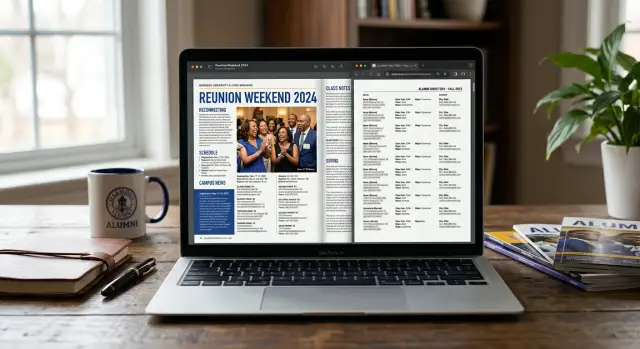
Why alumni pages can reveal more than people expect
Alumni pages rarely feel risky. They look friendly, familiar, and a bit old-school. A class note about a new job, a wedding, or a move sounds very different from a public people-search listing.
That is why alumni magazine privacy often gets ignored. People share updates because the audience seems small: old classmates, a reunion group, maybe a few staff members. But once that note is posted on a school site or saved in an online magazine, it can become visible to anyone who searches your name.
The problem is not usually one detail. It is the pile-up of details. A short update can mention your employer, your new city, your spouse's name, your children's names, and the year you graduated. On their own, those facts may seem harmless. Put together, they create a profile that is easy to match with other records.
Class notes are especially revealing because they sound personal. People write things like, "Sarah moved to Austin, joined a new law firm, and welcomed her second child, Eli." That single sentence gives away a location, a workplace, a family connection, and a child's name. A data broker does not need much more than that.
Archived PDFs make this worse. Schools often upload each issue as a PDF and leave it online for years. Search engines can index those files, and brokers can copy them in bulk. Even when nobody at the school is thinking about that 2014 reunion issue anymore, the file may still show up in search results.
Reunion pages have a similar problem. They were often made for a single event, but they can stay public long after the weekend is over. Old guest lists, memorial notes, and class updates may still sit there, easy to search.
This is not a reason to panic. Many alumni mentions are low risk. The trouble starts when several personal details sit in one place, in a format that is easy to search, save, and reuse.
What usually appears on these pages
A lot of alumni pages look harmless because they read like school news. In practice, they often collect personal details in one easy place. That is why alumni magazine privacy matters more than most people expect.
The most common item is the class note. It may list a full name, graduation year, current city, job change, wedding, retirement, or a new degree. One short update can give a stranger a clean timeline of someone’s adult life.
Reunion pages add another layer. They often group people by class year and include where they live now, who plans to attend, and sometimes a short message. If a page says someone from the class of 1998 now lives in Denver, that is already more specific than many public directories.
Some of the most exposed material sits in old PDF files. Alumni offices often post magazines, newsletters, donor reports, and event programs as archived PDFs. These files are easy to copy, search, and index, even when the original page looks buried on a school site.
Common examples include:
- class notes with full names and life updates
- reunion pages with year, city, and attendance details
- donor lists with name, class year, and giving category
- award and volunteer pages with organizations or roles
- archived newsletters that mention family members
Family details show up more often than people realize. A short note might mention a spouse by name, a child starting college, or parents and siblings at a reunion. That turns one profile into a small family map.
Donation and recognition pages can also say quite a bit. A donor roll may connect a name to a school, graduation year, city, and household. An award blurb might mention an employer, board work, or a local charity.
Even when each detail feels minor on its own, the full page can be very specific. A line like "Sarah Miller, Class of 2007, moved to Portland with her husband Daniel and their two children" gives names, a date range, a city, and family ties in a single sentence.
That is the pattern to watch for. These pages rarely expose one dramatic secret. They expose many small facts that are easy to collect, save, and reuse.
Why data brokers like this kind of information
A short reunion note may look harmless. To a data broker, it is one more clean piece of evidence that a person is real, where they have lived, and who they are connected to.
That is why alumni magazine privacy matters more than most people think. Brokers do not need one big leak. They build profiles by collecting small facts from many public places, then fitting them together. An alumni page might confirm a maiden name, a city, a graduation year, a spouse, or a child's name. Each detail makes the next match easier.
A class note is especially useful because it often sounds personal and specific.
How to check what is public
Start with a plain search. Type your full name, your school name, and your graduation year into a search engine. Then try a few close versions, such as your maiden name, middle initial, nickname, or a name with and without quotes. For alumni magazine privacy, this simple step often finds pages you forgot existed.
Do not stop at normal web pages. Alumni sites often keep older issues in PDF form, and those files can sit in search results for years. A reunion page may look harmless on the site, but an archived PDF can show the same details in a format that is easy to copy, download, and repost.
Check these places first:
- alumni magazines and class notes pages
- reunion pages for your class year or department
- PDF archives of newsletters, magazines, and event programs
- staff or volunteer pages tied to alumni groups
- cached copies or file downloads that still open in search results
When you open a result, scan for more than your own name. Look for family names, spouse names, children, city, employer, job title, email address, phone number, and social handles. Even a short note like "John and Lisa moved to Denver and welcomed a daughter" gives away a lot when someone combines it with other public records.
Make a short tracking list as you go. A basic note on your phone or a spreadsheet is enough. Record the page title, file name, date you found it, and what personal details appear. Keep each entry short so you can sort it later.
Before you ask for any change, save proof. Take screenshots of the page, save the PDF if there is one, and write down the exact file name or page title. If a page gets updated or removed later, you still have a record of what was public.
A good rule is this: if a page tells a stranger where you live, who your family is, where you work, or how to reach you, put it near the top of your list. That is the material most likely to spread well beyond the alumni site itself.
How to ask for updates or removal
Start with the alumni office, the magazine editor, or whoever manages class notes and reunion pages. In many cases, a short direct email works better than a long complaint. You are asking for a specific fix, not making a speech.
Be clear about what you want. If full removal feels hard for them to approve, ask for a smaller change first, such as a name-only version. A class note that says "Alex Chen attended the reunion" exposes far less than one that lists a spouse, children, employer, city, and graduation year in one block.
What helps most is precision. Mention the exact page, issue date, reunion page title, or PDF filename. If the note appears in an archived PDF, say that too. Staff can act faster when they do not have to hunt for the item.
What to include
- Your full name as it appears on the page
- The exact text you want changed or removed
- Where it appears, such as Spring 2021 magazine, page 14, alumni notes PDF
- The replacement text, if you want an edit instead of a full removal
- A simple reason, such as privacy or safety concerns
One detail people often miss: ask them to replace old files, not just hide the page. If the PDF stays on the server, search results and data brokers may still pull from it later. A removed menu link is not the same as a removed file.
Keep the tone calm and factual. Short messages usually get a faster reply because they are easy to forward to the right person. You do not need to explain your whole privacy history.
A simple note can be enough: "Please remove my class note from the Fall 2022 alumni magazine PDF on page 9, or replace it with my name only. The current entry includes family details and my city. Please update the archived file as well, not just the webpage." That is specific, polite, and hard to misunderstand.
Mistakes that leave your details exposed
A common alumni magazine privacy mistake is fixing the obvious page and missing the files around it. Someone asks the school to remove their street address from a reunion page, gets a polite confirmation, and assumes the job is done. But the old PDF issue, event handout, or cached file still shows the same details.
Archived PDFs are a big one. Schools often upload magazines as full scans, and those files can stay public for years. Even after a web page changes, the PDF can still show your full name, city, employer, spouse, children, and reunion year in one easy-to-copy block.
People also forget about image captions and event programs. A photo from homecoming might look harmless, but the caption can name everyone in the picture, mention a class year, and add a spouse's name. A reunion program can be worse because it often groups names, graduation dates, and location details in a format that is easy to scrape.
Another mistake is removing your address but leaving family names in place. That still gives data brokers useful clues. If a class note says you live in Denver with your husband Mark and your daughters Ella and June, that is enough to match records across broker sites even without a street address.
Old does not mean hidden. That is where many people slip up. A magazine from 2011 may feel forgotten, but search engines, broker databases, and archive pages do not care that it is old. If anything, older pages are sometimes easier to miss because nobody has looked at them in years.
One more problem: copied versions. A school may update the original page, but search results can still show:
- a saved PDF on a separate subdomain
- an event booklet uploaded by an alumni office
- a copied page in a web archive
- a snippet in search that still shows old text
This is why alumni magazine privacy needs a wider check than one page edit. If you only fix the main page, the same personal details may keep circulating elsewhere.
The safer move is to treat every mention as a small cluster, not a single page. Check the article, the PDF, the photo captions, the event files, and what search still shows. That extra ten minutes can stop a partial cleanup from leaving the most useful details behind.
A simple example of how this spreads
Maria sends a short class note to her alumni office after a move. It feels harmless. She writes that she and her husband just relocated to Denver, that their two children started at a new school, and that she changed jobs last spring.
The update lands in the digital alumni magazine and in a reunion PDF. Her full name is there. So is her graduation year. In a few lines, anyone can tie together her old city, new city, family details, and a rough timeline of her life.
That mix is exactly why alumni magazine privacy matters more than people think. A data broker does not need one dramatic leak. It just needs small facts that fit together cleanly.
A few years later, Maria searches her name and finds a broker profile. It lists her current city, age range, possible relatives, and an old address. Some of it likely came from other public records. But the family links and move history line up almost perfectly with that alumni note.
She asks the broker to remove the listing, and it disappears. Problem solved? Not really. Within weeks, similar profiles show up on two more broker sites. One has her spouse's name spelled correctly. Another connects her old state and new one. That usually means the same details were copied, sold, or refreshed from multiple sources.
The original alumni PDF is still online, and search engines can still find it. Even if the school posts a newer issue, the older file may stay in an archive folder for years. That old PDF keeps feeding the same cycle because it gives brokers a clean source they can return to.
This is why one takedown often is not enough. If the source page stays public, new copies can keep appearing after you remove the first listing.
In a case like this, the most useful first step is to deal with both ends: ask for the broker listings to come down, and ask the alumni office whether the class note can be edited, removed, or taken out of archived PDFs. If you use a service like Remove.dev, this is the sort of repeat re-listing problem it is built to track.
Quick checks to decide what needs action first
If you find several alumni pages about you, do not treat them all the same. Start with the pages that let a stranger identify you in seconds. A short class note with your full name and school details is often enough to connect the rest.
Then look for anything current. A city, employer, or job title turns a casual mention into a clean profile. For data broker exposure, that is far more useful than a basic graduation update.
Family names push a page higher on your list. If a reunion note names your spouse, children, or parents, it gives away relationship details that many people never meant to post publicly. That makes matching much easier.
Check format before effort
PDFs deserve attention early. An archived PDF personal data issue can stick around for years because old magazines get copied, indexed, and stored in more than one place. Even if the alumni site updates the page, the PDF may still appear in search results.
A quick triage works well:
- Full name appears with graduation year, degree, or class details
- A current city, employer, or work role is listed
- Family members are named
- The page is a PDF or scanned magazine issue
- Search results show older versions, copies, or cached pages
If a page checks three or more of those boxes, move it to the top of your list. If it shows only your name and graduation year, it may still matter, but it is usually less urgent.
For alumni magazine privacy, the pages that seem harmless are often the ones worth fixing first. A cheerful class note can quietly expose where you live, who you are related to, and where you work.
A simple example: a 2009 alumni magazine PDF says "Maya Patel, Class of 2001, now lives in Seattle with her husband Daniel and works at a local hospital." That single sentence gives a broker a strong identity match, family link, and location.
When you search, look beyond the first result. Old reunion page privacy problems often survive in copied PDFs, archive pages, and search snippets long after the original page changes.
What to do next
Start with the pages you can affect first. If an alumni magazine article, class note, reunion page, or archived PDF shows more than you want, ask for an edit or removal at the source. That often cuts off the easiest copy for search engines and broker sites.
For alumni magazine privacy, speed matters. A page that stays public for months is more likely to be copied into people-search profiles, scraped into old databases, or saved in search results even after the original page changes.
A simple order helps:
- Save the page title, web address, and screenshots before you contact anyone.
- Ask for a specific change, such as removing your home city, family names, employer, or the full PDF.
- Keep every reply in one place, including dates and who answered.
- Recheck search results a few days after the page is updated or removed.
- Then look for broker sites that still show the old details.
That record matters more than people think. Schools, alumni offices, and publishers sometimes need a follow-up, and a dated paper trail makes that easier. It also helps if the same details show up again later in a cached result or on a broker page that copied the original text.
After the source page changes, search for the exact details that were exposed. Try your full name with a spouse's name, graduation year, city, employer, or a sentence from the class note. If an archived PDF was public, search a unique phrase from it. Brokers love that kind of clean, easy-to-match personal data.
If broker sites copied the information, handle those next. Remove the source first, then work through the copies. Otherwise, you can spend time taking down one listing while fresh copies keep appearing.
If you do not want to chase those listings by hand, a service like Remove.dev can take over that follow-up work. It scans for exposed personal data across more than 500 data brokers, sends removal requests, and keeps watching for re-listings after the first round is done. That is often the part people underestimate. The first removal is only half the job. The recheck a few weeks later is what tells you whether the problem actually stayed fixed.