Archive before data removal: what to save first and why
Archive before data removal by saving screenshots, broker URLs, confirmation emails, and dates so you can prove a listing returned and act fast.
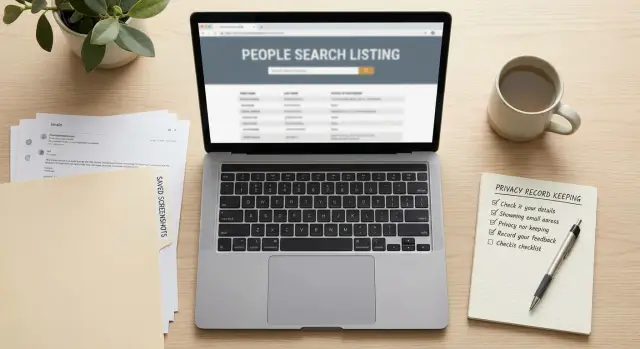
Why saving proof matters
Save the evidence before you send the first removal request. That one habit prevents a lot of confusion later.
Data broker listings do not always stay gone. A page can reappear weeks later, or the same details can show up on a different broker under slightly different wording. If you saved the original page, you have a clear record of what was public and when.
That matters because listings often change as soon as a request is sent. Sometimes the page disappears. Sometimes only part of it stays live. Sometimes the page stays up, but the address, phone number, or relatives section changes. Without a screenshot or saved URL, it becomes much harder to show what was exposed in the first place.
Good records also make follow-ups easier. You are not stuck relying on memory, and memory is terrible with details. Was your full address shown, or only the city? Did the page include your employer, age, or an old phone number? A saved copy answers that right away.
There is a time benefit too. Repeat searches can waste hours because broker pages move, profile names change, and search results often look almost identical. When you keep the original page title, URL, and proof of what was visible, you can go straight back to the right listing instead of starting over.
A common example: you remove a profile in March, then see it again in June on the same site with your address shortened but still recognizable. If you kept the first screenshot and the confirmation email, you can show that the listing returned instead of wondering whether it is a new record.
Even if you use a service like Remove.dev, your own saved proof still helps. Remove.dev tracks requests and monitors for re-listings, but keeping a personal copy gives you a paper trail you control.
What to capture from the listing
When you find a broker page with your information, save it like it might vanish tomorrow. Some brokers change URLs, trim pages after a request, or move the same record to a new address. If the listing comes back, your old record gives you something solid to compare.
Start with a full-page screenshot. Include the broker name, page title, and the section that shows your details. If the page is long, take multiple screenshots rather than cutting off the bottom half.
Then save the exact page URL. Do not stop at the homepage or a search page. Copy the full address of the listing itself, even if it looks messy. That detail can save a surprising amount of time later.
Add a short note with the basics:
- broker name
- date found
- exact URL
- what personal details were shown
That note matters more than it seems. The screenshot proves the page existed. The written summary helps you compare a later listing and decide whether it is the same record, a partial match, or a new one with more information.
Try to save context, not just one cropped line. If your name appears next to your city and an old phone number, capture all of that together. A broker might later remove one field but leave the rest, or repost the same profile under a different page path.
You do not need a perfect archive. You just need enough proof to recognize the listing later without guessing.
Emails and messages worth keeping
Do not stop at screenshots. Your inbox often holds the best proof that a broker received your request, accepted it, rejected it, or asked for more before acting.
The first messages to save are confirmation emails. Even short ones matter. They can show when you submitted the request, which profile or address you asked them to remove, and which company handled it.
Case numbers matter too. Some brokers use ticket IDs instead of clear status updates. Save those messages even if they look boring. If the same listing returns later, that number can help tie the old request to the new problem.
Keep the full thread when possible, especially if it includes:
- confirmation emails
- case numbers or ticket IDs
- requests for ID or address verification
- rejection notices
- promised review times or removal dates
Requests for extra documents are easy to ignore, but they are often why a case stalls. Save them and make a note of whether you replied. If a broker later says you never completed verification, you will have a record.
Rejection notices are just as useful. They tell you how the broker answered the first time. Maybe they claimed they could not find your record, or said the request came from the wrong email address. If the listing still appears, that old rejection gives you a quicker starting point.
Timing emails help too. If a broker says "allow 10 business days," you have a clear follow-up window. Without that, it is easy to chase too early or wait too long.
A simple rule works well: save the full email, not just a screenshot of the first line. Headers, dates, sender names, and attachments can all matter later.
A simple archive system you can keep up with
Keep the setup boring. Fancy systems fall apart fast. A few clear folders and sensible file names are enough.
Start with one folder for each broker. Inside that folder, keep the listing screenshot, the page URL, your request, and any replies in the same place. That way you are not digging through random files a month later.
A basic setup looks like this:
- broker folder
- screenshot of the listing
- text file with the URL and date found
- copy of the request you sent
- email replies or confirmation messages
Name files with the broker and date. For example: spokeo-2026-03-10-listing.png or whitepages-2026-03-10-confirmation.pdf. Dates matter more than people expect. If a profile returns, you can see when it first appeared, when you requested removal, and how long it stayed down.
Keep one short status note in each folder. A plain text file is enough. Write only what you need: request sent, waiting, removed, relisted, or no reply. If the broker asked for more proof, add that too. Two lines can save a lot of time later.
Keep it easy to update
Your system has to be quick enough that you will actually use it. If saving a record takes more than a minute or two, most people stop.
That is why simple file names usually work better than a complicated spreadsheet. If you do use a service like Remove.dev, the dashboard can help you track requests in real time and spot re-listings. Still, keeping your own small archive is smart. It gives you a backup copy of screenshots, URLs, and emails in one place.
A good archive should answer three questions fast: what was posted, when did you act, and what happened after that.
How to archive everything step by step
A simple routine beats a perfect one. Use the same order every time so you do not miss something you will need later.
- Open the page and confirm the listing is actually yours. Check the name, age range, past address, relatives, or phone number.
- Take a full screenshot before you submit a request. Include the parts that identify you and, if possible, the page title and browser bar.
- Copy the exact page URL into your notes. If the site uses a profile ID or record number in the URL, save that too.
- Submit the removal request only after the page is saved.
- Save the confirmation screen or email right away.
If no email arrives, keep whatever proof you do get. That could be a confirmation page, browser receipt, or screenshot of the submitted form.
Your notes only need a few lines:
- broker name
- saved URL
- date submitted
- where the screenshot is stored
- when to check again
That last line matters. Add a follow-up date based on the broker's stated timeline, or set your own reminder if they give no timeline at all.
A simple example of why this helps
Maya finds an old people-search profile with her full name, age, old address, and a phone number she stopped using years ago. Before sending the request, she takes two screenshots and saves the exact URL. Then she gets a confirmation email and stores it in the same folder.
Two months later, the same profile appears again in search results. That is not rare. Brokers rebuild pages, buy fresh records, and repost old entries after database updates.
Because Maya kept a small archive, the second round is easy. She opens the folder, checks the old screenshot, confirms it is the same listing, and uses the original URL and email to follow up. She does not have to search through several similar profiles or explain the history from scratch.
Her old email helps most. It shows when she sent the first request and what the broker said. If it includes a case number, even better. She can write, "This profile was removed on May 14 and has appeared again at the same URL." That is much clearer than sending a brand-new message with no record attached.
Without those files, the second request is slower and messier. She may need to prove the page existed before, find the right form again, and explain which of several similar listings was taken down.
Mistakes that cause trouble later
The most common mistake is saving proof that looks fine at first but becomes useless later. A cropped screenshot is the usual problem. If the image shows only your name and address, but not the broker name, page title, or browser bar, it is harder to prove where the information came from.
Another common mistake is saving only the broker homepage. The full profile URL matters because it may include an ID, city, age range, or search string that helps you find the same record again.
People also delete emails too early. Keep the full thread. Confirmation emails often include the case number, the submission date, and the wording the broker used when they said the record was removed. If the listing returns six weeks later, that old message can save time.
Messy folders create a different problem. When several brokers are mixed into one place, it gets easy to attach the wrong screenshot to the wrong follow-up. That slows everything down and makes re-listings harder to spot.
Dates are easy to forget, but they matter. If you do not note when the request was sent, you cannot tell whether the broker is late, whether you already followed up, or whether you should start over.
A clean archive should let you answer these questions fast:
- which broker had the listing
- what exact URL was removed
- what the page looked like before removal
- when the request was sent
- what the broker replied
If you can answer those in under a minute, your system is in good shape.
A quick check before you submit
Take one minute and check the basics before you hit send.
Make sure the screenshot is readable and shows the full listing, not just a cropped fragment. Save the exact URL, not the homepage. Store the broker name and the capture date with the file. Keep the confirmation email or submission proof in the same folder. Use a file name that still makes sense three months from now.
A file named Screenshot 47.png tells you nothing. 2026-03-10-spokeo-listing.png tells you exactly what it is.
If you use Remove.dev, this is where its tracking can help. The service automatically finds and removes personal information from more than 500 data brokers, monitors for re-listings, and shows request status in a real-time dashboard. Even so, your own copies of screenshots and emails still make follow-up easier.
What to do next
Do the dull part now, while the details are fresh. Open a notes app, spreadsheet, or folder on your computer and make one simple template you can reuse.
Keep only the fields you will actually fill in: site name, profile URL, date found, what personal details were shown, screenshot saved, request sent, and reply received.
If you are doing removals by hand, simple beats perfect. A plain folder and a one-page tracker are enough for most people. Save one clear screenshot of each listing, copy the exact URL, move confirmation emails into one mail folder, and set a reminder to review everything every few weeks.
That review matters. It helps you catch re-listings, mark completed removals, and notice sites that never replied. Ten minutes is usually enough. If the review feels annoying, the system is too heavy.
If you want less manual work, Remove.dev can handle a lot of the process for you. It sends removal requests using several methods, keeps watch for new listings, and most removals are completed within 7-14 days. Still, whether you do everything yourself or use a service, the basic rule stays the same: save the proof before the page changes.
If you can open one folder and find the screenshot, URL, and confirmation email in under 30 seconds, your archive is good enough.
FAQ
What should I save before I send a removal request?
Start with a full-page screenshot of the listing, the exact profile URL, and the date you found it. After you submit the request, save the confirmation page or email too.
Those few items give you proof of what was public and when you acted.
Do I really need the full URL?
Yes. Save the full profile URL, not just the broker name or homepage.
The full address often helps you find the same record again if the page returns or the site has many similar profiles.
Why isn't a cropped screenshot enough?
Because a cropped image can lose the broker name, page title, or browser bar. Later, that makes it harder to show where the information came from.
A wider screenshot gives enough context to match the listing if the page changes.
Which emails are worth keeping?
Keep the whole thread, especially the first confirmation, any case number, requests for ID or address checks, rejection messages, and promised review times.
Those emails show what the broker received and what happened next.
How should I organize everything?
Use one folder per broker and keep the screenshot, URL note, request copy, and replies together. Name files with the broker and date so they still make sense later.
A plain setup is usually better than a fancy one you will stop using.
What should I put in my notes?
Write the broker name, the exact URL, the date found, what details were shown, and when you sent the request. Add a follow-up date if the broker gave a timeline.
That is enough to tell whether a later listing is the same one.
What if the broker never sends a confirmation email?
Save whatever proof you do have, such as the confirmation screen, submitted form, or browser receipt. Then set a reminder to check the listing again.
If nothing changes after the broker's usual window, follow up with the saved proof.
How often should I check for a listing coming back?
Check again based on the broker's stated timeline. If they gave no timeline, a review every few weeks is a simple default.
That is often enough to catch pages that return without turning this into a daily task.
If I use Remove.dev, do I still need my own archive?
No. Remove.dev can track requests, monitor for re-listings, and handle removals across more than 500 brokers, but your own copies still help.
Keeping screenshots and emails gives you a backup record you control if you ever need to compare a returned listing.
How long should I keep the screenshots and emails?
Keep it for at least several months after the listing is removed. If the page returns later, the old screenshot and emails make follow-up much faster.
Many people just keep the folder as long as they want the option to prove the old listing existed.