Broker says record does not exist? Why Google shows it
When a broker says record does not exist but Google still shows a result, learn to check cache, indexing lag, and alternate search paths.
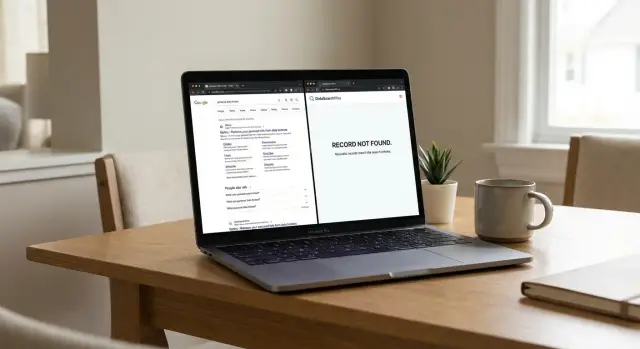
Why the mismatch happens
When a broker says a record does not exist, Google can still show it because they are looking at different points in time. Google stores what it found during an earlier crawl. The broker site shows what is live now. If the page came down yesterday, Google might keep the old title and snippet for days or even weeks.
That is why a search result can stick around after the page itself is gone. You click it and get an error, a redirect, or a generic search page. The result still appears because Google has not refreshed that listing yet. Sometimes the snippet comes from an older version of the page, so it looks like your details are still public even when the broker already removed the profile.
There is another common issue: the page Google found may not be the same page the broker checked. Data broker sites often create several near-duplicate pages for one person. One version might be removed while another still exists under a slightly different URL, city page, or name format. To the support agent, your record looks gone. To Google, a very similar profile is still there.
Small identity details cause plenty of misses too. A middle initial, an old ZIP code, a former last name, a different age, or a relative's name can change the match. Even the broker's own site search may fail if the profile was filed under an older address or a shortened first name.
A simple example makes this easier to see. A profile for "Maria Lopez" at one Phoenix address gets removed. Google keeps showing that old result for a while. But the broker also has a second page for "Maria A Lopez" tied to a past address in Tempe. At a quick glance, both results look like the same record.
So this usually is not a case of Google being wrong or the broker lying. It is more often a mix of indexing lag, stale snippets, duplicate profile pages, and tiny identity details that are easy to miss.
Check whether the result is still live
Start with the simplest test: open the Google result in a private window. That cuts out saved logins, old cookies, and past searches that can change what you see. If the broker says your record does not exist, this tells you whether the page is really public or whether you are looking at a stale result.
Do not trust the Google snippet on its own. Snippets can stay visible after a page changes, and the title shown in search may not match what loads now. Open the result and compare three things: the page title, the snippet text, and the full URL. Small differences matter. A profile page, a search page, and a category page can look almost identical in Google even when only one ever held your record.
A quick check usually gives you the answer:
- Open the result in a private window.
- Copy the exact URL that loads, not just the one shown in Google.
- See whether the page opens normally, redirects somewhere else, or returns an error.
- Take screenshots and note the date.
That redirect check is worth the extra minute. Some broker pages do not disappear cleanly. They jump to the homepage, a general search page, or a different profile with a similar name. If that happens, the original page may be gone even though Google still shows it. If the same record still loads with your name, age, address, or relatives, the listing is still live.
Save proof while you have it. Take one screenshot of the Google result and one of the page that opens. If possible, include the address bar and the date. That gives you something concrete to send back to the broker.
If the page errors out, do not assume the problem is over. Google can lag behind the live site for days or weeks. The question in this step is simple: does the record load right now, and if not, what happens instead?
Look for older copies
When a broker says your record does not exist, Google may still be showing an older copy. That is common in data broker removal. Search results often keep a page around after the page changed or vanished.
If you have the exact page address, search for the full URL in quotes. That helps you check whether Google still knows that page, even if the live result now leads nowhere or shows a stripped-down version.
Then look closely at the result itself. The title, snippet, and visible text can come from an older crawl. So a search result may still show your name, age, city, or relatives even when the broker page now says no match found. That does not prove the page is live. It does prove Google saw it at some point.
If you do not have the full URL, search the page title with your name in quotes. Many broker pages use the same title pattern across thousands of records. That search can surface an older result even after the main listing is harder to find. Try one or two close versions, such as your full name plus city, if the first search comes up empty.
Keep a record while it is still visible:
- a screenshot of the search result
- the exact URL, copied in full
- the page title shown in Google
- the date and time of your search
- a screenshot of the page if it still opens
This part feels tedious, but it matters. Search results can change fast. If the old copy drops out later, your screenshots and saved URL give you something specific to send back instead of relying on memory.
If you use a service like Remove.dev, this kind of proof can also speed up follow-up work. It helps when a live page is gone but the old result or a related copy still needs attention.
Search alternate paths to the same record
When a broker says no record exists, the problem is often the search path, not the record itself. Many profiles are filed under an old city, a past address, a middle initial, or a shorter version of your name. If you search only one version, you can easily miss the page Google found.
Start by pairing the broker name with a place tied to the record. A search for your full name alone may show nothing on the site, while the broker name plus your city or state can surface the profile page or a category page that leads to it.
Try a few name versions, especially if you have moved or changed how you present your name online:
- full name and city
- full name and state
- old last name or maiden name
- first name with middle initial
- name plus past street or ZIP code
If the broker has its own search box, use that too. Site search can reveal records that do not appear in Google the same way, and it may uncover a new URL for the same profile. Sometimes the public page was renamed, but the person record still exists under a different path.
Also check whether the same profile appears on partner or mirror sites. Data brokers copy, resell, and republish records across connected domains. Google may show one domain while the broker support team is checking another database or only the main site.
Small clues help here. If Google shows a snippet with your age, a former town, or relatives' names, search those details on the broker site. That can lead you to the live page even when the original Google result no longer opens.
This is why manual data broker removal gets messy. You are often not dealing with one page. You are dealing with several versions of the same profile across related sites. If you do not want to track that by hand, Remove.dev checks more than 500 data brokers and keeps watching for re-listings, which can save a lot of repeat searching.
Before you contact the broker again, save the exact search terms that found the record. Send those terms with the screenshot or URL. That gives support a narrower place to look and cuts down on the usual "we could not locate this record" reply.
What to send the broker next
The next message matters. Keep it short, specific, and easy to verify. If your note is vague, support teams often send the same canned answer again.
Send enough detail so they can check the exact listing, not just your name. Many brokers have duplicate records, old profile pages, or pages that were moved without fully disappearing from search.
Include:
- the full URL from the search result
- a screenshot of the Google result and, if possible, the page itself
- whether the page still loads, redirects, shows an error, or appears only as a snippet in Google
- the search you used to find it and the date you checked
Then ask a direct question. Do not just say that Google shows the page. Ask whether the record was deleted, moved to a new URL, or merged into another profile. That leaves less room for a vague reply.
Ask them to check for alternate profiles that still match you. That matters when the site has small variations, such as a middle initial, old city, nickname, or age range. One profile may be gone while another version is still live.
A short note works better than a long complaint. You can say that the page still appears in Google for a search on your full name and city, attach the screenshot, and ask them to confirm whether the record was removed, relocated, or merged. If another profile exists with the same details, ask for that one to be removed too.
If the page no longer loads and only the snippet remains, say that clearly. That tells the broker this may be an indexing lag problem, but you still want written confirmation that the underlying record is gone. Keep that confirmation. It helps if the same profile shows up again later.
A simple example
Say you opt out of a people-search site on Monday. On Tuesday, the broker replies that your profile is gone.
Then you search your full name and town on Google, and the result is still there. The snippet still shows your age range, street name, or relatives. When you click it, the old broker page no longer opens. It redirects to the homepage, a search page, or an error screen.
That is a common version of "broker says record does not exist." The broker may be telling the truth about its own page, but Google is still showing an older result. The search snippet lasts longer than the live page.
There is often a second problem. The same record may still be sitting on a partner site. The broker removed its copy, but another site that bought, scraped, or republished the same data still has the profile live under a different URL. Google may show the old broker result, the partner page, or both.
At that point, treat it as two separate jobs:
- confirm the original broker URL is really dead
- find the live copy on the partner site
- submit a removal request for that second page
- keep records of both URLs and screenshots
That is why "just wait for Google" is not always enough. You want both layers handled. First, make sure the broker page stays dead. Second, remove the copy that is still live elsewhere.
If you stop after the first broker reply, your data may still be easy to find. The page changed. The exposure did not.
Mistakes that waste time
A lot of people lose hours because they search only one version of their name. Data brokers often split records by middle initial, age, old city, married name, or a shortened first name. If "Maria Lopez" shows nothing, try "Maria R Lopez," "Maria Rivera Lopez," an old ZIP code, or the phone number tied to that result.
Another common mistake is treating "record does not exist" as the end of the search. Sometimes it only means one page is gone. The same record may still sit under a new URL, a household profile, or a result tied to an old address.
People also ignore what Google already shows them. A search snippet can stay visible after the live page changes or disappears. That does not always prove the record is still public, but it does give you clues: a full name, age range, city, relatives, or an old URL slug.
And many people wait too long to save proof. That is where time gets wasted. Search results can change within hours. If you go back later, the snippet may be different, the URL may redirect, and the broker may say there is nothing left to review.
Save proof before it moves
Take two minutes and keep a small record of what you found:
- a screenshot of the Google result
- the exact URL shown in search
- the search term you used
- the broker's "record not found" reply
It sounds basic, but it cuts down on a lot of back-and-forth.
A simple example shows why. Say you search for "David Chen Seattle" and Google shows a broker page with his age and a past address. He clicks through, gets a "record not found" message, and stops. That is where time disappears. If he had saved the old URL and searched his phone number or previous city, he might have found the same profile under a different page.
The fastest approach is simple: try more than one identity detail, assume URLs can change, and save evidence before it disappears.
Quick checks before you move on
Before you send another message, pin down what Google is actually showing. A search result can point to a live page, a dead page, or an old copy still sitting in Google's index. If a broker says your record does not exist, that difference matters.
Open the result in a private window and test it twice. If the page loads and shows your details, it is live. If it returns an error or redirects somewhere unrelated, the page may be gone while Google still keeps an old title or snippet.
Pay close attention to the snippet under the result. Sometimes the page is dead, but the snippet still shows your age, phone number, or address. That is useful proof because it shows your personal details are still visible in search, even if the broker says the page is gone.
A few checks usually clear this up fast:
- search your full name in quotes, then try common variants like a middle initial, old last name, or nickname
- add old addresses, past cities, and ZIP codes to the search
- copy the result URL exactly as Google shows it
- save a screenshot that includes the query, result, snippet, and date
If you can, test one alternate path too. Search the broker site with your old address, or use a slightly different name order. Many records move to a new URL after a profile update, so the result you found may no longer be the only copy.
For a follow-up, gather enough proof to make the next reply easy to act on. A good packet is simple: the search query you used, the Google result URL, a screenshot of the snippet, and a note saying whether the page is live or dead.
Five extra minutes here can save days of back-and-forth.
What to do if it keeps coming back
A record that disappears and then shows up again is usually a re-listing, not a failed search on your side. Data brokers refresh their databases often, buy from new sources, and copy data across related sites. One clean removal is sometimes only round one.
Start with a short recheck cycle. Wait a few days, then search the broker again using the same name, city, age range, past addresses, and common spelling changes. If the result is back, take fresh screenshots and save the page title, date, and exact search you used.
A basic routine helps:
- recheck the same broker after 3 to 7 days
- search sister sites or lookalike sites that may reuse the same listing
- save screenshots before and after each request
- write down the request date, reply date, and current status
- note whether Google still shows the old result or a live page
This log does not need to be fancy. A note on your phone or a small spreadsheet is enough. The goal is to spot a pattern. If the same broker keeps removing and reposting your data, or if several related sites show the same profile, you have a stronger case for follow-up.
Also check nearby paths, not just the exact page you found first. A broker may delete one profile URL but keep a duplicate under a slightly different result. The same person can appear under a people-search page, an address page, and a relatives page across connected sites.
If this keeps happening across many brokers, doing it all by hand gets old fast. Remove.dev automates removals across more than 500 data brokers, keeps monitoring for re-listings, and lets you track requests in one dashboard. That is useful when the same record keeps returning and you need a clear paper trail.
If a listing returns once, recheck it. If it returns twice, start treating it as a recurring issue and document every step.
FAQ
Why does Google still show a broker page if the broker says my record is gone?
Because Google may be showing an older crawl of the page. The broker is checking what is live now, while Google can keep the old title and snippet around for days or weeks after the page is gone.
How do I tell if the result is still live or just stale?
Open the result in a private window and see what actually loads. If it shows your name, age, address, or relatives, the record is still live. If it redirects, errors out, or lands on a generic search page, Google is likely showing a stale result.
Should I trust the Google snippet?
No. A Google snippet can show old text from an earlier version of the page, so it may still display your details even after the broker changed or removed the record.
What does it mean if the result redirects or shows an error?
That usually means the original page is gone but Google has not refreshed the result yet. Save a screenshot of the Google result and the page that opens, because that gives you proof of what users still see in search.
How can I find another version of the same record?
Try name variants and old identity details. Search your full name with an old city, ZIP code, middle initial, maiden name, nickname, or past street, because brokers often file the same person under slightly different versions.
What proof should I save before I contact the broker again?
Save the Google result, the full URL, the search term you used, the date, and a screenshot of the page if it still opens. That record helps when the result changes later or the broker says they cannot find it.
What should I say in my follow-up to the broker?
Keep the message short and specific. Send the exact URL, your screenshots, what happened when you clicked it, and ask whether the record was deleted, moved, or merged into another profile. If you found the page through an alternate name or old address, include that too.
Could my record still be live on another site?
Yes. Many brokers share or republish records across related domains, so one site may remove your page while a partner site still has a live copy under a different URL.
How long should I wait before checking again?
If the page is dead but the Google result remains, give it a few days and check again. If the page itself is still live, send the follow-up right away and recheck within 3 to 7 days in case it moves or comes back.
Can Remove.dev help with this problem?
If this keeps happening across a lot of sites, a service can save time. Remove.dev checks more than 500 data brokers, sends removal requests automatically, watches for re-listings, and lets you track requests in one dashboard. Most removals finish in 7 to 14 days, and plans start at $6.67 per month.