Broker removal verification with prepaid and VoIP numbers
Broker removal verification can fail when a site flags prepaid or VoIP numbers. Learn why that happens and what to use instead.
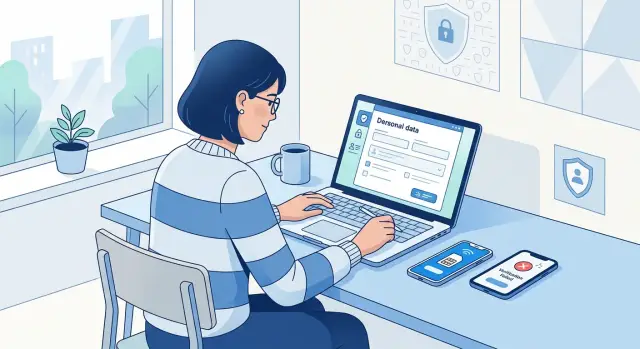
Why verification blocks removal requests
Most data broker opt-out forms look simple. You find your record, confirm it is yours, enter your contact details, and submit the request. Then everything slows down at one point: verification.
That delay often happens after you have already done the tedious part. You searched for your listing, matched your address, and filled out the form correctly. Then the broker asks for a phone number, sends a one-time code by text, or runs the number through an identity check before it accepts the request.
The pattern is common. You submit the form, the broker asks for a phone check, and the request sits in review until that check passes. Sometimes the form looks complete, but nothing moves because the phone step failed in the background. You may not notice until days later when no confirmation arrives.
That does not always mean the broker thinks you are trying to cheat the system. Many brokers use rough screening rules. If a number looks temporary, recently activated, shared by many users, or tied to internet calling instead of a standard mobile line, the system may block it automatically.
Brokers are trying to solve two problems at once. They want to stop fake removals, and they want proof that the person asking is connected to the record. A phone check is a quick shortcut, even though it is far from perfect.
A common example is someone using a secondary number for privacy. They fill out the opt-out form with accurate details, get asked for a text code, and enter a prepaid or VoIP number they use for online accounts. The broker's system rejects that number type, and the request stalls.
So a clean, honest request can fail even when the form itself was fine. The blocker is the verification step.
Why some brokers reject prepaid and VoIP numbers
Some brokers do not treat a phone number as just a place to send a code. They treat it as a trust signal. If the number looks stable and tied to one person over time, they are more likely to accept it for removal verification.
That is where prepaid and VoIP lines can run into trouble. A prepaid number can look short term, easy to replace, or harder to connect to one person. That does not make the user suspicious. It means the broker's system sees less certainty.
VoIP numbers often get checked even more aggressively. Internet-based numbers are common for signups, temporary accounts, and bulk activity. Because of that, some verification tools flag them more often than standard mobile lines. A broker may not know whether the number belongs to one person, a small business, or an account created for a single request.
A lot depends on the tools behind the form. Many brokers rely on outside vendors to check line type, carrier data, and whether a number can receive SMS normally. Those tools may also score numbers for fraud risk. If a number is marked as prepaid, recently activated, or virtual, the broker may block it, delay the request, or ask for another method.
The rules are not consistent. One broker may accept a prepaid mobile line with no trouble. Another may reject it because its vendor labels it high risk. The same goes for VoIP. A site might allow it for account login but refuse it for identity checks tied to a removal request.
That can feel unfair, especially if your number is real and you have used it for years. Still, the broker's question is simple: does this number look like a steady way to verify one person? If the system cannot answer yes, prepaid and VoIP numbers are more likely to get rejected.
How brokers decide a number looks risky
During broker removal verification, the phone field is often checked by an automated risk system before a person ever sees your request. That system is not judging your privacy choices. It is trying to decide whether the number looks stable, traceable, and tied to one person.
The first check is usually a carrier lookup. This tells the broker whether the number is marked as wireless, landline, or VoIP. Some companies treat VoIP lines as higher risk because they are easy to create, move, or replace, even when the number belongs to a real person.
The age of the number matters too. A line activated very recently can fail extra checks because it has little history attached to it. Fraud tools often assume a new line is more likely to be temporary, especially if the opt-out request arrives soon after the number was set up.
Location can also create small but annoying mismatches. If your address says Illinois but your phone has a Florida area code, the system may ask for more proof. That does not mean the request is fake. People move, keep old numbers, and use work or family lines all the time. Automated checks just prefer neat matches.
Shared and recycled numbers create another headache. Many phone numbers had previous owners. If older records connect that number to someone else, the broker may see conflicting identity data and stop the request until you prove the number is really yours.
Some systems look at more than the phone number. They may compare the line type, the activation date, whether your email looks new, the IP address you used, and whether those details line up with the name and address on file. That is why a normal request can still look suspicious. A prepaid line, a brand-new email address, and a VPN connection used together can push the score in the wrong direction.
Picture a simple case. You submit an opt-out from hotel Wi-Fi, using a recently activated prepaid number and an old address on the broker's record. Each detail makes sense on its own. Put together, the system may treat it as a mismatch and hold the request.
Better options when phone verification fails
If a broker will not accept a prepaid or VoIP number, the best backup is usually a regular mobile number in your own name. A standard carrier number often passes checks more easily because it has a longer history and looks less disposable.
If you have more than one number, use the one tied to your main accounts. The number on your bank profile, mobile carrier account, or credit file is often the safest choice. Keep it active long enough to receive a text or callback if the broker retries verification.
Email is often the next best option. Many brokers let you confirm a request with a one-time code or a link sent to your inbox. If that option is available, take it. It is usually simpler and avoids the prepaid or VoIP problem altogether.
Some sites also offer slower backup methods, such as a code sent by mail, manual document review, or a support form where you can ask for a different verification path. These options take longer, but they can still work. A mailed code feels old-fashioned, yet it can help when the broker wants proof that you actually live at the address in the record.
Whatever method you use, stay consistent. Use the same name, address, email, and phone number across the whole request. Small differences can cause trouble. If your form says "Jon Smith" in one place and "Jonathan Smith" in another, or you switch between two email addresses, the broker may stop the request for review.
Using a friend or family member's number just to get past the form is usually a bad idea. It can create a new problem if the broker sends follow-up messages or later questions who owns the number. Only use someone else's number if they clearly agree and the form allows it.
How to handle verification step by step
The fastest way through verification is to change as little as possible on the first try. Brokers often compare your request with the contact details already attached to the record, so even a small mismatch can trigger a rejection.
Start with the email address or phone number most likely tied to the listing. If the broker shows part of your number or email in the preview, use that version first instead of guessing.
A simple approach works well. Enter your name and address exactly as the broker lists them, even if the record uses an older version of your details. Test the phone number before you submit by making sure it can receive normal SMS without delay. Send one request, then wait for the first response. If the broker rejects it, change one thing at a time. Try a different phone number first, or switch to a different email, but do not replace everything at once.
Write down what happened. Note the broker name, the contact detail you used, the date, and whether the code arrived or the request failed. This sounds slow, but it usually saves time. If you change your name, address, phone, and email all at once, you will not know what actually caused the problem.
Say a broker record shows your old cell number and a past address. You submit with your new VoIP line and current address, and the code never comes. On the next try, use the old address with the same name. If that still fails, keep the address the same and switch only the phone number.
That kind of note-taking matters even more if you are dealing with lots of opt-out requests. The more clearly you track each attempt, the easier it is to spot the mismatch.
A simple example
Anna finds a people-search listing with her old address, her age range, and a mobile number she still recognizes. She wants the page gone quickly, so she starts the opt-out form right away.
The broker asks for a phone code to confirm the request is real. Anna does not want to use her everyday number, so she enters a VoIP app number she keeps for signups and random calls. The form accepts it at first, but the verification step fails. A few minutes later, she sees a message saying the number is not eligible.
That block is common. Many brokers check whether a number looks like a normal mobile line tied to one person. A VoIP number can look disposable, recently created, or weakly connected to the rest of the contact details on file.
Anna tries again, but this time she slows down. She uses her regular mobile number, the email address that has been connected to her public records before, and the same version of her name that appears on the listing. The code arrives right away. She enters it, submits the request, and gets a confirmation that the opt-out is under review. A few days later, the listing is gone.
What changed? Mostly consistency. The broker did not need speed. It needed details that made sense together.
If Anna had kept switching numbers, emails, or name formats, the request might have looked suspicious. Using a prepaid or VoIP line is not always a problem, but when a broker is strict, a normal mobile number plus a matching email usually gives you a better chance.
That is the frustrating part. People try to protect their privacy by using a separate number, then get blocked by the system meant to process the opt-out. When that happens, the ordinary choice is often the safer one.
Mistakes that slow things down
Most broker removal problems come from inconsistency, not fraud. A form can fail even when your request is real if the details shift too much between attempts.
One common mistake is sending the same form again and again in one sitting. That feels harmless, but many brokers treat repeated submissions as suspicious. If the first try fails, stop and read the error before you submit again.
The rejection message often tells you more than you expect. If it says the phone number could not be verified, do not switch your name, email, and number all at once on the next try. When several details change together, the broker may see a mismatch instead of a correction.
Brand-new prepaid numbers also cause trouble. A line with little history can look temporary, even if you bought it for privacy. Some brokers compare phone data against outside records, so a number activated yesterday may fail checks that an older personal number would pass.
Using a family member's number is another easy way to get stuck. It may be a real number, but it does not belong to the person named in the request. If the broker sees your name attached to your sister's phone or your spouse's number, that mismatch can block the opt-out.
Formatting changes matter more than people think. If you use "John A. Smith" on one form and "Jonathan Smith" on the next, then switch from one email to another, the system may treat those as different people. For removal verification, steady details usually work better than trying every possible version.
If you are handling many opt-outs, keep a short record of what you used for each broker. The less you guess, the fewer delays you create for yourself.
Quick checks before you submit
A two-minute review can save days of back-and-forth. With broker removal verification, small mismatches often matter more than people expect.
Start with the phone number. Some prepaid lines and many VoIP numbers can receive normal texts but fail on short codes, the five- or six-digit messages many brokers use for one-time verification. If that test fails, the request may stall before it really starts.
Then check the rest. Use the same name that appears on the broker record. Keep your address format consistent across the whole form. If you enter "Apartment 4B" in one place and "Apt 4-B" in another, some systems treat that as a mismatch. Look for another verification path before retrying the same failed phone step. Many brokers also allow email verification, and some still offer mail-based confirmation.
It also helps to save a screenshot of every error message, failed code screen, or rejection notice before you try again. That makes support requests easier, and it helps you avoid repeating the same failed attempt.
If phone verification keeps failing, do not keep submitting the same form with the same number. That can look suspicious, and some sites add a cooldown after repeated attempts. Switch to email if it is offered, or use a mobile number that already receives short codes without trouble.
What to do if brokers keep refusing you
If a broker keeps rejecting your number, stop sending the same request over and over. That rarely fixes anything. It can trigger extra checks, and some sites slow down repeated attempts.
First, try another verification path if the form gives you one. Email codes, document upload, or mailed confirmation can work when prepaid or internet-based numbers fail.
A short pause can help too. Some brokers delay SMS delivery, and some put temporary limits on repeat requests. If the code never arrives or the form fails without a clear reason, wait until the next day and try once with clean, consistent information.
When to contact support
If you contact support, keep it plain and factual. Send the exact email address you used, the name on the listing or the page you tried to remove, the time you submitted the request, and the error message you saw. A short note like "I requested removal, the phone verification code did not arrive, and the form rejected my number" gives them something they can actually check.
A practical fallback plan
Try one other verification method before giving up. Wait 24 hours if the site may be rate-limiting or delaying texts. Save screenshots of the error and the request details. If you contact support, stick to the facts.
If this keeps happening across many brokers, doing it all by hand gets old fast. Remove.dev handles removals across more than 500 data brokers, tracks each request in one dashboard, and keeps monitoring for records that come back later. That kind of ongoing follow-up matters, because a broker can remove your data once and then list it again after pulling it from another source.
One successful opt-out is good. Staying off these sites is better.
FAQ
Why would a removal request fail if I filled out the form correctly?
The form may have been fine, but the verification step likely failed. Many brokers check whether your phone number looks stable and tied to one person, and a prepaid or VoIP line can get blocked before anyone reviews the request.
Are prepaid phone numbers always rejected for broker opt-outs?
No. Some brokers accept them, while others reject them based on the phone-check tool they use. If your prepaid line keeps failing, try a standard mobile number or switch to email verification if the form allows it.
Why do VoIP numbers get rejected more often?
VoIP numbers often look less reliable to automated checks because they are easier to create or replace. Even if the number is real and yours, a broker may treat it as a weak match for identity verification.
What kind of phone number is most likely to work?
Usually, a regular mobile number in your own name works best. It tends to pass SMS and carrier checks more easily, especially if it has been active for a while.
Can I use a family member’s number just to get the code?
That is usually a bad idea. If the broker follows up later, the mismatch between your name and someone else’s number can stop the request or create more delays.
Should I change my name, email, and phone number all at once when I retry?
Keep the next attempt as close to the first one as possible. Change one detail at a time so you can see what caused the problem instead of creating a bigger mismatch.
What should I do if the verification text never arrives?
First check whether your number can receive short-code texts, since some lines get normal SMS but fail verification codes. If the code still does not arrive, wait a bit, then try email or another method instead of sending the same form over and over.
Do name and address mismatches really matter that much?
Yes, small mismatches can slow things down. Using the same version of your name and the same address format shown on the listing usually gives you a better chance of getting through review.
When should I contact broker support?
Reach out after you have tried one clean request and one reasonable backup method. Send the time of the request, the contact detail you used, and the exact error message so support can check something specific.
What if a lot of brokers keep refusing my verification?
At that point, doing it by hand gets tiring fast. A service like Remove.dev can handle removals across many brokers, track each request in one place, and keep checking for records that show up again later.