Remove personal data from campaign donations and petitions
Learn how to remove personal data from campaign donations and petitions, what stays public, what gets copied, and what you can still limit later.
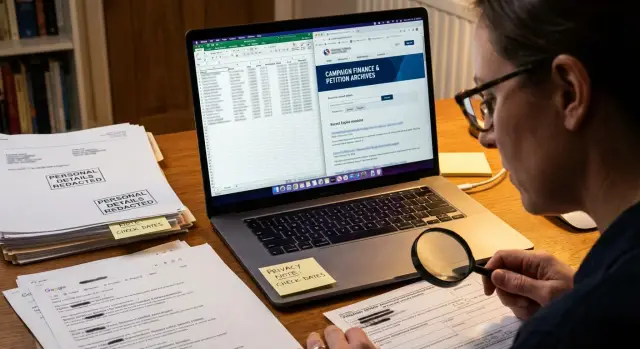
Why old records can still expose your details
Old campaign donation records and petition pages can stay online for years. Even if you forgot about them, search engines may still index the page, keep a cached version, or show your name in search results. A small action from years ago can still show up today when someone looks you up.
The bigger problem is that one public page rarely stays in one place. Once a campaign finance record, voter file snapshot, or petition page is posted, other sites can copy it into databases, people-search profiles, scraped archives, and forum posts. The original page may change later, but the copies often keep moving on their own.
That is where campaign donation records privacy and petition signature privacy get messy. A donation database might show your full name, city, employer, or ZIP code because election laws require some disclosure. A petition page might show your name and state, then get copied by search engines and data brokers with no interest in context.
A simple example makes it clear. You donated $50 to a local race in 2019 and signed an online petition around the same time. Years later, a search for your name brings up an old finance record, a cached result, and a people-search page that stitched those details together with your current address. None of those pages tells the whole story, but together they make you much easier to identify.
Public records personal information does not work like an ordinary website page. If a record is legally public, you often cannot erase the fact that it existed. What you can usually do is reduce how easy it is to find, limit copied versions, and remove the extra exposure created after the first posting.
So when people try to remove personal data from campaign donations and petitions, the real issue is rarely one page. It is the trail that page left behind.
What is usually public
Campaign and petition records often become public for a simple reason: transparency rules. Journalists, watchdog groups, the public, and data brokers may all see the same filing once it is posted. That is why old records can keep turning up long after you stopped thinking about them.
For campaign donations, the public details often include your full name, city and state, employer or job title, and the donation amount and date. In some places, filings show more. In others, smaller donations get less disclosure, or none at all. The exact rule depends on the country, state, or local office, and on how much you gave.
This is where campaign donation records privacy gets complicated. The original filing might sit on a government site, but copies often spread far beyond it. A scanned PDF, a searchable database, or an older export can keep the same details visible even if the main page later changes.
Petitions work a little differently. If you signed a government-related petition, your name may be part of an official record. If you signed on a private petition site, the public version may show your name, city, profile photo, or a comment you wrote. Some platforms let you hide part of that information. Others show more by default than most people expect.
Older pages are a common problem. A petition comment you posted years ago may still appear in archived versions, copied pages, or screenshots. The same goes for campaign filings stored as PDFs. Once a record is indexed and copied, it can stay easy to find even after the original source is harder to reach.
That does not mean every detail is public everywhere. Thresholds, election rules, and site settings vary a lot. Still, if your name was attached to a donation or petition, assume at least some of it was public at one point. That is often enough for other sites to copy it and keep it circulating.
What gets copied after the first posting
If you want to remove personal data from campaign donations and petitions, the first page is only part of the problem. Once a record is public, even briefly, other sites and systems can copy it fast.
A campaign finance page, petition archive, or voter file may show a name, city, employer, donation amount, or signing date. That single posting can feed people-search sites, search engines, and bulk data sellers that collect public records personal information and fold it into larger profiles.
One copy often becomes several. A people-search site may pull your name and location. Another site may copy that profile later. After that, the same details can appear in search results, cached snippets, and database exports that were made before the source page changed.
Search engines add another layer. Even if a page is updated or removed, old text can still show up for a while in the search snippet. Someone searching your name may still see a city, employer, or donation note long after the source record looks different.
Groups reuse data too. A campaign may publish donor summaries. An advocacy group may export petition data into reports, spreadsheets, or internal tools. Sometimes those files stay online longer than the original page. Sometimes they get copied into newsletters, PDFs, or shared folders.
The hardest copies to pull back are usually the ones made by other people: screenshots reposted on forums or social media, mirror pages that cloned older public records, downloaded spreadsheets passed around by email, and people-search profiles built from several public sources. Those copies are harder because there is no single owner and no simple update path. You may get the original record changed, but old versions can still spread.
Say you signed a petition three years ago and the public page listed your town. Later, a people-search site matched that town to your full profile, and a search engine kept a snippet from the old page. Now one old action appears in three places. That is why cleanup usually takes more than one request.
What you can still limit later
You usually cannot erase every trace of an old donation or petition. But you can often shrink how easy it is to find, copy, and reuse.
What often changes after the fact is not the official record itself, but the extra exposure around it. That matters more than many people realize. There is a big difference between your name appearing in a government filing and your name, city, age, and relatives appearing across people-search pages and search results.
For petitions, start with the page you chose to join. Many petition sites let you hide optional details on your public profile, such as your city, photo, or full name format. If the petition or campaign page was posted by choice rather than by law, the group or platform may also agree to remove or limit the page, especially if it exposes more than you expected.
Campaign pages can sometimes come down too. A campaign website, volunteer page, or donor wall is often easier to change than a state or federal filing. If the page was created by the campaign, ask for removal of your name and any contact details. Keep the request short and specific.
Then deal with the copies. That is where most people get stuck. Data brokers and people-search sites often have their own opt-out forms. They may keep old copies even after the original page changes. Search engines may still show outdated text for a while. Official filings may stay public even when those copies disappear.
That last point is the hard truth. Public filing systems often keep donation records because disclosure laws require it. You may not be able to remove the filing, but you can still reduce how widely it spreads.
After a source page is removed or edited, you can often ask search engines to refresh the result so the old snippet drops out faster. This does not always happen right away. Cached text can linger for days or weeks.
Data broker removal is usually a separate job from campaign or petition cleanup. One request to a campaign office will not remove your details from people-search sites. That is why some people handle opt-outs one by one.
The goal is not perfect erasure. It is to make your information much harder to find, copy, and resell.
How to clean it up step by step
The fastest way to fix this is to work from a simple list, not from memory. Old donation pages and petition records often get copied, so one result can lead to five more.
Start by searching your full name with a few tight combinations. Try your city, employer, campaign name, candidate name, and the exact petition title if you know it. If your name is common, add a street name, ZIP code, or past employer to tell your results apart from someone else's.
Make one plain list of every result. For each page, note the site name, the page title, and exactly what it shows: home address, employer, donation amount, signature date, email, or phone number. A simple spreadsheet works well because you can sort by urgency.
Then start with pages you can change or challenge directly. That includes profile pages, cached copies, people-search sites, and any page with a visible contact form or removal process. If the original campaign record cannot be edited, copied pages often still can.
Before anything changes, take screenshots of the page, the search result, and the date. Then send a short note that says what page is involved, what personal detail should be removed, and why the listing creates a privacy risk. Short requests usually get quicker replies than long ones.
Check again after 7 to 14 days. Mark what is gone, what changed, and what is still live. If a page stays up, send one follow-up and move to the next path, whether that is a site opt-out, a privacy request, or a search result refresh.
Keep the process boring and exact. A clean log, dated screenshots, and short follow-ups usually do more than one angry email.
A simple example
Say Anna signed a local petition six years ago. She used her full name and listed her suburb because the form asked for it. At the time, that did not feel risky. The petition was public for a while, and other sites copied the page before she ever thought to check.
Two years later, Anna gave a small donation to a local campaign. The filing showed her name, employer, and city. That can happen under campaign donation records privacy rules even when the amount is modest. Now there are two public traces tied to the same person.
A people-search site then pulls both records into one profile page. It matches "Anna Reed" from the petition with "Anna Reed" from the donation filing and treats them as one profile. Suddenly, a stranger can search her name and see a suburb from one source and an employer from another. Each detail seems minor on its own. Together, they make identification much easier.
Anna cannot always erase the official campaign filing. If it is part of a legal public record, the agency may keep it. But she can still limit how easy it is to find and copy.
First, she asks the petition site to hide or remove her public name if that option exists. Some sites will at least take the page out of public view, even if they keep an internal record.
Next, she opts out of the people-search site. This is where data broker removal matters most, because the broker page is often what turns separate public scraps into one neat profile.
After that, she waits for search results to refresh. Search engines may keep an old copy for a while even after the broker page or petition page changes. That part takes patience.
The point is simple: even when an old filing stays public, the copied versions around it can often be reduced.
Mistakes that slow cleanup
The most common mistake is thinking one deletion fixes everything. The original filing may stay on a government site while search engines, data brokers, and archive pages keep their own copies.
Another mistake is sending a vague request to the wrong place. A county election office cannot remove a people-search listing, and a data broker cannot change a state filing. Your request has a better chance when it names the exact record, page title, filing name, and any ID number shown on the page.
Before you send anything, keep your proof short and useful. Save the page name or filing name, the page address or a screenshot, and the smallest amount of personal data needed to confirm it is you.
People also slow this down by sharing too much. If a site already shows your old address, do not send your current one unless they clearly ask for it and explain why. The same goes for phone numbers, passport scans, and extra forms. Give the minimum needed to verify the request.
Paying a site too early is another common misstep. Many data broker pages offer a free opt-out, but they do not make it obvious. Check for that first. Paid help makes more sense when your information has spread across many broker sites and copied pages.
A quick example shows why people get stuck. Say an old campaign donation record lists your name and old street address. You ask one site to delete it, and they do. A week later, the same details still appear on two broker pages and an old cached search result. Nothing failed. You only removed one copy.
The last mistake is expecting a legally public record to disappear completely. Sometimes that will not happen. What you can often do is limit the spread, remove extra copies, and cut down how easy the record is to find.
Quick checks before you stop
Before you move on, do one last sweep. The live page is only part of the problem. Search engines, copy sites, and old files can keep your name, city, or employer visible after the source changes.
Start with the searches a stranger would actually run. Put your full name in quotes, then try it again with your city, employer, campaign name, or petition title. That second search often finds pages that do not rank for your name alone.
A short checklist helps:
- Search your full name in quotes.
- Search again with your city, employer, campaign name, or petition title.
- Check image results for screenshots, scanned forms, and PDFs.
- Read the search snippet even if you do not open the page.
- Write down anything that still shows personal facts.
The snippet check matters more than most people think. A result may now lead to a blank page or a cleaned-up page, but the line under the result can still show an address, job, or donation note. If that happens, you still have something to fix or recheck later.
Image results are easy to miss. Old campaign finance pages and petitions often get saved as PDFs, scans, or screenshots, and those files can rank on their own. If a result is an image or document, note the file name and where it appears. That makes the next removal request much faster.
Do not treat one clean search as final. Search indexes update on their own schedule, and copied pages can come back after a few weeks. Set a reminder for next month and run the same searches again.
What to do next
Start where the record began. The original page or filing is the source other sites copied from. If you skip that step and only chase mirror sites, your details often show up again.
Then move outward. Search for copied versions on people-search sites, old campaign pages, archive copies, and search results that still show an outdated snippet. Even if one public record cannot be erased, you can still cut down how far it spreads. That alone can make you much harder to find.
A simple order works well. Contact the original source first and ask what can be hidden, redacted, or limited. Save every request, date, screenshot, and reply in one note or spreadsheet. Then work through copied listings one by one, starting with the pages that show your full name, address, phone number, or employer.
Keep your log plain and boring. That is good. You want one place that shows when you wrote, who answered, what they removed, and what still needs a follow-up. A basic record saves time and stops you from sending the same request twice.
If data brokers keep republishing your details, manual cleanup gets old fast. Remove.dev can automate removals across more than 500 data brokers and keep checking for re-listings, which is useful when old petition or donation details keep resurfacing.
Treat this as exposure reduction, not an all-or-nothing job. Some records may stay public because of election rules or archive policies. The practical goal is fewer copies, fewer search hits, and fewer easy ways for strangers to connect your name to your home address or phone number.
Start with the source, log every step, and check again in two weeks. That steady routine usually works better than one big burst of cleanup.
FAQ
What parts of a campaign donation are usually public?
Most campaign donation records show your full name, city and state, the amount, and the date. Some filings also show your employer or job title.
The exact details depend on local rules and the size of the donation. Smaller donations sometimes show less, but you should assume at least part of the record was public.
Can I delete an old campaign finance filing?
Often, no. If the filing is part of a legal public record, the agency may have to keep it online or on file.
What you can usually do is remove copied versions, ask search engines to refresh old snippets, and cut down how easy the record is to find.
Are petition signatures public forever?
Not always. A government-related petition may stay part of an official record, while a private petition site may give you privacy settings or a removal option.
Check the original platform first. You may be able to hide your name format, city, photo, or comment even if the petition itself stays up.
Why does my name still show up after a page changed?
Because search engines and data brokers often keep older copies. The source page may be cleaned up, but the cached text or search snippet can lag behind.
Once the source changes, request a search result refresh and recheck after a few days. Some stale results take a few weeks to clear.
What should I remove first?
Start with the original source, then move to the copies. If the campaign page or petition page can be edited, fixing that first helps stop more copying.
After that, work through people-search sites, archive pages, and outdated search results. A simple spreadsheet makes this much easier.
What proof should I send with a removal request?
Send the page title, a screenshot, and the exact detail you want removed. That is usually enough to make the request clear.
Keep the personal info you send to a minimum. If a site already shows your old address, do not send your current one unless they clearly need it to verify you.
How long does this kind of cleanup take?
Some changes happen fast, but full cleanup usually takes longer. Search snippets, broker listings, and copied pages can stay live for days or weeks after the source changes.
A good rhythm is to check again after 7 to 14 days, note what changed, and send one short follow-up if needed.
What if a people-search site combined my donation and petition records?
Opt out of the broker page first. That sort of profile is often what turns separate public records into one easy-to-read result.
You may still need to remove other copies, but taking down the combined profile can lower the risk right away.
Should I do this myself or use a removal service?
For a few pages, manual cleanup is fine. If your details are spread across many brokers or keep coming back, a service can save time.
Remove.dev handles removals across more than 500 data brokers and keeps checking for re-listings, which helps when old records keep resurfacing.
When should I check again after cleanup?
Do one more search before you stop, then set a reminder to check again next month. Old snippets, PDFs, and copied pages can reappear even after a clean result.
Use the same searches each time, such as your name with your city, employer, campaign name, or petition title. That makes it easier to spot what changed.