Cashback apps privacy: the second trail after checkout
Cashback apps privacy matters because coupon tools can collect contact details, purchase history, and home addresses outside store accounts.
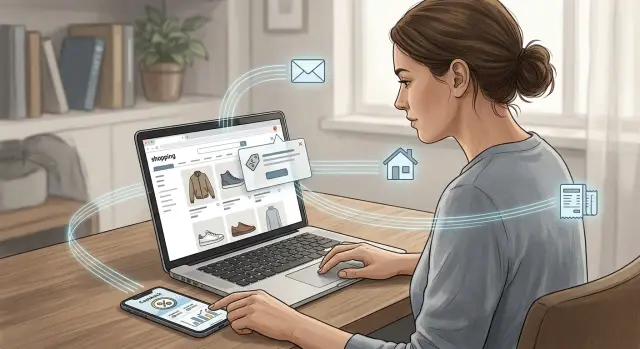
Why one purchase creates two records
Most people assume an order lives in one place: the store where they bought something. That is only part of the story.
When you use a cashback app or coupon extension, another company can log the same purchase under a separate account. The store keeps its own record for shipping, returns, and support. The cashback service keeps its own record so it can confirm the purchase and decide whether to pay you.
That means one order can leave traces in more than one system:
- the store account that handled the sale
- the cashback or coupon account tied to your email
- the browser session or app activity that connects the two
On its own, that does not sound like much. A few dollars back on toothpaste or a coupon for running shoes does not feel like a privacy decision. That is why this kind of tracking grows quietly. The savings seem minor, the habit feels normal, and the extra account fades into the background.
Over time, though, that extra account can turn into a detailed shopping diary. It can show how often you buy, which stores you trust, what price range you shop in, and whether orders usually go to your home or somewhere else. Even if the store already knows those things, it still matters that another company has them too.
This is more than a backup copy of your order. A cashback company sees your shopping from a different angle. It can connect purchases across many retailers in one place. Your store accounts stay split up by brand. The extension or app can pull those separate moments together and build a wider picture.
If you buy vitamins from one site, school supplies from another, and a birthday gift from a marketplace, each store sees only its own order. A cashback account may see all three. After a few months, that can be more revealing than any single receipt.
That wider picture can travel farther than you expect. Shopping data, contact details, and address details do not always stay inside the store where you clicked "buy." Bits of that information can move into partner systems and later into data broker files. That is one reason a cleanup service like Remove.dev can matter. If your personal details have already spread beyond the original stores, removing them manually can take a lot of time.
The real issue is not one coupon or one payout. It is the slow build of another history about you, sitting next to the one you already knew about.
What cashback tools can collect
The first thing a cashback app or coupon extension usually asks for is your email address. That email is not just for rewards. It often becomes the label for everything else the tool sees while you shop.
From there, the data can spread into a few basic categories: contact details such as your name, phone number, and email; delivery details like your shipping address; order records such as store name, item names, totals, dates, and returns; and device details like browser type, IP address, cookies, and timestamps.
That list grows fast because these tools sit outside your normal store account. A coupon extension may watch the checkout page to confirm a purchase or apply an offer. A mobile cashback app may ask you to scan a receipt or connect an inbox so it can match orders to your account.
When a service reads receipts or order emails, it can pick up far more than the final price. A single confirmation message may include your full name, shipping address, phone number, order number, and a line-by-line list of what you bought. If you shop often, that becomes a steady purchase log.
Purchase data is more personal than it looks. A record that says you spent $62 at a pet store is one thing. A record that shows dog food every month, allergy medicine from a pharmacy, and a baby gate from a home store says much more about your life.
Timing and device data fill in the gaps. The same account can log whether you shopped on your phone or laptop, what browser you used, when you visited a store, and how often you came back before buying. Each piece seems minor on its own. Put together, it becomes a clear shopping trail.
This is the part many people miss. The store already has one record of your order. The cashback or coupon company may build another record across many stores, tied to the same email, address, and device.
Use one extension for a grocery order, a shoe purchase, and a hotel booking, and the tool may connect all three. It can see where you shop, what you spend, where things are shipped, and how often you buy.
How tracking works from install to payout
The data trail starts before you buy anything. First you add a browser extension or install an app, then tap "accept" on a stack of permissions. That can include access to pages you visit, your shopping activity, and sometimes your email if the service uses receipt scanning.
The setup feels quick. The tracking behind it usually is not.
Once the tool is installed, it wants you signed in. Your account lets the company tie browser activity to a real person, not just a device. That account may include your email, name, payout details, and sometimes your home address.
After that, the extension or app starts looking for shopping signals. It can detect when you visit a store, click an offer, add items to a cart, start checkout, or finish an order. Some tools watch only partner stores. Others ask for much broader browser access.
At checkout, a tracking tag or affiliate click usually tells the store, or an ad partner, that your purchase came through the cashback service. That is how the service tries to claim credit for the sale. If the purchase goes through, the merchant sends back an order record. That record may include the store name, order time, total amount, items or categories, and a reference number tied to you.
Sometimes the service wants more proof. If automatic tracking fails, you may need to upload a receipt, forward a confirmation email, or submit an order number yourself. Now your purchase details are stored in one more place outside the shop where you bought the item.
Payout adds another layer. To send a few dollars back, the service may keep your PayPal address, bank details, gift card choice, or mailing info. The reward may be small. The data trail usually is not.
Say you buy running shoes from an online store. The shop already has your order and shipping address. The cashback extension may also log that you clicked the offer at 8:14 p.m., used a coupon, bought shoes in a certain price range, and expected a payout to your account. That is the second trail: the same purchase, copied into another system for tracking and payment.
A simple shopping example
Mia needs school supplies before classes start. At checkout, a coupon extension pops up and promises to find a better deal. She installs it in a minute because she only plans to use it once.
The extension asks her to sign in so it can apply discounts and track any cashback. She uses her everyday email, the same one she uses for stores, receipts, and shipping updates. When the checkout form opens, her browser fills in her home address without much thought.
Now there are two records of the purchase. The store keeps its normal order record. The extension service can build its own record outside that store account.
In one order, the tool can often see which store she visited, how much she spent, where the order will be delivered, and which email is tied to the purchase.
That may sound small. It is not. Her home address links the order to a real place, not just a browser session. Her everyday email helps connect this order with future orders at other shops that use the same extension or app.
A month later, Mia uses the same tool for sneakers. Then for a printer cartridge. Then for vitamins. Each purchase looks harmless on its own. Together, they start to say a lot. The account can reveal her price range, what kinds of stores she uses, how often she shops, and whether orders usually go to her home.
That is when the privacy issue stops feeling abstract. The store where Mia bought notebooks already knows she placed that order. The coupon tool may know that too, along with her orders at several other stores. After a few months, that second trail can become broader than any single shopping account.
If she opens the account later, she may find a tidy history of rewards, visits, and orders that sketches her habits pretty well. She installed a discount tool. She also created a second shopping file tied to her email and address.
How to shop with less exposure
If you want a smaller shopping trail, start by using fewer tools. Stacking a cashback app, a coupon extension, a price tracker, and a rewards account can mean several different companies watching the same order. Usually, one tool is enough.
Each extra service can collect a slightly different slice of your life. One may see your email and receipts. Another may watch what you add to your cart. A third may store your home address after a payout or order match. Once you count the extra exposure, the savings can feel less impressive.
A separate shopping email can help if it fits your routine. It keeps promo mail, order confirmations, and cashback messages out of the inbox you use for banking, work, or family. If that address gets sold, shared, or leaked, the damage stays more contained.
Before you click "accept" on any extension, read the permission screen slowly. Some coupon tools ask to read and change data on every site you visit, not just store pages. That is a big ask for something you may use a few times a month.
A quick check helps:
- Decide whether you need both the app and the browser extension
- Look for permissions that cover all websites, tabs, or browsing activity
- Check whether payouts require your full legal name and home address
- See whether account deletion looks easy before you sign up
It also helps to be honest about how often you use these tools. If you install something for holiday sales and forget about it until next November, remove it. An unused extension can still sit in your browser, and an old account can still hold your contact details and order history.
The same goes for rewards accounts you no longer touch. Closing them will not erase every record overnight, but it can stop new data from piling up and cut down the number of places where your old address, phone number, or shopping habits still live.
A simple routine works well: keep one cashback service, use one shopping-only email, and delete the rest after the season ends. That will not make you invisible, but it does reduce a lot of avoidable collection.
If your details have already spread well beyond stores and reward tools, it is worth checking whether they also appear in data broker databases. Remove.dev focuses on removing personal data from over 500 data brokers and keeps monitoring for relistings, which can help if years of shopping accounts and sign-ups have pushed your information much farther than you expected.
Common mistakes that widen the trail
Most of the extra exposure does not come from one dramatic mistake. It comes from small habits that seem harmless. A tool that started as a way to save a few dollars often stays connected far longer than you meant.
One of the biggest mistakes is leaving a browser extension on all the time. If it stays active on every store you visit, it can see far more than the one checkout where you wanted a coupon code. Over time, that can turn casual browsing into a long record of what you searched for, what you almost bought, and what you finally purchased.
The same thing happens when one email address does everything. If your shopping receipts, bank alerts, and rewards account all go to the same inbox, matching your identity gets much easier. A coupon company may not see your bank balance, but shared contact details can still connect separate parts of your life into one profile.
Imagine using one email for grocery orders, travel bookings, a cashback app, and your credit card account. Even if each company sees only part of the picture, that repeated email address helps stitch the parts together.
Permissions are another quiet problem. Many people install an app, tap "allow," and never look back. But some apps keep access to location, contacts, notifications, or photo storage even when those permissions are not needed for rewards. The app may need enough access to confirm a purchase, not a constant window into your phone.
Old receipts are easy to forget, and they often carry more detail than people realize. A receipt photo or forwarded order email can include your full name, home address, phone number, and the last items you bought. If you upload those records for cashback or leave them sitting in an email account for years, they keep adding to your privacy risk.
The fix is pretty simple. Turn extensions on only when you plan to use them. Use a separate email for shopping and rewards. Cut permissions down to what the app needs right now, not what it asked for on day one. Delete old receipt emails and photos when you no longer need them.
A privacy check before you install
A coupon extension or cashback app can look harmless. It promises a few dollars back, maybe a quick promo code, and that feels easy. The better question is whether the discount is worth opening one more account that can watch what you buy.
Pause before you click "Add extension" or sign up. If the savings are tiny, the extra data trail often is not worth it.
Ask yourself a few plain questions:
- How much am I actually saving?
- What does this tool need to verify a purchase?
- Can I use an alias email or a separate shopping email?
- Is account deletion easy to find?
- Will I remove the extension after checkout, or let it sit in my browser for months?
The second question matters more than most people think. To pay cashback, many tools need enough data to match you to a sale. Sometimes that means your contact details, order total, retailer name, and purchase time. In some cases, it also includes your shipping address or item-level order history. That creates a second record outside the store account you already use.
The email and phone question is worth being stubborn about. If a tool insists on your main inbox or mobile number for a one-time coupon, that is usually a bad trade. A separate shopping email can limit how much of your life gets tied to rewards accounts and extensions.
Deletion matters too. Lots of people install once, forget about it, and leave an account open for years. If you cannot quickly find how to close the account or remove saved data, cleanup later will probably be annoying.
And if you only needed the extension for one purchase, remove it when you are done. That one small habit can cut a lot of passive tracking.
What to do next
If this bothers you, start with cleanup. Ask a blunt question: did this app or extension save enough money to justify the extra record it keeps about you?
A lot of people never check. They install one coupon tool, try two cashback apps, make a few purchases, and leave every account open for years.
A simple reset looks like this:
- Review every cashback app, coupon extension, and shopping account you no longer use
- Compare the money saved with the data shared
- Delete tools that no longer earn their place on your phone or browser
- Request account deletion, not just app removal
- Keep a short note of what you deleted and when
Uninstalling is only half the job. Many services keep your account, order history, payout details, and contact info unless you ask them to erase it.
That request matters. A dormant account with your name, email, home address, and purchase history is still a usable profile.
Check your browser too. Old coupon extensions often stay signed in, and some keep permission to read data on shopping sites even after you forget they exist.
If you are not sure where to start, cut the lowest-value accounts first. Maybe one cashback app paid out once, two years ago. Maybe a coupon extension rarely finds a good deal anymore. Those are easy wins.
One rule keeps this simple: if you would not sign up for the service today, delete it today.
If your address and purchase details have already spread far beyond the store itself, account cleanup may not be enough. Data brokers can still collect and resell pieces of that trail. In that case, Remove.dev is one practical follow-up. It removes personal data from over 500 data brokers and keeps monitoring for relistings, so the same details do not quietly show up again.
Do the small cleanup first. Then deal with the wider mess. Deleting one extension will not erase the past, but it will stop the trail from getting longer.