Clean up cached search results after a page is removed
Learn how to clean up cached search results after a page is removed, why snippets stay visible, and what to do in Google and Bing.
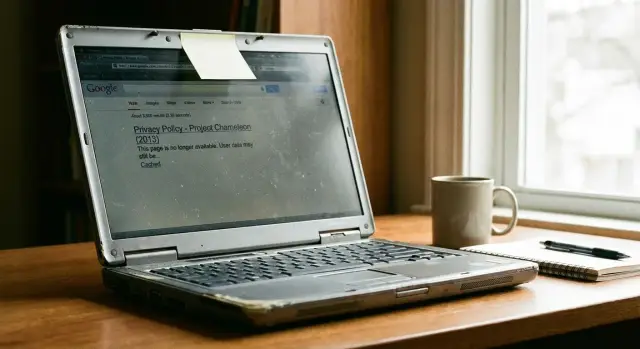
Why the page is gone but the snippet remains
A search result can outlive the page it points to. It feels wrong, but it is normal.
Google and Bing keep their own saved view of the web. When a page is deleted, blocked, or changed, that saved copy does not update right away. The page can stop loading first, while the old title and snippet stay in search for days or even weeks.
That happens because search engines crawl on their own schedule. They visit a page, store what they find, and use that stored copy to build search results. Until they come back and see the new version, they can keep showing old text.
So there are really two separate layers:
- the website has to remove or change the page
- the search engine has to notice and refresh its copy
Until both happen, outdated search text can hang around. This is especially frustrating when personal data in search results is the problem. A people-search page or data broker listing might already be gone from the site, but the snippet can still show your name, city, age, or address.
That does not always mean the removal failed. Very often it just means the search engine has not checked again yet.
Check what is still visible
Before you try to remove an outdated search snippet, confirm what is actually showing.
A result can be half gone. The link might fail, but the page title still appears. The snippet might still show old text even if there is no cached copy anymore. Sometimes the cache is still live while the page itself is dead. You need to know which version of the problem you are dealing with.
Start with direct searches. Search the old page title in quotes. Then search for one unusual sentence from the page, also in quotes. Pick something specific, such as a bio line, phone number, street address, or a sentence that only appeared on that page. Generic phrases bring up too many unrelated results.
If the page exposed private details, search for those exact details too. Use your full name in quotes, your email address, phone number, old username, or another line of text that was unique to the page. A deleted profile might still leave behind a snippet that shows your city or relatives even after the link stops working.
Save a quick record of what you find:
- the exact search you used
- the page title that appears
- whether the result shows a snippet, a cached copy, or both
- the date and time
- screenshots of the search results page
Screenshots are worth the trouble. Search results change, and once they do, it is hard to prove what was visible when you sent a request.
If you are checking many people-search or broker listings, this gets old fast. Remove.dev can help track where private details still appear across broker results, but the first step is still the same: confirm exactly what search engines are showing right now.
Make sure the page is really unavailable
Before asking Google or Bing to update anything, check the old page itself.
Open the exact old URL in a private window. That avoids saved logins, old cookies, and your browser's local cache. A page can look gone in one browser and still load in another because of a saved session.
What you want is a clear unavailable state, such as:
- 404 Not Found
- 410 Gone
- an error page that does not load the old content
A 410 often helps because it tells search engines the page was removed on purpose. A 404 also works. What does not help is a page that says "not found" while still returning a normal 200 status behind the scenes.
Check redirects too. If the old URL sends visitors to the home page, a category page, or another public profile, search engines may treat that as a live page. In that case the old result can linger, or it may slowly change to reflect the new destination instead of disappearing.
Test on mobile as well. Some sites remove a page on desktop but still serve it through a mobile version, app subdomain, or alternate template. If the page still loads there, search engines can still see it.
A common real-world problem looks like this: someone deletes a profile page, but the old address quietly redirects mobile visitors to a public directory. To a crawler, that page is not gone. Fix that first. Then ask for the outdated result to be refreshed.
Ask Google to refresh or remove the result
Once the page is gone or the content has clearly changed, use Google's outdated content tool.
Be exact. Submit the same URL Google shows in the result, including the full path and any trailing slash if it appears there. If you submit a similar page instead of the actual result, Google may reject the request because it cannot match what you are asking it to review.
The basic rule is simple. If the page is gone, ask Google to remove the outdated result. If the page still exists but the snippet or cached text is old, ask for a refresh. If the result still shows sensitive details like a phone number, home address, or email, use Google's privacy removal option instead of only treating it as a stale cache issue.
When you file the request, copy the result carefully. Small URL mistakes slow this down more than most people expect. If you are dealing with personal data in search results, include the snippet text or screenshot that shows the exposed detail.
After you submit, check the request status before sending the same request again. Google often needs time to recrawl the page or verify that it now returns a proper error. A Google cache removal request can update the cached copy or snippet first, while the blue link remains visible for a bit longer. That part confuses a lot of people, but it is normal.
If nothing changes after a short wait, go back to the basics. Make sure the page really returns a 404 or 410, make sure the URL in the request matches the result exactly, and make sure the live page is not still reachable through a different version.
Ask Bing to update its copy
If Bing still shows an old snippet after the page is gone or changed, you usually have to nudge it too.
Use Bing's outdated content tool for stale results. As with Google, the exact URL matters. Paste the full address exactly as Bing indexed it, including the protocol, subdomain, and trailing slash if that is part of the indexed version. A mismatch can cause Bing to reject the request or say it cannot verify the change.
Choose the request type that matches what happened. If the page still exists but the snippet is outdated, use the outdated cache option. If the page is gone and no longer loads, use the removed page option. Submit each affected URL separately if more than one page was indexed.
Then wait and test again with a few direct searches. Search the page title, the old URL, or a unique line from the snippet. Check in a private window so you are not looking at old local results.
Bing can refresh quickly, but not always. Bing outdated content requests and Google requests do not share the same timeline, so it is common for one search engine to update before the other.
A simple example: a deleted profile page
Imagine a small club site that had a volunteer profile page with a short bio, a photo, and, by mistake, a home address.
The club notices the problem and deletes the page. If you click the old search result, the link no longer works. That sounds like the end of it, but it often is not.
For a while, Google can still show the old snippet. So even though the page is gone, the home address is still visible right on the search results page.
The site owner checks the old URL and confirms it now returns a 410 status. That is a good sign. It tells search engines the page was removed on purpose and should be dropped.
The next step is to ask Google to review the outdated result. Once Google recrawls the URL and sees the 410, the old snippet can disappear. Sometimes the full result drops out. Sometimes the listing stays a little longer but the private text is removed first.
That is why a dead link alone is not always enough. The source page has to be truly unavailable, and the search engine has to refresh its saved copy.
If the same address also appears on data broker pages, forum posts, or scraper sites, deleting the club profile will not solve the whole problem. Each source has to be removed on its own.
Mistakes that slow this down
Most delays come from a few repeat problems.
The first is assuming that removing a link from your site menu is enough. It is not. If the old page still loads when someone types the full URL directly, search engines can keep the result, the cache, or both.
Another common mistake is blocking crawlers too early in robots.txt. That sounds sensible, but it can backfire. If Google or Bing cannot crawl the URL, they may not see the 404, 410, or updated page content that tells them the result should change.
Wrong URL versions cause a lot of failed requests too. Search engines treat small differences as separate addresses. The indexed page might use http instead of https, a www version instead of the non-www version, a trailing slash, a mobile version, or a parameterized URL. If you request the wrong one, the outdated result can stay up even though your request looked correct.
Copied pages are another headache. The original page may be gone, but the same text can live on through an archive page, scraper domain, image result, or a people-search site that copied the record earlier. If private information is involved, check image search as well as web search.
Then there is timing. Google and Bing do not refresh on the same schedule. One may update in a day or two while the other hangs on to old text much longer. That alone does not mean the request failed.
The safest approach is plain and boring: make sure the page is really unavailable, let crawlers see that change, submit the exact indexed URL, and check for copies elsewhere.
Quick checks before you try again
Before you send another request, take two minutes and confirm the basics.
Make sure the page is actually gone, or that the live content has clearly changed. Copy the exact URL from the result itself, not a similar page from the same site. Save a screenshot of the snippet that is still visible. Check the result in another browser or device. Write down whether Google, Bing, or both still show it.
That first check matters more than anything else. If the page still loads for search engines, even part of the time, the outdated result can stay put. A proper 404 or 410 gives crawlers a clear signal.
Checking on another device sounds dull, but it helps. Sometimes you are looking at local history, signed-in settings, or a cached page in your own browser. If the result only appears in one place, the issue may be local rather than public.
Keep separate notes for Google and Bing. A request sent to one will not fix the other.
What to do next if private details are still showing
If the snippet still shows your phone number, home address, age, or another private detail, the search result is often only the visible part of the problem.
Search engines copy what they find. If the original information is still live somewhere else, the snippet can return even after one result disappears. That is why it helps to check data broker sites and people-search pages next. Those sites often copy records from public sources, old profiles, marketing lists, and other brokers. One listing can spread surprisingly fast.
Search for your full name, old usernames, phone number, email address, and home address in quotes. If the same detail appears on a broker page, deal with that source page first. Ask the site to remove the record itself, not just the search result. If the page stays live, Google and Bing can pick it up again later.
A simple process works best:
- save screenshots of what is visible now
- note the exact page title and URL
- send a removal request to the site that published it
- check whether the same detail appears on other broker pages
- recheck search results over the next few weeks
This part is slow, and that is the annoying truth. Search engines may update in a few days, while broker sites can repost the same record later under a slightly different page.
If the problem goes beyond one result, manual cleanup turns into a repeating chore. Remove.dev is built for that kind of case. It removes private information from over 500 data brokers worldwide and keeps monitoring for re-listings, which matters when the same record keeps coming back.
For most people, the path is simple even if it is not quick: remove the source page, ask search engines to refresh their copy, and keep checking long enough to catch reposts and duplicates.
FAQ
Why is the search snippet still showing after the page was deleted?
Because search engines keep their own saved copy of pages. If the page was deleted or changed, Google or Bing may still show the old title or snippet until they crawl that URL again.
How long does it usually take for an outdated result to disappear?
Often it clears in a few days, but it can take weeks. The page has to be truly gone or updated first, then the search engine has to revisit it and refresh what it saved.
How can I tell if the old page is really gone?
Open the exact old URL in a private window and see what it returns. A real 404 or 410 is a good sign; a page that says "not found" but still loads normally can keep the result alive.
Is a 410 better than a 404 for getting a result removed?
A 410 usually gives a clearer signal because it says the page was removed on purpose. A 404 also works, so use whichever fits your setup and make sure the old content is not still reachable.
Is removing the page from my site menu enough?
No. If the full URL still loads directly, search engines can still keep or refresh that result even if users cannot reach it from your site menu.
Can robots.txt slow down removal of an old search result?
It can. If crawlers are blocked from the old URL, they may not see the 404, 410, or updated content that tells them to change the result.
Why did Google update the result but Bing still shows the old text?
No, they update on separate schedules. It is normal for Google to drop an old snippet before Bing does, or the other way around, so you usually need to submit requests to both.
What should I do if the snippet still shows my phone number or home address?
Use the privacy removal route, not only the outdated content tool. Save a screenshot first, then make sure the source page is removed too, or that same detail can come back in search later.
Why was my outdated content request rejected?
Most failed requests come from small URL mismatches or from pages that are still live somewhere else. Copy the exact URL from the search result itself, including the same protocol, subdomain, and trailing slash if shown.
What if the same private info keeps reappearing in search results?
That usually means the information still exists on another page, often on a data broker or people-search site. Remove the source pages first, then recheck search results; if the same record keeps coming back across many broker sites, a service like Remove.dev can handle removals and watch for re-listings.