Club newsletter privacy: how member details spread online
Club newsletter privacy problems often start with a scanned PDF or phone list. Learn what gets copied, where it spreads, and how to cut exposure.
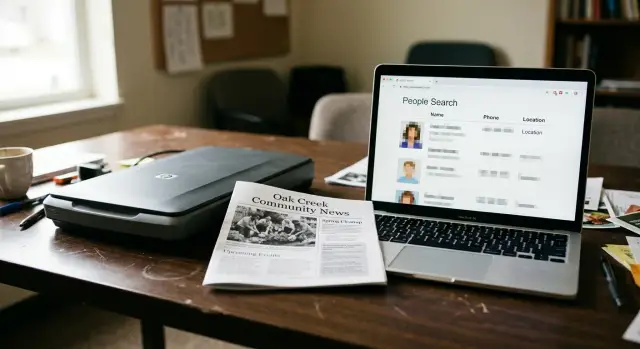
Why a simple newsletter can expose members
A club newsletter feels private because it starts inside a familiar group. It goes to members, volunteers, and maybe a few friends of the organization. That sense of safety often disappears the moment the file leaves the editor's inbox.
A PDF gets emailed, forwarded, printed for a meeting, or dropped into a shared folder. Later, someone scans a paper copy for the records. Someone else uploads it to a town website or community archive because it seems harmless. Once that happens, the audience is no longer just the club.
The risk is not limited to obvious details such as a home address or mobile number. Small facts can identify a real person faster than most people expect. A full name, city, volunteer role, and meeting schedule may be enough. Add a spouse's name, a photo caption, or a note like "call in the evening," and the person becomes much easier to match with other records.
That is why people-search sites work so well. They do not need one perfect source. They collect fragments and combine them. A newsletter might confirm that the same person listed elsewhere with an old phone number still lives in the same city and still belongs to a certain group.
Picture a gardening club that emails its monthly newsletter to 60 members. One member forwards it to a friend. Another prints it for a library board meeting. Months later, a scanned copy sits in a public folder with names, committee roles, and phone tree notes still visible. What felt like a private update is now searchable.
Most of the time, this does not come from a dramatic leak. It comes from ordinary habits. And once those details reach data brokers, cleaning them up can take real effort. It is much easier to keep extra personal information out of the newsletter in the first place.
What people-search sites actually collect
Most people-search sites build profiles a little at a time. They pull small details from many places, then match them together.
A full name plus a city, neighborhood, or ZIP code can narrow one person down quickly. If a newsletter says "Patricia Gomez, Mesa chapter secretary," that small detail can help connect the right Patricia Gomez to the right address history, age range, or household.
Phone numbers are another common match point. Clubs often reuse old phone trees, reunion lists, or volunteer contact sheets. Even if a number is no longer public, data brokers often keep older records and tie them to newer ones.
Then there are the softer details that feel harmless on their own. A meeting note might say someone runs the bake sale or coordinates rides. A member spotlight might mention a spouse, a daughter in college, or a recent move. None of that sounds especially private in the moment. Put together, it can identify a person with surprising accuracy.
The scraps that often end up in one profile are pretty ordinary: a name with a city or ZIP code, an old mobile or landline number, a club role, family mentions in spotlights or thank-you notes, and birthdays or anniversaries.
The real problem is the merge. One site may find a scanned PDF with a member roster. Another may already have a phone record from years ago. A third may have an address linked to a relative. Once those pieces line up, the profile looks complete even though no single source gave away everything.
That is how people-search sites grow. They do not need one big leak. They need a few ordinary details repeated in public often enough to connect the dots.
How scanned PDFs become searchable data
A scanned newsletter may feel harmless because it looks like a picture of a page. Usually, it is not. Once a PDF goes online, software can read the text inside it and turn names, phone numbers, and addresses into searchable data.
That software is OCR, short for optical character recognition. It scans the page, spots letter shapes, and rebuilds them as text a bot can copy. If a member directory lists "Jane Miller, Treasurer" with a cell number and a town name, OCR can pull out every part of that line.
A scanned page can reveal much more than people expect: full names, phone numbers, email addresses, street or neighborhood names, and meeting places tied to a city or club role.
Poor scan quality does not make a file safe. A crooked page, faded ink, or grainy black-and-white copy may still be readable enough for bots. Even when OCR gets a few characters wrong, people-search sites can match the rest against other public records and fill in the gaps.
This is where newsletter privacy often breaks down. A club uploads old issues to its website, or a town archive stores them in a public folder, and those PDFs sit there for years. Search engines, scrapers, and data brokers do not need a perfect file. They just need enough clues to connect one person to a phone number, a city, and a club.
A realistic example is easy to imagine. A 2019 newsletter includes a volunteer phone tree and notes that one member lives in Oak Ridge and coordinates rides. Years later, the PDF is still sitting in an archive. Someone forwards it to a new member, that copy gets saved again, then uploaded somewhere else. Now there are several versions online, and none are under the club's control.
That forwarding problem matters. An attachment sent "just to members" can leave the group in minutes. Once a PDF is downloaded, it can be reposted, indexed, or fed into a people-search site without the club ever seeing it happen.
Why phone trees and contact lists are risky
A phone tree sounds harmless. It usually exists for a simple reason: if a meeting changes or a member needs help, everyone can be reached quickly. The trouble starts when clubs put far more into that list than anyone actually needs.
A basic call chain needs only a first name and one phone number. Real member directories often include full names, personal cell numbers, home numbers, email addresses, street addresses, apartment numbers, and notes like "call after 6 pm." That extra detail makes the list much harder to control once it starts moving around.
And it usually does move around. Someone downloads the PDF, prints it, takes a photo for convenience, or forwards it to a spouse. Another member saves an older copy to a desktop. A volunteer uploads it to a shared drive and forgets about it.
That is how phone trees spread in practice:
- screenshots get shared in group chats
- PDFs get resent by email
- printed sheets get photographed
- old copies stay in inboxes and cloud folders
Edits do not fix the versions that are already out there. If a club removes an address next month, last season's list may still sit in inboxes, family computers, and public folders no one remembers.
One leaked list can also expose whole households, not just one member. A single entry might reveal spouses with the same last name, a shared landline, and a home address. Put enough entries together, and people-search sites can connect relatives, estimate age ranges, and fill in missing contact details.
This is why contact lists deserve the same care as any public document. If a club shares only the minimum needed for the task, there is less to scrape, less to reshare, and less to clean up later.
How city-level details fill in the blanks
The hardest part about newsletter privacy is that a city name feels harmless. It is not. On people-search sites, a town or even a small metro area can cut a long list of possible matches down to a few names in seconds.
Think about how most profiles get built. A data broker may already have a name, an age range, and an old address from some other source. Add "Springfield" from a newsletter, and the guess gets much sharper. Add a club role like secretary, treasurer, or coach, and it can point to one person very quickly.
A small example shows the problem. Say a newsletter thanks "Karen Lewis, membership chair, Albany" for organizing a fundraiser. There may be many Karen Lewises online. But if one of them also appears in public records near Albany, and another record shows ties to that club, the match becomes much easier.
The same thing happens with nearby places. A member bio might mention where someone teaches, which parish they attend, or that their child goes to a certain high school. None of those details looks very private on its own. Together, they work like puzzle pieces.
City or suburb, club role, school or church mention, age clues from a class year or retirement note, and names of relatives can all narrow the match.
This is why leaving out a street address does not create real privacy. If the personal data trail already exists, the missing line is often easy to recover from other records. The newsletter does not need to publish a full home address to help someone find it.
City-level details are even riskier in smaller towns. In a big city, "John Patel" may still match dozens of people. In a town of 12,000, "John Patel, youth chess club president" may match one.
Treat location details as identifiers, not background color. Even a simple town name can fill in blanks someone else already has.
How this happens in real life
A neighborhood club sends out a scanned monthly bulletin by email. It feels harmless because it is meant for members, not the public. But privacy often breaks down in small, ordinary ways.
In one issue, the club thanks its treasurer by name and prints her mobile number so members can reach her about dues. A few lines later, it mentions that she lives in Springfield and is organizing next month's community sale. That does not look like much on its own. To a scraper, it is enough to start matching records.
The PDF gets forwarded, uploaded to a shared drive, or copied into an archive page that search engines can reach. If the bulletin is a scan, text can still be pulled from it. A name, a phone number, a city, and a club role are all useful clues.
A people-search site may already have other scraps from voter files, old directory entries, marketing lists, or broker databases. Once the bulletin adds one strong match, the rest can snap into place. The site can connect her number to a home address, age range, relatives, and past addresses without the club ever publishing those details itself.
That is the part members usually miss. They look at the people-search page and assume the site found everything somewhere else. In reality, the newsletter may have been the missing piece that made the profile look certain instead of guessed.
How to review an issue before it goes out
The best test is simple: read the draft like you do not know anyone in the club. A member sees friendly updates. A stranger sees clues.
One short note with a name, a phone number, a neighborhood, and a birthday mention can be enough to match a real person. The problem is rarely one big mistake. It is usually a pile of small details that look harmless on their own.
Before you send or upload anything, ask one question: what could someone outside the club learn in 30 seconds? If the answer includes how to call a member, where they live, or facts often used to confirm identity, cut it or make it more general.
A quick review helps:
- remove personal phone numbers unless there is a real need to include them
- leave out home addresses and use a venue name or general area instead
- change exact birthdays to month-only mentions, or skip them
- keep member directories and phone trees separate from the newsletter
- have one person do a final privacy read before the issue goes out
That last step is easy to skip, but it works. The editor is usually too close to the text. A fresh reader notices things like a volunteer list with personal numbers, a meeting note at someone's house, or a scanned page that includes extra details near the edge.
It also helps to separate newsletter content from member operations. A newsletter can share event dates, club news, and first names. A directory is different. So is a ride list, emergency phone tree, or birthday sheet. Once those get folded into the same PDF, the risk goes up fast.
If the issue may end up online, be stricter than you would be for a few printed copies at a meeting. Public PDFs travel. They get forwarded, archived, scanned, and scraped.
Mistakes clubs make without meaning to
Most privacy leaks in club newsletters are not dramatic. They come from habits that feel harmless because people have used them for years.
A common one is assuming an email attachment stays inside the group. It rarely does. One member forwards it to a friend, another saves it to a shared drive, and a third uploads it to a community page so people can find the latest copy.
Another easy mistake is reusing last year's contact sheet. Old files tend to keep old phone numbers, home addresses, and notes like "best time to call after 6" or "usually at the pool on Thursdays." Even if the club stopped sharing that level of detail, the recycled file brings it back.
Scans cause trouble too. A volunteer snaps a photo of a notice board, sign-up page, or printed roster and adds it to the newsletter PDF. To people reading it, it looks messy and half hidden. To scraping tools, it can still be readable once the image is cleaned up.
Thank-you notes can leak more than people expect. A line like "Thanks to Maria in Cedar Grove for organizing rides from the west side" sounds friendly. But a first name, a small city, and a role in the club can be enough for people-search sites to match the person to another record.
A few habits cause most of the damage: carrying old spreadsheets forward without deleting extra notes, attaching full contact lists when only two names are needed, posting scans instead of retyping only the parts meant for public view, and writing personal thank-yous that include neighborhood, family, or schedule details.
A simple test helps: "Would this still feel fine if it got copied outside the club?" If the answer is no, trim it.
What to do if member details are already out there
If a member's phone number, address, or family details have already leaked from a newsletter, move quickly. Old copies spread in quiet places first: shared drives, email threads, club websites, scanned PDF archives, and cached public pages. Once those copies get picked up by people-search sites, cleanup gets harder.
A good first step is to find every version you can. Check club inboxes, past committee folders, cloud storage, print shop files, and any public archive where old issues may still sit. If the newsletter was mailed as an attachment, assume it may still be sitting in many inboxes.
Then work through the cleanup in order:
- Remove public files you control, or replace them with a properly redacted version.
- Ask anyone managing club records to delete old attachments that do not need to stay online.
- Take screenshots of people-search listings before you start sending removal requests.
- Submit removal requests to the sites that list the member's data, then note the date so you can check again.
Redaction matters. Deleting a line from a Word file helps, but a scanned PDF often needs a full re-export so hidden text does not stay searchable. If a 2022 newsletter listed "Call Jane at 555-0142" and only the visible line gets covered, OCR text can still leave that phone number exposed.
It also helps to think beyond the original file. People-search sites copy from one another, and data brokers may rebuild a profile after a new scrape. Cleanup is rarely a one-time job.
If a small club does not have the time to handle that manually, Remove.dev is one option. The service says it finds and removes personal information from more than 500 data brokers and keeps monitoring for re-listings, which can take some of that repeat work off volunteers. Still, the best fix is a modest newsletter that shares club news without turning members into searchable profiles.
FAQ
Is a members-only newsletter really private?
Usually, no. A newsletter may start inside the group, but PDFs get forwarded, printed, scanned, and uploaded to shared folders all the time.
Once a copy leaves your control, names and contact details can end up searchable far beyond the club.
What details are most risky to include?
Full names, personal phone numbers, home addresses, exact birthdays, and family mentions create the most risk.
Even small details like a club role, city, or note about when someone is home can make it much easier to match that person with other records.
Can a scanned PDF still be scraped?
Yes. A scan is often still readable by OCR software, which turns the image into searchable text.
That means a blurry or crooked PDF can still expose names, numbers, and places if enough of the text is clear.
Why is mentioning a member's city a problem?
Because a city helps narrow the match. A common name becomes much easier to pin down when a newsletter also mentions the town, club role, or nearby school or church.
In a smaller place, that can point to one person very quickly.
Are phone trees more dangerous than regular club updates?
They can be. Most phone trees include far more than a simple call chain needs, and those files tend to spread through email, screenshots, and old downloads.
A safer version uses only the minimum needed, such as a first name and one current phone number.
Should we include birthdays or anniversaries?
Best to avoid exact dates in a public or shareable newsletter. Month-only mentions are much safer, and skipping them is safer still.
Birthdays and anniversaries may seem friendly, but they add another piece that data brokers can combine with other records.
What's the safest way to share contact info?
Keep contact details outside the newsletter whenever possible. If members need a directory, share it separately with tighter access and less personal data.
For most newsletter items, a role-based email or one club contact person is enough.
How should we review an issue before sending it?
Read the draft like a stranger, not a member. If someone could learn how to reach a person, where they live, or facts used to confirm identity, trim it.
A fresh reviewer often catches things the editor misses, especially in scans, captions, and thank-you notes.
What should we do if an old newsletter is already online?
First, take down any public copies you control and replace them with a clean file if needed. Then check old inboxes, shared drives, archives, and committee folders for extra copies.
If personal data has already reached people-search sites, document the listings and start removal requests quickly before more copies spread.
Can a data removal service help after a leak?
Yes, if the details have already spread across many broker sites. Remove.dev says it finds and removes personal data from over 500 data brokers and keeps checking for re-listings, which can save a lot of repeat work.
That said, prevention is still easier than cleanup. A lean newsletter gives brokers less to copy in the first place.