Code enforcement notices that stay public after a fix
Code enforcement notices can stay searchable long after a case is closed. See how city portals and copied pages keep names and addresses public.
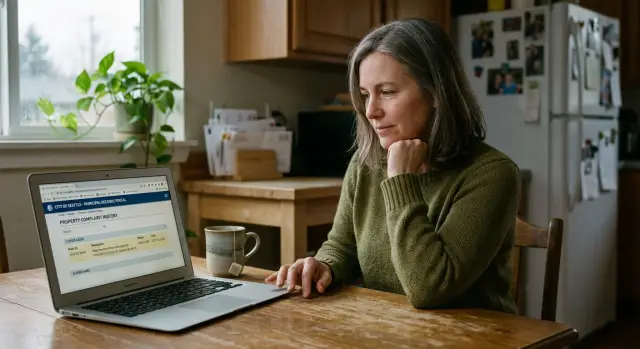
Why a closed case still shows up
Fixing a code issue does not usually erase the public record. In many city systems, "closed" only means the case is finished. The page stays online, often with the same address, case number, complaint notes, and sometimes the owner's name.
That catches people off guard. They assume the public trail disappears once the grass is cut, the fence is repaired, or the trash is removed. Most of the time, it doesn't. City portals are built to keep records, not to protect privacy.
Search engines make the problem worse. They can keep old pages in results long after the city updates the status. Sometimes the snippet in search still shows the original complaint text even though the page now says the case is closed.
So a minor issue can outlast the problem itself. A notice for peeling paint might be fixed in ten days, but a year later the address can still lead to a public case page. To anyone doing a quick search, it may look like an active problem when it isn't.
That is the real issue. The case is over, but the record can keep shaping what neighbors, buyers, landlords, or employers see when they search your name or address.
Where your name and address appear
The main case page is often only one piece of it. City portals may list your name as the owner, resident, or contact person. Your street address may appear in the page title, the page text, and the search snippet people see before they even click.
That matters because the search result alone can reveal a lot. If the address is in the title, anyone searching the property can see that a code case existed, even if the issue was minor and fixed quickly.
PDFs are often worse than the case page itself. A notice letter, inspection report, or hearing document may include your full name, address, case number, dates, and notes about the property. In some cities, those PDFs are indexed as separate search results, so they can keep showing up even if the main page changes later.
Inspection logs can also stay public after the matter ends. A portal may show the case as closed but still leave the full timeline online, including visit dates, status changes, and staff comments.
The details often appear in a few predictable places: the city case page, search result titles and snippets, downloadable PDFs, inspection logs, and property lookup pages that pull in enforcement records.
A small example shows how this happens. A broken fence gets repaired within a week. Months later, the city page still lists the address, and an old PDF notice still shows "Alex Carter" with the mailing address and case number. To someone doing a quick search, it can look current even when it is not.
That is why address removal is rarely about one page. Your name may be on the case page, your address may be in the search result, and the most detailed version may be buried in a PDF.
Why city portals stay visible in search
Many city portals are open to search engines by default. If a page can be viewed without logging in, search bots can usually read it too. Once that page is indexed, your name, address, case number, and status can start appearing in search results.
One reason these pages stick around is simple: the web address usually does not change. The city may update the same page from "open" to "closed," but the URL stays live. Search engines already know that page, so they keep checking it.
Government sites also tend to get crawled often. They publish public records, permits, meeting notices, and other pages that change over time. Because of that, an old enforcement page can stay fresh in the index even when the issue was fixed months ago.
The part most people miss is that a status update is not a removal. If the city changes the case to "resolved," search engines do not treat that as a signal to hide the page. They still see a public page with searchable text.
So the record can stay visible for years. A homeowner fixes tall grass or a broken fence within days, the city closes the matter, and the portal still ranks for the street address because the page never went away.
Waiting rarely solves it. If the page stays public, search engines can keep showing it until the city removes it, limits access, or changes how the page is handled.
How mirrored pages keep old records alive
The city page is often only the start. Once a record is public, other sites can copy it and publish their own version with your name, address, case number, and a short note about the issue.
Some of these copies come from companies that collect public records in bulk. Others come from archive tools, local data sites, or vendors that build searchable pages from city feeds. One code enforcement entry can turn into several separate pages within days.
Each copy then takes on a life of its own. If the city later marks the case closed, fixes the page title, or removes the record from public view, the copied pages may not change at all.
A common chain looks like this: the city posts the original notice, a third-party site copies it into a searchable database, an archive keeps an older version of the page or PDF, and search engines continue to show those copied versions.
Third-party sites also refresh at very different speeds. Some update every few weeks. Some barely update at all. A few keep adding new records and never clean up old ones unless someone contacts them directly.
Say a homeowner gets a notice about an overgrown yard, fixes it in two days, and the city closes the case the next week. Months later, a search for the address still shows the old notice on a vendor page, a cached PDF, and a local records site. The city is done with the matter, but the search trail is still there.
That is why the official portal is only part of the job. The harder part is dealing with every copy that spread after the first posting.
A simple example after the issue is fixed
Picture a common case. A homeowner gets a notice for tall grass and a few trash bags left near the side yard after a move. It is annoying, but easy to fix. The lawn is cut that weekend, the bags are hauled away, and the issue is gone within a few days.
A city inspector returns, marks the case closed, and the municipal portal now shows a better status. If you open the record, it may say "closed," "complied," or "no further action."
The trouble starts later. A few months pass, and the address still appears in search results. Someone types the street address or the owner's name and sees a result with words like "code enforcement" or "violation." The page may be old, but the snippet still makes it look current.
That happens because the portal kept the old case page online. Search engines can still index it, even after the status changed. In many cities, the record stays public because it was part of an official process.
Then mirrored pages make it worse. A site that copies public records may have grabbed the page before the case was closed. Its version can keep the older wording, the address, and sometimes the person's name in one easy-to-find page.
So the problem is not the original notice alone. It is the long tail after it. A small issue that lasted three days can keep showing up for six months or longer because one official page stayed indexed and one copied page preserved the older version.
What can stay public even after a fix
Closing the case does not mean every public detail disappears. A city may keep the record online for archive or compliance reasons, which means old code notices can still show your name, street address, parcel number, photos, and filing dates long after the issue is gone.
The attached paperwork is often the bigger problem. The main page might say "resolved," but the file can still include PDFs, scanned letters, inspection notes, and images. Those files are often indexed on their own, so a search result may open the document directly instead of the updated case page.
What tends to stay visible is fairly consistent: the case summary with the address and status history, attached PDFs or scanned notices, names listed as owner or occupant, and copied pages on other sites that never refresh.
This is where public records privacy gets messy. Search engines can hold onto older versions of a page, and third-party sites may copy the record while it is still active. If the city later edits the case, those copies may not change.
A simple example makes the gap clear. A homeowner gets a notice for an overgrown yard, cuts it back the same week, and the city closes the case. Six months later, someone searches the address and still finds the notice PDF, the case log, and a mirrored page showing the original complaint.
That is the difference between "fixed" and "gone." Closing the issue solves the property problem. Cleaning up the public trail is a separate task.
What to do step by step
Start with a basic search sweep. Look up your full address, your full name, and the case number in separate searches. Then try combinations such as your last name plus the street name. Old code notices often appear under one version of the record, not all of them.
As you find pages, keep a small log. Save screenshots, copy the exact page title, and note whether the result is on the city site, a vendor portal, or a separate site that looks like a copy. It sounds tedious, but it saves time when you need to point a clerk or a site owner to the right page.
A simple order works well:
- Search for every version of the record you can think of.
- Save proof of what is public right now.
- Ask the city whether it accepts redaction, correction, or search removal requests.
- Check whether the portal provider hosts its own copy outside the city website.
- Recheck search results a few weeks after each request.
When you contact the city, keep the message short. Explain that the case was fixed and closed, then ask what can be changed. Some offices will not remove the record itself, but they may correct the status, limit name display, or request a search refresh for outdated results.
Do not stop with the city page. Many municipal portals are run by outside vendors, and those vendors may have their own indexed pages. If a copied page has a different web address or page title, treat it as a separate problem and contact that host too.
Then give it some time and check again. Search results often lag behind real changes. Wait a few weeks, run the same searches, and compare the results with your screenshots.
If your name and address have also spread to people-search sites, that is a separate problem from the city record itself. Remove.dev focuses on removing personal data from over 500 data brokers and keeps monitoring for relistings, which can help reduce how widely those copied details continue to circulate.
Mistakes that slow down cleanup
One common mistake is sending a vague request and hoping it covers everything. If you ask for removal without naming the exact pages, the result is often partial. A clerk may update the main case record while the PDF notice, meeting packet, or search snippet stays live.
Another mistake is checking only the main case page. People see "closed" on the portal and assume the problem is over. Then a search still brings up a PDF with their full name and street address because that file sits in a different part of the site.
PDFs are a major source of trouble. Agencies forget about them, and search engines keep them around. A minor violation fixed months ago can still show up because an old inspection report or hearing agenda ranks on its own.
People also assume a closed status will update copied pages automatically. It usually will not. Mirror sites, cached results, and third-party record pages can keep the older version long after the city changes its own page.
Stopping after one search is another easy miss. One search engine may show fewer results because its index updated sooner. Another may still show the old title, the old snippet, or a direct link to a file.
A better check is to search in a few ways: your full name in quotes, your full address in quotes, the case number by itself, your name and address together, and the same searches across more than one search engine.
Keep a page list as you go. If you are doing the work yourself, that list makes follow-up easier. If you use a service for broker-site removals, the same rule still applies: each page, file, and copied result needs to be tracked until it actually disappears.
Quick checks you can do today
If old code notices are still showing up after the issue was fixed, start with a short search session and take notes. Ten focused minutes can tell you whether the problem is the city portal, a copied page on another site, or an old file that search engines still surface.
Search the full property address in quotes first. That often brings up city case pages, PDFs, scanned notices, and copied versions.
Then search your full name with the street name. Many old records show up that way because some portals list the owner on one page and the address on another.
Do not stop with regular web results. Check image and PDF results too. A closed case may still live on as a scanned notice, a meeting packet, or a screenshot on another domain.
A quick checklist:
- Search the exact address in quotes.
- Search your name plus the street name.
- Open PDF and image results, not just web pages.
- Check past the first page of results for older copies.
- Note every domain where the address appears.
Pay close attention to domains that are not the city website. Mirrored pages often sit on archive sites, document hosts, local complaint boards, or scraper sites that copied the record months ago.
Write down what changed and what did not. The city page may now say "closed," while a PDF still shows your name and address with no update. That difference tells you where a correction request, a deindex request, or a follow-up is needed.
If you want a cleaner record of progress, take dated screenshots. They make it much easier to compare results a week or two later.
Next steps to reduce future exposure
Once a case is fixed, the job is not completely over. Old code enforcement notices can keep showing up in search, on city pages, and on copy sites long after the underlying issue is closed.
The best habit is simple: keep a small log. A note on your phone or a spreadsheet is enough if it tracks what page you found, when you contacted the city or site owner, and what reply you got.
That log should cover the page title, the date you found it, who you contacted, what they said they would update or remove, and when you plan to check again.
This saves time later. It also helps if you need to show that a record is outdated, already corrected, or still visible after the city said it was closed.
Do not assume one update fixes everything. Municipal portals often refresh slowly, and search engines can keep old snippets for weeks. If a closed case still appears after the portal changes, check again and send a short follow-up.
It is also smart to watch beyond the city website. Once your name and address land on a public record page, people-search and data broker sites may copy them into their own listings. Even if the municipal page is cleaned up, those broker pages can keep the same details searchable.
Set a reminder every month or two to search your name, address, and case number if one exists. Look for city results, mirrored pages, and broker sites. If several broker pages picked up your details, doing each opt-out by hand gets old fast.
That is where Remove.dev can fit in without replacing the city-side work. It handles broker removals separately, tracks requests in real time, and keeps watching for relistings, while you deal directly with the municipal record itself.
The goal is not perfect invisibility. It is fewer public copies, fewer stale search results, and less chance that a small past issue keeps following your name.
FAQ
Why does a closed code case still show up in search results?
Usually because the page never went away. The city changed the status to closed, but the URL stayed public, so search engines kept indexing it.
A closed status is not the same as removal. If the page or attached file is still open to the public, it can keep showing in search.
Does closed mean the record should disappear?
No. In many city systems, closed only means the case is finished.
The record may still stay online with the address, case number, dates, and sometimes your name. That is common even when the issue was fixed quickly.
Where can my name or address still be visible after the fix?
It can show up on the city case page, in search result titles and snippets, in PDF notices, in inspection logs, and on property lookup pages.
Sometimes the search result itself gives away the address or complaint before anyone even opens the page.
Are PDFs usually harder to clean up than the main case page?
Yes. PDFs often have more personal detail than the case page, and search engines may index them as separate results.
Even if the city updates the main page, an old notice letter or inspection report can keep showing on its own.
Can other websites keep the old notice online after the city updates it?
They can. Third-party sites often copy public records while the case is still live, then leave their version up for months or years.
If the city later updates or removes the original page, those copied pages may not change unless you contact each site directly.
What should I do first if I find an old code notice online?
Start with a search sweep. Look up your full address, your full name, your case number, and combinations like your last name plus the street name.
Save screenshots and page titles as you go. That makes it much easier to point the city or site owner to the exact record.
Should I contact the city first or the search engine first?
Begin with the city or portal host. Ask whether they allow redaction, correction, limited name display, or a search removal request for outdated results.
After a page is changed or removed, search engines often need time to refresh. If the result stays up, then it makes sense to check on search indexing too.
How long does it usually take for old results to disappear?
It depends on what is still public, but it is rarely instant. If the page stays live, search results can linger for weeks or longer.
Copied pages often take more time because each site has its own process. That is why tracking every page matters.
What mistakes make the cleanup take longer?
A vague request is a big one. If you do not name the exact page or PDF, you may get a partial fix while other files stay public.
People also stop after checking one result. The main case page may say closed while a separate PDF, mirror site, or cached snippet still shows the older version.
Can Remove.dev help if my address spread beyond the city website?
Yes, but on the broker side rather than the city record itself. Remove.dev removes personal data from over 500 data brokers, tracks requests in real time, and keeps monitoring for relistings.
That can help when your name and address spread beyond the municipal portal. You would still need to handle the city record and any portal-specific copies separately.