Community grant winner pages can expose your address
Community grant winner pages can give search tools and data brokers enough detail to tie your name to a home or street-level location.
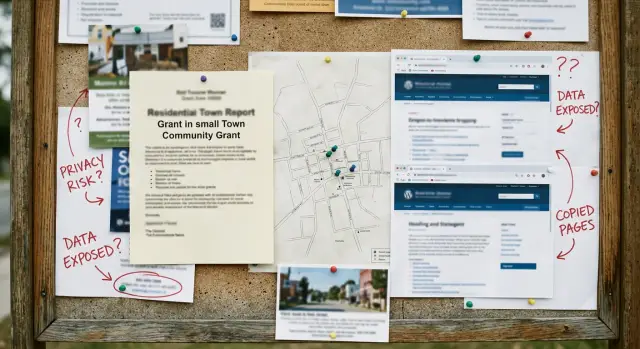
Why a tiny local post can become a privacy problem
A short notice about a grant winner sounds harmless. It might be 80 words on a town website, a school page, or a neighborhood newsletter. But a small public post can reveal a lot when it includes your full name and one local clue.
That clue might be a street name, a landmark, a school, a photo taken outside a known building, or a line like "serving families in the West End." On its own, that can seem vague. Paired with your name, it can narrow your home area far more than most people expect.
Say a notice names "Jordan Patel" and mentions a cleanup project near Maple and 3rd. If someone already knows the city, that may be enough to guess the block, check public records, and match the right person. The post never had to list a full address to create a real location risk.
The problem is bigger than the original readers. Public pages get copied by search engines, archive tools, marketing databases, and data brokers that scan the web all day. Low traffic does not mean low exposure. A page with ten human visitors can still be picked up by automated systems within days because it is public, readable, and tied to a real name.
Once that happens, your name can start showing up in places you never agreed to. One local announcement can feed a much larger trail.
What these pages usually reveal
The risk is rarely one big detail. It is the pile-up of small ones.
Most of these notices start with a full name. Sometimes it is one person. Sometimes it is a household, such as "The Ramirez family" or "Jordan Lee and children." That alone may not seem serious, but it gets much more specific once the page adds a town, a neighborhood, or even a ZIP code.
Context does the rest. A post may say where the winner studies, worships, volunteers, or works. A school name, church group, sports club, or small employer can narrow the search fast, especially in a smaller town where people already know one another.
Many pages also include details that make the person easy to verify: the grant name, the amount awarded, the project being funded, the posting date, or a photo caption with extra personal details. Each item feels minor on its own. Together, they create a profile that is easy to match against social media, old directories, alumni pages, or public records.
Photos make this worse. A picture in front of a home, school building, church hall, or local storefront can reveal more than the text does. Even if no street number is visible, signs, nearby businesses, uniforms, and familiar landmarks can point to a very small area.
Dates matter too. A posting date can help someone connect the announcement to other records from the same week or month. If the grant was tied to storm repairs, accessibility work, tuition help, or a neighborhood project, that can also reveal something private about the person or household.
That is why name and address exposure does not always start with an address. It often starts with a cheerful local post that gives away just enough for someone else to fill in the rest.
Why low-traffic pages still spread
A page does not need heavy traffic to travel. It only needs to be public, easy to crawl, and written in a format that software can read.
Search engines crawl pages because they are open, not because lots of people click them. If a page includes a name, a town, a street, or a photo caption, that text can be stored in search indexes quickly.
Then the second wave begins. Archive services may save a snapshot automatically. Scrapers often scan local news sites, school pages, church bulletins, and nonprofit announcements because those pages are full of real names tied to real places.
A small post can also create extra versions without anyone meaning to cause harm. The original page may be indexed by search engines, copied into an archive, republished in a newsletter, quoted on another site, or pulled into a data broker database. Files make this worse. A PDF attachment may keep the same names and location details as the page itself, and captions, alt text, filenames, and downloadable forms can be scraped too.
Picture a simple example. A local arts fund posts: "Maria Lopez, Maple Street, received a facade grant." Maybe only 40 people read it. But if that notice also appears on a webpage, in a monthly PDF, and in an archived snapshot, software now has three places to collect the same fact.
The copies are often what keep the problem alive. A local group may later edit the post, shorten a street name, or delete the page. That does not pull back what was already copied. Search caches, mirror sites, and archives can keep the older version online for weeks or months. In some cases, the stale copy is what people see first.
Search results can make this even messier. A repost on a larger site, or on a page that gets crawled more often, may outrank the original notice. So even if the source page is cleaned up, the version with more detail can stay easier to find.
Data brokers do not need a perfect match to use a page like this. If a notice says "Jane E. Carter" on Oak Street and a people-search record says "Jane Carter" nearby, that is often enough. A missing middle initial or a slightly wrong unit number may not stop the match. The notice still gives them a usable location clue.
How your location gets pieced together
Here is a simple example.
A town arts council posts a short note about a mini-grant winner: "Maria Lopez, from the Oakview neighborhood, received a $750 grant for a front-yard pollinator garden." On its own, that may sound harmless. Oakview is not a full address. But it can still turn into a street-level clue.
- The winner page gives a full name and a neighborhood.
- A photo from the award event appears elsewhere with a caption like "Maria Lopez with the Oakview Garden Club."
- A local newsletter reuses the photo and mentions the club meets near Cedar Park.
- A people-search site already lists a Maria Lopez in that town, tied to a home address two blocks from Cedar Park.
Now the picture is much clearer.
If someone searches Maria Lopez plus Oakview, they do not need much luck. The neighborhood narrows the town. The garden club narrows the part of the neighborhood. The park mention points to a small area. Then the people-search site fills in the missing piece with a street address, age range, and sometimes relatives.
This is why small local details matter. A neighborhood name can cut a list of possible homes from hundreds to a handful. One extra clue, like a photo caption, school group, church group, or volunteer club, can shrink it again.
The original post may get only a few views. That does not make it private. Once copied into people-search records or broker pages, the information can sit there for years and show up whenever someone searches your name.
What to do if your name is on one of these pages
If your name appears on one of these notices, move quickly and keep a record. These posts look small, but they can be copied before anyone notices the risk.
Start by saving what is live now. Take screenshots that show the full page, the page title, the date, and any details that narrow down where you live. If the post changes later, you will want proof of what was published.
Next, search for the footprint around your name, not just the original page. Try your full name with the grant name, your town, the school or group name, and any unusual phrase from the post. A search like "Jane Smith" plus the grant title often finds copies that do not appear in a basic name search.
Then contact the original publisher. A short, calm note usually works better than an angry one. Ask them to trim the details that create the location risk, such as a full address, a unit number, or a photo caption that names your block. If the page has no real public purpose, ask for removal.
Keep the request simple. Explain that the post exposes personal location details, point to the exact line or image that should be removed, and ask them to confirm when the page has been edited or taken down.
After that, look for copies. Check people-search sites, cached search snippets, archived pages, and any PDFs or flyers tied to the same announcement. Even if the original notice is gone, a copied version can keep your information in search results.
Do another round of checks after a week or two. Search engines, archives, and broker sites often update slowly. Compare what you find with your screenshots so you can see what changed, what spread, and what still needs work.
Mistakes that make the problem worse
The first common mistake is going after the wrong target. Many people ask Google or Bing to remove a result and stop there. That may hide one listing for a while, but the original page is still live, and other sites can keep copying it.
The second mistake is spreading the page yourself. It is understandable to post screenshots and complain in a local group. But every repost creates more copies, more image uploads, and more chances for the details to be picked up by brokers or directory sites.
Another problem is checking only the visible webpage. Small local sites often publish the same notice in more than one format. The article may also appear in a PDF, a newsletter archive, an image filename, or an old event flyer. If you ask for only the visible page to be removed, the same details may stay online somewhere else.
Waiting too long also makes cleanup harder. In the first few days after a page is indexed, it can be copied into caches, archives, and broker databases. After that, you are no longer dealing with one source. You are dealing with a trail.
One more mistake is treating the first success as the end. If one copy disappears, others can still sit on broker sites for months and then reappear later. This is why follow-up checks matter.
A 10-minute check you can do today
Start with the page itself. A small notice can still reveal more than it seems when several details point to the same place.
Ask yourself five questions:
- Does it show your full name instead of a first name and last initial?
- Does it mention a school, club, employer, church, team, neighborhood, or street block?
- Is there a photo with a sign, building name, jersey, car plate, or storefront in the background?
- If you search your name with the grant name or town, do you find a copied version?
- Do people-search sites now list the same town or a nearby address?
If the answer is yes to even two of those, take it seriously. One clue rarely does much on its own. Combined, they can pin you to a very small area.
A typical example is easy to miss. A page says "Jordan Patel received the neighborhood arts grant," mentions a local youth club, and shows a photo outside a branch library. That can be enough for data brokers or curious strangers to connect a full name to one part of town.
Search for your name in quotes, then try it again with the town, school, club, or grant name. You are not trying to find every mention. You are checking whether the same facts have already started to spread.
Pay close attention to copies on small blogs, scraped directories, and people-search pages. In many cases, those copies matter more than the original because they are built to surface in search and get reused again.
What to do next if copies keep showing up
The first removal is rarely the last one. Small local notices get scraped, reposted, cached, and copied into people-search sites long after the original page is gone.
Keep a short log. It does not need to be fancy. A simple note with the site name, the page title, the date you found it, and whether you sent a removal request is enough. That helps you see which sites ignored you, which ones changed the page, and where the same details showed up again.
If a copy stays online, send a follow-up instead of starting from scratch. Many sites do nothing on the first message but respond when you resend the original request with the page URL and a clear note that your personal data is still visible.
Then keep watching for relistings. This is the part many people miss. A page may disappear from search results, then come back on another broker, an archived profile, or a fresh copy on a different domain.
If manual cleanup starts eating your evenings, it may be time to hand it off. Remove.dev is built for this kind of problem. It removes personal data from over 500 data brokers and keeps monitoring for re-listings after removals, which helps when the issue is no longer one page but a chain of copies.
The goal is not one clean-up. It is keeping the next copy from becoming the next problem.