Data removal for corrections officers and probation staff
Data removal for corrections officers can reduce home address exposure in people-search sites, local directories, and public records tied to safety risks.
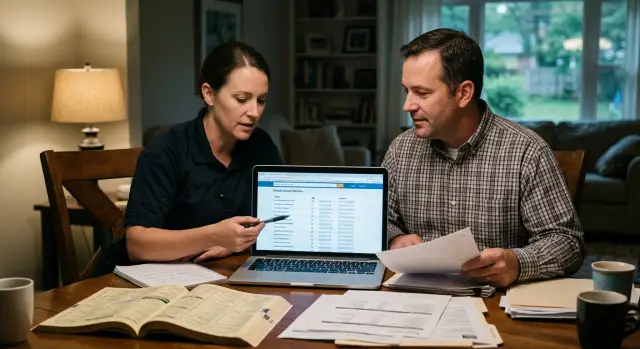
Why this becomes a household safety problem
For corrections officers and probation staff, a public listing is not a minor privacy issue. A job title can turn an ordinary people-search page into a route to your front door.
Someone might learn your name from a court document, staff directory, case paperwork, or a casual social post. From there, one search can connect that name to a home address. Once that happens, the risk does not stop with you.
Many data broker sites group people by shared address. A page for you may also name a spouse, parent, adult child, or former roommate. Even if your own listing looks thin, a relative's page can fill in the blanks. One search can expose an entire household.
Old phone numbers make this worse. People often assume an outdated number is harmless because they no longer use it. In practice, old numbers still help someone connect the dots. Reverse lookup sites, old marketing databases, and copied broker pages can tie a past number to a current or recent address. It does not take much effort. Fifteen minutes and a few search tabs are often enough.
Small local sites are another problem. They copy larger broker pages, county records, or voter and property data, then repost stripped-down profiles that are easy to miss. You might remove your details from one major broker and still have the same address sitting on three smaller sites you have never heard of.
For this kind of work, exposure is not abstract. It can lead to unwanted calls, drive-bys, harassment at home, or family members being found by association.
Where your details usually appear
Most people are surprised by how many places already have a profile built for them. One old address, one utility record, or one property filing can spread fast. After that, smaller sites copy it and make the trail harder to clean up.
People-search brokers are usually the biggest source. They often list your full name, age range, relatives, past addresses, and sometimes phone numbers. One profile may look incomplete, but a second or third site can fill in what is missing and confirm that the person at a home address is the same person who works in corrections or probation.
County property and tax pages are another common leak. If a home is owned in your name, the county site may show the parcel record, mailing address, and sale history. Some counties show very little. Others show enough for someone to match your name to a house in minutes.
Voter records can create the same problem in places where state law allows broad access. Political donation databases can do it too. A donation made years ago may still connect a full name, city, employer, and sometimes a home address or ZIP code. Each detail seems small on its own. Put together, they narrow the search fast.
Local directories make things worse because they look harmless. Neighborhood forums, chamber listings, alumni pages, old club rosters, and cached phone directories can all repeat an address, phone number, or family connection. These pages often stay online for years because nobody remembers they exist.
Then there are records tied to the job itself. News archives, court notices, department newsletters, public meeting minutes, and older case pages may name an officer or probation staff member in a way that makes a search easier. The page may not show a home address, but once a name and work role are public, broker sites can do the rest.
A simple name search rarely tells the full story. The real risk usually comes from overlap. One site shows the name, another shows the house, and a third confirms the work role.
What to remove first
Start with anything that gives a stranger a direct path from your name to your home. For corrections officers and probation staff, that path is often short.
Focus on these items first:
- your current home address, including any map pin, parcel view, or satellite preview tied to it
- your personal cell number and private email
- names of relatives listed at the same address
- your employer or agency name when it appears beside your city or neighborhood
- photos that reveal the house, driveway, street sign, or nearby landmarks
Your current address is the first thing to fix. If an old address is still online, remove that too, but the live one matters most. Do not stop at the street line alone. Some sites keep a map thumbnail or a pin even after the text address is gone, and that still points people to the right place.
Next, clear out direct contact details. A private cell number and personal email make harassment easier. They also help brokers reconnect your records later, which can pull your address back into new listings.
After that, check household links. If a site shows your spouse, parent, or adult child at the same address, it gives someone another route to the same home. One family member's listing can undo your own opt-out work.
Employer details matter when they appear beside your home city. A listing that says where you work, or even hints at the agency, can help someone confirm they found the right person.
How to do a manual removal pass
A manual pass works better when you treat it like a small case file, not a quick search.
Start with your full name in quotes. Then search your name with your current city, past cities, old employers, and any common misspellings. Old records often hide under a middle initial, shortened first name, maiden name, or bad spelling.
Do not rely on memory. Make a simple note of every site that shows your address, age, relatives, phone number, or property details.
Before you send any request, save proof. Take screenshots of the listing, the page title, and the part that shows the address or family connection. If the page changes later, you still have a record of what was posted and when you found it.
A clean manual pass usually looks like this:
- search your name with every city where you have lived in the last 10 to 15 years
- record the site name, the exact profile, and what data it shows
- use the site's opt-out form, privacy request form, or contact page to ask for removal
- if the record is wrong, ask for a correction too
- write down the date sent, any case number, and when you plan to check again
Most sites make you confirm the request by email. Some ask for an ID, but many do not. If they do, read the request carefully and share the least amount of information you can. When a redacted ID is allowed, it is usually the safer choice.
Expect repeat work. Some listings disappear in a few days. Others stay up for weeks, then return after a data refresh. Check again after 7-14 days, then once more a few weeks later.
If you are doing this by hand, a spreadsheet is enough. If the list gets too long, a service like Remove.dev can track requests and watch for re-listings across a much wider set of brokers. What matters most is staying consistent: search, document, remove, and check again.
What to do about records you may not be able to erase
Some records will not come down, even after a clean broker opt-out. That does not always mean you failed. It usually means you are dealing with two different problems: private-sector copies and public records that a county, court, assessor, or state office is allowed to keep online.
A broker page and a government page are not the same thing. Broker pages copy, repackage, and spread data quickly. Government records are slower to change, but they can feed those broker pages if the copies stay online.
Start with the copies
If a county site, property record, or voter file cannot be removed, remove the copied versions first. A search site that shows your home address, relatives, age, and past addresses creates a bigger day-to-day risk than a hard-to-find record buried in a clerk database.
That order matters. A public record sitting in one office is bad enough. The same record copied across ten search sites is much worse because it is easy to find, easy to share, and easy to connect to family members.
When a record must stay public, ask what can still be changed or limited. Some offices will not erase the file, but they may allow a mailing address, PO box, work address, or registered agent address in place of a home address. Others may hide fields such as phone number, personal email, birth month and day, or names of household members.
A short checklist helps:
- ask whether a mailing address can replace your home address
- ask whether sensitive fields can be hidden or shortened
- ask whether online display can be limited, even if the record stays on file
- ask whether future filings can use a safer address
The answer depends on the office and the record type. Property records, court filings, licensing files, and business registrations all follow different rules. Some staff members know the privacy option right away. Others will not mention it unless you ask directly.
Keep notes on what must stay public and what has already been changed. A simple sheet with the record name, office, date contacted, response, and next step saves time later.
This is also where a removal service can help. Let the service clear the broker copies while you handle the smaller number of records that need direct requests or address changes. The goal is not perfect invisibility. It is to make your home address much harder to find, copy, and tie to your household.
How one record turns into many
Picture a probation officer who moved two years ago. She searches her name and finds her old home address on three people-search sites. At first glance, that can look like a stale record with little risk. Usually, it is not.
The same address also appears on a county property page. That public page becomes the source record. Data brokers copy it, trade it, and post it again under slightly different profiles. One site shows the full address, another adds age and relatives, and a third attaches a past phone number.
Now the trail is easy to follow:
- one broker profile shows her old address and current age
- another adds relatives
- a local directory picks up her phone number
- a search for that number leads back to the same address trail
At that point, someone does not need much skill to connect work role, family name, phone number, and home location. For probation staff, that is a household safety problem, not a minor annoyance.
This is why it makes sense to start with the easiest copies first. The county property page may stay online for legal reasons, but broker pages are usually what make the address easy to find. Remove those copies and you cut off the fastest path most people will use.
A separate mailing address can help slow the next round of spread. If a probation officer uses a mailing address for registrations, deliveries, or public-facing paperwork when allowed, future records are less likely to point straight back to the home. It is not perfect, but it lowers the odds that the home address will be copied into new databases.
Mistakes that keep personal details online
The most common mistake is treating removal like a one-time errand. You send one opt-out, see one page disappear, and assume the job is done. That is rarely enough. Brokers copy from each other, refresh old records, and rebuild profiles from new public scraps.
Another common mistake is searching only with your current name and city. Old records often sit under a maiden name, middle initial, shortened first name, or misspelling. Past towns matter too. If you lived in three counties over ten years, all three can still feed broker pages today.
Family listings trip people up all the time. You may remove your own profile and still leave a spouse, parent, sibling, or adult child page online. Those pages often show the same address, nearby addresses, or a relatives section that points right back to you.
It is also a bad idea to use your work phone, work email, or agency details in removal forms. That can create a new trail instead of closing one. Use a separate personal email for removals, and share only the identifying detail the form actually needs.
Then there is the follow-up problem. Many sites do not remove records right away. Some take 7-14 days. Others need a second request. Even after a successful removal, your information can return when the site pulls a fresh file.
A simple rule helps: search again after two weeks, then check monthly. Look for your name, old addresses, name variations, and close relatives. If you use a service such as Remove.dev, the ongoing monitoring is often the part that saves the most time, because re-listings are common.
A monthly check that takes 20 minutes
A monthly privacy check does not need a full hour. For most people, 15 to 20 minutes is enough if you stay consistent.
Use the same routine each time so you do not miss things. Open a private browser window, sign out of your main accounts, and search the way a stranger would search for you.
A simple routine works well:
- search your full name with your street name, phone number, city, and employer terms
- review at least the first two pages of results, not just the top few
- open any people-search site, local directory, or cached result that mentions you
- note anything still live, partly removed, or newly posted
Keep the notes short. A plain list in your phone or a small spreadsheet works fine. Add the site name, what it shows, the date you checked, and whether you already sent a removal request.
Pay close attention to old links that still rank in search results even after a page changes. Sometimes the result preview still shows an address or age after the page itself is clean. If that happens, note it and check again a few days later.
Local directories deserve extra attention. They may look less serious than large broker sites, but a local alumni page, county directory, campaign record, or neighborhood listing can confirm where you live or connect your name to family members. That is often enough for someone else to fill in the rest.
This works best as a habit, not a cleanup project you do once and forget. A single new directory listing can bring an old phone number or address back into search results.
What to do next
If you work in corrections or probation, do not wait for the perfect plan. Start with one focused hour. A fast first pass is better than a detailed plan you never begin.
Use that first hour to build a watch list. Write down the names, phone numbers, and addresses that could expose your household. Put your current home address first, then your cell number, old addresses that still connect to you, and any name variations a people-search site might use.
Keep the first step simple:
- search your full name with your city and state
- search your cell number by itself
- search your current address by itself
- search old addresses that still connect to you
- save every result in one note or spreadsheet
Start with the items that create the most direct risk. A current home address usually comes first. A cell number often comes next, especially if it leads to relatives, messaging apps, or more records through reverse lookup sites.
Do not try to clear every listing in one night. That is how people burn out and quit halfway through. Remove the urgent items first, then work through the rest in small batches.
If manual opt-outs take too much time, handing it off can make sense. Remove.dev removes personal data from over 500 data brokers, keeps monitoring for re-listings, and lets subscribers track requests in one dashboard. For people in this line of work, that kind of follow-up matters because a listing that disappears this week can come back later.
After the first pass, set one monthly reminder on your phone or calendar. Give yourself 15 to 20 minutes. Search the same names, address versions, and phone numbers each time. If nothing new appears, you are done for the month. If a listing comes back, send the next removal request right away.
That small routine is often what keeps a one-time cleanup from turning into the same safety problem again.
FAQ
Why is data removal more urgent for corrections officers and probation staff?
Because a public profile can connect your work role to your home in minutes. Once your name is tied to an address, relatives, old phone numbers, and local directory pages can expose the rest of your household too.
What should I remove first?
Start with your current home address, then remove your personal cell number, private email, and any relative listings tied to the same address. After that, clear employer details and photos that show your house or street.
Can an old phone number still put my home address at risk?
Yes. Old numbers still help people connect records across broker pages, reverse lookups, and copied local sites. Even if you do not use the number now, it can still point back to a past or current address.
Do I need to remove my family members’ listings too?
Often, yes. A spouse, parent, adult child, or even a former roommate can appear at the same address and give someone another path to your home. If your page is gone but theirs stays up, the risk is still there.
What if a county property record or voter record cannot be deleted?
First remove the copies on people-search sites, since those are usually easier to find and share. Then ask the office whether they can swap in a mailing address, PO box, or work address, or hide fields like phone number or personal email.
How long does a manual removal pass usually take?
A careful first pass can take one to three hours, depending on how many names, cities, and old addresses you need to check. Most removals show up within 7–14 days, but some sites need follow-up and some records come back later.
What should I avoid sending in opt-out requests?
Use a separate personal email made only for removals and share the least amount of information the form asks for. If a site wants ID, send a redacted version when that is allowed and do not use your work email, work phone, or agency details.
How often should I search for re-listings?
Check again after about two weeks, then do a quick monthly search. Re-listings are common, so a short routine matters more than one big cleanup.
Are small local directories really worth removing?
Yes, because small sites often copy bigger brokers and stay online for years. They may show less information, but even a stripped-down profile can confirm your address, phone number, or family link.
When should I use a service like Remove.dev?
It makes sense when you do not have time to chase dozens of sites by hand or you want ongoing checks for new listings. Remove.dev handles removals across over 500 data brokers, watches for re-listings, and shows request status in one dashboard.