Court PDF data brokers: why records stay online longer
Court PDF data brokers can keep case details alive after an official portal changes. Learn why this happens and what removal steps still may work.
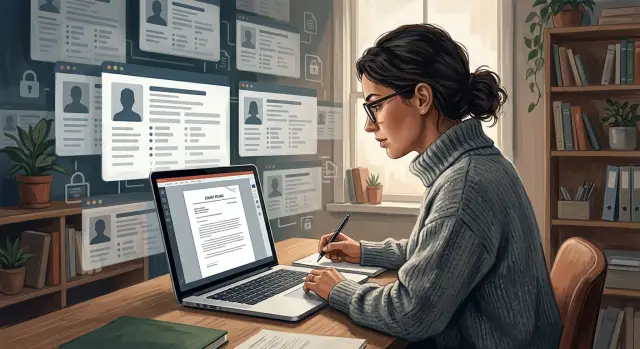
Why old court PDFs keep showing up
A court can change its own portal quickly. A broker cannot be forced to change just because the source did.
That gap is why old court PDFs keep appearing on people-search sites and record brokers. If a filing was public for even a short time, someone could have downloaded it, copied it into a private database, and kept using that copy long after the court page changed. Once that happens, the court portal and the broker are no longer tied together.
So if a court removes a file, limits access, or replaces it with a redacted version, older copies can still stay online. A broker might still have the PDF it pulled months earlier. Search engines add another delay. Even after a broker deletes a page, Google or Bing can keep an old title or snippet visible for a while. That often makes it look like nothing changed when the source page is already gone.
Speed is part of the problem too. One filing can spread fast. A single PDF can end up on a people-search site, a background-check page, a niche records site, and a few copycat domains. Some brokers scrape courts directly. Some buy data from other brokers. Some scrape from sites that already scraped the court. By the time you find the document, it may exist in several places.
That is why a sealed case can still appear online without meaning the court made a fresh mistake. Sometimes the court fixed its side first, but older broker copies stayed live.
Where brokers get the documents
Most brokers do not ask a court clerk for a document every time someone runs a search. They usually build a copy once and keep using it.
That copy may come from a public court portal, a bulk records reseller, or another broker that already collected the file. A PDF is easy to save, move, and repost. A live court page can change. A downloaded filing usually does not.
In practice, brokers tend to work in a few simple ways. Some scrape court portals on a schedule, like nightly or weekly. Some buy copied case files in bulk and load them into their own database. Some take one PDF and turn it into several pages, such as a profile page, a document page, and a search-friendly summary. Some run multiple brands, so the same stored file appears across a small network of sites.
Once a broker has the file, the court portal is no longer the only source that matters. If the court later removes the document from public search, seals part of the case, or changes the case status, the broker may still keep the old copy. That is one reason the same case can keep appearing under several site names. One company may own multiple brands, or several companies may rely on the same upstream supplier.
PDFs also stick around because they are cheap to store and easy to index. A broker can pull names, case numbers, addresses, and dates from the file and build pages designed to rank in search results. Even if the original court link breaks, the copied PDF can keep feeding new listings.
If you find one broker copy, treat it as a chain, not a single post. The file may have started in one place, but it often spreads through several databases before you ever see it.
Why the court portal can change first
The court controls the original record. So if a file gets sealed, redacted, moved, or removed from public view, the court portal can change first and sometimes fast.
A broker may have grabbed the document weeks or months earlier. If it saved the PDF, took screenshots, or extracted the text, that version can stay online long after the court page changes. It feels backward, but it is common.
Courts also update records for reasons that have nothing to do with brokers. A clerk may replace a file with a redacted version. A judge may seal part of a case. A county may move older records into a new system and break old links. To a reader, it can look like the record vanished. What really changed was the source, not the copies.
Brokers do not all refresh on the same schedule. Some check often. Some barely check at all. Some only notice a problem when a page stops loading, and even then they may keep whatever they already stored.
A stale version usually survives in one of three forms:
- the original PDF stored on the broker's server
- text pulled from the PDF and posted as a profile or listing
- an image or screenshot of the filing
A simple example shows the problem. A court later seals a filing in a divorce case. The portal no longer shows the document, or the old link gives an error. A broker still has the earlier PDF, plus the names and address it pulled from the first page. The public source changed first. The broker's version did not.
When that happens, the removal request should target the copied record itself, not just the fact that the court portal changed.
What removal options are worth trying
Start with the broker. In many cases, that is still the fastest route, even after the court portal has already changed.
Be direct. Ask the site to remove the public page and any stored PDF, image, or cached document copy tied to your name. Some sites take down the listing but leave the file live on a separate URL. If you do not mention the file itself, it can stay online and keep showing up in search.
If the case was sealed, expunged, dismissed in a way that changed public access, or otherwise restricted, say that plainly. Include the case number, court name, and the date of the order if you have it. A short, clear request usually works better than a long argument.
Privacy law can also help. Depending on where you live, you may have a right to deletion or a right to limit how a broker uses your personal data. Laws such as CCPA or GDPR can matter even when a broker says the document came from a public source. Public records and copied broker pages are not always treated the same way.
A practical request usually does five things. It identifies the exact page URL and the PDF URL if there is one. It states that the case is sealed, no longer public, or incorrectly matched to you. It asks for deletion of the page, the stored file, and any search-facing snippet tied to it. It cites any privacy rights that apply. And it asks for written confirmation when the removal is done.
After the page is gone, check search results. Search engines can keep an old title, snippet, or PDF result visible for days or weeks. If that happens, ask them to refresh or recrawl the result so the removed content drops faster.
Keep copies of everything you send and everything you get back. Save screenshots, dates, case details, and reply emails. If the broker ignores you, relists the file later, or asks for proof again, that paper trail saves time.
How to make a removal request
Start by saving proof of what you found. Take a full-page screenshot of the listing, a screenshot of the PDF, and download the PDF if the site allows it. If the page changes later, you still have a record of what was published.
Next, gather the facts in one note before you contact anyone. Write down your full name as shown on the page, the case number, the court name, the exact URL, and the date you found it. Small mistakes slow these requests down, so copy the details exactly.
Then find the broker's contact path. Some sites use a privacy form. Others want an email or mailed request. Check the privacy page, opt-out page, or contact page and use the method the site asks for first. If more than one method is available, sending both a form and an email is often worth the extra minute.
Keep the message short and plain. A long backstory usually does not help. Ask for removal of both the listing and any PDF copy, identify the page clearly, and give one direct reason.
Good reasons include a sealed or expunged case, wrong or outdated personal data, private details such as a home address, a record that no longer appears on the official court portal, or a page that matches the wrong person.
A simple request is enough:
"Please remove the listing and attached PDF for case 12345 at this exact URL. The case is sealed, and the document should not be publicly displayed. Screenshots are attached for reference."
After you send it, give the broker a reasonable window to respond. If the page is still live after about one to two weeks, follow up with the same request attached and ask for a status update. Keep the follow-up calm and consistent. If your story changes each time, the site has an easy excuse to ignore you.
What results are realistic
Expect uneven progress. With broker copies of court PDFs, a good result is often partial at first and better over time.
A broker may remove the page you reported, but Google or Bing can still show an old result for a while. Sometimes the cached title or snippet stays visible after the page is gone. That does not always mean the request failed. It can simply mean the search engine has not caught up.
You should also expect mixed responses. One site may remove a listing after you send proof that the case was sealed or updated. Another may ignore the same paperwork, ask for more detail, or never reply. These sites do not all follow the same process, even when they copied the same PDF.
A sealed record helps, but it is not a fast pass. If the broker copied the document months or years ago, the file can stay online long after the official court portal changes. Some sites act quickly when they see a sealing order. Others move slowly or argue that they are only republishing older material.
Realistic progress often looks like this:
- the public page disappears, but the search snippet lingers
- one broker complies while a similar site keeps the file up
- the PDF is removed, but a profile page still mentions the case
- the same record returns later on a related domain or sister site
That last point surprises a lot of people. A removal is not always permanent. Some networks recycle old copies, import them into a related site, or rebuild pages during a data refresh. That is why screenshots, dates, and case details matter. They help you show that the same record came back.
The realistic goal is not instant cleanup everywhere. It is to cut down the number of visible copies, get the worst pages removed first, and keep pushing if the same file appears again.
A simple example
Say a tenant named Lena searches her own name after applying for a new apartment. On a people-search site, she finds a PDF copy of an old eviction filing. It is easy to open, download, and share.
But when she checks the court portal, the PDF is gone. The case page may still exist, or the entry may look different after an update, but the document itself is no longer public.
That feels like it should solve the problem. Usually, it does not.
The broker copied the PDF earlier, when the court site still exposed it. Once that happened, the file could stay on the broker's servers long after the official portal changed. That is a common pattern. These sites are not always showing a live court view. Sometimes they are showing an old copy they grabbed weeks or months ago.
Lena sends a short removal request to the site. She includes the exact page URL, a screenshot showing the PDF is no longer public on the court portal, the case number, and a plain request to delete the copied file, not just hide the page.
A few days later, the page comes down. That is a real win, but it is not the end of the story.
Three weeks later, Lena finds the same PDF on another people-search site under a slightly different profile. That second site may have scraped the court portal before the update, or copied the file from the first broker while it was still live. Either way, one removal did not erase every copy.
That is why proof matters. Save the court screenshot, keep the case details handy, and reuse the same request package when the file shows up again.
Mistakes that slow things down
A lot of brokers ignore messy or emotional requests. If your first message is angry, vague, or hard to follow, it can disappear into a support queue. A short, calm note usually works better.
One small detail causes a lot of delay: people forget to include the exact page URL. A broker may have several pages for the same name or more than one version of the same case file. If you only say "remove my court record," the site has to guess, and many will not bother.
Another common mistake is sending the request to the wrong place. If a copied PDF is still online, the court clerk usually cannot delete that private copy for you. The court can update its own portal, seal a case, or limit access, but that does not force a separate broker site to remove a file it already saved.
Consistency matters more than most people expect. If one email uses your full legal name, another uses a nickname, and a third lists a different birth year or case number, you create doubt. That is especially bad when the issue involves a sealed case, because the site may claim it cannot confirm identity or match the record.
A better approach is simple. Use the same name, case details, and contact email each time. Include the exact URL and, if possible, a screenshot. State whether the record was sealed, dismissed, expunged, or posted in error. Ask the broker, not the court, to remove the copied page. Keep a dated copy of every request and reply.
The last mistake is stopping after one success. People-search sites and smaller brokers copy from each other all the time. One removal does not mean the record is gone everywhere.
Quick checks before you send anything
A rushed request often gets ignored. Five careful minutes at the start can save days of back and forth.
First, make sure the document is on a broker site and not on the court's own domain or archive. The removal path is different. If the page is on a court domain, you usually need the clerk, records office, or the court's privacy contact. If it is on a broker site, the broker may be showing an old copy even after the court page changed.
Next, check the case status. If the record was sealed, expunged, or later redacted, note that before you write anything. A request that says "this case was sealed on [date]" is stronger than "please take this down."
Before you contact anyone, save the full page. Do not keep only the search snippet. Save the page with the broker name and URL visible, the PDF or image copy if there is one, the date you saw it, any case number or record ID on the listing, and a screenshot that shows your name exactly as displayed.
Then search your name in quotes. That can help you spot duplicate copies on the same site and on other people-search pages built from the same source. One PDF can lead to several pages: a profile page, a document page, and cached search results.
Last, find the best contact route before sending anything. Look for a privacy request form, support email, or postal address. If the site has more than one option, use the privacy form first and keep a copy of what you submitted.
What to do next if it keeps coming back
If a file disappears and then shows up again, more than one site probably copied it. That is normal with broker copies of court records. You need a repeatable routine, not a one-time request.
Start with a simple log. A note on your phone or a spreadsheet is enough. Track the site name, page title, date you sent the request, whether the PDF was removed, and when you checked again.
That record does two useful things. It shows which brokers actually comply, and it helps you spot patterns, like the same document appearing across sister sites run by the same company.
Recheck every few weeks. Search your full name, common misspellings, and the case number if you know it. If the case was sealed or changed on the court side, do not assume old copies vanished with it.
When a related site posts the same document, send a fresh request. Do not rely on the old one to cover every domain. Many broker groups run several brands, and each one may need its own removal.
A simple routine works well:
- recheck the sites that listed the file before
- search for the same PDF title on other broker and people-search sites
- save screenshots before sending a new request
- note which sites removed it and which ignored you
If a site keeps reposting the same file, say that in your next message. Be direct. Tell them the document was removed before, has reappeared, and needs to come down again.
Doing this by hand gets old fast. If you want help with the repeat work, Remove.dev automates removals across more than 500 data brokers and keeps monitoring for re-listings, so you are not starting over each time the same record appears again.
The practical goal is simple: keep new copies from piling up faster than you can remove them.