What to do after a data breach: lock these accounts first
What to do after a data breach starts with locking email, bank, and mobile accounts, then cutting exposed data that scammers use next.
Why a broker is not your first call
When a breach hits, the first risk is not a data broker page with your name on it. The first risk is access. If someone can reset your password, grab a one-time code, or get into your bank login, the damage can start in minutes.
A broker listing usually does not give an attacker that direct path. It might show your age, an old address, relatives, or past phone numbers. That is bad for privacy, and it can make later scams more believable. But it is rarely the thing that lets someone break into your email or move money right away.
The accounts that matter first are the ones that can unlock everything else:
- your main email inbox
- your mobile carrier account and phone number
- your bank and card accounts
- your password manager and cloud storage, if you use them
If your email falls first, an attacker can trigger password resets across shopping sites, social apps, and work tools. If they take over your phone number, they may intercept text codes. If they get into a bank or card account, the problem gets expensive fast.
That is why the first window matters so much. A breach often brings a wave of password reset attempts, fake support calls, and login alerts that look real enough to fool tired people. Your job at the start is simple: cut off the fastest routes into your accounts.
Broker removals still matter. They just come after the urgent lockouts. Once the immediate risk is under control, removing your data from broker sites can reduce the follow-on scams that often show up days or weeks later.
Lock the accounts that can unlock the rest
Start with the accounts that open other accounts.
Change the password on your main email account first. Use a new password that you have never used anywhere else. Then check your recovery email, recovery phone, inbox rules, and signed-in devices. Attackers sometimes leave behind forwarding rules so they still get your messages after you think you locked them out.
Next, turn on app-based two-factor authentication where you can. An authenticator app is usually safer than text codes. Save your backup codes somewhere safe, not in your email drafts.
Then deal with your mobile carrier account. Add or reset your carrier PIN and ask about a port-out lock if your provider offers one. This step gets missed all the time. Without it, a scammer may try a SIM swap and steal the text messages used for account recovery.
After that, move to money. Review your bank accounts, cards, and payment apps. Look for unknown devices, recent transfers, saved cards, and tiny test charges. Those small charges are often a first probe, not a harmless mistake.
Check your password manager and cloud storage next. If either account is exposed, the damage spreads quickly. Change the password, turn on two-factor authentication, and review recent activity, shared folders, and stored documents.
A simple rule helps here: protect access, then protect money, then protect stored data.
What to do in the first 24 hours
The first day is about containment.
Start by changing the password on your main email account and signing out of sessions you do not recognize. Most email services show active logins, so this usually takes only a few minutes. Then move to banking, cards, payment apps, and any shopping account that stores your card, address, or phone number.
If you reused the breached password anywhere else, replace it everywhere. That is how one leak turns into several account takeovers.
There are a few details people forget under stress. Check that your recovery email and phone number are still yours. Review security questions too. If the answers are easy to guess from public records or social media, treat them like passwords and change them to something hard to predict.
If the breach included your Social Security number, national ID, or enough information to open credit in your name, place a credit freeze or account lock right away. That can stop someone from opening a new loan, card, or phone line while you are still cleaning up the rest.
It also helps to save proof of what happened. Screenshot the breach notice, suspicious emails, login alerts, password change confirmations, and any fraud warnings from your bank. Write down dates, times, and which accounts you changed. If something shows up later, that record saves time.
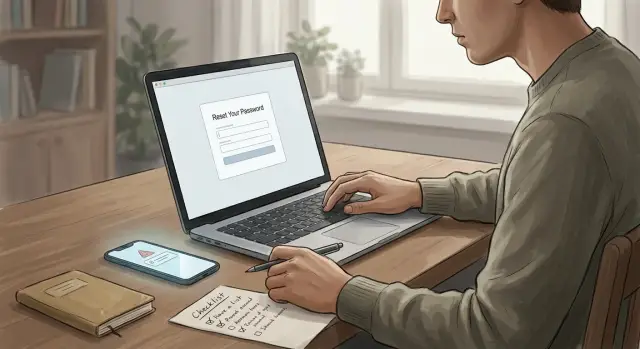
If you want a short checklist for day one, use this order:
- secure your main email account
- lock down bank, card, and payment accounts
- reset reused passwords on other important accounts
- fix recovery settings and security questions
- add two-factor authentication and carrier protections
- freeze credit if identity data was exposed
Move fast, but do not rush past the recovery settings. That is where many break-ins stay alive.
How broker data feeds follow-on scams
A breach does not end with the stolen password or card number. In many cases, scammers fill the gaps with information from data broker sites. Those pages often show old addresses, past phone numbers, relatives, age ranges, and other bits of personal history that should not be easy to find.
That extra context makes a bad situation worse. A caller who knows your old street, your sister's name, and the last four digits of a phone number sounds far more believable than a random spammer. People let their guard down when the details feel familiar.
This is why cleanup after a breach is not only about changing passwords. It is also about reducing the pile of public facts that strangers can use against you next week or next month.
Scammers use broker data in very practical ways. They build phone scripts for bank, carrier, or employer impersonation. They send texts that mention a real town, family member, or old address. They answer account recovery questions with facts pulled from public profiles. Sometimes they combine enough details to open new accounts or reroute a phone number.
The account recovery angle is easy to miss. If a criminal already has one exposed detail from a breach, a broker listing can hand them the rest. An old address may help with identity checks. A relative's name may help with a security question. A current phone number gives them a direct path for phishing and SIM swap attempts.
Picture a call after a retail breach. The caller says there was "fraud on your account" and reads back your previous address and the names of two relatives. None of that proves they are legitimate. It only proves they searched well. Still, those details are often enough to push someone into sharing a one-time code.
Removing broker data will not erase the breach itself. What it does is make the next scam harder to pull off. Calls sound less convincing. Texts look sloppier. Identity checks get harder to fake when public records stop handing out easy answers.
A simple example after a shopping site breach
Imagine a common breach at an online store. The stolen data is not your credit card number. It is your name, email address, phone number, and order history. That can still create a much bigger problem.
An attacker sees what you bought, knows the phone number tied to the account, and has the email you use to sign in. The first move is often simple: try a password reset on your email. If they get into that inbox, they can reset other accounts one by one.
That is why the first locks matter more than the first complaint. In a case like this, start with your email account, your bank and card apps, and your mobile carrier account.
Email comes first because it can unlock almost everything else. Bank and card apps come next because they protect money. Your mobile carrier matters because a scammer who ports your number can catch text codes and break into more accounts.
Now add one more layer. A few days later, you get a call from someone claiming to be from your bank. They know your full name. They mention an old home address. They say they are calling about "recent suspicious activity" after a purchase.
That old address may not have come from the store breach at all. It could have come from a data broker profile built from past moves, public records, and scraped details. The call sounds real because the pieces fit together. The scammer does not need perfect data. They just need enough true details to make you trust them for thirty seconds.
That is where broker removal helps. It does not undo the breach. It cuts down the extra facts scammers use to sound believable. If old addresses, phone numbers, and family links are harder to find, the script gets weaker.
Mistakes that make the mess bigger
A breach is stressful, and stress makes people rush. That is when small mistakes turn into extra fraud, extra lockouts, and a much longer cleanup.
One of the worst mistakes is calling the phone number in the breach email or text. If you need your bank, card issuer, or mobile carrier, open the official app or use the number on the back of the card. A fake support line can steal the rest of your details in one call.
Another common mistake is changing one password and stopping there. If the same password, or even a close variation, is used on your email, shopping accounts, and banking tools, attackers will try all of them. Change the exposed account first, then check every other place that reused it.
Old email accounts cause more trouble than people expect. An address you stopped using two years ago may still be listed as the recovery email for a bank, payroll portal, or retailer. If an attacker gets into that old inbox, password reset links do the rest. Remove recovery addresses and phone numbers you no longer control.
Your mobile account matters more than most people think. If someone pulls off a SIM swap, they can intercept texted login codes and reset other accounts. Adding a port-out lock or account PIN takes a few minutes and can block a much bigger problem.
Waiting a few days to look at card charges and login alerts is another expensive habit. Fraud often starts with small tests, like a $1 charge or a login from a new device at 3 a.m. Catching that early can save hours of calls later.
A simple routine helps:
- check card activity the same day and again the next morning
- review recent logins for your main email and banking apps
- turn on alerts for card use, password changes, and new sign-ins
- freeze the card or account if something looks off
Quick checks for the next few weeks
The first few days get most of the attention. The next few weeks matter just as much.
A lot of fraud starts small: a test charge for a few dollars, a password reset email you did not request, or a login from a city you have never visited. Catch those early and the cleanup is usually much easier.
Check your bank and card statements every few days, not once a month. Do the same for account alerts and recent login history on your main email, bank, shopping, and mobile carrier accounts. Email still matters most because it can unlock almost everything else.
Also watch for signs that someone is trying to build a larger fraud case around you. Pay attention to new credit cards, loans, or phone lines you did not open, address changes on financial or cell accounts, and calls or texts that mention old addresses, relatives, or partial account details.
Those details matter more than people think. Keep a simple note on what scammers seem to know: an old address, a phone number, the last four digits of a card, or the name of the company where your data leaked. Patterns show up quickly. If the same details keep appearing, your information is likely still circulating.
Tell the people close to you what an impersonation call might sound like. It may sound calm and ordinary, not dramatic. Someone may claim to be from your bank, your phone company, a delivery service, or even "your son" with a new number. Give family one rule: hang up, then call back using a number they already trust.
Keep your updated passwords, backup codes, and recovery steps in one safe place. A password manager is usually the easiest option. If you use paper, store it somewhere private and easy to reach. The worst time to hunt for a recovery code is after you have been locked out.
Shrink your exposure after the urgent work
Once the urgent lockouts are done, the cleanup shifts. Now the goal is to give the next scammer less to work with.
A breach often leaks one slice of your life, like an email address, phone number, or card. Data broker sites fill in the rest. They can connect that leaked detail to your home address, age range, old addresses, relatives, and other contact information. That is what makes follow-on scams feel personal.
Start by searching for yourself on large people-search and data broker sites. Focus on listings that show your home address, phone number, age or birth year, relatives, or past addresses. Remove what you can and keep a simple record of where you sent each request and when.
Do not assume one takedown lasts forever. Data gets copied, resold, and reposted. A listing that disappears this week can come back next month. That is why it helps to check for relistings from time to time.
Manual removal works, but it can be slow. Some sites hide their opt-out forms, ask for repeat requests, or relist your data later. If you do not want to handle that by hand, a service such as Remove.dev can do the removal work across more than 500 data brokers and keep monitoring for relistings. It also lets subscribers track requests in real time through a dashboard, which is useful when you are already juggling password resets, fraud alerts, and account checks.
You are not trying to erase yourself from the internet overnight. You are trying to become a harder target. First lock the accounts that control access. Then cut down the public details that make the next scam feel real.
FAQ
Why should broker removals wait until after I secure my accounts?
Because a broker listing usually does not give someone instant access to your money or email. The faster danger is account takeover, so lock your email, bank, card, and carrier accounts first, then deal with broker removals to cut down later scams.
Which account should I lock first after a data breach?
Start with your main email inbox. It is often the reset path for shopping sites, payment apps, work tools, and even your bank, so if that account falls, the rest can follow fast.
What should I check in my email account besides the password?
Change the password, then review recovery email, recovery phone, inbox rules, and signed-in devices. If you see forwarding rules or sessions you do not recognize, remove them right away so no one keeps getting your messages.
Is app-based two-factor authentication better than text messages?
Usually, yes. An authenticator app is safer than text codes because a scammer can try to steal your phone number through a SIM swap, while app codes stay tied to your device.
Why does my mobile carrier account matter so much after a breach?
Your carrier account protects your phone number, and that number is often used for login codes and recovery. Set or reset your carrier PIN and ask for a port-out lock if your provider offers one.
What should I do in the first 24 hours after a breach?
Focus on containment. Secure your main email, review bank and card activity, reset any reused passwords, fix recovery settings, turn on two-factor authentication, and save screenshots of alerts or fraud notices in case you need them later.
When should I freeze my credit after a breach?
Place one if the breach exposed your Social Security number, national ID, or enough details to open credit in your name. A freeze can stop new loans, cards, or phone lines while you clean up the rest.
How can data broker sites make follow-on scams more convincing?
Broker pages give scammers old addresses, phone numbers, age ranges, and relative names that make fake calls and texts sound real. That extra context can help them guess recovery answers, pressure you into sharing a code, or pass weak identity checks.
What mistakes make a breach worse?
A lot of people change one password and stop, trust the phone number in a breach email, or forget old recovery emails they no longer control. Waiting too long to check card charges and login alerts also gives fraud more time to spread.
Is data broker removal still worth doing after I lock down my accounts?
Yes, because removals reduce the public details strangers can use against you later. If you do not want to handle opt-outs by hand, Remove.dev can remove data from over 500 brokers, track requests in real time, and monitor for relistings so the same records do not quietly come back.