Data broker selfie verification: safer opt-out options
Data broker selfie verification can put more sensitive data at risk. Learn safer proofs, red flags, and when to stop an opt-out request.
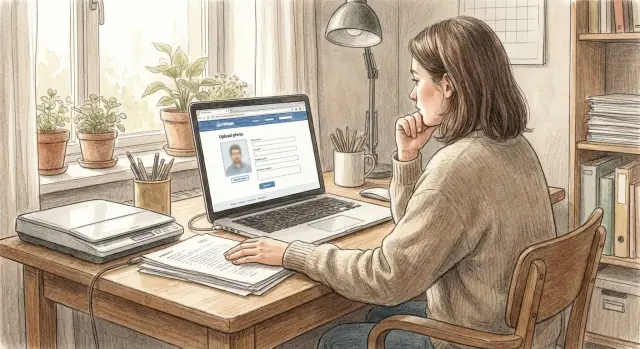
Why a selfie request changes the risk
A normal opt-out request asks you to prove one simple thing: the listing is about you. A selfie changes that. You are no longer just asking for removal. You are handing over biometric data that can follow you for life.
A password can be changed. An email address can be replaced. Your face cannot. If a broker stores that image, shares it, or loses it in a breach, the damage is harder to limit.
That mismatch should make you stop and think. Many broker listings contain public details like your name, age range, old address, or relatives. To remove a record like that, a broker often needs only enough proof to match you to the entry. A full facial check is often far more than the situation calls for.
It can also create a second privacy problem while you are trying to fix the first one. If you upload a selfie, or worse, a selfie next to your ID, you may give the site fresh data it did not already have. In plain terms, you can end up helping build the same kind of profile you want removed.
Rules also vary from site to site. One broker may accept an email reply from the address shown on the listing. Another may accept a redacted ID with everything except your name and address covered. A third may ask for a selfie by default, even when that makes little sense. Do not assume a request is reasonable just because the form says it is required.
A simple rule works well:
- Ask what exact fact they need to verify.
- See whether a lower-risk document would prove the same thing.
- Treat face scans as a last resort.
This matters even more when you are filing several removals at once. A service like Remove.dev can handle requests across more than 500 data brokers and keep track of them in one place, which can reduce how often you have to send sensitive proof over and over.
What proof is usually enough
A people-search removal request usually does not require the most sensitive document you have. In many cases, the site only needs enough proof to match you to the record it already shows, such as your full name, city, age range, old address, or a phone number already listed on the page.
Start with a plain question: "What exact detail do you need me to verify?" That puts the burden back on the broker. If they cannot name the field they need to confirm, sending more data will not make the request safer.
Often, lower-risk proof is enough. A reply from an email address that appears on the listing may work. Some brokers accept a redacted ID or bill that shows only the few details needed to match the record, while the photo, document number, barcode, and other unrelated data stay covered.
If you do send a document, show less, not more. If the listing shows only your name and street, those may be the only details they need to see. They usually do not need your full face, ID number, signature, passport page, or a live biometric check.
A simple order of preference makes this easier:
- First, use details already visible in the listing.
- Next, try email verification or a broker form tied to that record.
- If needed, send a redacted document with only the matching fields exposed.
- Leave selfies and face scans for the rare case where nothing else works.
That is what "safe identity proof" really means here. It is not the strongest proof you can send. It is the smallest amount of proof that still gets the record removed.
Safer alternatives to try first
If a site asks for a selfie, pause. Many opt-out requests can be handled with much less. The safest rule is simple: send the smallest amount of proof that confirms the record is yours, and nothing more.
Start by asking what they will accept instead of a selfie. Some brokers will process an opt-out with a redacted ID, a screenshot of the listing, or both. That is often enough to match your name, city, or address without giving them fresh biometric data.
If they insist on ID, a redacted version is usually better than a full one. Leave visible only the parts needed to match the record. Cover your document number, barcode, date of birth, and any other details that are unrelated to the listing. If the page shows only your name and old address, they do not need your full license image.
A screenshot can also help when the listing already shows clear details. Include the page with your name, age range, city, relatives, or address if those appear on the record. That gives them a direct match and avoids handing over more sensitive proof.
It is also smart to use a separate email address just for opt-out requests. Data brokers collect and trade contact details for a living. There is no reason to give them the same inbox you use for work, banking, or personal accounts.
If a broker can confirm the match from a listing screenshot and a partly masked ID, sending a face scan is hard to defend.
How to respond without oversharing
When a broker asks for a selfie, slow down. This is not routine proof like confirming an email address. You are being asked for biometric data, and that is much harder to replace if it gets copied, leaked, or reused.
Before you do anything else, save a screenshot of the request page. If possible, save the full page, not just the selfie prompt. That gives you a record of what they asked for, what options were shown, and when you saw it.
Then reply with a short question: why is a biometric check required for an opt-out? Ask what exact proof they need, whether a non-biometric option is allowed, and how long uploaded files are stored. A real company should be able to answer clearly.
In many cases, you can push for a simpler route first. A redacted ID, a utility bill with most fields covered, a signed request, or a reply from the email tied to the listing may be enough. Some people-search sites ask for more than they need. You do not have to hand over a face scan just because a form suggests it.
If you send a document, leave visible only the parts that help them match the record. Hide everything else, especially:
- ID number
- date of birth
- barcode
- photo
- signature
- issue and expiration dates
A short message often works better than a long one:
"I am requesting removal of my listing. Before I provide any biometric data, please explain why a selfie is required and whether you accept a non-biometric option such as a redacted ID or proof of address. If documents are uploaded, please confirm how they are stored and when they are deleted."
Keep copies of what you sent and note the date. That paper trail can save time later, especially if you need to follow up again or hand the case off.
Warning signs that should make you stop
If a broker asks for more proof than the request seems to need, pause. A removal request should confirm that you are the person tied to the listing, not collect a new batch of sensitive data.
Some red flags are hard to ignore:
- The site wants a live video, a full government ID, and a selfie in one step.
- There is no clear explanation of how your biometric data is stored, who can access it, or when it is deleted.
- The company name, mailing address, or privacy contact is missing.
- You are pushed into a third-party verification tool with no explanation of who that vendor is or what data is shared.
- They reject simpler proof, such as details already visible on the listing, but cannot explain why that is not enough.
One bad sign can be enough to stop. Two or three together are a strong reason to walk away.
A simple gut check helps: if this file were exposed later, would the removal still feel worth it? For most people, the answer is no when the request includes a full ID and a face scan.
When a broker cannot explain its identity check in plain language, do not reward that with more data. Close the page, save a screenshot of the request, and look for another path before you upload anything.
A simple example
Maria searched her name and found a people-search page showing an old address and a phone number she had not used in years. She wanted it removed quickly, so she opened the opt-out form the same day.
The form asked for a selfie while holding her driver's license next to her face. That stopped her. A government ID is sensitive on its own. Pairing it with a face photo creates a much bigger privacy risk than most removal requests should require.
Maria did not upload the selfie. She sent a short reply instead. She asked whether the site could verify her another way, such as with a redacted ID or an email check. She said she was willing to prove the listing matched her, but only with the minimum proof needed.
She also kept the request narrow. She named the exact record she wanted removed and repeated the old address and phone number shown on the page. That gave the site enough context to find the listing without a full set of personal documents.
A day later, the broker answered. They said a masked ID would work if her name and address were visible. Maria sent a copy of her license with the license number covered, the barcode covered, and the photo hidden. She left only the parts that matched the listing.
About a week later, the profile was gone. She got the removal she wanted without handing over a selfie, a live face scan, or an image that could be reused later.
That example is easy to remember because many sites ask for the most invasive option first. It is often the easiest path for them, not the fairest one for you. Before you send anything, ask one clear question: "What is the least amount of proof you will accept to remove this record?"
Mistakes that expose more than they solve
When a broker blocks your opt-out and asks for more proof, the easiest mistake is sending far too much. People want the listing gone fast, so they upload the biggest ID they have and hope it ends the problem. Sometimes it does. Sometimes it gives the site more private data than the listing had in the first place.
A full passport or driver's license is often overkill. If the listing shows only your name and city, a smaller proof may be enough. A redacted ID, a masked bill, or a reply that points to the exact record can work without exposing your document number, photo, or full address.
Another common mistake is reusing the same unredacted file across several broker sites. One upload may feel manageable. Five uploads to five unknown companies is different. If that file includes your license number, date of birth, or signature, you have multiplied the risk for no real benefit.
Your reply email matters too. Using your main inbox can connect the request to accounts and contacts you use every day. People also add extra details that were never requested, like a phone number, former address, or relatives' names. That turns a simple removal request into a richer profile.
One quieter mistake is skipping the basic check: is the listing even yours? A shared name, old city, or rough age match can fool people. If you request removal for the wrong record, you may hand over fresh data to a broker that did not have it before.
Keep a record until the case is done. Save screenshots of the listing, the form you submitted, confirmation emails, and any reply that mentions the record ID. If the broker reposts the profile later, or claims it never got your request, that record makes follow-up much easier.
A quick check before you upload anything
Pause for two minutes before you send a selfie, video, or ID scan. The risk changes fast once biometric data enters the picture.
Ask yourself a few blunt questions:
- Do you know why they need this exact proof, or are they just asking for "verification" with no real explanation?
- Can you use a masked document instead, such as an ID or bill with the photo, number, and birth date covered?
- Does the site say who keeps the file, where it is stored, and how long they keep it?
- Have you saved a screenshot of the request page and any privacy notice?
- If that file sat in their system for years, would you still feel okay about sending it?
If even one answer is unclear, ask for another route. Many brokers can verify you through the listed email address, a phone code, a redacted document, or a manual review. A company that truly needs more proof should be able to explain why in plain language.
If you do send a document, share only the part that proves the match. In many cases, your name and address are enough. Your face, ID number, signature, and full date of birth usually add more risk than benefit.
Screenshots matter too. Save the request page before you upload anything. If the broker changes the wording later, you still have a record of what they asked for and what they promised about storage or deletion.
One simple test works well: imagine the file sitting in a stranger's database long after your listing is gone. If that thought makes you uneasy, trust that feeling.
What to do next if this keeps happening
If more than one broker asks for extra proof, stop handling each request from scratch. Repeated selfie requests are a sign to get more organized, not more flexible.
The first fix is simple: keep a short reply template ready. That makes it easier to answer calmly instead of sending a rushed photo, full ID, or other sensitive proof just to move things along.
I want to opt out, but I do not consent to selfie or biometric verification.
Please confirm whether you can verify my request using a masked ID, a reply from the listed email address, or another non-biometric method.
Please also tell me exactly what information you need and why.
Keep a small log as you go. A note on your phone or a spreadsheet is enough. For each broker, track the date you contacted them, what proof they asked for, what you sent, and whether the listing was removed or came back. After a few requests, the details blur together. You do not want to send stronger proof twice because you forgot what happened the first time.
If this keeps happening across several sites, manual opt-outs start to cost real time and add risk. That is often the point where a removal service makes sense. Remove.dev, for example, handles removals across more than 500 data brokers, monitors for relistings, and lets subscribers track requests in real time through a dashboard. The main benefit is simple: you have one record of what was requested, what was sent, and what still needs attention.
One last rule is worth keeping in mind: if a broker keeps pushing for a selfie after you asked for safer options, move on for now and document it. Pressure is not proof that the request is normal.
FAQ
Why is a selfie a bigger risk than a normal opt-out request?
Because a selfie is biometric data, not just proof of identity. If that image is stored, shared, or exposed later, you cannot replace your face the way you can replace a password or email address.
What should I ask before I send any proof?
Start with one plain question: what exact detail do you need me to verify for this record? Then ask whether they accept a non-biometric option and how long any uploaded files are kept.
Can a redacted ID be enough for a removal request?
Often, yes. If the listing already shows your name, city, or address, a masked ID that shows only the matching parts is usually enough to confirm the record without giving away more than needed.
What parts of my ID should I cover?
Usually, you should hide anything that is not needed to match the listing. That often includes your ID number, barcode, photo, signature, full date of birth, and issue or expiration dates.
Is a screenshot of the listing worth sending?
Yes, it can help a lot. A screenshot gives the broker the exact record you want removed and may be enough, along with limited proof, to confirm the match without a selfie.
Should I use my main email address for broker removals?
No. Use a separate email just for opt-out requests if you can. That keeps your daily inbox away from brokers and limits how much new contact data you hand over.
What are the warning signs that mean I should stop?
Stop when the site asks for a live video, a full ID, and a selfie together, or when it will not explain storage, deletion, or who handles the files. If they reject simpler proof and cannot say why, close the page and save a screenshot.
What if the broker says a selfie is required?
Push back once and ask for the least invasive option they accept. If they still insist on a selfie without a clear reason, it is usually better to pause that request than hand over biometric data just to move faster.
How do I keep track of several opt-out requests?
Keep screenshots of the listing, the request page, confirmation emails, and anything you sent. A simple note or spreadsheet with dates and broker names is enough to prevent repeat mistakes and makes follow-up easier if the listing comes back.
When does it make sense to use Remove.dev instead of doing this by hand?
If brokers keep asking for proof and the work is piling up, a removal service can save time and reduce repeat exposure. Remove.dev handles removals across more than 500 brokers, tracks requests in one dashboard, and monitors for relistings so you do not have to start over each time.