Delete old shopping accounts tied to old email addresses
Delete old shopping accounts before guest checkouts, stored receipts, and partner tools keep old email addresses tied to your name.
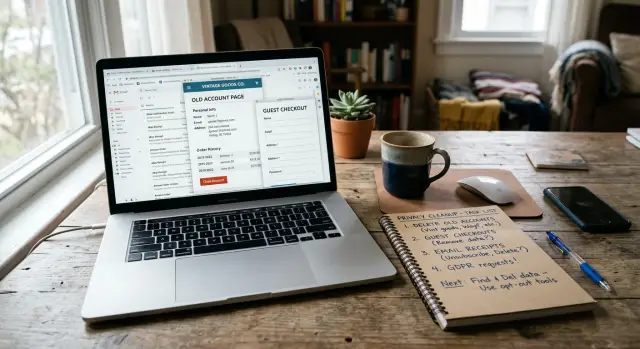
Why old shopping accounts still follow you
Old shopping data rarely disappears when you stop using a store. One order can leave your email, phone number, name, shipping address, and payment-related details in several places at once. That is why people try to delete old shopping accounts and still see an old email show up later.
It takes very little activity to start that trail. You do not need a full account with a password. A guest checkout can still create a customer record behind the scenes because the store needs somewhere to keep receipts, returns, shipping updates, and fraud checks. To you, it felt like a one-time purchase. To the store, it often became a profile tied to your details.
A single order can touch the store's order database, its receipt or email tools, shipping and returns software, and support or marketing platforms. Each one may keep the same contact details, or a slightly different version. If you used an old Gmail address once and later gave the same store a newer work or personal email, both can end up attached to the same history.
That is how a second email becomes part of your identity trail. Maybe you bought shoes in 2019 with one address, then asked for a return from another inbox, or forwarded a receipt to a different email. The store, or one of its partners, can connect those details by order number, device, name, phone number, or shipping address. After that, the old and new emails are no longer separate records.
Stored receipts make this last longer than most people expect. Many stores keep order history for years because refunds, taxes, chargebacks, and support questions can come up long after a sale. Even if the store never emails you again, the data can still sit there. Sometimes a receipt app, help desk, or analytics tool keeps a copy too.
A simple example makes it clear. You check out as a guest with an old Yahoo address, use your phone number for delivery updates, and later contact support from your current email about a missing package. Now the store has a clean path connecting both emails to the same name, number, and address. That small link is often enough for future matching.
So when old shopping data keeps following you, it usually is not because one forgotten account stayed open. It is because one purchase created several records, and those records were easy to connect.
Where secondary emails get stored
If you want to clean this up, start with one simple fact: stores keep your email in more places than the login screen. An old backup address can sit in a saved profile, a checkout form, or a guest order record you forgot existed.
The first place to check is the account itself. Many stores save more than one address over time - a sign-in email, billing email, gift recipient email, or whatever you typed during a rushed order on your phone. You might change the main login later, but the old one can still stay in saved payment, shipping, or autofill fields.
Guest checkout privacy is messier than it sounds. A store may treat the purchase as a guest order, but it can still tie that order to your name, phone number, and address. If those details match a later account, the old email may get attached to the same customer record.
The less obvious systems
Receipt and notification tools are another common source of stored receipt data. Many stores use one service for the website and separate tools for receipts, shipping alerts, text updates, and promo messages. So removing an email from your profile does not always remove it from the tools that handle messages after the sale.
Other places often keep alternate contact details too. Return portals may ask for a separate email for labels or status updates. Support desks usually save the address used in a help request. Fraud review tools can log contact details when an order gets flagged. Loyalty programs and marketplace partners may keep their own customer records.
A small example shows how quickly this spreads. You buy a lamp with an old Yahoo address as a guest. Later, you ask support a question from Gmail. Then you start a return with a work email because that is where you want the label sent. One purchase can leave three addresses tied to the same person across different tools.
Partner tool customer data is easy to miss because you never see most of it. The storefront looks clean, but the old email may still live in a receipt app, a support ticket, or a rewards account. When you review an old store record, think beyond the account page. Check every place that sends updates, handles returns, or remembers past orders.
How to find accounts linked to old emails
Before you start removing anything, make a simple list. Memory is unreliable here. Old stores tend to stay attached to whatever email you used once, even if you only bought one item years ago.
Start with your inboxes, not store sites. Search every email account you still control for order confirmations, shipping updates, return labels, refund notices, and receipt emails. Store names help, but generic search terms often catch more: "order," "receipt," "return," "refund," and "shipped."
Start with records you already have
Your password manager is often the fastest shortcut. Many people forget how many store logins they saved during holiday sales, one-time purchases, or guest checkout flows that later turned into full accounts. Look for store names, old usernames, and duplicate entries tied to different email addresses.
Payment apps help too. Check your card history, PayPal, Apple Pay, Google Pay, or bank statements for store names you used over the past few years. A charge is often enough to remind you that an account exists, even if the receipt went to an inbox you barely use now.
If you still have access to an old email address, try it on store sign-in pages. Use "forgot password" or account recovery tools and see which stores recognize it. This works well for stores that never sent many marketing emails but still kept an account, a saved cart, or receipt history behind the scenes.
A basic tracker keeps the process from turning into a mess:
- Store name
- Email used
- Last order or last email seen
- Whether login still works
- What data you found, such as receipts or saved addresses
Keep it in one note or spreadsheet. Nothing fancy. The goal is to spot patterns fast, like the same backup email showing up across several stores.
One small example is common: you buy shoes with your main email, then use an older address for a guest checkout on a gift order. Months later, the store sends return updates to that older address and quietly keeps both emails on file through its receipt system or support tools.
If a store is hard to confirm, search your inbox for the support sender name, not just the brand name. Many stores send receipts through partner services with different sender names. That one trick uncovers accounts people miss all the time.
How to clean up each account
Order matters. If you close an account too quickly, old contact details can stay behind in receipt tools, loyalty programs, or support records.
Start inside account settings, not your inbox. Check the profile, saved addresses, order history, payment section, and any place where the store sends updates.
A lot of people remove the main old email and stop there. That usually is not enough. Stores often keep a second email for receipts, gift orders, wish lists, warranty notices, or shared family purchases.
A solid cleanup usually includes these steps:
- Remove every extra email address on the account, even ones marked optional
- Delete old phone numbers and shipping addresses you no longer use
- Remove saved cards, including expired ones
- Turn off marketing emails, SMS messages, and duplicate receipt delivery
- Check whether a separate service handles receipts, reviews, returns, or rewards
That last step gets missed all the time. A store may not show every contact field on the main profile page. Some data sits in a receipt service or support add-on, and that tool may still send messages to an old address.
If you no longer use the store, request deletion after you clean the account. Some sites keep inactive accounts with all the old details attached. If there is no delete button, contact support and ask for account deletion and removal of stored contact data tied to past orders.
Be specific. Ask them to remove alternate emails, extra receipt addresses, old phone numbers, and saved payment details. If you checked out as a guest in the past, mention that too. Guest checkout privacy is messy because the store can still keep receipt and shipping data even when there is no full account.
A simple example: you bought shoes in 2021 with an old Yahoo address, then added your current Gmail later. The store now has both. A return portal or receipt app may still send copies to the Yahoo inbox unless you remove it directly.
Before you leave, keep proof. Save screenshots of changed settings, deletion requests, and confirmation emails. If the old address shows up again later, those records make follow-up much easier.
A simple example of how this happens
Guest checkout feels temporary. In practice, it often leaves a long trail.
Picture this. Nina buys a birthday gift from an online store and uses guest checkout because she does not want another password to manage. She enters her work email so the receipt lands in the inbox she checks during the day.
The order goes through, and that should be the end of it. But the store still keeps the order record, shipping address, phone number, and email tied to that purchase.
A few months later, Nina comes back and opens a normal account with her personal email. She uses the same name, home address, and phone number. That is enough for many stores and partner tools to decide both purchases belong to one person.
What the match can look like
The store may merge those records quietly. A receipt service might attach the old guest order to the new account. A support screen may show both email addresses on one profile, even if Nina never asked for them to be combined.
This can happen through ordinary tools behind the storefront:
- the store's order database
- a receipt or invoice service
- a returns portal
- a fraud check or support tool
From Nina's side, nothing looks dramatic. She sees one new account and one old order confirmation. Internally, both addresses can stay attached to the same customer record.
Now imagine six months pass. Nina leaves that job, so her work email should no longer matter. She logs in to change her details and only sees her personal email in account settings. That feels clean, but it is not always the whole picture.
A support agent may still find the old work email in past receipts or in a partner tool panel. If the store sends receipts through a separate service, that service may keep stored receipt data longer than Nina expects. The main account looks updated while older contact data still sits in the background.
That is why people try to delete old shopping accounts and still find traces later. The account itself is only one piece. Guest orders, receipt history, and third-party tools can preserve secondary contact data long after a shopper stops using them.
The frustrating part is how ordinary this is. No hack, no breach, no strange behavior. Just one guest purchase, one later login, and a system that decides both emails belong together.
Mistakes that keep data attached
The hard part is rarely the account page itself. The real problem is all the extra places your old email still sits. A store can keep your main login, a guest checkout address, a receipt address, and a contact email used by a return or warranty tool.
One common mistake is closing an old inbox first. People shut down the email account, then forget the shopping accounts tied to it are still active. That leaves an account you can no longer access, while the store can still keep the profile, order history, saved addresses, and marketing tags attached to that old address.
Another easy mistake is deleting the app and assuming the account went with it. It did not. Removing the app from your phone only removes the shortcut. Your profile usually stays on the store's side, along with receipts, saved carts, and any alternate email you entered during checkout.
Guest checkout causes a lot of confusion. "Guest" often just means you did not set a password. The store may still save your email for receipts, fraud checks, order support, and future marketing rules. In some cases, the guest order later gets matched to a full profile if you use the same name, card, phone number, or shipping address again.
The same thing happens outside the main store. Return portals, package tracking pages, warranty forms, and review tools often run through separate partners. You may clear the store account and still leave your old email sitting in a return request or warranty registration. That is why stored receipt data can stick around longer than people expect.
Social login adds another layer. If you signed in with Google, Apple, or Facebook years ago, the store may have pulled in an email you no longer use. Later, you might add a newer address for receipts, which means both can stay tied to the same customer record.
A quick check helps:
- Look at receipt settings, not just login settings
- Check return, warranty, and review emails
- Review social login connections
- Search old inboxes for order confirmations
- Ask support which email addresses are on file
One forgotten guest order or return form is enough to keep partner tool customer data attached to your identity for years.
A quick check before you move on
Before you call the job done, do one last pass. This is the part people skip, and it is often why old shopping accounts keep pulling unused email addresses back into the mix.
Start with a list of every email you have used for online orders. Include old work addresses, school accounts, alias addresses, and the spare inbox you used once for a discount code. If you miss one, you can clean up your main email and still leave a second address attached somewhere else.
Then check the places stores keep data outside the main account page. A store may delete your login but keep a separate record for support, returns, or loyalty points. Guest checkout privacy creates the same problem. You may never have opened a full account, but the store can still keep your receipt email, shipping details, and order history.
Use this short check before you move on:
- Review every store profile and remove old shipping addresses, names, and phone numbers
- Check whether receipts, delivery updates, or return notices still go to an inbox you no longer use
- Look at loyalty programs, reward wallets, return portals, and warranty registrations tied to the same store
- Search past support emails to see whether customer service opened a separate record under another address
- Save proof of every deletion or update request, such as screenshots, confirmation emails, or ticket numbers
Stored receipt data is easy to miss because it often lives in a payment or order service used by the store, not just in the store account itself. The same goes for partner tool customer data. A returns app, review request tool, or help desk can keep your alternate email even after you change it in the main profile.
A simple test helps. Put yourself in the store's position for a minute. If you returned an item, asked for support, used guest checkout, and signed up for points, where would your details sit? Usually in more places than expected.
Keep your records in one note or spreadsheet. Write down the store name, the email you found, what you changed, and the date. If an old address shows up again next month, you will know whether the store restored it, a partner kept it, or the request was never finished.
What to do next if the data already spread
Even after you delete old shopping accounts, the data can keep moving. A saved receipt, an old guest checkout, or a partner app can push your old email and address into places you never meant to use.
Start with the accounts and email addresses you used most often. That gives you the best chance of cutting off the largest source first. If one old Gmail address shows up on ten store receipts, deal with that before chasing one-off purchases from years ago.
A practical first pass is simple:
- Search old inboxes for store names, order confirmations, and receipts
- Check people-search sites for old email addresses, shipping addresses, and phone numbers
- Review stores where you bought often, especially ones with saved payment or receipt history
- Look at shopping-related apps such as package tracking, loyalty programs, and warranty registration
People-search sites matter because they often pick up shopping data after it leaks through other channels. If an old address starts showing there, the data probably traveled farther than the store itself.
Keep a short log as you go. A notes app or simple spreadsheet is enough. Write down the store name, the email used, the date you asked for deletion, and whether they answered. If a company ignores you or gives a vague reply, you will want that record later.
Do not assume one cleanup round is enough. Data gets relisted. A broker may remove a profile and rebuild it later from a fresh feed. Checking again every few months is boring, but it works.
If the spread is already wide, manual cleanup gets old fast. That is where a service such as Remove.dev can help. Remove.dev focuses on removing personal information from over 500 data brokers worldwide and keeps monitoring for relistings, which is useful when shopping data has already escaped the store itself.
The goal is simple: stop new sharing at the store level, then keep pressure on the places that copied the data. Do both, and the old email starts losing its grip on your identity.
FAQ
Why does a store still have my old email if I never opened an account?
Because a purchase can create a customer record even without a password. Stores often keep your email for receipts, shipping updates, returns, fraud checks, and past order history.
Can guest checkout connect two different emails to me?
Yes. If the store sees the same name, phone number, address, card, or order details, it may connect both emails to one profile. That can happen quietly in receipt, return, or support systems.
Where can a second email be stored besides the login page?
Look beyond the account page. Old emails often stay in receipt services, return portals, support tickets, loyalty programs, shipping alerts, and saved checkout fields.
What is the fastest way to find old shopping accounts tied to an email?
Search your old inboxes first for order confirmations, receipts, refunds, returns, and shipping emails. Then check your password manager and payment history to spot stores you forgot about.
Should I delete the account right away?
Clean the account first, then ask for deletion if you no longer use the store. If you close it too early, old contact details may stay behind in receipt or support records and be harder to trace.
Why do receipts or return notices still go to my old inbox?
Usually because the old address still sits in a message tool outside the main profile. Changing your login email does not always change receipt, return, or support settings.
Does deleting the shopping app remove my data?
No. Deleting the app only removes it from your phone. The store can still keep your profile, saved addresses, order history, and any extra email you entered before.
What should I ask support to remove?
Ask them to remove all email addresses on file, not just the main login. Include old phone numbers, shipping addresses, saved cards, guest order records, and contact details used for receipts or returns.
What proof should I keep after I clean up an account?
Save screenshots of your updated settings, deletion requests, ticket numbers, and confirmation emails. If the old address shows up again, those records make follow-up much easier.
What if my old shopping data already reached people-search or broker sites?
Then you need to work on the brokers too, not just the store. A service like Remove.dev can remove personal data from over 500 data brokers and keep checking for relistings after your shopping data spreads.