Digital receipt apps privacy: how profiles come back
Digital receipt apps privacy is harder than it looks: forwarded emails, loyalty IDs, and reseller matches can rebuild shopping profiles after opt-out.
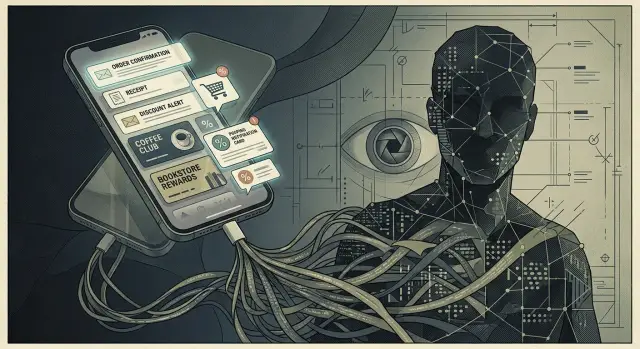
Why your shopping profile comes back
A lot of people think an opt-out clears their shopping history for good. It usually doesn't. Most opt-outs only stop one company, one seller, or one data feed from sharing your information.
Your old profile can return because brokers buy updates from many places at once. That can include receipt apps, loyalty programs, retail data vendors, and other companies that trade consumer records.
So the profile isn't one neat file. It's more like a puzzle. If enough pieces show up again, the picture comes back.
A purchase receipt is one piece. A loyalty number is another. An email alias you use for store offers is a third. Those details may feel separate to you, but they can still point to the same person when a broker compares them side by side.
That's where receipt-app privacy gets messy. You might opt out of one broker in January, then make a purchase in February. If that receipt lands in a connected inbox, or the purchase ties back to a loyalty account, fresh data can move right back into the market.
It doesn't take much. One clothing order, one pharmacy run, or one grocery trip can add the store name, the date, the total, the product category, the loyalty ID used at checkout, and the email address that received the receipt.
Once those details appear in a new feed, matching systems can connect them to an older record. The broker may not need your full name in every update. A repeated email address, a hashed identifier, or the same rewards account is often enough.
Picture a simple case. You opt out from a broker in January. In February, you buy running shoes with your store rewards account and receive the receipt in an inbox a receipt app can read. That one purchase can help rebuild the same shopping profile you thought was gone.
That's why these profiles keep coming back. The data doesn't disappear everywhere at once, and new purchases keep feeding the same identity from different directions.
What receipt apps actually collect
A receipt app often collects more than a picture of what you bought. The real issue is that it can turn small details into a clean shopping record tied to one person.
The obvious part is the receipt itself. That usually includes the sender of the email, the store name, the purchase date, the item lines, and the final total. Receipts from grocery chains, pharmacies, and clothing stores can also include discounts, tax, shipping fees, and whether the order was picked up or delivered.
Some apps pull payment clues too. They may not get your full card number, but card type, the last four digits, refund status, delivery method, and order total can still make a purchase easy to match later. A same-day order paid with Visa and shipped to your home isn't anonymous in any real way.
Account details matter just as much. When you sign up, the app gets your email address and sometimes access to a mailbox or a forwarding rule. That means every forwarded receipt carries the same identity marker again and again.
A lot of people miss the loyalty layer. Digital receipts often include loyalty numbers, coupon codes, member IDs, and store account numbers in tiny print. They look dull. They aren't. If the same number shows up across many purchases, it becomes a simple way to reconnect older and newer records.
Most of what gets collected falls into a few categories: purchase details, account details, payment and delivery clues, and app session data like device type, rough location, and time of use.
That last category matters more than people expect. If you open the app on your phone after shopping, the session can add device and location clues to the receipt data. One grocery run may seem harmless, but if the app keeps seeing the same email, the same loyalty number, and the same phone over time, it can help keep a detailed shopping identity alive long after you thought you opted out.
How forwarded emails keep data moving
The sneaky part is that the data flow often continues after you think you stopped it. Many receipt apps ask for inbox access or set up auto-forwarding so every purchase email gets copied to them. Once that rule exists, it can keep sending new receipts in the background until you remove it.
That matters because receipt emails are not just simple confirmations. They often include your name, email address, merchant, purchase date, item details, store location, and payment hints. Even if you stop opening the app, the emails can still arrive on the other side and keep your shopping history current.
Old receipts can stay there too. Deleting the app from your phone doesn't erase emails that were already forwarded or data already stored in the account. If the app still has access, new merchant messages are easy to match because they follow the same pattern every time: same email address, same stores, same order formats.
Many people miss one detail. Unsubscribing from marketing emails doesn't stop receipt forwarding. Promotions and receipts are different streams. You might stop the sale alerts and still keep sending every order confirmation, shipping notice, and return update.
Shared inboxes make this worse. A family email account with a forwarding rule can pull in purchases from a spouse, partner, or teen who uses the same address for online orders. That creates a much wider profile than most people expect.
If you want to check whether this is still happening, start in your email settings. Look for forwarding rules in Gmail, Outlook, or Apple Mail. Check whether an old receipt app still has mailbox permission. Search for confirmation emails from stores you forgot about. And don't skip joint inboxes or old shared addresses.
One forgotten rule can make an opt-out far weaker than it looks. The app doesn't need a new signup to keep learning from you. It only needs the next receipt to land where it always has.
How loyalty programs reconnect your identity
A loyalty account is one of the stickiest pieces of shopping data you have. People change email addresses, move, or create new store accounts, but a rewards number often stays the same for years.
That makes it easy to match. If you used the same rewards account in 2020 and again last week, a retailer or broker can treat both events as the same person even if other details changed.
In store, the link is usually simple. You scan a card, enter a phone number, or ask for member pricing at checkout. Online, you sign in with the same account or place the order under the same membership.
Those records can meet in one profile very quickly. A store doesn't need every detail to line up. One stable marker, like a loyalty number or phone number, can be enough to reconnect an old shopping identity.
Phone numbers are especially sticky. Checkout systems ask for them in seconds, and most people type the same number every time. Once that number appears in store logs, online orders, and old broker files, the match gets easier.
Coupons add another clue. If the same household keeps redeeming similar offers through one rewards account, that pattern can confirm the link. Shared addresses, repeat brands, and regular store visits make the record stronger.
This is why an opt-out often doesn't hold for long. Broker files use stable IDs like loyalty numbers, hashed emails, and phone numbers to refresh records after they go stale. A profile that looked gone can return once new purchase data lands under the same account.
And this is why the problem doesn't begin and end with email forwarding. If you still use the same rewards account everywhere, your old profile has a path back.
How the match happens
Mia spent a weekend trying to clean up her privacy. She opted out of a people-search site, deleted an old receipt app, and assumed her shopping trail would fade.
But one thing stayed active. Years earlier, she had set a mailbox rule to auto-forward store emails to a receipt service. She removed the app from her phone, yet the rule kept sending every new grocery receipt in the background.
So each time she bought milk, paper towels, or pet food, the same details kept moving: her email address, the store name, the date, the total, and the items in the receipt. That already says a lot. It shows where she shops, how often she goes, and what kind of household she likely has.
At checkout, Mia still entered the same phone number for store discounts. That number had been tied to her loyalty account for years, which meant the store could connect it to repeat visits, purchase history, and a likely home area.
Now the match is easy. One record says this email receives receipts from this grocery chain every Thursday evening. Another says this phone number checks in at the same chain around the same time and buys the same kind of items. A broker doesn't need a dramatic smoking gun. Email, phone number, store pattern, and timing are often enough.
Once those pieces line up, Mia's profile can fill back in fast. A broker may reconnect her to a household, estimate an income range, infer whether she has children or pets, and attach fresh shopping categories. Her old opt-out didn't stop new data from arriving. It only removed one version of the profile for a while.
That's why people misread this kind of tracking. They look at the app they deleted and miss the quiet links that stayed behind. An old email forward and a familiar loyalty number can rebuild the same shopping identity they thought was gone.
How to check your setup
The fastest way to find the leak is to follow the receipt. If a store email still reaches an app, or a loyalty account still carries your old phone number, your shopping identity can come back together.
Do the check in one sitting. It usually takes 15 to 20 minutes, and you don't need special tools.
Start with anything that still gets your receipts
Open your email account settings and look for apps with permission to read your inbox. Old receipt apps often stay connected long after you stop using them.
Then check mailbox rules, filters, and auto-forwarding. A forgotten rule that forwards messages with words like "receipt" or "order" can keep sending purchase data behind the scenes.
After that, sign in to your loyalty accounts and note the email address and phone number saved on each one. One reused number can tie separate records together. It also helps to open retailer apps and look for e-receipts, receipt syncing, purchase history sharing, or any similar data-sharing setting.
Turn off what you don't need. Then remove old connections and old accounts. Those are two different steps.
A small example shows why this matters. Say you stopped using a receipt app last year, but your mailbox still forwards every message from a clothing store. The app may still see store names, dates, totals, and product details. If your loyalty account at that same store still uses your phone number, the match is simple.
Don't stop at email settings. Retailer apps can send digital receipts directly, even when no email is forwarded. Some keep receipt syncing on by default after an update, or after you tap through setup screens too quickly.
Clean up after you find the connections
Once you spot the paths, shut them down in order. First turn off syncing or forwarding. Then revoke app access. After that, delete old receipt-app accounts you no longer use and request data deletion if the app offers it.
This won't erase copies that already spread to brokers, but it does stop fresh purchase data from feeding the same profile again. If you're also trying to clean up broker listings, Remove.dev can help by sending removal requests to data brokers and watching for re-listings while you cut off the source.
Mistakes that keep the profile alive
The most common mistake is thinking deletion means disconnection. You remove the app from your phone, but the inbox permission stays active. If the service still has access to forwarded receipts or mailbox scans, your purchase history can keep moving long after the icon is gone.
Using one email address for every store account also makes matching easy. A clothing store, grocery chain, pharmacy, and food delivery app may all see the same address. Once receipts land in one inbox, a broker or partner can tie those purchases to a single shopping identity with very little guesswork.
Old loyalty numbers create another problem, especially on shared family accounts. Maybe one phone number has been used for years by two adults, or an old rewards card still sits on a household grocery account. That shared number can reconnect separate purchase histories and pull an opted-out person back into the profile.
One opt-out does less than most people expect. You might stop one company from selling data, then a new receipt arrives through a different partner, a loyalty match refreshes the record, or another broker gets the same data somewhere else. The profile returns because the source never really stopped.
People also forget the side doors: backup inboxes, old Yahoo or Outlook accounts, shopping-only aliases, and forwarding rules set up years ago. If even one of those still receives receipts, it can keep feeding the same identity.
A quick cleanup catches most of it. Review which apps still have access to your inboxes. Check every email address you use for shopping, not just the main one. Look at store accounts tied to old loyalty numbers or shared phone numbers. Remove stale forwarding rules. And revisit opt-outs from time to time instead of treating them as a one-time task.
Before your next purchase
Before you pay, pause for 30 seconds. A shopping profile usually comes back through small defaults you forgot about, not through some dramatic new signup.
Things get messy when your inbox, store app, and loyalty account all point to the same person. One forwarded receipt, one saved phone number, or one old app permission can be enough to reconnect the profile.
A simple pre-purchase check helps. Look at the email account you use for shopping and make sure no old receipt service still has access. Check the store app before checkout, because loyalty IDs are often saved by default. Notice what happens when you're asked for a phone number at the register. That habit alone can tie the purchase back to an older profile. If the store allows it, a paper receipt or a basic receipt not tied to account syncing can reduce the trail.
A common case is easy to miss. You stopped using a receipt app last year, but it still has inbox access. You go to a pharmacy, type in your phone number for points, and get a receipt by email. That one purchase can reconnect your inbox, loyalty number, and purchase history.
You don't need to go fully offline to cut this down. Even switching a few stores to manual receipts helps. So does skipping the phone-number prompt when the discount isn't worth it.
What to do next
The fix usually starts in three places: your email, your store apps, and your loyalty accounts. If one of them still feeds purchase data into the same old profile, your privacy cleanup can quietly unravel.
A simple routine works better than a one-time purge. People often delete one app, then forget the forwarding rule, the linked Gmail permission, or the rewards number still tied to the same inbox.
Try this order. Check your inbox for auto-forwarding rules, shopping filters, and app access to email receipts. Open retailer apps and turn off receipt syncing or purchase tracking if those settings exist. Review loyalty accounts and remove old email addresses, phone numbers, or cards you no longer use. If an app offers account deletion or data deletion, use it. Then write down what you changed so you can check the same places again next month.
That last step matters more than it sounds. A basic note in your phone is enough: app name, account email, loyalty number, date changed, and whether you asked for deletion. If a profile pops back up later, you'll know where to look first instead of starting from scratch.
It also helps to keep one place where you track what is still open. Some people use a spreadsheet. Others use a task app. If you want help with the broker side, Remove.dev automatically finds and removes personal information from over 500 data brokers and keeps monitoring for re-listings. You can track requests in a dashboard while you clean up the app settings and loyalty links that caused the leak.
Do the boring checks first. Remove the forwarding, unlink the accounts, and trim old loyalty ties. That's usually when the shopping identity stops coming back.
FAQ
Why does my shopping profile come back after I opt out?
Because the opt-out often removes only one copy of your data. New receipts, loyalty activity, or inbox forwarding can send fresh purchase details back into broker files and rebuild the same profile.
What do digital receipt apps usually collect?
They often collect the store name, purchase date, items, total, delivery details, and the email address that received the receipt. Many also pick up loyalty numbers, payment hints like card type or last four digits, and app data such as device type and rough location.
Is deleting the receipt app enough?
No. Removing the app from your phone does not always remove inbox access, forwarding rules, or data already stored in the account. If receipts still reach the service, your shopping history can keep updating in the background.
How can I tell if my receipts are still being forwarded?
Start in your email settings and look for forwarding, filters, and connected apps with mailbox access. Then search your inbox for old order emails and check whether store receipts are still being copied somewhere else.
Does unsubscribing from store emails stop the data flow?
Usually not. Marketing emails and receipts are separate streams, so you can stop promos while order confirmations and shipping notices still keep flowing to a receipt app or another service.
Why do loyalty programs make matching so easy?
A loyalty number, phone number, or rewards account often stays the same for years. When that same marker appears on new purchases, it becomes easy to connect old and new records even if you changed email addresses or devices.
Are shared family emails a privacy problem for receipts?
Yes, especially if the same address or phone number is used for multiple people. A shared inbox can pull in purchases from a spouse, partner, or teen and turn separate orders into one wider household profile.
What is the fastest way to cut this off?
Turn off forwarding and receipt syncing first, then revoke inbox permissions from old apps. After that, review retailer apps and loyalty accounts, remove old phone numbers or email addresses, and delete unused receipt-app accounts if you can.
What should I do before my next purchase?
Pause before checkout and notice what will connect the purchase to you. If the store allows it, skip the phone-number prompt when the discount is not worth it and choose a receipt option that is not tied to old syncing or inbox access.
Can Remove.dev help if my shopping data is already out there?
It can help on the broker side while you shut down the source. Remove.dev sends removal requests to data brokers, watches for re-listings, and lets you track progress in one dashboard, but you still need to cut old forwarding rules and loyalty links so new data stops feeding the profile.