Domain name privacy: how to buy without oversharing
Domain name privacy helps keep your home address, email, and phone number off public records. Learn safer WHOIS, registrar, and contact page choices.
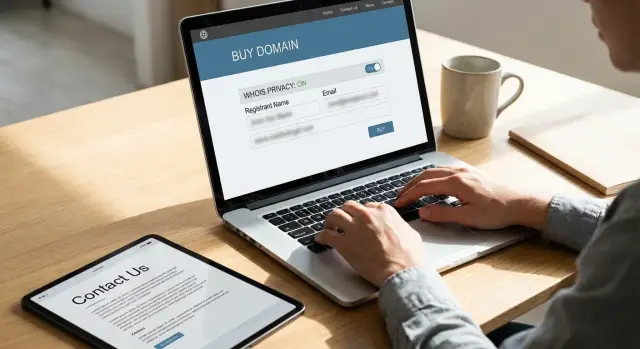
Why a domain purchase can expose your details
Buying a domain feels minor. You pick a name, pay, and move on. But that one step can put your personal details in places you never meant to share.
When you register a domain, a registration record is created. Depending on the registrar, the domain extension, and your settings, that record can include your full name, email address, phone number, and street address.
That information is often easy to find. Public lookup tools can pull domain records in seconds, and many sites copy that data into their own databases. Nobody needs special access. A search box is usually enough.
The trouble gets worse once the data spreads. Some sites scrape domain records and keep old copies. So even if you turn on WHOIS privacy later or update your contact details, the first version may still appear in search results, spam lists, archived pages, or data broker records. Cleaning up afterward usually takes much longer than preventing the exposure in the first place.
There's also a second leak people miss. They hide their registration details, then post the same information on the website itself. A contact page, footer, booking form, or legal notice can reveal a personal email, direct phone number, or home address all over again.
A small solo business is a common example. A freelance designer buys a domain with a personal Gmail address and home address, then adds both to the site so clients can reach out easily. A few weeks later, the inbox fills with spam, cold pitches, and fake form submissions. That address can also get picked up by people-search sites that connect domain records with other public data.
That's why domain name privacy matters before checkout, not after launch. Once your details are public, copies move fast and tend to stick around.
What WHOIS privacy does and doesn't do
WHOIS privacy helps, but people often expect too much from it. In most cases, it replaces your public name, email, phone number, and street address in domain lookup records with proxy details from the registrar or a privacy service.
That matters because public domain records are easy to scrape. If you register a domain with your real contact details and leave them exposed, spammers, marketers, and data brokers can grab them quickly.
What it covers
For many common domains, WHOIS privacy hides the personal fields that would otherwise be visible to anyone who searches your domain. In practice, that means strangers usually won't see your direct contact details in the public record.
The exact result depends on the domain extension and the registry behind it. A .com may work one way, while a country-code domain can follow different rules. Some extensions allow broad privacy by default. Others have limits, extra requirements, or less flexibility.
A few details may still remain visible in some cases. Technical, billing, or abuse contact information can appear depending on the registrar and registry rules. Sometimes the visible address belongs to the service, not to you. Sometimes one field stays public for compliance reasons.
What it doesn't fix
WHOIS privacy doesn't erase copies that were already captured. If your real details were public even briefly, they may have been saved by archive tools, domain history services, spam lists, or broker databases.
That's the part many people miss. Turning privacy on today protects future lookups. It doesn't clean up yesterday's exposure.
The simplest way to think about it is this:
- It hides your information in current public domain records.
- It doesn't remove your details from old screenshots, cached records, or archived copies.
- It doesn't take your details off your own website.
- It doesn't stop the registrar from keeping your real data privately for billing and support.
So if your phone number, home address, or personal email has spread beyond WHOIS, you'll need more than a privacy toggle. That usually means changing contact details on your site, checking old domain records, and dealing with people-search or broker listings separately. If the information has already spread widely, a service like Remove.dev can help by finding exposed listings across data brokers and sending removal requests automatically.
WHOIS privacy is a good first shield. It just isn't a full cleanup.
How to buy a domain with less exposure
The safest domain purchase starts before checkout. Some registrars make privacy an extra add-on, and some hide the option until the final step. If privacy matters to you, choose a registrar that includes it up front and makes the setting easy to confirm before you pay.
Use a separate email for your domain account and site admin tasks. Don't use the same personal inbox you use for banking, family, and social accounts. A dedicated address keeps registrar notices in one place, reduces spam, and limits the damage if that address ends up on a contact page or in an old account record.
Your mailing address matters too. If you run a business, use your business address. If you work from home, a PO box or mail handling service is often a better option where your registrar allows it. The goal is simple: don't tie your home address to a public-facing asset unless you have no practical alternative.
It also helps to slow down when you fill out the order form. Registrars often ask for billing, registrant, admin, and technical contact details, and they may copy one set of information into every field by default. Before you submit payment, review each section line by line.
A short pre-purchase check goes a long way: confirm privacy protection is on before checkout finishes, review every contact field, use your separate email in admin and technical fields, and avoid adding a home address or personal phone number unless the registrar truly requires them.
Right after purchase, finish the setup. Enable privacy if it isn't already active. Turn on auto-renew so the domain doesn't expire and force you into a rushed recovery process. Set account alerts for logins, contact changes, DNS edits, and renewal notices.
This part feels dull, but it's where many leaks start. A careful setup takes a few minutes. Cleaning up exposed personal details can take much longer once that information lands in public records, spam lists, or broker databases.
Registrar settings worth checking on day one
Good domain privacy can fall apart because of one overlooked setting. The domain itself may be private, but the account behind it can still expose your name, email, or phone number if you leave the defaults alone.
Start with the account. Turn on two-factor sign-in before you do anything else. A password reset email and a weak login are often easier to attack than the domain itself.
Then lock the domain. This stops unwanted transfers to another registrar unless you unlock it on purpose. It only takes a minute, and there's little reason to leave a new domain unlocked.
If more than one person will use the account, check who can edit contact details. This matters for small teams, freelancers with assistants, and anyone using a developer to set things up. Give each person only the access they need. If someone only manages DNS, they shouldn't also be able to change ownership info.
A simple setup works well: keep one owner account with full control, create separate limited accounts for helpers, and turn on two-factor sign-in for every account that can make changes. It's a little less convenient on day one and much safer later.
Also look for public profile features. Some registrars enable public account pages, domain portfolio pages, or marketplace listings tied to your profile name. If you're buying a domain for a personal site, side project, or family business, switch off anything that publicly connects the domain to you unless you actually want that visibility.
Email handling deserves attention too. Billing notices, renewal reminders, transfer alerts, and support messages pile up quickly. If they all land in your main inbox, important warnings are easy to miss. A separate inbox, or even just a dedicated folder, makes unusual activity easier to spot.
One more setting people skip is the contact data stored inside the registrar account itself. Even if WHOIS privacy is on, your registrar still keeps account details for billing and support. Use a business address if you have one. Use a role-based email if it fits your setup. Don't add a phone number unless the registrar requires it.
If your personal details are already showing up on data broker sites, changing registrar settings won't remove those old records. It still helps because you stop creating fresh exposure.
What to put on your contact page
A private domain setup can fall apart on the contact page. Many people hide their details at checkout, then post the same details on the site a few hours later without thinking about it.
The safest default is simple: share only the contact method you want strangers to use. If email is enough, stop there. If you take client calls, use a business number instead of your personal cell.
A contact form is often the cleanest option because it keeps your real inbox off the page and reduces spam. If you prefer email, use an alias such as hello@yourdomain rather than a personal address tied to your full name.
Phone numbers need the same caution. A public number invites texts, sales calls, and random WhatsApp messages. Unless your work depends on phone contact, leave it off. If you do need one, use a separate business line that you can mute, forward, or replace later.
Addresses are where many sites overshare. Don't put your home address in the footer, contact page, or structured business details unless it truly needs to be public. For most solo sites, city and country are enough.
The footer deserves a second look. Many themes add contact details there by default and repeat them across every page. That means one small mistake becomes site-wide exposure.
Check the pages people forget about too. Author bios, about pages, terms pages, privacy policies, PDFs, and downloadable files often include a full name, direct email, or mailing address copied from an old template. That information is easy to miss because it doesn't sit on the main contact page.
A good contact page is usually plain. A contact form or alias email, a business or brand name, maybe a business phone if you want public calls, and a general location are enough for most freelancers and small sites. You can also set expectations with a short note about response time.
After you publish, test the site on desktop and mobile. Some themes hide blocks on one version and show them on another. A phone number, map, or email can sit in a mobile header, sticky footer, or collapsed menu even when the desktop version looks clean.
Then search your own site like a visitor would. Look for your full name, phone number, street address, and personal email. That's one of the easiest ways to protect personal information online, and it matters just as much as WHOIS privacy or registrar settings.
A simple example: a freelance designer's site
A freelance designer buys a domain for her portfolio. She wants clients to find her work, but she doesn't want her home address, personal email, and old phone number floating around the web.
So she keeps the setup simple from the start. That's often the best privacy move. Less to expose means less to clean up later.
At checkout, she turns on WHOIS privacy. That keeps her registration details from being easy to pull from public records. It doesn't hide everything everywhere, but it closes one common leak.
She also avoids using the email address she uses for friends, banking, and shopping. Instead, she creates a separate address like [email protected]. Clients can still reach her, and random marketing spam stays out of her personal inbox.
When the site goes live, her contact page stays minimal. It has a contact form, her city, and a short note about the kind of projects she takes. It doesn't list her street address, apartment number, or personal phone number.
That choice matters more than many people realize. Freelancers often copy the format of a local business site and paste in every contact detail they have. For someone working from home, that's usually a bad trade.
After launch, she does one quick check. She searches her name, her domain, her business email, and her phone number. What she wants to see is boring: her portfolio, her work profiles if she uses them, and not much else.
Her home phone doesn't show up on the site or in a simple search tied to the domain. That's a good sign. It means she didn't leave an obvious trail through her registration details or contact page.
If an older phone number or address still appears on people-search or broker sites, the domain setup didn't create that problem, but it can make it easier for others to connect the dots. That's where cleanup outside the website matters too.
Common mistakes that reveal more than expected
Most privacy leaks don't start with a hack. They start with a shortcut.
A common one is using the same email for everything: your registrar account, WHOIS setup, public contact page, newsletter, and support inbox. It feels tidy, but it links private account access to a public identity. If that address ends up on your site, in an old record, or in a scraped database, strangers now know where your domain account lives.
Posting a mobile number in the footer is another easy mistake. People do it because it feels helpful and personal. In practice, a phone number in a footer gets copied quickly by scrapers, spam callers, and people-search sites. If you really need phone contact, a business line or virtual number is usually the safer option.
Home addresses cause similar trouble. Some site owners paste a full address into every place a form asks for one: registrar profile, billing details, contact page, local business listings, and social media bios. That creates a trail. If you work from home, think twice before repeating your street address anywhere public.
Old data can also stay around longer than expected. Even if you turn on WHOIS privacy later, earlier snapshots may still exist in archives, caches, or broker records. The same goes for pages you deleted months ago. Taking something down helps, but it doesn't mean it disappeared everywhere.
Another leak can sit in the site setup itself. Some themes and plugins expose the admin email in page code, form settings, author metadata, or system messages. Visitors may never see it on the page, but scrapers will. It's worth checking after every plugin install, not just at launch.
A good rule is to separate private account details from public contact details. Keep one for account access and another for strangers, customers, or leads.
If you want a fast self-check, focus on five things: use one email for registrar login and a different one for public contact, remove personal phone numbers from headers and footers, replace a home address with a business mailing address where possible, search for older versions of your contact page and domain details, and test forms and plugins for email leaks.
If your details have already spread, cleanup can take time. That's where a service like Remove.dev may help. It focuses on the broader problem by finding and removing personal information from data brokers, not just hiding what's in current WHOIS records.
Quick checks and next steps
A private domain setup is rarely perfect on the first try. Small leaks usually come from places people forget to check, like a footer, a form notification, or an old registrar setting that stayed on.
Use a short review after your site goes live. It takes about 10 minutes and can save you from years of having personal details show up in search results.
- Confirm WHOIS privacy is active for every domain you own, including parked and older domains you still renew.
- Review public pages for your real name, personal email, phone number, street address, footer text, and author bylines.
- Test every contact form and check where reply emails go.
- Search your name, main email, phone number, and domain name after launch.
- Recheck registrar settings every few months, especially after renewals, DNS changes, redesigns, or a registrar transfer.
A contact page deserves extra attention. If you run a small business or freelance site, a separate work email is usually enough. A mailbox service or virtual office address can make sense too. Most people don't need to publish a mobile number or home address just because a registrar asks for contact details behind the scenes.
Metadata is another quiet problem. Check your page title templates, image file names, PDF properties, and CMS author profiles. It's surprisingly common to hide your information on the page and still leave your full name inside a downloadable file or site metadata.
If you care about domain privacy, make this a repeat task rather than a one-time fix. Set a reminder every few months. Check again after plugin changes, form updates, or a redesign.
And if your details have already spread beyond your site, WHOIS privacy won't solve that by itself. Remove.dev is one option for that bigger cleanup. It automatically finds and removes personal information from over 500 data brokers and keeps monitoring for re-listings, which helps when an old address, email, or phone number keeps resurfacing.
The next step is simple: audit what's public now, remove what doesn't need to be there, and check again after any site change. Privacy slips usually happen in small places.
FAQ
Should I enable WHOIS privacy before I buy a domain?
Yes. Turn it on before checkout if your registrar offers it. That lowers the chance that your real name, email, phone number, or address gets copied from public domain records in the first place.
Does WHOIS privacy erase old domain records?
No. It hides your details in current public lookup records, but it does not pull back copies that were already scraped, cached, or archived. If your data spread earlier, you may need to update your site, search for old records, and remove broker listings too.
What contact details should I use when I register a domain?
Use a separate email for your domain account and site admin tasks. If possible, use a business mailing address, PO box, or mail service instead of your home address, and avoid adding a personal phone number unless the registrar requires it.
Is it a bad idea to use my home address for a domain?
Usually not, especially if you work from home. A home address can end up connected to your site, old domain records, and broker profiles. A business address or mailbox service is often the safer choice when your registrar allows it.
What should I put on my website contact page?
Keep it minimal. A contact form or an alias like hello@yourdomain is often enough, along with your business name and a general location. Skip your home address and personal cell unless you truly want strangers to have them.
Is a contact form safer than posting my email address?
Often, yes. A form keeps your real inbox off the page, which can cut down on scraping and spam. If you prefer email, use a public alias instead of the same address you use for registrar logins or personal accounts.
Which registrar settings matter most on day one?
Start with two-factor sign-in, domain lock, and auto-renew. Then review who can edit contact details, turn off any public profile or portfolio pages, and check that alerts go to an inbox you actually watch.
Can my theme or plugins leak my personal email?
Yes, they can. Some themes, forms, and plugins expose the admin email in code, metadata, notifications, or author settings even when it is not visible on the page. After changes, test your site and inspect old templates, PDFs, and author profiles too.
How can I check if my personal details are showing up online?
Search your name, domain, email, phone number, and address like a visitor would. Check your contact page, footer, author bio, PDFs, and older domains you still renew. A quick audit after launch and after site changes catches many leaks early.
What can I do if my info is already on data broker sites?
If it has spread beyond WHOIS, hiding the current record is only part of the fix. You may need to remove data from people-search and broker sites, then keep watching for re-listings. Services like Remove.dev can help by finding exposed records across hundreds of brokers and sending removal requests automatically.