Duplicate data broker profiles from mailing and service addresses
Duplicate data broker profiles can appear when one home is listed under both mailing and service addresses. Learn why each record may need its own removal.
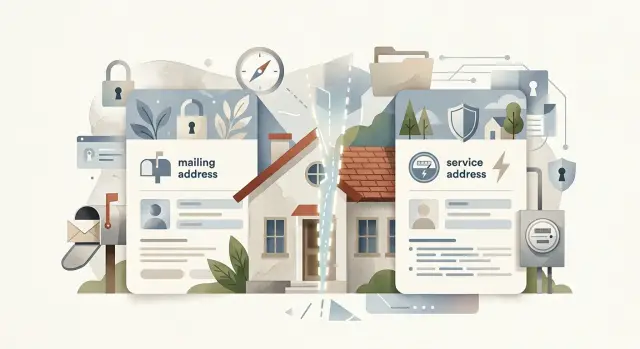
Why one home can show up twice
One household can turn into two public records faster than most people expect.
A broker might list your mailing address in one profile and your service address in another. To you, those records obviously describe the same home and the same people. To a broker, they can look different enough to stay separate.
That happens because broker databases do not read addresses the way people do. They compare pieces of data, assign a match score, and group records only when the system decides the overlap is strong enough. If your name, age range, phone number, and relatives match, the broker can still keep two versions of you when the address line is not an exact match.
A common example looks like this: one record shows "123 Oak Street Apt 2," while another shows "123 Oak St Unit 2" or a PO box tied to the same person. The names match. The relatives match. Past cities may match too. But the address label is different, so the broker keeps both.
That split matters during removal. If a broker created two profiles, one request often removes only one of them. The other stays live because it sits under a slightly different address version, even though it still points to the same household.
If two records share your name and the same household details, treat both as yours until you can rule one out. If one uses a mailing address and the other uses a service address, submit separate removal requests. Do not assume the broker will merge them on its own.
Where the two addresses come from
The split between mailing and service addresses is normal. It is not a sign that anything is wrong with your records.
A mailing address is where you want letters, bills, and packages sent. That might be your home, a PO box, a work address, or a business mailbox. A service address is the physical place tied to the account itself. Utilities, internet, alarm systems, and trash pickup usually attach to the location where the service is delivered.
So if power is turned on at one house but the bill goes somewhere else, both addresses can end up in circulation. One system saves the service location. Another saves the mailing location. Years later, brokers buy both versions and treat them as separate identity signals.
This happens all the time. A landlord sends bills to a home address while service stays tied to the rental property. Someone with a second home has water and power attached to that property but receives mail elsewhere. After a move, old billing files can keep one address while service records keep another.
A few patterns create duplicate profiles especially fast:
- mail goes to a PO box while utilities stay at the home address
- you moved, but some accounts still use the old property
- you own or manage another home and send bills elsewhere
- one family member handles bills for a relative living at a different address
Old account data keeps the problem alive. A utility signup, cable account, warranty form, or change-of-address file can preserve both address versions long after you thought everything was updated. Once that data reaches a broker, one address may stay attached as your contact point while the other stays attached as your property connection.
How brokers turn one household into two profiles
Data brokers rarely build one clean record from one reliable source. They buy and copy scraps of information from many places, then try to join them together.
One source may list your street address because that is where you receive utilities or internet service. Another may list a PO box because that is where you want bills and deliveries sent. A third may use an older apartment label or a shortened street name. Each source looks close to correct, but not identical.
That is where duplicate profiles begin.
Small formatting differences are enough to split a record. "Apt 2" and "Unit 2" may look interchangeable to you. "123 Main St" and "123 Main Street" feel identical. A broker's matching system may disagree. If the score falls below whatever cutoff that broker uses, it keeps both records instead of merging them.
Names make the problem worse. One file may use a middle initial. Another may use a nickname. A third may lead with a spouse's name. If the address also varies, the broker has even less reason to combine the records.
Picture a couple who live at 18 Oak Lane but use PO Box 412 for mail because packages keep disappearing. A utility file points to 18 Oak Lane. A retail account points to PO Box 412. A people-search site imports both sets of data. Now the broker may create one profile for the house and another for the mailbox, even though both belong to the same person.
Those profiles also collect different details over time. One might pick up phone numbers and shopping data. The other might pull in property records, age range, and relatives. That makes removal harder, because deleting one record does not automatically remove the other.
A simple household example
Imagine one parent, Dana Lee, living with family at 18 Cedar Lane while using PO Box 412 for most mail.
The street address appears in home-service records, property files, and utility accounts. The PO box appears in shopping accounts, pharmacy records, and warranty forms. Over time, both address versions circulate through broker databases.
Now the broker builds two records:
- Dana Lee, 18 Cedar Lane, same phone number
- Dana Lee, PO Box 412, same phone number
To a person, that is an obvious match. To a broker, it may be two separate entries because the household grouping is different. The street-address profile may show Dana along with a spouse and children. The PO box profile may show Dana alone because store accounts often name only one person.
If Dana removes only the Cedar Lane profile, the PO box version can stay online. That leftover page can still show up in search results, get copied by another broker, or later help rebuild the first listing.
That is why one successful opt-out does not always finish the job.
How to find both records
When you search for duplicate profiles, start with the obvious version of your information. Fancy search tricks are less useful than simple, careful comparisons.
Search your full name with each address version separately. If you have used a PO box, old apartment, business mailbox, or previous home, search those too. Then repeat the search with common formatting changes like "Street" and "St" or "Apt" and "Unit."
Do not rely on the address line alone. Broker records are often almost right, not fully right. One page may show your exact street address but the wrong unit label. Another may show an old mailing address while still listing the same relatives and phone number.
A practical way to check a possible match is simple:
- compare the name
- compare the address version
- check age range, phone number, past cities, or relatives
- save a note or screenshot for anything that might be yours
If you have moved, search older addresses too. Past service addresses often continue feeding newer records. A profile tied to an old property can stay alive for years and still connect back to your current household.
Keep your notes plain. You only need enough information to tell records apart later: broker name, address version, age shown, a couple of relative names, and whether a phone number appears. A screenshot helps more than people think. It can save a lot of backtracking when you start filing requests.
A good rule: if two profiles share your name plus two other matching details, treat them as separate records until you confirm otherwise.
Why one removal request is often not enough
Many people assume one opt-out clears the whole problem. Often, it clears one page.
Brokers usually remove records at the profile level, not at the household level. If one entry was built from a mailing address and another from a service address, the site may store them as separate pages with separate internal IDs. When you submit one profile, the broker removes one profile.
That is why a removal can appear to fail even when it was processed correctly. The broker may have done exactly what you asked. You just asked about only one record.
This pattern is common:
- the mailing-address profile is removed
- the service-address profile stays live
- search results still show your name at that address
- later it looks like your data "came back," but one version never left
Some brokers make this even stricter by asking for the exact profile page, record ID, or listing information. If you give them only one page, they usually act on only that page.
The fix is simple, but tedious. Open every matching profile. Save each page separately. If the broker uses profile IDs, record them. If it uses separate listings, submit each listing on its own.
Follow-up matters too. A profile that was never removed can resurface months later after the site refreshes its pages or imports a new source file.
Mistakes that leave one profile behind
The biggest mistake is assuming one opt-out wipes out every version of your record.
Address variants are a common reason that one profile survives. A unit number can split a record in two. So can a directional word like "E" versus "East," a shortened street suffix, or an old ZIP code that still trails behind you from a previous mailing file. If you remove "123 E Pine St Apt 2B," the broker may still keep "123 East Pine Street" or "123 Pine St" with a different ZIP.
Name variants create the same problem. "Jennifer Miller" may stay live after you remove "Jen Miller." Married names, maiden names, middle initials, shortened first names, and older surnames often sit in separate records because the broker pulled them from different sources at different times.
Another common miss is stopping after the first success. People find one profile, submit one request, and move on. That leaves old address history, household pages, and relative pages untouched. If a broker links you to a spouse, parent, or adult child, your address can still appear through that shared record even after your own listing is gone.
Before you stop, check these leftovers:
- full name, nickname, and middle-initial versions
- current address with and without apartment or unit details
- short and long street directions
- past addresses and old ZIP codes
- household listings tied to relatives
This part is dull, but it matters. Most "failed" removals are really incomplete removals.
Quick checks before you submit requests
Before you send any request, slow down for a few minutes and make sure you have every version of the record in front of you.
Search the physical home address and the mailing address separately. Then search your current name, older spellings, maiden name, and any other adult name tied to the home. One broker may have two profiles. Another may have three.
It helps to keep a very small tracker. Write down the broker name, the exact profile name shown, the address version on that profile, whether you submitted a request, and the date you last checked it. Keep each profile as its own line, even when two of them look almost identical.
That small habit saves time later. It also makes follow-up much easier, because you can see exactly which record was removed and which one still needs attention.
Then set a reminder to look again in 1 to 2 weeks. Some removals take several days. Some records disappear and then return under a slightly different address format. If you check again with notes in hand, you can spot the leftover page fast.
What to do next
Once you spot more than one version of your household record, treat each one as its own job.
Start with the profiles that expose the most information. If a listing shows your full name, full address, age, phone number, and relatives, remove that first. Then move to records that show your name with a phone number or email. After that, work through thinner records tied to the same home, such as mailing-address-only pages or service-address-only pages.
Keep everything in one place while you work. A basic spreadsheet is enough. Track the broker name, which address version the profile uses, when you sent the request, and whether the listing is gone. After a handful of brokers, details blur together.
If one broker has two records for the same person, label them separately. "Mailing address profile" and "service address profile" is enough. That one note can prevent you from assuming a single request covered both.
Do not wait until you have found every public record on the internet before you start. Remove the obvious matches first, then build outward. That keeps the job manageable.
If you do not want to track all of this by hand, Remove.dev handles removals across more than 500 data brokers and keeps monitoring for re-listings. That kind of ongoing tracking helps when one address split turns into a long list of separate broker pages.
The main rule is simple: if your information appears under both a mailing address and a service address, assume each version needs its own search, its own record check, and often its own removal request.