Email lookup tools can mirror your old broker profile
Many email lookup tools pull the same names, phones, and addresses from broker records. Learn what to search after a people-search removal.
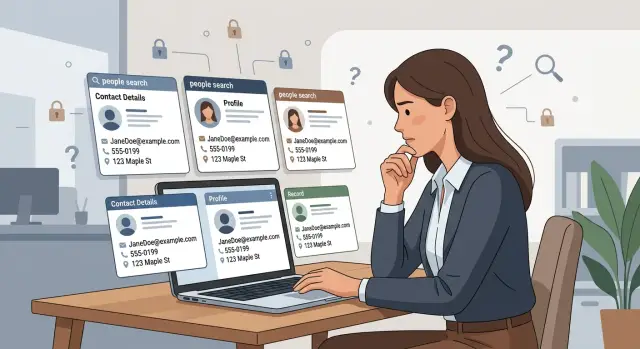
Why removed profiles still show up elsewhere
Removing one people-search page feels like the finish line. Most of the time, it is only one copy.
The same name, email, phone number, age range, relatives, and past addresses often already sit on smaller lookup sites that pulled from the same source. Some of those sites are easy to find. Others barely show up in search results, but the record is still live.
That happens because broker data spreads fast and lingers. One site might collect a profile directly, while email lookup tools and contact-enrichment sites reuse the same details later. If a site copied your record last month, deleting the original page today does not erase that older copy.
Sometimes the public page disappears while the site keeps the record in its internal database for a while. Then a new page gets generated from the same record, or the data gets sold again to a smaller service. That is why old details can reappear after a single removal.
A clean Google search for your full name is not proof that the data is gone. Many copies are not built around your name at all. They are tied to an email address, a phone number, a home address, an old employer, or a past city or ZIP code.
That is where people miss them. You search your name, see less clutter, and assume the problem is fixed. Meanwhile, a lookup page indexed by your email still shows the same profile details to anyone searching a different way.
A simple example: you remove a people-search listing with your name and address. A week later, an email lookup page still shows your name, likely age, city, and social profiles because it copied the same record earlier. The page looks different, but the facts are the same.
That is why ongoing checks matter. Remove.dev, for example, keeps monitoring for re-listings after removals, because one deleted page rarely means the whole broker profile copy is gone.
How contact-enrichment sites reuse the same facts
Many contact-enrichment sites do not build every profile from scratch. They buy records, license bulk data, or trade access with other brokers. So when your details appear on one people-search page, the same record can spread into tools that look unrelated.
That is why email lookup tools often feel like a mirror of an old broker profile. You remove one listing, then another site shows the same age range, the same former address, or the same spare phone number. It looks new, but the facts often came from the same place.
An email address is often the glue. Once a site ties one email to you, it can attach a name, mobile number, past addresses, and sometimes family links or work history. The match does not have to be perfect. If enough fields line up, the record gets merged and published.
The clearest clue is often a mistake. If two sites show the same typo in a street name, the same wrong middle initial, or the same outdated employer, they probably did not find that detail on their own. They copied it, bought it, or pulled it from the same feed.
You see the same patterns over and over: a misspelled city, an old phone number you stopped using years ago, a work title next to a personal email, or a home address attached to a business profile.
Work-focused tools deserve extra attention. Some present themselves as products for sales, hiring, or outreach, but they still expose personal details. A page may start with a business email and company name, then add a personal cell number, home city, or private address history pulled from broker data.
That mix makes broker profile copies hard to spot. The page may not look like a people-search site, yet it can still repeat the same personal facts. If you see the same odd details in several places, assume the record has been reused and may come back again through data broker relisting.
What usually gets copied from your broker profile
The copy is rarely a perfect duplicate. Most sites grab a few fields from one broker page, mix them with scraps from somewhere else, and publish a profile that still points back to you.
That is why email lookup tools often feel familiar. The wording changes, but the same facts keep showing up in slightly different combinations. Usually that means your full name, middle initial, old last name, or common misspellings. It can also mean your current address plus past addresses that should have disappeared years ago, your mobile number and old landlines, your age range, relatives, social handles, and job details mixed with home information.
Some copies are messy. A site may show the right phone number with the wrong age range, or an old address next to your current employer. That does not make it harmless. A half-wrong profile can still confirm that the person at one address is the same person tied to a phone, email, or workplace.
This mix-and-match problem is common on contact-enrichment sites. They often build a person record by matching shared clues instead of checking whether every detail is current. If one broker once listed your home address and another source had your job title, those facts can end up on the same page.
A simple example helps. Say an old broker profile listed "Maya R. Lewis," a past apartment, and a cell number. Another source had her LinkedIn job title. A copied profile might now show Maya's name, age 30-35, her old apartment, her current sales job, and two relative names. Each piece may have come from a different place, but together they still identify her.
That is why a people-search removal needs a wider check. Whether you do it by hand or use a service like Remove.dev, look for profiles built around your phone number, address history, and name variations, not just your exact name.
Step by step: what to search after a removal
A removal request is only half the job. The next step is checking whether the same profile facts were copied into email lookup tools, contact-enrichment sites, or smaller people-search pages that pulled from the same source.
Use the same search order every time. It makes the process faster and helps you catch the easy copies before they spread further.
Use this search order
-
Start with your email address in quotes. Search your current email first, then older ones if you still remember them. Exact-match searches often surface copied profiles fast.
-
Search your full name with your city or ZIP code. If your name is common, this narrows the results quickly. A result that shows both together often points to a broker profile copy, even if the page title looks unrelated.
-
Search each phone number twice: once with punctuation and once as digits only. Some sites list numbers as "555-123-4567" and others show "5551234567."
-
Search old addresses in a few forms. Try the full street address, then versions with unit numbers, apartment labels, and shortened street abbreviations like "St" or "Ave."
-
Try name variations you may have forgotten about. Nicknames, maiden names, middle initials, and common misspellings matter more than most people expect.
If a removed page listed "Jennifer Hall, Austin, TX, 78704" with an old Gmail address and cell number, search each piece on its own, then try a few combinations. That usually finds more than a single name search.
If you use Remove.dev, this is a good check to run while tracking removals in the dashboard. Search once right after a takedown, then again a week or two later. Copied or relisted pages often show up with a delay.
Search patterns that catch harder copies
Harder copies rarely show up under an obvious page title. They hide behind plain labels like directory pages, public records, or profile previews. That is why broad searches miss them.
A better method is to search one old detail at a time. Use a past phone number, an old street name, a work email, or even a middle initial you know was exposed before. When you search one detail instead of everything at once, copied pages are easier to spot because the results are not crowded with newer information.
A few narrow queries work well: "Your full name" "contact info," "Your full name" "person profile," "Old phone number" "Your last name," "Old email address" "Your city," or "Your full name" "age" "possible relatives."
These searches work because contact-enrichment sites and email lookup tools often reuse the same labels across thousands of pages. If your old broker profile was copied, the wording may be nearly identical even when the site name is different.
Do not judge a result by its title alone. Many copied profiles sit on pages with bland titles like "People directory" or "Email search result." The snippet often tells you more. Look for parts of your old record, such as a past town, a partly masked phone number, or the phrase "associated with."
Also check search-result summaries and cached versions. Sometimes the live page is gone, but the search engine still shows a short preview with your details. That means the data existed there recently, and it may return.
One practical rule helps a lot: stop mixing too many details into one search. Full name, age, city, phone, and employer all at once can filter out the very copy you want to find. After a people-search removal, smaller searches usually catch more leftovers.
A simple example of a copied profile
Say Anna removes her page from a people-search site. The original page had her full name, a cell number, an old apartment address, and an age that was wrong by three years.
A few days later, that page is gone from search results. That feels like the job is done. Usually, it is not.
When Anna searches again, one email lookup tool still shows the same phone number and the same old address. A separate contact-enrichment site also shows her age as 44, even though she is 41.
That wrong age is the clue. Small errors often travel with copied data. If two or more sites repeat the same bad detail, there is a good chance they pulled from the same broker profile or from a feed built from it.
The pages may not look alike. One may label the record as "contact details," while another tucks it under a name search or a work profile. Different layout, same facts.
That is why a people-search removal often needs a second round of checks. Removing the first profile does not pull back copies that were already sold, shared, or cached by other sites.
In cases like Anna's, the repeated mistake matters more than the repeated correct fact. Lots of sites can get a current city from public records. Far fewer will show the exact same wrong age, the same apartment number, or the same odd alias unless they started with the same source.
That repeated error becomes a fingerprint. Search it alongside your name, email, phone, and old address, and the copied profiles get much easier to spot.
Common mistakes that leave copies behind
Most missed copies come from narrow checking. If you search only your full name and stop there, you will miss versions tied to a nickname, a middle initial, or an old contact detail. Many email lookup tools sort people by email or phone first and attach the name later.
Old email addresses are one of the biggest blind spots. A work inbox from five years ago, a college account, or a recovery email can still pull up your phone number, age range, employer, or past home area. Even if you do not use that address now, a contact-enrichment site may still treat it as the main way to find you.
Past locations matter too. People often search their current city and full street name, then assume they are done. Copies can hide under a previous city, a ZIP code, or a short address form like "W 43rd St" instead of "West 43rd Street."
Another common mistake is assuming a business tool is harmless because it looks like a sales database. A site can call itself a lead tool or enrichment service and still reuse the same facts found in an old broker profile. If it exposes personal contact details, job history, or location data, treat it as part of the same problem.
A better check uses a few simple patterns: your full name plus your current city, your full name plus a previous city, an old email address in quotes, a nickname or middle initial plus state, and short street forms or old ZIP codes.
The last mistake is stopping after the first clean search. One clean result does not mean the data is gone everywhere. Another site may have copied the record earlier, or a broker may relist it under a slightly different version of your details.
That is why follow-up matters. Services like Remove.dev keep watching for re-listings, but even if you search on your own, it is worth doing another pass with old emails and past addresses before you assume the copies are gone.
Quick checks before you stop
A profile can look gone and still be easy to find. Before you call a people-search removal finished, do one last pass with fresh eyes. It only takes a few minutes, and it often catches copies on email lookup tools or smaller contact-enrichment sites that still hold the same record.
Start in a private browser window. That removes some search history and account-based clutter that can hide real results. If you search while logged in, you may see a cleaner version of the web than everyone else does.
Run the same searches on desktop and on mobile. Result pages are often different, and some sites rank higher on a phone than on a laptop. A copied profile buried on desktop can show up much sooner on mobile.
Keep a simple note as you go. Write down the site name, the date you found it, and the search that led you there. It is boring, but it saves time later when you need to check whether a listing is actually gone or just moved to another page.
Pay attention to repeated details. If the same age, old address, employer, or relative names keep appearing across several sites, that usually means they are pulling from the same source or from one another. That pattern tells you the first removal worked, but the broker profile copy is still circulating.
Then wait a little and check again. Some sites update fast, others take longer, and some relist after the next data refresh. A second check after a week or two catches a lot.
The goal is simple: do not stop at "one site removed." Stop when the same facts stop resurfacing in search results.
What to do next
Once one people-search page is gone, assume the same details may still sit on email lookup tools and smaller contact-enrichment sites. Treat every copy as a separate removal. If a site still shows your name, age, city, phone number, past address, employer, or relatives, send that site its own removal request.
Do not rely on memory. Keep a simple log from the start, even if you are only checking a few sites. A note app or spreadsheet is enough. Record the site name, what data it showed, the page details or screenshot you saved, the date you sent the request, and the result after follow-up.
That small habit cuts down repeated work. Some sites ask for the exact profile page. Others remove one page but leave a second version live under a slightly different search result. If you wrote down what you found, you can check faster and tell when a copy came back.
Then watch for relistings. Data broker relisting is common because sites buy fresh records, sync with partners, or rebuild pages from the same source data. A practical routine is to recheck after about two weeks, then once a month for a while. Search your full name with old cities, old employers, and phone number fragments if those were exposed before.
If a site ignores the first request, send a follow-up instead of starting over. Use the same details, attach the saved page, and keep the confirmation if you get one. Slow sites are frustrating, but a second pass often works better than a rushed batch of new searches.
If you want less manual work, Remove.dev can track requests in one dashboard and monitor for re-listings across more than 500 data brokers. It automatically sends new removal requests when your data appears again, which is useful because the real job is not removing one page once. It is keeping the copies from quietly coming back.
FAQ
Why do my details still show up after one profile was removed?
Because one removal usually deletes only one copy. Other sites may have already bought, copied, or cached the same record, so your name, email, phone, or old address can stay live elsewhere.
What should I search first after a people-search removal?
Start with your email address in quotes, then search your full name with your city or ZIP code. After that, check each phone number and old address in a few formats, because many copied pages are tied to those details instead of your name.
Can email lookup sites really mirror people-search profiles?
Yes. Many of them reuse broker data rather than building profiles on their own. That is why an email lookup page can show the same age range, old address, or spare phone number that appeared on a people-search site.
Why do the same wrong details appear on different sites?
A repeated mistake is often the giveaway that the record was reused. If two sites show the same wrong age, misspelled street, or outdated employer, they likely pulled from the same source or from each other.
Is searching my full name enough?
No. Name searches miss a lot of copies, especially pages built around an email, phone number, old city, or address history. A cleaner name search can make it look fixed when the record is still easy to find another way.
Do old emails and phone numbers still matter?
You should. Old Gmail accounts, work emails, landlines, and past addresses are common blind spots. Sites often keep those older details and use them to rebuild a profile even after a newer page is gone.
How long should I wait before checking again?
A week or two later is a good first check. Some copies appear after a delay, and some sites relist data after a refresh, so a second pass later often finds pages that were not visible right away.
What details usually get copied into these profiles?
Most copied profiles mix a few fields rather than cloning everything. Common pieces are your full name, name variations, age range, current and past addresses, mobile and old phone numbers, relatives, social handles, and job details.
What if the site looks like a business or sales tool?
Treat it like the same problem if it shows personal contact or location data. A site can look like a sales or hiring tool and still expose your cell number, home city, or address history from broker records.
How can Remove.dev help with copied or relisted profiles?
If you want less manual work, Remove.dev can find and remove your data across more than 500 brokers, track requests in a live dashboard, and keep watching for relistings. Most removals finish in 7–14 days, and when data comes back, it can send new requests automatically.