Fake invoice emails after a DBA filing: why they keep coming
Fake invoice emails often start after one DBA or business filing exposes your home address through public pages, directories, and data brokers.
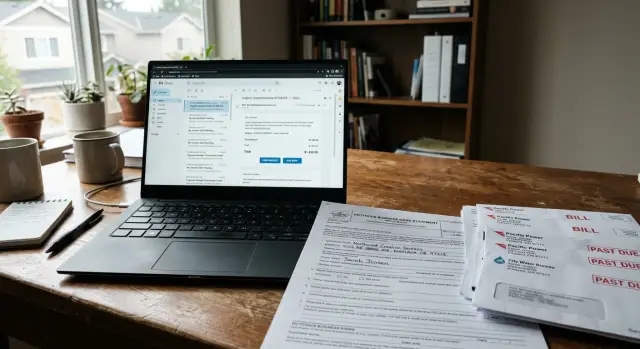
Why one filing can trigger scam attempts for months
A DBA or local business filing often becomes public within days. That is usually the point of the record. A county clerk, state database, or public notice system may publish your business name, mailing address, and filing date almost right away.
If you used your home address once, that single record can spread much further than most side hustlers expect. Business directories copy public filings. Data brokers copy those directories. Smaller listing sites copy the brokers. Before long, the same address can show up in dozens of places, even if you never built a website or ran an ad.
That is when the scam attempts start. A scammer does not need your full history to sound believable. Your business name, city, and a recent filing date are often enough. With those details, they can send fake invoice emails about a registration fee, a compliance notice, a certificate, or a renewal that sounds close to something real.
The trick works because part of the message is true. You did file something. Your name or address may match public records. The amount is usually small enough to feel annoying, not outrageous, so people pay before they stop to check.
It rarely stays in one channel. The same public record can lead to spam calls, mailed notices, text messages, and inbox clutter at the same time. One copied listing leads to another, and each copy gives a new scammer another way to reach you.
That is how one small filing turns into a long tail of fraud attempts. What started as a local form becomes a steady flow of public data, copied and reposted until strangers can sound oddly official when they contact you. If your home address is attached, it feels personal fast.
How your details spread after the filing
A DBA filing can look harmless. You submit one form, pay a fee, and move on. But if that filing puts your name or home address on a county or state page, it can create a public trail that keeps spreading long after the paperwork is done.
The first step is simple. Public records get copied. Some directory sites scan government pages and pull in new filings without asking you first. They may post your business name, your personal name, your mailing address, and other details they matched from somewhere else.
The pattern usually looks like this:
- A county or state page publishes the filing.
- Directory sites copy it into their own listings.
- Data brokers match it with phone numbers, email addresses, and older address records.
- Scraper sites repost the same details on even more pages.
The problem gets worse because data brokers rarely rely on one clean source. They combine bits from public filings, marketing databases, people-search sites, and old business listings. So one DBA page with a home address can end up tied to a personal phone number, a Gmail address, and even relatives or past addresses.
Changing the original filing page does not always fix it. Old copies can stay online for months in directory databases, cached search results, archived pages, and broker profiles. One site updates. Five others do not. Then another scraper pulls the older version and posts it again.
Picture a part-time photographer who files a DBA once using her house address because she does not want a PO box. A directory copies the filing. A broker matches her cell number from another source. A scraper republishes both. Soon she starts getting fake invoice emails, calls about "required renewals," and mail that looks official but is really fishing for payment.
So the contact usually is not random. It is the same public record moving through many hands and coming back in slightly different forms.
What fake invoice emails usually look like
Most fake invoice emails are designed to feel routine, not dramatic. They read like boring office admin. That is exactly why they catch people off guard. If you recently filed a DBA, the timing makes the message feel even more believable.
The subject line usually does the first bit of pressure. It may mention a filing fee, annual renewal, certificate update, compliance notice, or a deadline tied to your business name. Some messages add phrases like "final notice" or "overdue balance" to push you into acting before you think.
The sender name is often close enough to a real office to pass a quick glance. It might sound like a county department, a records center, or a business compliance office, even when the real email address points to a private company. That mismatch is easy to miss, especially on a phone.
A few warning signs show up again and again:
- Your DBA name appears in the email, sometimes with your city or mailing address.
- The message gives a short deadline, often 24 to 72 hours.
- It warns about penalties, loss of good standing, or missed registration steps.
- The payment instructions send money to a private business, not a government office.
That last point matters. A real government notice is usually clear about who is collecting the fee and why. Scam messages stay vague. They often ask for a flat amount that looks plausible, like $89 or $135, because small charges raise less suspicion.
The language can also be polished in one spot and sloppy in another. The top may look official, while the fine print quietly says the company is not affiliated with any government agency. That line is there for a reason.
If your home address appears on business records, these emails can feel personal very quickly. Seeing your DBA name and street address in the same message makes it look like someone truly has your file. In many cases, they simply pulled those details from public pages, directories, or broker data and wrapped them in a fake bill.
A simple side-hustle example
Take a freelancer who starts a weekend bookkeeping service. She files a DBA so she can accept payments under a business name. To keep it simple, she uses her home address on the form and does not think much about it.
A few days later, the filing shows up on a public county or state page. Then a business directory copies it. After that, other sites copy the directory. This is where DBA filing privacy falls apart for many side hustlers. One public record becomes many pages, and each copy gives scammers one more place to scrape.
Now add an older email account. Maybe she used the same Gmail address years ago for a marketplace profile, a domain search, or a vendor signup. A data broker can match that email to the new business listing and the home address on the filing. The result is a neat little profile that is easy to target.
Soon the fake invoice emails start. They usually mention boring admin tasks because that sounds believable when you just filed a business name. The messages may ask for payment for a DBA renewal, a filing fee correction, or a certificate or compliance notice.
None of it has to be fully accurate. It only has to feel close enough to a real filing that a busy person pays without checking.
The worst part is the repeat cycle. The first directory is not the end of it. More sites copy the same record over the next few weeks or months. Brokers refresh their data. New scam emails show up from different addresses with slightly different wording, but the same pitch.
For someone working from home, that feels personal because it is. A business record was public for a moment, then business listings and data brokers kept spreading it.
What to do when one arrives
Do not pay straight from the email. That is the whole trap. A fake invoice for $39 or $79 feels small, and scammers count on you treating it like a routine business expense.
Start with your own records. Pull up the papers from your DBA filing and compare the notice line by line. Check the filing date, business name, office name, fee amount, and whether any follow-up payment was ever mentioned. If your filing was already complete, an extra bill for a "certificate," "labor compliance posting," or "annual listing" deserves an immediate stop.
A quick check helps a lot:
- Match the notice to your original receipt or confirmation PDF.
- Check the sender address and the reply-to address. They are often different.
- Look at the payment page before entering anything. If the company name changes, close it.
- Call the public office with a phone number you already trust, not one inside the email.
- Save the message and take screenshots before you delete or move anything.
The sender details matter. An email can use a serious display name and still come from a random domain. The reply-to can point somewhere else. The payment page may look plain enough, but if it pushes cards, wire transfers, or odd service fees, treat it as suspicious until you verify it.
A simple example: you file your DBA with the county clerk for one set fee, then two weeks later you get an email asking for $87 to "activate" your business listing. Before doing anything, compare it with your filing receipt. Then call the clerk's office using the number from your paperwork or a number you looked up yourself. In many cases, the office will tell you they never sent it.
Keep the email for your records even if it is fake. Save screenshots of the message, sender details, and payment page. If more notices show up later, you will have a clean record of what arrived, when it started, and how the scam changed over time.
How to reduce future exposure
You may not be able to remove the original DBA filing if the county or state keeps it public. You can still reduce the copies. That often slows the fraud, because fake invoice emails keep showing up when your details keep getting copied into directories, broker databases, and search results.
Start by finding where your record spread. Search your business name, your own name, your home address, and the email used on the filing. You will often find business directories, people-search sites, and contact pages that pulled the details from a public record and reposted them.
A simple cleanup order works best:
- Remove or claim directory listings that show your home address or personal contact details.
- Ask data brokers to delete your home address, phone number, and personal email.
- Use a separate business email for public filings when possible.
- If local rules allow it, switch to a mailing address that is not your home for future filings.
- Recheck the same sites a few weeks later for reposted records.
The separate email matters more than most people expect. Once an address lands on a public record, it can get scraped fast. If scammers keep hitting that inbox, you can filter it hard or replace it later without touching your personal email.
Your home address is the bigger problem. It gives fraudsters a way to make fake notices feel real. A message becomes more convincing when it includes your business name and the same street address from a filing. If you can use a mailing address instead, future copies become less personal and less useful to scammers.
Data brokers deserve extra attention because they feed many other sites. One broker listing can turn into five more pages over time. If you do not want to send those requests one by one, Remove.dev handles personal data removals across more than 500 data brokers and keeps checking for relistings. That kind of ongoing cleanup helps when your information keeps reappearing after the first round.
Do one follow-up round after two to four weeks. Some sites ignore the first request. Others remove the page, then pull the record again from another source. A short recheck now can save you months of repeat junk later.
Mistakes that make the problem worse
Most people do not get caught because a scammer is unusually clever. They get caught because the message lands at the right moment, looks routine, and seems tied to a real filing. That is why fake invoice emails after a DBA filing can work on the same person more than once.
The first mistake is paying fast because the email or letter looks official. A seal, a case number, or a phrase like "annual compliance fee" can make it feel real. If you pay once, you also confirm that your business name, email, and address reach a real person.
Another common mistake is replying to argue or ask questions. That feels harmless, but it often gives away more than the scammer had at the start. A short reply can confirm your full name, phone number, mailing address, and whether you handle the business yourself. That makes later messages harder to spot.
A few habits also keep the problem alive:
- Using the same home address on every business record, directory, and profile.
- Ignoring paper mail because the email version already looked fake.
- Assuming one opt-out erased the data everywhere.
- Leaving old listings untouched after a move or address change.
The home address issue matters more than many people realize. Once it appears on a DBA page, it can spread into business directories, people-search sites, and broker databases. Then the same scam can arrive by email, postcard, and letter.
The one-opt-out mistake is just as common. You remove your info from one site, search again a week later, and assume the job is done. Usually it is not. Copies sit on other broker sites, and some pages get repopulated from public records or partner feeds.
A simple rule helps: if a notice asks for money, personal details, or urgent action, treat it as unproven until you verify it through the agency or filing office you already know. Ten extra minutes can save a payment, a stolen address, and months of repeat scam attempts.
A 20-minute check you can do this week
You can learn a lot in 20 minutes. This quick check will not stop fake invoice emails overnight, but it will show where your business details are leaking and why the messages keep coming.
Start with two searches. Put your DBA name in quotes with your city, then search your full name with your business email. If you used a home address when you filed, you may find that one county or state record has already been copied into directory pages, people-search sites, and business listing pages.
That is often all a scammer needs. A business name, city, email, and mailing address can be enough to send a fake bill that looks almost real.
Use a short note or spreadsheet and track:
- the site name
- what it shows, such as your home address, phone number, or business email
- whether you can edit it, remove it, or request an opt-out
- the date you found it
Do not try to fix every site at once. Start with the ones you can change quickly. That usually means business directories with a public claim option, old profile pages you created yourself, or broker pages with a clear removal form. Quick wins matter because each corrected listing gives scammers less to work with.
If you find your details on several broker sites, expect them to come back. Many sites copy from each other or republish later. That is why a one-time cleanup often falls short. If you want a hands-off option, Remove.dev can automate removals and keep watching for relistings, which makes more sense when your data keeps showing up again.
Set a reminder now to repeat the same search in two to four weeks. Use the same terms each time. If new pages appear, you will spot the pattern early instead of noticing only after another fake invoice email lands in your inbox.
What to do if it keeps happening
If the same scam keeps showing up, assume your information is still circulating somewhere public. Deleting each message is fine in the moment, but it does not tell you where the sender got your name, address, or business details.
Start a simple log. A note on your phone or a basic spreadsheet is enough. Keep the same fields every time so patterns are easy to spot:
- date received
- sender name and email address
- amount requested
- business name or DBA used
- home address or phone number mentioned
After a few weeks, that log usually tells a story. You may notice the same fake amount, the same wording, or the same public record being copied again and again. Repeat attempts often come from reused broker data, directory pages, or DBA listings that were scraped once and sold many times.
If the email pretends to be from a real filing office, state agency, or tax department, report it to that agency when you can. If it copies a real company name, send them an example too. One report may not stop the next email, but repeated reports give those offices something concrete to compare.
It also helps to track what changes online. Search your DBA, your full name, your home address, and your business phone every few weeks. If a new directory page appears, or an old listing comes back after removal, note the date. That is often the first sign of a fresh leak.
Manual removals work for a small number of listings. They get tiring fast when your information is spread across dozens of sites. A side hustler who used a home address once can end up chasing the same record across people-search sites, business directories, and data brokers for months.
Give yourself a review point, like 30 days. Compare your scam log with your removals and reports. If the senders change right after a new listing appears, you have a pretty good clue about where the exposure is coming from. That makes the next step much clearer than guessing every time another fake invoice email lands in your inbox.
FAQ
Why did scam emails start right after I filed a DBA?
Because the filing often becomes public fast. Once your business name, address, or filing date shows up on a county or state page, directory sites and data brokers can copy it and use it to make fake bills sound real.
How did they get my home address and business name?
Most likely from the public filing and the sites that copied it. One record can spread into directories, broker profiles, and scraper pages, where it gets matched with your phone number, email, or older addresses.
Could the invoice email actually be real?
Sometimes a real office does send follow-up notices, but you should never trust the email alone. Compare it with your filing receipt and contact the clerk or agency using a number you already trust, not one in the message.
What should I check first before paying anything?
Look at the sender email, reply-to address, fee amount, and payment page first. If the notice uses pressure, a short deadline, vague wording, or asks you to pay a private company for a government-sounding fee, treat it as suspicious.
Should I reply to ask if the bill is legitimate?
No. Replying can confirm that your email, name, and business details reach a real person, which can lead to more scam attempts. Save the message, take screenshots, and verify it on your own.
What if the notice came by regular mail instead of email?
Mail can be just as fake as email. If it mentions a certificate, compliance posting, renewal, or listing fee you do not recognize, match it against your original filing papers before you send money or call anyone on the notice.
Will changing my DBA record stop the scam messages?
Not fully. Updating or fixing the original record may help later, but copied versions can stay online for months and may get reposted again. You usually need to clean up the directory and broker copies too.
How can I cut down on future scam attempts?
Start by searching your DBA name, your full name, your home address, and the email used on the filing. Remove directory listings, opt out of broker sites, use a separate business email, and switch to a mailing address that is not your home if local rules allow it.
How long can my filing details stay online?
Often longer than people expect. Even if one page updates, older copies can stay in broker databases, search results, archives, and scraper sites, which is why the same fake invoice can keep coming back for weeks or months.
When should I use a data removal service?
Manual cleanup works when you only find a few listings. If your information is spread across many broker sites, a service like Remove.dev can request removals across more than 500 data brokers and keep checking for relistings, which saves time when the same data keeps coming back.