Family member refuses data removal? Cut shared exposure
When a family member refuses data removal, you can still lower shared exposure by separating phone, email, address trails, and public records.
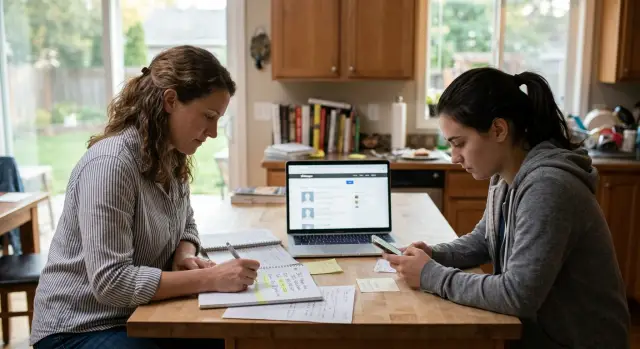
What spillover risk means at home
Spillover risk is what happens when one person's public data exposes someone else in the same home. You can remove your own listings, but a relative's profile can still point back to you. That's common in shared household data exposure, and it's one reason privacy work feels uneven.
Data brokers are good at joining small clues. They match people by address, shared phone numbers, similar age ranges, last names, and "possible relatives" tags. If two people lived at the same address, that link can stay in broker databases for years, even after one of them moves.
A simple example makes the problem clear. You opt out from several people-search sites, but your parent or partner leaves their profile online. Their listing still shows the home address, an old landline, and an age bracket that fits your household. Another broker copies that record, adds you as a related person, and your details start showing up again on sites you never visited.
That is why your own removals do not always stick. The issue is not always a failed opt-out. Often, the data gets rebuilt from another source that still ties you to the same home. Public records, broker swaps, and old household files keep feeding those links back into the system.
If a family member refuses data removal, the goal should be realistic. You are trying to reduce the links you can control, not disappear completely. In practice, that means making it harder for brokers to treat everyone in the home as one cluster.
Even partial separation helps. A different phone number, a separate email, fewer shared account details, and a cleaner address history can lower spillover risk. You may still appear in some records, but with fewer connection points, those records are less likely to spread or merge.
Where household links come from
Most household links are not created by one big leak. They come from the same details showing up together again and again. If your name, another relative's name, and one address appear in enough places, people-search sites start treating that as a stable household record.
The home address is usually the strongest link. It shows up on shipping forms, loyalty accounts, old directory listings, school paperwork, and any profile that still uses the same street address. Even if only one person removes their data, the shared address can pull both names back into the same record later.
Phone data causes problems too. Family plans often connect several people to one billing account, and old recovery numbers can stay attached for years. A store account, bank alert profile, or forgotten app may still list a parent's or sibling's number as a backup. One detail like that is often enough to reconnect separate profiles.
Public records add another layer. Property records, deed histories, marriage records, court filings, and obituary pages often name relatives together. Some people-search sites copy those details directly. Others use them to confirm that two people belong in the same household file.
Then there is the stuff people forget. A social bio that mentions family roles, a neighborhood event page with both adults listed, a school fundraiser page, or an old wedding site can keep a connection alive long after daily life changed. Small mentions matter because they repeat the same names, city, and family relationship.
Old accounts are the quiet problem. Utility portals, delivery apps, retail accounts, streaming profiles, and medical portals may still show both names or an outdated phone number. Before you try to unlink household records, find where your names still travel together. That is usually where the fix starts.
Separate contact points first
If a family member refuses data removal, start with the contact details that tie your accounts together. Data brokers and people-search sites often connect people through the same phone number, backup email, shipping address history, and app contact lists.
The fastest win is to stop sharing logins and recovery paths. Create one email address that only you use for banking, shopping, delivery apps, rewards programs, utilities, and any account that stores your name, phone number, or home address.
Then change your recovery options. If your account can be reset through your spouse's phone, a shared family email, or an old home landline, that account still points back to the household. Use your own mobile number and your own email for every password reset, security alert, and sign-in code.
A lot of people miss the boring accounts, and those are often the ones that keep household records glued together. Start with delivery apps, online stores, loyalty programs, utility and insurance portals, and school or daycare systems. One shared number across two or three of those accounts is enough to keep the link alive. If a store profile still sends receipts to a shared inbox, fix that too.
Contacts permissions matter more than most people expect. Messaging apps, social apps, and some shopping apps upload your address book when contact sync is turned on. If your phone stores a relative under the same home address, that can help rebuild the connection. Turn off contact syncing where you do not need it, and check which apps already have access.
A simple example: you switch your bank and email, but your grocery rewards account, package tracking app, and dentist portal still use the shared home number. To a broker, that still looks like one household cluster. Clean up those smaller accounts, and the picture gets much harder to match.
How to unlink household signals step by step
If a family member refuses data removal, you can still cut many of the links that pull your details into the same record. The basic plan is simple: make one list, change the most reused contact details first, and keep proof of every update.
Start with a master list of accounts and records tied to shared details. Write down where you and your relative still share a phone number, email, mailing address, emergency contact, or recovery method. Include banks, schools, clinics, insurers, utilities, retailers, delivery apps, and any site that shows a wrong relative match. A plain note or spreadsheet is enough.
Then change one signal at a time. For most people, the biggest source is a shared mobile number or email address. Update your main accounts first, save proof, and then move to the less urgent ones. If you change everything in one rush without tracking it, it becomes hard to tell which company keeps reusing the old information.
A practical order works like this: fix your personal email, then your mobile number, then any mailing address, emergency contact, and account recovery details still tied to the household. After that, update the places that often feed identity data back into the market, including your bank, school records, clinic, pharmacy, insurer, and employer if needed. Ask them to remove outdated household contacts, not just add your new ones. If both old and new details stay on file, the old links often win.
When a company wrongly tags someone as your relative, ask for a correction in plain language. Say the association is wrong, the shared household record is outdated, and you want that link removed from your profile.
Keep screenshots of every form, email, and confirmation page. Add the date, company name, and what changed. If a broker or company reconnects you later, that paper trail saves a lot of time.
If you use Remove.dev, update your current contact details there first so future removal requests point to the right records.
What to clean up in public records
Public records often give household links a second life. A data broker may first find your name on a people-search site, then confirm it through a property record, a license entry, or an old directory page that still shows you at the same address as a relative.
You usually cannot erase every public record. What you can do is reduce the details that make you easy to match. Start with records that show your full name, home address, phone number, and past addresses together.
Check property records, tax assessor pages, and deed history for your current and old addresses. Review professional licenses, permit records, and business filings that may still use a shared home address. Search old online directories, reunion pages, and neighborhood listings. If club, volunteer, school, or alumni pages still show your contact details, ask for those details to be removed or updated.
If something has to stay public, change the contact point when you can. A separate mailing address for public-facing uses can help a lot. That might be a PO box or another mail option used only for forms, registrations, and memberships. It will not erase old records, but it can stop new ones from tying you back to the same household.
Old pages matter more than most people think. A forgotten booster club page from 2018 or an alumni profile with your old street can be copied into broker databases for years. If a relative refuses data removal, those copied records can keep rebuilding the connection even after newer listings disappear.
After any move, marriage, divorce, or name change, check again. Those life changes often create fresh records while older ones stay online, and that mix makes matching easier.
A simple example
Maya wants her data removed. Her brother Leo does not. They still live at the same address, share a mobile family plan, and use each other as backup contacts on a few accounts. Leo also keeps public social profiles with his city, employer, and family connections visible.
That setup makes shared household exposure easy to rebuild. A broker may delete Maya's old listing, then create a new one after seeing Leo's public profile, the shared address, and a phone account where both names appear under one plan. Maya did the opt-outs, but the household link stayed alive.
The first fixes are boring, but they work. Maya stops using Leo's number and email as recovery options. She updates her bank, shopping, doctor, and utility accounts with her own contact details only. She also checks account alerts, shipping profiles, and password reset settings, because those often keep old family ties in place long after people forget about them.
She also goes after the shared signals that keep getting copied: cross-listed names on the phone plan, old emergency contacts, loyalty programs tied to the same inbox, and public social posts that spell out the family relationship. None of those details look serious on their own. Together, they make matching easy.
After that, new broker listings usually get thinner. Maya may still appear in some databases because she and Leo share an address, but the records are less complete. One listing shows an old number. Another misses her current email. A third names Leo as a possible relative but does not attach a working contact point.
That matters. When brokers cannot confirm the match through fresh phone, email, and account data, relistings tend to show up less often and with more errors.
Mistakes that keep records connected
When a family member refuses data removal, the problem is often not one big record. It is the small leftovers. Data brokers match names, phone numbers, emails, birthdays, and old addresses, so one stale detail can pull two people back into the same household profile.
A common mistake is changing one field and leaving the rest alone. You might update your main phone number, but an old recovery number still sits on a shopping account, bank login, or utility portal. That number can still tie you to a shared address, and once one match is made, other records often follow.
Using the same email for everything causes the same problem. If one inbox handles bills, online shopping, newsletter sign-ups, school forms, and random giveaways, it becomes an easy thread to trace. Separate contact points work better. Use one email for private accounts and another for low-risk sign-ups that may get sold or shared.
Social media can reconnect records faster than people expect. A birthday post with full names, exact dates, and family relationship tags gives brokers clean matching data. You do not need to disappear online, but it helps to stop posting full birthdays, home area clues, and captions that spell out who is related to whom.
Old accounts are another quiet issue. A dead forum profile, old food delivery app, or store login you forgot about may still hold your past address, shared phone number, or family email. Those accounts still matter even if you never open them.
Watch for a few easy misses: old recovery phone numbers left on active accounts, one shared inbox used across bills and shopping, public posts with family names and birthdays, dormant accounts with old address details, and the assumption that one visible record cannot reconnect the rest.
That last mistake trips people up a lot. One record may look harmless on its own, but if it matches a birth month, a past address, and a shared contact point, it can rebuild the whole link. Think of each leftover detail as a loose thread. If you leave it there, someone else can pull it.
A quick monthly check
When a family member refuses data removal, the problem rarely stays fixed on its own. Data brokers refresh records often, and one reused phone number or old address can join profiles again.
Set aside 10 to 15 minutes once a month. Put it on your calendar and keep the routine small. A short check every month works better than a big cleanup you keep postponing.
Search your full name with old phone numbers and past address combinations you actually used. Scan the results for relative names, shared household labels, or "possible associates" tied to your profile. Recheck listings that were removed before, because brokers often republish records from new data sources. Then review any new shared accounts or subscriptions, such as utilities, family plans, store rewards, or delivery apps.
Write changes in a plain monthly log with the date, site name, what you found, and what you changed. After two or three months, you will usually see the real source of the spillover. It is often one stubborn broker, one recycled contact point, or one new shared service that quietly reconnected the household.
Do not wait for a perfect cleanup. If you find one live record linking you to a relative, act the same day and note what you changed. Small fixes done every month usually beat one long weekend of search and removal.
If you want less manual work, Remove.dev can handle removals across more than 500 data brokers and keep watching for relistings in one dashboard while you focus on the household links only you can fix.
Your next steps
If a family member refuses data removal, do not wait for perfect agreement at home. Start with the records you control today: your email, phone number, mailing address, utility logins, store accounts, delivery apps, and any people-search listings that still tie you to the same household.
Go in order of risk. Your phone number and personal email usually cause the most spillover because they spread fast across data brokers and can reconnect old records. If you only have time for two changes this week, start there. A separate email for banks, doctors, schools, and bills is usually worth the small hassle.
Then move through the rest in a simple loop. Update accounts that share or publish contact details, remove old backup emails and shared phone numbers, replace family-plan contact points where possible, and check broker listings again after each change. This works because you are breaking the links one by one. Even one shared number can pull two people back into the same profile after other details were cleaned up.
Run the same check after any big change at home. A move, breakup, marriage, name change, or mobile plan change can create fresh links or bring back old ones. Put a 15-minute review on your calendar for the next few months. Search your name with your old address, then with your current number, and fix anything that still joins you to the household.
Start small, but start now. Change your highest-risk contact point today, check where it appears, and keep going until your records stop pointing back to the same home.
FAQ
What does spillover risk mean in a family household?
Spillover risk means someone else in your home leaves enough public data behind that brokers can rebuild your profile too. A shared address, phone number, email, or relative tag is often enough to reconnect both of you.
Why does my data come back after I already opted out?
Usually the opt-out did work at first. The problem is that another source, like a relative's profile, an old account, or a public record, gives brokers the same shared details again and they rebuild the match.
What should I change first if my relative refuses data removal?
Start with your phone number and email. If those are still shared on accounts, recovery settings, or family services, brokers can keep tying you back to the same household even after removals.
Can a shared phone plan keep linking me to a family member?
Yes, they can. If both names sit under one plan or one number still appears as a backup contact, that shared signal can keep household records stuck together. Updating account recovery settings often helps as much as changing the plan itself.
Should I create a separate email just for personal accounts?
It usually does. Using one email only for banking, medical, school, billing, and other private accounts makes you harder to match to shared household activity. Keep a different email for newsletters, shopping promos, and throwaway sign-ups.
Which old accounts are most likely to reconnect household records?
The ones people forget tend to cause the most trouble. Old delivery apps, store logins, loyalty programs, utility portals, school systems, and dormant forums often still hold a shared number, past address, or family email.
Can public records still tie me to a family member?
Yes. Property records, deed history, tax pages, licenses, court filings, and older directory pages can all keep a family link alive. You may not be able to remove every record, but you can often update public-facing contact details and clean up copied pages.
What do I do if a site wrongly says someone is my relative?
Ask for a correction in plain language. Say the relationship is wrong or outdated and that you want the household link removed from your profile, then save the confirmation in case it shows up again later.
How often should I check for relistings?
A short monthly check is usually enough. Search your name with old phone numbers or past addresses, look for relative tags or shared household labels, and act the same day if a live record comes back.
Can Remove.dev still help if my family member refuses to opt out?
Yes. Remove.dev can handle your own removals across more than 500 data brokers and keep watching for relistings, which cuts a lot of the manual work. You would still need to fix the shared household signals on your side, like old recovery contacts and linked accounts.