Remove personal data from family safety apps: cleanup plan
Learn how to remove personal data from family safety apps by clearing old circles, invite pages, location history, and reused contact details.
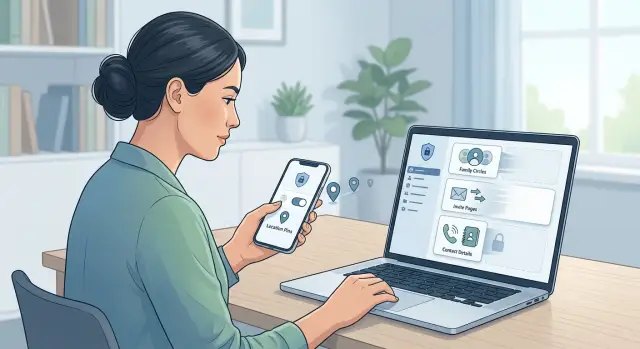
Why old family safety app data can stay online
Stopping use is not the same as cleaning up. You can delete the app, turn off location sharing, or leave a family group and still leave data behind.
Family safety apps usually create more than one record. There is the account itself, but also old circles, shared maps, saved places like home or school, emergency contacts, chat history, and invite pages used to bring people into the group. Even when a circle goes quiet, parts of it can stay in the background.
That is what catches people off guard. A join link can still open months later. An old place label can still sit in someone else's app. A contact card can stay tied to a profile even after the person who added it has moved on.
Invite pages are easy to forget because they feel temporary. In reality, a page or link sent by text or email can sit in inboxes, screenshots, and message threads for years. If it still works, it may show names, profile photos, family roles, or simply confirm that a group exists. That alone can reveal more than most people meant to share.
Shared places can outlast live tracking too. A saved address called "home," "dad's work," or "after-school pickup" still points to a routine even when nobody is watching your live location. Old circles have a similar problem. They can preserve who was connected to whom, which matters after a move, divorce, breakup, or a child aging out of the app.
Reused contact details add another layer of risk. Phone numbers get reassigned. Old email addresses get abandoned, forwarded, or taken over. If an app still treats that number or email as trusted, alerts, invites, or password reset messages can reach the wrong person.
That is why cleanup takes more than uninstalling the app. You are not removing one account. You are clearing the leftovers around it.
What to gather before you start
Start with a plain inventory. Most cleanup efforts stall because people remember the app they use now but forget the one they tried last year, the spare account, or the invite link still sitting in an old inbox.
Write down every app or service you used for family location sharing. Include deleted apps, web dashboards you barely touched, and trial accounts you never closed. A note on your phone is fine as long as it is complete.
For each one, match the account to the details it used:
- current and old email addresses
- current and old phone numbers
- usernames, if you had them
- sign-in methods such as Apple, Google, or Facebook
Old contact details matter more than most people expect. A dead email address or old number can still be tied to an account, an invite page, or a shared group that nobody cleaned up.
Next, make a quick access map. Note which relatives, friends, babysitters, or co-parents were added to each circle, and who might still be able to see updates. If someone once managed the group settings, write that down too.
Take screenshots before you change anything. Save member lists, sharing settings, connected devices, profile details, and any screen that shows a join code or invite link. That gives you a record if something stays active after you think you turned it off.
If your family used one app for school pickups, another during a vacation, and a third for an elderly parent, treat them as separate cleanups. When people lump them together, they usually miss the oldest account.
This prep work is boring, but it saves time. Ten careful minutes now can spare you a lot of backtracking later.
A simple cleanup plan step by step
Start in the account settings, not with the delete button. If you delete too early, old circles, saved places, or location logs can stay behind with no easy way to check them.
Work in this order:
- Sign in and review the basics. Check your profile, phone number, email address, connected devices, emergency contacts, family members, and any saved home, work, or school locations.
- Turn off anything that keeps collecting data. Disable location history, background location access, driving reports, arrival alerts, and automatic live sharing. If the app keeps a map timeline or trip history, clear that too if you can.
- Remove people and groups before closing the account. Leave old family circles, delete shared groups, remove trusted contacts, and erase saved places. Shared spaces can still show your name, photo, or last known location even after your own account changes.
- Revoke access on your devices. Remove location permission, contacts access, notifications, Bluetooth, and background refresh if the app used them. Sign out of old tablets or second phones too.
- Close the account only after the cleanup. Use the app's deletion option if you no longer need it, then watch for a confirmation email or in-app notice. If deletion is delayed, set a reminder to check again in a few days.
Keep a short record of what you changed and when. A note with the app name, date, deleted groups, removed places, and account status is enough. It makes follow-up much easier if something comes back.
How to clean up old circles and shared groups
Old circles often hold more than a member list. They can keep saved places, old alerts, and contact details that no longer belong there.
Open each circle, group, or household one by one. Do not skim. A group that looks inactive may still show your name, your child's school label, or a former emergency contact.
Start with the member list. Remove anyone who no longer needs access, such as an old babysitter, former partner, past roommate, or parent from an old carpool. If someone should still have access, make sure their role and contact details are correct.
Then review saved labels and places. Delete names like home, school, daycare, and work if they are old or too specific. These labels seem harmless, but they reveal routines fast.
As you go, check five things: current members, saved places, emergency contacts, arrival and departure alerts, and any shared notes or profile details.
Emergency contacts deserve a second look. Remove people you no longer rely on, and replace outdated numbers or email addresses. Reused contact info has a habit of sticking around across old apps.
One step many people skip is asking the other person to remove you from their side too. In some apps, leaving a group does not fully clear shared access, old invitations, or cached contact cards. A short message like "Please remove me from the old family circle and delete my saved places" is usually enough.
If an app has several old groups, work through them in one sitting. It usually takes 10 to 15 minutes and gets rid of a lot of leftover exposure.
How to deal with old invite pages and join links
Old invite links deserve extra attention. They are easy to forget, and some keep working long after the original setup. A join page with your name, phone number, child label, or group title can stay live unless you shut it down on purpose.
Check where invites still exist
Start inside the app. Many family safety tools keep a list of pending invites, access requests, or active join links in account settings. If an invite was never accepted, cancel it instead of waiting for it to expire.
Then check the places where you probably sent those invites in the first place. Search email and text messages for words like "invite," "join," "family," the app name, or the group name. Old messages often hold links that still open a page even if you stopped using the group months ago.
A quick pass is usually enough:
- open the app and find pending or sent invites
- cancel anything still waiting for acceptance
- turn off any public invite page or reusable join link
- test a few old message links
- delete old messages that contain working links
If a link still opens, treat it as live.
Close the door after cleanup
Some apps create one reusable link for the whole family circle. That is convenient at setup time and risky later. Disable that link and create a fresh one only if you truly need it again.
Check archived chats too, not just your inbox. People often keep invite texts in old threads with ex-partners, babysitters, or relatives who no longer need access.
A simple test works well: open the old invite in a private browser window. If it still shows a join screen, group name, or member details, go back and revoke it. When every old invite returns an error or dead page, you are in much better shape.
How to fix reused contact info
Reused contact info causes more trouble than most people expect. An old phone number can end up in someone else's hands, and an old email address may still sit on a recovery list long after you stopped using it.
Start in account settings, not in the family group view. Change the main email address and phone number first, then confirm them if the app asks. After that, remove the old details instead of leaving them as backups. Many people add a new address but forget to delete the old one, which keeps the old contact path alive.
Check the usual trouble spots:
- login, recovery, and two-step verification settings
- backup email addresses and phone numbers you no longer control
- alert settings for location, safety, or account messages
- family member profiles with saved contact cards or emergency contacts
Phone numbers need extra care because carriers recycle them. If your old number still receives account alerts, someone else could see location notices, sign-in codes, or family invites meant for you. Send a test alert after you update the number. If it lands on the new device, good. If not, dig through notification settings, emergency contacts, and any old SMS-only alerts.
Do the same for shared contacts inside connected family groups. Many apps keep a separate contact card for each person, plus extra fields for guardians, pickup contacts, or emergency contacts. Updating your own profile is not enough if an old group still shows the wrong phone or email next to your name.
A common mess looks like this: a parent changes their number, updates it with their phone carrier, but forgets the family safety app. Months later, a new owner of that number starts getting check-in texts. The fix is simple in theory. You have to remove the old number from every place the app stored it.
If those old phone numbers or emails also show up on data broker sites, Remove.dev can help with the wider cleanup. It removes private information from data brokers and keeps checking for relistings, which is useful after you have fixed the app settings themselves.
A realistic example of a cleanup
Maya and Chris share location access for their 12-year-old son. They set it up two years ago when he was at one school, on one soccer team, and splitting time between two homes. Since then, the school changed, the team changed, and one old babysitter no longer helps. The app still has an old family circle, two inactive members, and an invite page Chris created when he first added relatives.
This is how cleanup usually looks in real life. Nothing seems dramatic inside the account, but one forgotten page can still show first names, profile photos, and clues about daily routines.
In Maya's case, the old invite page was the weak spot. It still worked for anyone with the link. The page showed that a child was part of a family group, named two adults, and hinted at pickup times because of old check-in labels saved in the group. That is more information than most families mean to leave behind.
They cleaned it up in this order:
- deleted the old family circle tied to the previous school year
- removed inactive members, including the old babysitter and a relative who no longer used the app
- turned off place alerts tied to the old school, practice field, and Chris's old address
- revoked the old invite page and did not create a replacement
- updated contact details so the account used a fresh email address and the right phone number
The order matters. If they changed contact details first but left the invite page live, the account would still leak names and context. If they deleted a group but forgot old alerts, the app might still hold places connected to the child's routine.
After cleanup, the account looked boring, which is exactly the goal. One active circle. Two current parents. No expired members. No join links hanging around. Place alerts only for current locations.
That kind of cleanup takes less time than people expect. The hard part is remembering the forgotten pieces, especially old invite pages and reused contact details.
Common mistakes that leave data behind
A lot of people delete the app and assume the job is done. Usually it is not. If your account, family group, saved places, or invite settings are still active on the service, the data can stay there long after the icon is gone from your phone.
The most common mistake is deleting the app first and cleaning up later. Once you lose easy access, it gets harder to see what was shared, which circles still exist, and which devices are still tied to the account. Clean up inside the app or account settings before you uninstall anything.
Old devices are another problem. A tablet used by a child two years ago, a smartwatch tied to location alerts, or an old phone in a drawer can still sync data or stay listed as a trusted device. One forgotten device can keep feeding location history back into the account.
Saved places deserve a close look too. People often remove live sharing but leave behind labels like Home, School, Grandma's house, or Soccer field. Those entries seem harmless, but together they sketch out a daily routine.
A short review catches most leftovers:
- remove shared groups, circles, and saved places before deleting the app
- sign out of and disconnect old phones, tablets, and watches
- delete location history or check-in history if the service keeps it
- look for copies of your phone number, email, or address outside the app
That last point gets missed all the time. Even after you clean up the app, old contact details can still appear in data broker listings. If you reused the same phone number or email across several family apps, those records can spread further than you expect.
Uninstalling is not the same as removing. If you clean the account, the devices, the saved places, and the outside copies of your info, far less gets left behind.
Quick checks before you finish
Before you call it done, do one last pass. This is the part people skip, and it is often where old access stays alive.
The finish line is simple: no old groups, no open invites, no stale contact details, and no device that can still view your location.
Run through this checklist slowly:
- open every circle, group, or household list and confirm only current members are there
- test old invite pages and join links
- check every phone number and email on the account
- turn off location history and clear old trips, saved places, or check-ins if the app allows it
- review signed-in devices and log out any spare phone, tablet, or browser session you do not recognize
Here is a common example. You changed your phone number last year, your child got a new tablet, and an old family circle still shows a former caregiver. Daily sharing may look fine, but that setup still leaves an open door.
It is also smart to check notification settings. Some apps keep sending alerts to old email addresses even after sharing stops. If you see message previews, travel alerts, or weekly summaries going to the wrong inbox, remove that address before you leave.
Finish with one simple test: sign out, sign back in, and look at the account as if you were a new user. What can you still open? What still shows your number, email, or past locations? If the account looks clean from that view, you are probably done.
What to do next
One cleanup is good. A repeat check is better.
Family safety tools tend to linger in old phones, shared tablets, backup email accounts, and half-forgotten invite pages. If you want this information gone for good, put the review on a schedule instead of treating it as a one-time task.
A simple rhythm works well:
- set a calendar reminder every 3 to 6 months
- review old child safety, driving, and location-sharing apps the same way
- check whether past invite links, group pages, or profile pages still open
- search your current and old phone numbers and email addresses to see if they show up again
This does not need to take long. If you kept notes during the first cleanup, the next pass might take 15 minutes.
Pay extra attention when something changes in your life. A new phone number, a divorce, a move, a child getting their own device, or a new shared family account can leave old details behind. Those are the moments when reused contact info tends to pop back up.
It also helps to look beyond the apps themselves. If your phone number, home address, or personal email keeps reappearing online, the source may be data brokers rather than the family app you cleaned up. That is where a service like Remove.dev can fit into the process after the app cleanup is done.
The best next step is boring on purpose: pick a date, save your checklist, and run it again. That habit catches the things most people miss.
FAQ
Is deleting the app enough to remove my data?
No. Deleting the app from your phone does not remove the account, old groups, saved places, or invite links. Sign in first, turn off sharing and history, remove old circles and contacts, then close the account if you no longer need it.
What should I gather before I start cleaning up?
Start with a simple inventory of every family safety or location-sharing app you used, even trial accounts and old dashboards. Gather the email addresses, phone numbers, sign-in methods, member names, and screenshots of current settings so you can trace what still exists.
Should I delete my account first?
Usually no. If you delete the account too soon, you may lose access before you clear old circles, saved places, and history. Clean up what is shared first, revoke access on devices, and only then use the account deletion option.
How do I clean up old family circles and shared groups?
Open each group one by one and check who is still in it, which places are saved, and whether any alerts are still active. Remove people who no longer need access, delete old labels like home or school, and ask other members to remove you from their side too.
What should I do with old invite links and join pages?
Treat every old invite as live until you prove it is dead. Cancel pending invites in the app, turn off reusable join links, search old texts and emails, and test a few links in a private browser window to make sure they no longer open.
Why are old phone numbers and email addresses a problem?
Because phone numbers get recycled and email accounts get abandoned, old contact details can send alerts or reset messages to the wrong person. Update your main contact info first, confirm it works, then remove the old number or email everywhere the app stored it.
Do I need to check old devices too?
Yes. A spare phone, tablet, smartwatch, or old browser session can still stay signed in or keep syncing data. Check the device list in the account, sign out anything you do not use, and remove location, contacts, notifications, and background access on each device.
How can I tell if the cleanup actually worked?
Do one last pass after cleanup. Make sure there are no old groups, no active invite pages, no stale phone numbers or emails, and no signed-in devices you do not recognize. Then sign out, sign back in, and look at the account with fresh eyes.
How often should I repeat this check?
A repeat check every 3 to 6 months is a good default. Also review things after a move, breakup, school change, new device, or phone number change, since those are the moments when old sharing settings tend to stick around.
Can Remove.dev help if my old contact details still appear online?
Yes, after you clean up the app itself. Remove.dev removes personal information from over 500 data brokers, keeps checking for relistings, and automatically sends new removal requests when needed. That helps with the wider cleanup if your old phone number, email, or address still shows up online.