Startup founder address privacy: traces from mailbox listings
Startup founder address privacy breaks down when pickup profiles, member pages, and billing records all point back to the same home area.
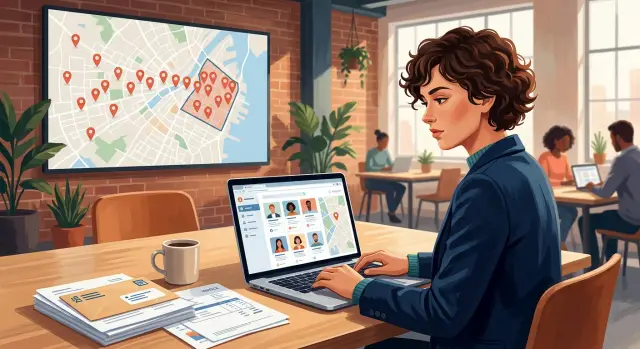
Why a business mailbox can still reveal your home area
A business mailbox feels like a clean fix. Your company gets a commercial address, your website avoids your apartment, and your mail goes somewhere that looks separate from home. That sounds private. It often isn't.
Privacy usually leaks through small details, not one big mistake. A mailbox can hide your street address, but it can still sit next to clues about where you live, where you pick up packages, and which part of town you use every week. Once those clues line up, someone doesn't need your exact home address to get close.
For founders, the real risk usually isn't instant exposure of a full address. It's a rough path back to a home area. That might mean a neighborhood, a nearby suburb, or a short list of apartment buildings. For a curious customer, a competitor, or a scammer, that's often enough.
A mailbox account also rarely exists by itself. Founders leave traces across several services without noticing. The mailbox provider keeps one profile, a coworking space shows another, and a payment system stores billing details somewhere else. Each record looks harmless on its own.
Put together, those records tell a story. If the mailbox is in one district, the pickup contact is active near another, and the founder appears in a member directory tied to the same area, the likely home zone gets much easier to guess. In a smaller city, a few matching details can narrow the map fast.
A common version looks like this: a founder rents a downtown mailbox to keep their home private, also uses a nearby coworking space, and pays with a card tied to a residential ZIP code. None of that feels risky by itself. Together, it points back to where they probably sleep at night.
That's why mailbox privacy is less about hiding one address and more about shrinking the whole trail. The mailbox helps, but it doesn't erase the rest of the map.
How pickup profiles leak more than expected
A business mailbox looks separate from home life, but the pickup profile often pulls those two worlds back together. The public address may be safe enough. The profile behind it can still point to the real person using it.
The first leak is often the name. Many founders register the pickup contact under their full legal name so staff can check ID at the counter. If that same name appears in company filings, social profiles, or old domain records, it's easy to connect the mailbox to one person instead of a generic business.
It gets worse when the profile includes a personal phone number or backup contact. Those details may not be meant for public view, but they still show up in invoices, support threads, exports, or screenshots shared with staff.
Small details reveal a pattern
Pickup times can say more than people expect. If someone collects mail every weekday at 8:15 a.m. or every Friday after 6 p.m., that starts to sketch out a routine. A routine suggests where they spend mornings, when they commute, and which part of town they likely return to after work.
Notes add another layer. People write things like "I'm usually nearby after daycare pickup" or "Call if I'm coming in from Jersey City late." Those comments feel harmless in the moment. Together, they narrow a home area quickly.
Staff messages spread the same clues. A front desk note like "Founder usually picks up after landing at SFO" or "send photo of packages before she drives in from Queens" gives away more than it should. One forwarded email or one screenshot in a team chat can keep those details around long after the original note should have been deleted.
A lot of founders assume the danger starts only when something appears on a public page. In reality, private records leak all the time through shared inboxes, support tickets, exports, and casual screenshots. Once a pickup profile ties a real name to a place, a schedule, and local landmarks, the path back to a home area gets much shorter.
What member pages and directories add to the trail
A coworking profile can look harmless by itself. A headshot, a founder title, a company name, maybe a short bio. Put that next to a mailbox listing and the trail gets a lot clearer.
This is where things often break down. The mailbox gives someone a business location. The member page gives them a person to attach to it.
Many directories include routine details that narrow things fast: your full name, your face, your role, the city you work from, and the month or year you joined. None of that reveals a home address on its own. It does give a searcher enough to match records across several sites.
A move-in date is a good example. If a founder joined a coworking space in Austin in March, and the company formation record, podcast bio, and social profile all changed around that same time, the timing points to a real-world move. Once someone knows the metro area, they can start matching voter data, property records, data broker listings, and old people-search entries.
Old pages make this worse. Even after you edit a profile or ask a space to remove it, an older version may still sit in search results, cached pages, directory mirrors, or scraped databases. That means your current listing and your past listing can show up together. One might show a company mailbox in one city while another shows you as a member somewhere else a year earlier.
Search engines are also good enough at merging identity signals to be annoying. If your name, company, photo, and title stay consistent, past and current mentions can collapse into one obvious trail.
Someone trying to map your home area doesn't need one perfect leak. They just need a few member pages and directory entries that agree with each other.
How billing records complete the picture
A mailbox listing often gives only part of the story. Billing records fill in the rest. They connect the mailbox to a real person, a payment method, and often a home area.
Invoices are a common leak point. Many coworking spaces and mailbox services put the account holder's legal name on the invoice along with a billing ZIP code. That sounds minor until someone already has a pickup profile or member page. Then the ZIP can narrow the search fast.
Receipts can add more. Some show the card brand, the last four digits, the cardholder name, or the state tied to the payment. On their own, those details are small. Together, they help confirm that the founder using the mailbox is the same person tied to a home address in public records or older broker listings.
Tax paperwork is often the most direct clue. If a workspace issues forms for fees, refunds, or business reporting, the billing address may be fuller than what appears on a normal receipt. Sometimes it includes a personal name, street, city, and state because that's what was entered when the account was opened in a rush.
The problem grows inside a small team. Founders often share access to bookkeeping tools, expense apps, or a finance folder so an assistant, cofounder, or part-time accountant can handle bills. That spreads the data far beyond the mailbox provider. A PDF saved in a drive, a forwarded receipt, or a synced expense entry can keep the trail alive long after the original account is updated.
Billing records are often the last piece that makes the match feel certain. One document shows the legal name. Another shows the billing ZIP. A third confirms the state and cardholder. Now the mailbox no longer looks separate from the person's home area.
That's why billing details need the same attention as public listings. If the public page is clean but the invoices still point back to your home region, the trace is still there.
A simple example of how someone connects the dots
A founder named Maya wants a business address that isn't her apartment. She rents a mailbox in a busy coworking building in a nearby business district and uses it for company mail. On paper, that looks safer. In practice, the trail often stays local.
The coworking site has a public member page. It names her company and shows her as an active member. That doesn't reveal her home address, but it does place her in one part of the city on a regular basis. That first clue matters more than most people think.
How the trail forms
Someone curious about Maya - a scraper, an angry customer, or just a person with too much time - finds a pickup profile tied to the mailbox service. The profile doesn't list her home street, but it shows a pattern: most pickups happen after 6 p.m. That suggests she collects mail in the evening, not in the middle of the day.
Now add one more clue. An old invoice leaks in a breach or appears in a searchable record. The street is hidden, but the billing ZIP code isn't. Suddenly the person tracing her has two anchors: a mailbox in one business district and a home ZIP code close enough to make that evening trip practical.
This is where the risk gets real. If the mailbox is a short drive from home and the billing ZIP points to the west side of town, whole sections of the city drop out. The search narrows to a few nearby areas.
The member page matters because it confirms the mailbox isn't random. It ties Maya to that building, that district, and a steady routine. Add one more public clue, like an old founder bio or a company filing with a city name, and the guess gets tighter.
The problem is rarely one huge leak. It's a pile of normal records that line up too well. A member page says where she goes. A pickup pattern suggests when she's free. A billing record gives a home ZIP. Put together, those clues can shrink a city down to two or three likely neighborhoods.
How to reduce the trace step by step
A business mailbox can help, but privacy usually breaks in the small details. The fix isn't one dramatic move. It's a short review of every place your mailbox account leaves a trail.
Start with a plain inventory. Write down every place the mailbox address appears: your site, invoices, marketplace profiles, state filings, coworking account, pickup profile, shipping settings, and any welcome emails or PDFs the provider sent you. Most people miss one or two old entries, and those are often enough to connect the business back to a home area.
Then work through the weak spots in order. Ask the provider what different people can see instead of guessing. Staff, other members, couriers, and the public may all see different fields. A pickup profile with your full name, usual pickup time, and backup phone number can reveal a lot.
Next, remove public member pages you don't need. If a directory listing or founder profile isn't helping you get customers, hide it or delete it. Less public surface means fewer clues.
After that, split business billing from personal billing wherever you can. Use a company email, company card, and company billing contact. If your home ZIP code or old address keeps appearing on receipts, that's a trace worth closing.
Before you share anything, check the actual document. PDFs, onboarding forms, scanned IDs, and emailed receipts often keep old address fields or metadata that never showed on the screen during signup.
Then repeat the review after any renewal or provider change. New contracts, plan upgrades, or a switch to another mailbox service can quietly republish old details.
One habit helps a lot: once every quarter, download one recent invoice, open one public profile, and view one pickup record. It takes about 15 minutes. That's usually enough to catch a bad field before it spreads across directories, brokers, and search results.
Mistakes that keep the trail alive
A lot of founders do the hard part halfway. They rent a business mailbox, remove their home address from one place, and then leave smaller clues everywhere else. Those clues don't look serious by themselves. Together, they can point straight back to a real person and their home area.
One common mistake is using the same photo across a personal profile, a coworking profile, and a mailbox account. A matching headshot makes it easy to connect records that were meant to stay separate. If one profile includes a neighborhood clue, the rest of the trail gets much easier to follow.
Pickup photos are another quiet leak. A quick post about "mail run done" can show the lobby sign, the street outside, a parking pass on the dashboard, or the time you usually collect mail. Even a blurred background can give away more than you'd think, especially when it matches the hours on a coworking listing.
Old coworking profiles cause trouble for months after a move. Founders leave a member page online, forget an old directory entry, or never ask for a profile to be deleted after they stop using the space. That stale page can still show your name, company, mailbox number, and dates. Old pages also get copied into data broker records, so a dead profile can keep coming back.
Invoices are another weak spot. People forward a PDF to a freelancer, attach a receipt in a shared email thread, or send a screenshot to prove a payment. If that file includes billing details from a home card or residential address, the gap between "business mailbox" and "home area" gets very small.
The last bad assumption is that a dashboard stays private forever. It feels safe because it's behind a login, but pages get shared by mistake, exports get emailed around, and screenshots live on in chats. Once a record leaves the dashboard, control is gone.
The pattern is simple: one reused photo, one old profile, one unedited invoice, one casual post. That's often enough to keep the trail alive.
Quick checks you can do today
If you care about this, run a quick trace on yourself the way a stranger would. You don't need a complicated process. You just want to see whether your mailbox, coworking profile, invoices, and old pages point back to your home area.
Start with basic search. A private browser window can help give you cleaner results, but the method matters more than the tool.
Five fast checks
- Search your full name in quotes with your mailbox address. If both appear on the same page, that's a direct connection between you and the location.
- Search your company name with your city and ZIP. This often pulls up old directory entries, local filings, and cached profile pages.
- Open old invoices, receipts, and account emails from your mailbox provider or coworking space. Look for billing address lines, pickup contact details, and support messages that mention where you live.
- Check archived or older versions of member pages. A past membership page may still show your name, photo, company, and local details even after the current page is cleaned up.
- Ask one other person to look. A friend, cofounder, or family member will often spot clues you stopped noticing, like a neighborhood name in a PDF or a city listed in a footer.
Don't stop at the first result. Look at page titles, snippets, image captions, and cached PDFs. Billing issues often hide in documents, not public profile pages.
One small pattern matters more than any single leak. If your name, company, and one city or ZIP keep showing up together, that's enough for someone to make a decent guess about where you live.
Write down every page, file, and screenshot you find. That becomes your cleanup plan. If search results also pull in people-search sites or broker pages, add those too so you can remove the public trail in one pass.
What to do next if your home area is already exposed
Once your home area is public, stop adding new clues. A lot of founders keep the trail alive without noticing. An old coworking profile, a member page, a pickup contact, and a billing PDF can all keep pointing back to the same place.
Start with the pages that begin the trace. Search your name, company name, mailbox address, phone number, and any old profile text you've reused. If a page connects your name to a mailbox location, pickup window, or local contact detail, remove it or rewrite it so it no longer points back to your home area.
A quick cleanup usually means four things:
- Edit or delete member pages, directory listings, and pickup profiles that show your name next to a local mailbox address.
- Change billing contacts so invoices and receipts use business-safe details instead of home-based ones.
- Ask providers to delete stored attachments, support tickets, and old account notes, not just hide them from view.
- Check whether cached PDFs, downloadable invoices, or onboarding files still expose your address or local phone number.
Billing records need extra attention. Founders often fix the public page and forget the paperwork behind it. A coworking space, virtual mailbox, payment processor, or accountant may still have old invoices and ID files that show a home address, apartment number, or hometown. If those records can be downloaded by staff, shared by email, or exposed in a portal, the trace is still there.
Then look beyond the original source. Data broker sites often fill in the missing gaps by matching your mailbox city, phone number, age range, relatives, or former addresses. That's how a vague business listing turns into a path back to a real neighborhood.
If broker sites are part of the problem, deal with those quickly. Doing it by hand takes time, and new entries can come back after a few weeks. Remove.dev removes personal data from over 500 data brokers and keeps monitoring for relistings, which can help stop the same trail from reopening.
One final test works well: search for yourself like a stranger would. If you can go from your company name to a mailbox page, then to a billing document, then to a people-search listing, you still have cleanup to do. Fix the first page, clean the stored records, and close the broker gap before it spreads further.
FAQ
Is a business mailbox enough to keep my home area private?
No. A mailbox hides one address, but it does not hide the rest of your trail.
If your name, pickup routine, coworking profile, or billing ZIP all point to the same part of town, someone can still make a solid guess about your home area.
What in a pickup profile gives away too much?
The riskiest fields are usually your full legal name, personal phone number, backup contact, and any note about when or how you pick up mail.
Even a small comment like "usually comes after daycare" can narrow where you live more than people expect.
Can a coworking member page really expose where I live?
Yes. A member page connects a person to a building, a company, and often a city or join date.
That is often enough to match you across filings, social profiles, old bios, and mailbox records.
Why does a billing ZIP code matter so much?
Because a billing ZIP can shrink the search fast when it matches a mailbox location and your routine.
One ZIP by itself seems minor, but paired with your name and work location it can point to a short list of neighborhoods.
If my address is not public, do private records still matter?
It does. Leaks often come from invoices, support emails, exports, screenshots, and shared folders rather than public pages.
Once one of those records leaves the account, you have much less control over where it ends up.
What should I clean up first?
Start by making a plain inventory of every place the mailbox appears. Check your website, state filings, member pages, invoices, shipping settings, account emails, and stored PDFs.
Most cleanup work gets easier once you can see the full trail in one place.
Should I use my legal name on a mailbox account?
Use only what the provider truly needs. If they require your legal name for ID checks, keep other fields as business-safe as possible.
Avoid adding a personal phone number, extra notes, or routine details unless there is a real need.
Can old invoices or deleted profiles still show up later?
Yes. Old invoices, cached pages, directory mirrors, and scraped databases can stay visible long after you edit or remove the original record.
That is why cleanup should cover both the current page and any older copies you can still find.
How often should I check for new leaks?
A quarterly check is a good default. Open one recent invoice, view one public profile, and look at one pickup record.
That quick review usually catches bad fields before they spread into search results or broker pages.
What should I do if people-search sites already connect me to my mailbox?
First remove the obvious links between your name, your mailbox, and your local details. Then update billing contacts and ask providers to delete old attachments, notes, and support records.
If broker sites are part of the trail, you also need to remove those entries and keep watching for relistings. Remove.dev can handle removals across 500+ data brokers and keep monitoring so the same trail does not reopen.