Freelancer home address privacy: what to fix first
Freelancer home address privacy starts with finding where your address appears in filings, invoices, and directories, then changing each source.
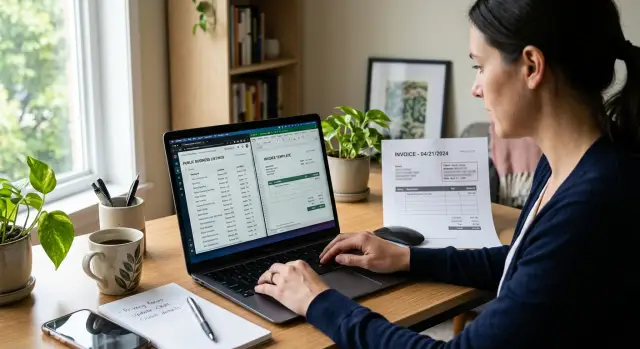
Why your home address keeps showing up
If you freelance from home, your address can spread much farther than you'd expect. You enter it once in a business registration, tax form, invoice tool, or payment account, and that same detail starts appearing in other places. One public record often turns into a chain of copies.
That's what makes this so frustrating. The first listing is rarely the last. Directories, lead databases, map listings, and people search sites copy from each other, then keep old versions online for months or years.
A simple example is common. You register a sole proprietorship with your home address, send invoices from software that shows your billing details, and create a business profile in a local directory. Later, a people search site pulls one of those records, matches it with your phone number, and ties your home address to your work name online.
Moving doesn't fully solve it. Old invoices still sit in client inboxes. A payment platform may keep showing a past address on receipts. Archived directory pages can keep stale details alive long after you've updated current records. One old document is enough for the data to spread again.
The problem goes beyond junk mail. A public home address can lead to cold calls, surprise visits, identity fraud, and awkward contact from unhappy clients or strangers. If you work alone, it gets personal fast.
That is why cleanup takes more than changing one form. You have to think in chains: where the address first appeared, who copied it, and which old records still point back to it. Remove.dev focuses on that copy-and-relist cycle because data brokers often repost information unless someone keeps checking.
If your address keeps resurfacing, the usual reason is simple: the source was public once, and the copies never stopped moving.
Where your address is exposed
Most home addresses leak in ordinary places, not dramatic ones. For freelancers, the first problem usually isn't a hack. It's a trail of normal business records that were set up with a home address and then copied across the web.
State business records are often the starting point. If you formed an LLC, registered a DBA, or applied for local permits with your home address, that information may appear on public lookup pages. Even if the filing felt like a one-time task, those records can stay visible for years and get picked up by search engines and people search sites.
Old invoices are another common leak. Many freelancers use templates that put a full billing address in the header or footer, then email those PDFs for months or years. The files get saved in inboxes, cloud folders, accounting systems, and client portals. If you ever used a personal address there, it can keep circulating long after you stopped.
The same thing happens in the tools around your work. Payment processors, booking apps, online forms, and email footers often pull contact details from your original setup. One old setting can end up on receipts, calendar confirmations, or automated emails.
The pattern is usually straightforward:
- You register a business with your home address.
- That record appears on a public lookup page.
- A directory or broker copies it.
- The copied version spreads to more sites.
Freelancer directories, portfolio sites, and local listings can make things worse. A profile that says "remote" may still show a city, street, or map pin if you filled in every field when you signed up. Some listing tools also publish an address by default because they assume you want walk-in customers.
That is how the cleanup gets messy. One address can show up in public records, old PDFs, account settings, and directory profiles at the same time. Then data brokers collect those scraps, match them to your name, email, and phone number, and turn them into searchable profiles. Remove.dev is relevant here because it removes personal data from data brokers and keeps monitoring for relistings, but it works best when you also clean up the places you control.
How to map every public mention
Start with a plain list. Guessing wastes time. You need to know exactly where your details appear, what kind of page it is, and whether you can change it yourself.
Search the obvious terms first, then the awkward ones people forget, like an old phone number or the version of your business name you used two years ago.
- Your full name in quotes
- Your business name in quotes
- Your phone number
- Your full home address
- Your name plus city or niche
Run those searches in a normal browser and in a private window. Results can differ. Go past the first page too. Old directory pages and cached listings often sit lower down.
Don't stop with search engines. Open old PDF invoices, proposals, contracts, onboarding forms, and portfolio downloads. Many freelancers add a home address to a template once, then reuse it for years. Archived client emails can expose it too, especially if your signature included your full address.
A basic spreadsheet is enough. Track where the address appears, what information is exposed, who controls the page or file, and what you need to do next. For the action column, keep it simple: edit, remove, or monitor.
You don't need a perfect map on day one. You just need a list that's good enough to show the biggest sources first.
Fix your business registration details
Your business registration is often the first place a home address leaks. Once it lands in a public filing, other sites can copy it, store it, and keep showing it long after you've forgotten the form exists.
Start with the rules in your state and city. Some offices let freelancers use a registered agent, mailing address, or service address on the public record. Others still need a physical address for internal use but do not display it publicly. Ask the filing office a direct question: "Which address fields are public, and which stay private?" That clears up a lot.
Don't assume one update fixes everything. Business records usually live in separate systems, and each one can expose your home details. Check your LLC or corporation filings, sole proprietor or DBA records, state tax accounts, city or county business licenses, and any permits tied to your work.
Look at each record on its own. A freelancer might update an LLC filing and still have the old home address sitting in a city license database or tax account.
Once you choose a replacement address, use it every time on future filings. Consistency matters more than most people expect. If one form shows your home address, another shows a mailbox, and a third uses a registered agent, matching systems can connect the dots quickly. Pick one public-facing setup and keep it the same on amendments, renewals, and new applications.
Sole proprietors often have the hardest time here because many forms assume your business is where you live. Even then, ask what can be hidden. In some places, the office has to keep a physical address on file but only publishes the mailing address. That's still much better than having your front door on a searchable page.
A small habit helps: before you submit any filing, scan every address field and ask who will see it. That quick pause can save months of cleanup later.
Clean up invoices and payment records
An old invoice template can undo a lot of privacy work. Many freelancers remove their home address from a website, then keep sending it out on invoices, receipts, and payment confirmations for months.
Start with the document your client actually sees. If your home address is not legally required on invoices where you live, remove it from the template. Keep only what you need, such as your business name, email, tax number, and a business mailing address if you use one.
This spreads fast. A client can forward a PDF to accounting, upload it to a portal, or save it in a shared drive. One invoice can end up copied across several systems.
Then check the tools behind your billing, not just the invoice file. Stripe, PayPal, and accounting apps often store an address in account settings, payment receipts, and customer emails. You might update one template and still have your home address showing up somewhere else.
A quick review usually catches most of it:
- Open your default invoice template and any older saved versions.
- Check business profile settings in your payment and accounting tools.
- Send yourself a test invoice and a test receipt email.
- Look at the client portal view, not only the editor view.
- Replace your home address with a business mailing address when allowed.
Saved templates are a common trap. New drafts may use updated details while recurring invoices, duplicate invoices, or old quote templates still pull in the old address. If you have subscription clients, review every recurring billing setup one by one.
Receipt emails deserve extra attention. Some tools place billing details in the footer or payment summary without making that obvious in settings. The safest test is simple: pay a small test invoice and read every email and PDF that follows.
If local rules require an address on client-facing documents, use a separate business mailing address where allowed. That's usually much safer than putting your home on every invoice you send.
Clean up directory listings and profiles
Directory pages are often where a home address keeps spreading. One old profile can get copied into five more places, then picked up by people search sites. This is worth tackling early.
Start with any profile you still control. Claim it, log in, and check every field, not just the main contact block. Many platforms pull your street address into map previews, business details, downloadable vCards, and public bios.
If the site is meant for service-area businesses, hide the address if that option exists. Use a city, region, or service area instead. If clients do not visit your home, your full street address usually doesn't need to be public.
Old accounts are a common problem. A marketplace profile from three years ago, an abandoned portfolio page, or a directory you forgot you joined can still rank in search results. Those pages may show an outdated address, phone number, or PDF attachment with your home details in it.
One good way to find these copies is to search your phone number along with your name or business name. Phone numbers often connect listings that don't show up when you search by address alone.
Check active business directories and map listings first, then old freelance marketplaces, portfolio pages, niche directories, and public attachments such as resumes, rate sheets, or welcome PDFs.
Cached text is another annoyance. You might fix the live profile and still see the old address in search results for a while. Edit the source page first, then update or replace any files the profile offers for download. If the platform lets you refresh the page preview, do that too.
A small example makes this clear: a designer removes her address from her profile bio, but her media kit PDF still lists her home office on the last page. Search engines and directory scrapers can keep using that file even after the profile looks clean.
This part is tedious, but it pays off. Once you remove the address from the places that feed other sites, new copies slow down. If you're also using Remove.dev to deal with broker listings, cleaning your own profiles first makes those removals stick better.
A simple freelancer example
Maya is a solo designer. When she set up her business, she used her home address because it was easy and matched her bank records. That one choice spread further than she expected.
Her business filing became a public record. Then she reused the same address on invoice templates, payment receipts, and the footer of her website because she wanted everything to match. For a while, it seemed harmless.
A few weeks later, a local directory copied the business filing and created a profile for her. After that, the same address started showing up in more places, including people search sites that pull data from public records and old listings. That's how this usually happens: one original source turns into five or ten copies.
What helped was fixing the source first. Maya switched her business records to a mailing address where allowed, then updated every place that still used the old one:
- her invoice template
- her payment processor business details
- the contact block in her website footer
- directory profiles she could edit herself
Once those records matched, new copies slowed down. That's easy to underestimate. If the public filing still shows your home address, directories and brokers keep finding it again.
After that, removals got easier. Old listings still had to be cleaned up, but fewer fresh copies were replacing them. A service like Remove.dev can help with the broker side by sending removal requests and monitoring for relistings while you focus on fixing the places you control.
The lesson is simple: change the source, then change the templates. If you only delete one directory listing and leave your business registration or invoice settings untouched, the same address often comes back.
Mistakes that keep exposing your address
The biggest mistake is fixing the obvious page and ignoring the copies. A freelancer updates a profile, but old invoice PDFs still sit in a client portal, cloud folder, or accounting archive with the home address in plain view. One file is enough for a directory or people search site to pick it up again.
Another common problem is using two addresses at once. If your LLC filing shows your home, your invoicing tool shows a mailbox, and your payment processor still has the old address, those records don't cancel each other out. They create a messy trail, and public sites often trust the oldest record they can find.
State and local records cause more trouble than many freelancers expect. Once a home address appears in a business registration, annual report, or permit record, other sites may copy it without asking. You can remove a profile from one directory and still see the same address appear somewhere else a few weeks later.
A smaller mistake can waste a lot of time: deleting a listing before you save proof. Take screenshots, note the exact page title, and keep the date. If the listing comes back, you'll know what changed and where the data likely came from.
The pattern to watch for
Most address leaks keep happening for the same reasons:
- Old documents stay public after a profile update.
- Different tools show different business addresses.
- Government records still show the home address.
- You remove pages without keeping evidence.
- You assume one request ends the problem.
That last point matters most. A removal request fixes one copy, not the whole chain. If a broker refreshes its data from a state record or an old marketing database, your address can return.
The goal is simple: make every source match, then keep watching. If you use Remove.dev, the ongoing monitoring helps because relistings are common even after a successful removal.
Quick checks before you publish anything
A five-minute review can save weeks of cleanup later. Before you send a proposal, upload a PDF, or create a new profile, ask one plain question: does this page, file, or form show where you live?
Your pre-publish review
- Look at invoices, proposals, contracts, and email footers. Remove your home address unless it's truly required.
- Check your business registration details. If your home address is public, see whether you can update it or use a different mailing setup.
- Review directory listings and public profiles. Claim them if you can, then edit or remove address details, phone numbers, and duplicate entries.
- Search for old PDFs. Downloadable invoices, rate cards, welcome packets, and media kits often keep old contact details long after you change them.
- Search combinations of your name, business name, phone number, and address to see where directories, brokers, and cached files connect the dots.
Old files are easy to miss. A proposal from two years ago can still appear in search results if it was uploaded to a client portal, shared in a public folder, or copied into a directory profile.
Business details spread quickly too. You update one record, but an older listing pulls data from somewhere else and republishes it. That's why one search is rarely enough.
A simple habit helps: before you publish anything new, open the file preview and scan the header, footer, first page, and contact block. Those are the spots where home addresses usually slip through.
If your information already shows up on people search sites, manual checks still matter. Remove.dev can help remove those listings from data brokers, but your first layer of protection is making sure new files and profiles don't keep feeding the same address back into the web.
What to do next
Once you have a list of places where your address appears, don't start with random copies. Start with the source.
If your business registration, invoice template, payment profile, or directory listing still shows your home address, new copies will keep appearing. Fix those records first so the problem stops spreading.
A simple order works well:
- Change the public-facing records you control.
- Replace your home address on future invoices and account profiles.
- Check people search sites and broker listings after each change.
- Keep notes so you know what was fixed and what came back.
This matters more than most freelancers expect. A single new tax form, invoice batch, or directory update can put the same address back into circulation within days.
The habit matters almost as much as the cleanup. Set one monthly reminder to search your full name, business name, and home address together. Then search each one on its own. It only takes a few minutes, and it catches new listings before they spread.
Watch closely after anything that creates fresh records. Common triggers include a new business filing, a bookkeeping export, a marketplace profile update, or a new batch of invoices sent from old software.
If you're doing broker removals by hand, the work gets old quickly. Many sites require separate requests, and some relist your data later. If you want help with that part, Remove.dev removes personal information from more than 500 data brokers, monitors for relistings, and shows each request in a dashboard. That can save a lot of manual follow-up while you clean up the source records yourself.
The next step is boring, but it works: clean the source, check once a month, and pay extra attention after any new filing or invoice run. That's how you keep your address from quietly showing up again.
FAQ
Why does my home address keep showing up again?
Because one public record often gets copied by directories, map listings, and people search sites. Even after you edit one page, old PDFs, receipts, or public filings can keep feeding the same address back online.
What should I fix first?
Start with the source records you control. Update your business registration where allowed, then fix invoice templates, payment profiles, website footers, and directory listings so new copies stop spreading.
Can I hide my address in my business registration?
Sometimes, yes. It depends on your state or city rules. Ask the filing office which address fields are public and whether you can use a registered agent, mailing address, or service address instead.
Do invoices and receipts really leak my address?
Yes, very often. Old invoice templates, recurring invoices, receipt emails, and client portals can all show a home address long after you stopped using it. Send yourself a test invoice and read every PDF and email it creates.
Where should I look besides Google?
Search engines help, but they are only the start. Check old invoices, proposals, contracts, downloadable PDFs, email signatures, payment settings, client portals, and any directory or marketplace profile you ever made.
Should I use a mailbox or mailing address instead of my home?
A separate business mailing address is usually safer than your home address if local rules allow it. The main thing is consistency: use the same public-facing address on filings, invoices, and account settings so old and new records do not conflict.
Why didn't removing one directory listing solve the problem?
Deleting one page only removes one copy. If a state filing, old document, or payment setting still shows your home address, another site can copy it again and republish it later.
How can I tell if my payment tools still show my address?
Open the business profile inside each tool and check receipts, confirmation emails, and customer-facing pages, not just the editor view. Payment apps often place address details in footers or summaries that are easy to miss.
How often should I check for relistings?
A monthly check is a good default. Search your full name, business name, phone number, and address after any new filing, software change, or invoice batch, since those are common moments when old details reappear.
Can Remove.dev help after I clean up my own records?
Yes. Remove.dev removes personal data from over 500 data brokers, monitors for relistings, and tracks requests in a dashboard. It works best after you clean up the records you control, so brokers have fewer places to copy from.