Full-service data removal: what you still need to handle
Full-service data removal can clear many broker listings, but you still need to manage social posts, public filings, and basic account safety.
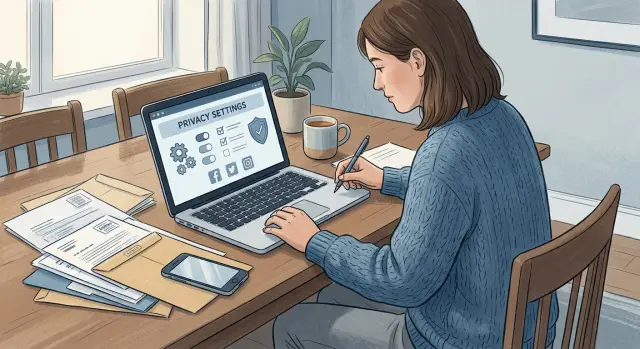
What a removal plan actually covers
Most people hear "full-service data removal" and picture every trace of their name disappearing. That's not how it works.
A removal plan usually tackles one part of the problem: data brokers and people-search sites that collect, package, and resell personal details. Those listings often include your name, age, past addresses, phone numbers, relatives, and sometimes work history. Services such as Remove.dev focus on finding those listings, sending removal requests, and checking later to see if the same details come back.
That matters because data brokers are often the fastest way a stranger can look you up. But they are only one source of exposure.
Your online footprint also includes things a removal service usually can't erase for you automatically: posts and photos you published yourself, public filings such as property or court records, old accounts you forgot about, and copied information that has already spread to forums, search results, or archive pages.
This is where expectations need to stay realistic. If you posted your address in a marketplace listing three years ago, a broker removal request won't delete that post. If your name appears in a public filing, that record usually follows its own legal rules. In some cases you can correct it, limit it, or make it harder to find. Often you can't remove it just because you asked.
Old accounts are another weak spot. A dormant fitness app, wedding site, or shopping profile can still expose more than you think. Even if broker listings come down in 7-14 days, forgotten accounts can keep feeding fresh data back into the system.
So the real value of a plan is not "one click and done." It's ongoing cleanup of broker listings, plus monitoring so the same details don't quietly return. You still need to handle the parts only you control: what you posted, what you signed up for, and what remains public by law.
Why it isn't a one-click fix
Full-service data removal sounds close to automatic. It isn't.
A good service can take a lot of repetitive work off your plate, especially with brokers that accept removal requests and keep reposting the same details. But no company can reach into every place your name, address, phone number, or family details appear and edit them all at once.
Some sources are outside that scope from the start. A broker may erase your profile, then another site rebuilds it from a county record, a voter file, a business filing, or an older people-search database. That's why data broker removal has limits even when the service keeps following up in the background.
The same trouble spots come up again and again: sites that copy public records, new broker pages created after older ones were removed, old social posts, public account details, and apps or stores that still expose contact information. Removal works best as maintenance, not magic.
Social posts still need your review
A full-service removal plan can take your details off broker sites, but it can't erase things you posted yourself. If an old profile still shows your phone number, city, or work email, that information can spread again even after broker removals are done.
Start with the obvious places. Your bio, username, profile photo captions, and public profile fields often reveal more than people expect. A username based on your full name and birth year is easy to trace. A bio that lists your neighborhood, employer, and contact info makes it even easier.
Old posts deserve a second look too. People forget they once shared a moving announcement, a yard sale post with their address, or a screenshot that exposed an email or phone number. One public post can give a stranger enough to connect the dots.
Check these first:
- Posts that mention your phone number, address, workplace, school, or travel dates
- Tagged photos that show your house number, license plate, kids' school, or daily routine
- Public comments where you answered with personal details
- Bios, usernames, and profile fields that use real identifiers
Tagged content matters because it isn't fully under your control. A friend can post a group photo outside your home, tag you, and leave it public for years. Comments can be just as revealing. Something as simple as "text me at..." or "I just moved to..." can stay searchable long after you forget about it.
You don't need to scrub your whole online life. Just remove or hide anything that makes you easier to find offline. If a post is harmless but too personal, change the audience setting. If it includes direct identifiers, delete it.
A simple rule helps: if a stranger could use the post to contact you, locate you, or answer a security question, clean it up. Broker removal works a lot better when your social profiles stop feeding fresh details back into the same cycle.
Public filings may stay visible
Even with full-service data removal, some records stay public because they were filed with a court, county, state agency, or business registry. That includes records that data brokers often copy but don't control.
Property records are a common example. If you bought a home, the deed may show your name, mailing address, and sale date. Court filings can show names, case numbers, and sometimes contact details. Business records may list an owner, registered agent, or office address.
A removal service can often get copied versions taken down from broker sites. It usually can't erase the original filing. That distinction matters because many people expect one cleanup request to make everything disappear.
Some offices allow limited redaction or correction. Many don't. If a record is wrong, ask for a correction. If the record is accurate but public by law, the office may keep it online or available on request.
It's worth checking property records for your mailing address, court records for outdated contact details, business filings that show your home address, and professional licenses or permits that still display personal information you no longer want public.
If you find a bad detail, move quickly. A misspelled name, old phone number, or wrong address can sometimes be fixed at the source. Once the source is corrected, copied versions are easier to clean up too.
The bigger habit change is prevention. Many forms ask for more than they truly need, and people often fill every box without thinking. If a public filing allows a work address instead of a home address, use it. If a second phone number or personal email is optional, leave it blank.
This is where people undo their own privacy work. They pay for removals, then add fresh personal details to a new LLC filing, permit application, or court form. One extra line on a public document can spread far beyond the original office.
The practical rule is simple: correct what you can, accept that some public records will remain, and stop adding new personal details to forms unless they're truly required.
Account hygiene still matters
A full-service removal plan can do a lot, but it can't clean up the accounts you still control. If an old retailer login still has your home address, phone number, and saved payment details, that information can keep circulating in ways no broker removal service can fully stop.
This is where people get tripped up. They buy a removal plan, see broker profiles disappear, and assume the job is done. It isn't. Your own accounts are often the original source of the details that spread later.
A simple rule helps: if you can log in and edit it, you still own that part of your privacy.
Start with the accounts that hold the most personal data or payment details. Use a different password for each bank, email, shopping, and social account. Turn on two-factor login anywhere it's offered, especially for email and banking. Close old accounts you no longer use if they still store addresses, cards, or phone numbers. Remove outdated contact details so an old apartment, work number, or expired card doesn't stay on file.
Email deserves extra attention. If someone gets into your inbox, they can reset passwords for almost everything else. For most people, email is the first place to lock down, not the last.
The same goes for old accounts you forgot about. Think of food delivery apps, travel sites, marketplaces, gym portals, and stores you used once during a move. One unused account may seem harmless. Ten of them can hold a messy trail of personal details.
Here's a common example. You remove your data from broker sites, but an old shopping account still shows your previous address and saved phone number. Months later, that data gets shared after a marketing sync, a breach, or a resale. The broker listing may be gone, yet the source is still there.
That's why a service like Remove.dev helps most when you pair it with basic account cleanup. It can handle broker removals and monitor for re-listings, but it can't decide which accounts you should close or which old details you should delete.
If you only do four things this week, make them boring ones: change reused passwords, add two-factor login, close dead accounts, and delete old personal details. Those small fixes cut more risk than most people expect.
A simple example
Take Maya, who pays for a full-service data removal plan after finding her address on people-search sites. Within about two weeks, one broker listing is gone. That part works the way she hoped.
A service like Remove.dev can handle that broker request and keep checking for the same data to show up again later. That saves her from sending dozens of emails herself.
But Maya still has loose ends.
Months earlier, she posted "We finally moved" on social media with a photo that showed her house number and part of the street sign. The broker page is gone, but that post is still public. Anyone who finds her profile can still piece together where she lives.
She also learns that her county property record still shows her name and address. That record wasn't created by a data broker, so a removal company usually can't make it disappear. In many places, it stays public unless local rules give her a separate way to limit access.
Then there's an old shopping account she forgot about. It still has her previous phone number, and the account uses a weak password she reused elsewhere. If that account is exposed in a breach, the old number can spread again and later end up back with brokers.
That's the real shape of full-service data removal. One part is handled for you. The rest still needs your attention.
A simple way to think about it:
- Broker listings can often be removed
- Social posts are yours to review and lock down
- Public filings may stay public
- Old accounts still need cleanup
Maya gets better privacy after the broker removal, but she doesn't get total privacy by default. She still needs to delete or hide old posts, check what public records exist, and clean up accounts she no longer uses. That's how the work holds up over time.
How to do your own cleanup in one afternoon
A full-service removal plan can take care of data brokers, but it can't clean up accounts you control. If you posted your phone number on an old forum or left your home address in a marketplace profile, that part is still yours to fix.
Give yourself 60 to 90 minutes. Open a notes app, make coffee, and work through the obvious places first. Fast wins matter more than perfection.
Start by making a simple list of accounts you've used in the last few years: social apps, shopping sites, old forums, food delivery accounts, payment apps, and hobby communities. Then search your own name, phone number, email, and home address in a private window. Look for exposed profiles, posts, comments, and account bios. Hide or remove what you can, tighten privacy settings, and close accounts you no longer need.
This part feels boring, but it works. A lot of personal details stay online because they were added years ago and forgotten.
Look first for details that make you easy to track across sites: your mobile number, personal email, birthday, employer, family names, and exact location. If a site lets you hide a profile from search engines, turn that on. If it lets people find you by phone number or email, switch that off. If an account has no real use anymore, delete it instead of telling yourself you'll come back later.
Keep a short list of things you couldn't remove. Court filings, business registrations, property records, and old directory pages may need a separate correction request later. Even if you use a service like Remove.dev for the broker side, that written list helps you catch what falls outside the usual removal flow.
One afternoon won't erase every trace. It will remove the low-effort leaks that make the rest of your privacy work easier.
Common mistakes that undo the work
The fastest way to weaken full-service data removal is to treat it like a one-time cleanup. A service can remove a lot from data brokers and keep watching for re-listings, but it can't erase every trace you leave elsewhere.
A common miss is old social content. People clean up their current profile, then forget tagged photos, old bios, abandoned usernames, and posts on accounts they barely use. A ten-year-old profile that still shows your city, employer, or phone number can give people plenty to work with.
Another mistake is weak account habits after a breach. If the same password is reused across email, shopping sites, and social apps, one exposed login can reopen the door. Your data may disappear from broker sites, then show up again after an account takeover or a fresh leak.
Some people also create new accounts with too much real detail. They use a full legal name, full birth date, personal email, phone number, and home city on sign-up forms that don't need all of that. That data starts moving almost right away.
One more bad assumption: broker removal does not mean public records disappear too. If your name appears in business filings, court records, property records, or licensing databases, those sources may still be visible because they follow different rules.
A short reset helps. Review tagged posts, old bios, and inactive profiles. Change reused passwords and turn on two-factor login. Share less when opening new accounts. Check whether any public filings expose more than they need to.
This is the part many people skip because it feels dull. It's also where the cleanup holds up over time. A removal service does the heavy lifting, but your own habits decide how much new data replaces what got taken down.
Quick checks to repeat every few months
Privacy slips over time. An old account gets indexed, a people-search site adds a fresh listing, or a social profile slowly becomes more public than you meant.
Even with full-service data removal, a quick personal review every few months is still worth doing. Think of it as a 10-15 minute sweep, not a big project.
A simple routine works well. Search your full name, phone number, and current address separately and note anything new or outdated. Open your biggest profiles and view them as a public visitor. Check your bio, profile photo, tagged posts, and any contact details that are still visible. Search your inbox for sign-up messages from old apps, forums, shopping sites, and newsletters. Dormant accounts are easy to forget, and they often still hold an old address or phone number.
Also look for details that came back after earlier cleanup, such as a previous employer, an old city, or a phone number you thought was gone.
This matters because removal work and personal privacy settings solve different problems. A service can help remove data from brokers, but it can't decide which old post you still want public or close an account you forgot you made six years ago.
If you use Remove.dev, you can track removal requests and re-listings in one place while the service keeps working through broker sites. Still, do your own spot checks. Public profiles, cached mentions, and forgotten logins often cause more exposure than people expect.
One easy habit is to keep a small note on your phone with the sites you checked and anything you changed. If your phone number, home address, or job changes, run the same review again instead of waiting for the next quarter.
That small repeat check catches problems early. It's much easier to remove one new listing or lock down one old profile than clean up a mess that sat online for a year.
What to do next
Break the job into three parts: broker removals, public records, and account cleanup. That keeps your expectations realistic. Full-service data removal can cut down a lot of exposure, but it can't rewrite your social history or erase every record that was filed in public on purpose.
Do the parts only you can change first. That usually means your own accounts. If an old profile still shows your phone number, hometown, work history, family names, or photos you no longer want public, fix those before anything else. The same goes for unused apps and shopping accounts that still hold personal details.
Then hand off the repetitive part. A service like Remove.dev can search for broker listings, send removal requests, and keep watching for re-listings, which is the part most people won't keep up with on their own.
Public records need a different mindset. Some can be corrected, reduced, or masked. Some will stay visible because courts, counties, or business registries are allowed to publish them. The goal isn't perfection. The goal is to shrink your exposure where you can and stop easy lookups from pulling up your details everywhere.
For the next few months, keep a short follow-up routine. Check your name in search results, review your main social profiles, and watch for alerts from your removal service or email inbox. You don't need a huge system. Fifteen minutes a month is often enough.
If you clean up your own accounts first and let a service manage the broker side, the whole job becomes much more manageable.
FAQ
What does a full-service data removal plan actually cover?
A full-service plan usually removes your details from data brokers and people-search sites. That often includes your name, age, phone numbers, past addresses, and relatives.
It does not erase every trace of you online. Posts you made, public filings, search results, and old accounts still need separate attention.
Why doesn’t my info disappear everywhere at once?
Because your information comes from different places, not one source. A broker page can come down, while a public record, old forum post, or forgotten account still shows the same details.
Think of removal as ongoing maintenance, not a one-time wipe. It cuts down easy lookups, but it cannot change every place your data was published.
Can a removal service delete my social media posts for me?
No. A removal service generally cannot delete posts, comments, bios, or photos you shared on your own accounts.
If a post shows your phone number, address, workplace, or daily routine, you need to hide it, edit it, or delete it yourself.
What social content should I review first?
Start with whatever makes you easy to find offline. That usually means public bios, usernames based on your real name, tagged photos, and old posts that mention your address, phone number, employer, school, or travel plans.
If a stranger could use the post to contact you, locate you, or guess account recovery answers, clean it up first.
Can public records like property or court filings be removed?
Usually not at the source. Property records, court filings, business registrations, and license records often follow their own rules, and many stay public by law.
What you can do is check for mistakes and ask for corrections where allowed. If the source is fixed, copied versions are often easier to remove later.
Do old accounts still matter if broker sites remove my data?
Yes. Old shopping, travel, forum, and delivery accounts often keep addresses, phone numbers, and payment details long after you stop using them.
If you can still log in, that part is still yours to manage. Close dead accounts, remove outdated details, and use a different password for each account.
How long do removals usually take?
Most broker removals are done within about 7 to 14 days. That covers the first round, not the whole job.
Some sites repost data or rebuild profiles from other sources, so the better services keep monitoring and send new removal requests when listings return.
What can I do myself in one afternoon?
Give yourself an hour and work the obvious spots first. Search your name, phone number, email, and address in a private window, then fix exposed profiles, old bios, and public posts.
After that, close unused accounts, remove saved personal details, change reused passwords, and turn on two-factor login for email and banking.
What mistakes cause my information to come back?
The usual problem is fresh data replacing old data. People remove broker listings, then leave public posts up, reuse weak passwords, or open new accounts with too much real information.
Another common miss is ignoring tagged photos and inactive profiles. Those small leaks can feed the same cycle all over again.
Is a service like Remove.dev still worth it if I have to do some of the work myself?
For most people, yes. The repetitive part is finding broker listings, sending requests, and checking for re-listings over time, and that is the part many people will not keep up with on their own.
A service like Remove.dev handles that broker work across hundreds of data brokers and keeps watching for your data to return. You still need to handle your posts, public records, and account cleanup.