Home address in business filings: how side projects get exposed
Home address in business filings can spread through permits, vendor forms, and public records, making a side project easy to trace back to your home.
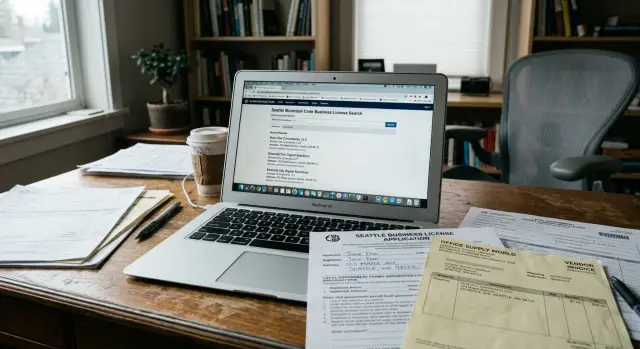
Why a side project can expose your home
A side project can feel separate from the rest of your life. You use a different email, a new brand name, maybe even a different phone number. Then one routine form ties it all back to your house.
That is the real risk with a home address in business filings. The problem usually does not start with a dramatic mistake. It starts with normal admin work. A permit application, seller form, contractor registration, wholesale account, or tax document asks for an address, and you type the one you know by memory.
Once that address enters a public or semi-public system, it rarely stays in one place. Government databases, business directories, people-search sites, and data brokers copy from one another all the time. One filing can turn into several listings before you even realize the record is visible.
Using a separate email does not solve that. Email can keep inboxes apart, but it does nothing for an address printed on a filing, stored by a vendor, or published in a searchable record. If your side project points back to your home on paper, the rest of your separation work gets weaker fast.
This catches people who are careful in every other way. They set up a business number, use a clean website, and keep the project under its own name. Then a form asks for "business address" or "owner contact address," and the home address slips in because it is easy.
Picture a simple case. Someone starts selling handmade goods on weekends. They apply for a local permit, send tax paperwork to a supplier, and register for marketplace payouts. None of that feels risky. But if every form carries the same home address, the project now points to their front door.
That is why public business records privacy matters even for very small side jobs. The leak often starts with boring paperwork, then spreads quietly. By the time you notice it, your address may already be sitting in databases far beyond the office that collected it first.
Where your address usually appears
Most people do not post their address on purpose. It usually leaks through routine paperwork, then gets reused because it is already on file.
City and county records are a common starting point. A home-based business permit, zoning form, contractor permit, or local tax registration may ask for both a business address and a mailing address. If you work from home, it is easy to enter the same address twice without thinking about what becomes public.
State filings are another major source. When you form an LLC, register a DBA, or renew a business record, your address can appear as the principal office, mailing address, or owner contact address. In many states, those records are easy to search.
Professional licenses and resale permits can create the same problem. A licensing board may publish a contact address. A resale certificate or sales tax record can spread your details through agency systems, invoices, and supplier files. People often miss this because they are focused on getting approved as quickly as possible.
The leak also spreads outside government sites. Vendor onboarding is a frequent weak spot. A wholesaler, client, or event organizer may ask for a W-9, business registration, and remittance address. If your home address appears there, it can move into accounting software, internal spreadsheets, and old email threads that stick around for years.
Marketplace and payment profiles deserve the same scrutiny. Selling on a marketplace, taking card payments, or opening a payout account usually means entering a legal business address, tax address, or return address. Sometimes only part of that is public. Sometimes it shows up on receipts, seller pages, or shipping paperwork.
That is why public business records privacy is hard to recover once the first record gets out. One permit can feed a state filing. That filing can get copied into vendor forms. Then data brokers pick it up from public sources and build a wider profile around it.
How one record spreads further than you expect
A lot of people assume a filing stays where they submitted it. That would already be bad enough. In reality, one business record often turns into several copies.
A city clerk, county office, or state agency may post the filing in a searchable database. Sometimes it shows up the same week. Sometimes it lands in a PDF archive that search engines can read. Once that happens, your home address in business filings can travel far beyond the office that collected it.
The pattern is usually simple:
- A public office posts the record online.
- Search engines index the page or PDF.
- People-search sites and data brokers copy the address.
- Other sites connect it to your phone number, age range, relatives, or past addresses.
- Separate projects start looking like one profile.
That last step causes the biggest mess. A craft permit, reseller certificate, and vendor form may seem unrelated on their own. Once a broker sees the same name, phone number, or home address on each one, the records start to merge. Someone searching one side project can end up finding another project, your home, and older contact details you forgot were public.
Updates do not always fix this. If you change the address later, the original filing may remain in an archive. Search engines may keep an older copy for a while. Copy sites may never refresh their data at all. That is why public business records privacy problems can linger long after the official record changes.
Say you file a local permit for a weekend bakery from home. Six months later, you start freelance design work and use the same phone number on a vendor form. A data broker pulls both records, decides they belong to one person, and builds a fuller profile than either filing showed alone.
That is also why fixing the source record is only part of the job. If broker sites have already copied the information, you may also need to remove personal data from data brokers so the spread does not keep multiplying.
A simple example
Maya is a freelance designer. On weekends, she sells prints and stickers at local markets for extra income. It feels separate from her day job, and she wants to keep it that way.
The first problem starts with a vendor permit. The city asks for a mailing address. She enters her home address because it is fast and the form accepts it.
A few weeks later, she opens an account with a wholesaler to buy packaging and display supplies. The wholesaler asks for business paperwork. Her permit already carries the same home address, so that address gets copied again.
Now her business name and home address live together in more than one place. The market organizer has it. The wholesaler has it. In some towns, the permit itself is public. If a client searches the business name, or if someone who saw her booth gets curious later, the dots are not hard to connect.
This is how a home address in business filings stops being "just paperwork." One small record becomes the reference point for everything that follows. Other forms reuse it because people trust the first document and do not want to ask twice.
From there, the spread gets messy fast. A supplier saves the address in its vendor system. A local record shows the permit or registration. A data broker copies the business name and address together. Search results start tying the side project to Maya's house.
She did not do anything reckless. She did what most people do when a form asks for an address and gives no warning about where that data may end up.
That is the frustrating part. Clients can connect the business to her home. Strangers can do the same. And if data broker databases have already copied the record, cleanup takes time.
How to check what is already public
Start with a simple audit. Open a note or spreadsheet and log every place where your address appears. Record the site name, page title, exact address shown, and whether the result is a live page or a PDF. You are mapping the leak before trying to fix it.
Begin with basic searches. Look up your full name together with your street name and city. Then search the business name with the full address. If you used a home address in business filings, these searches often reveal more than the filing itself. You may find permit pages, license records, meeting packets, and copies saved by other sites.
Then check public record databases directly. Search your state business registry, county clerk or recorder pages, and city permit or license portals. These records do not always appear well in normal search results, especially local ones.
A short checklist helps:
- Search your name plus street and city.
- Search the business name plus the full address.
- Check state, county, and city record sites by hand.
- Review old PDFs sent to vendors or uploaded during onboarding.
- Write down every match in one place.
Do not skip PDFs. They are often the worst leak. A vendor packet, resale certificate, or W-9 saved as a PDF can keep your address visible long after the work is done. Search your email, cloud storage, and shared folders for files you sent to suppliers, marketplaces, or local offices.
Keep one master list as you go. Note which records are official, which are copies, and which look like broker pages. That makes it much easier to see where the address started and where it spread next.
If the same address appears in several places, start with the oldest public record. It often explains the rest.
What to change before the next filing
For many owners, home address in business filings starts with one copied field. You grab last year's form, paste the same details, and move on. It is fast, but it also keeps old mistakes alive.
Before you submit anything, read every address field as if it were new. Some forms ask for a mailing address. Some ask for a business address. Some ask for the place where the work happens. If a permit needs the job site, that does not always mean your home should fill every box on the page.
A safer default is to use a business mailing address anywhere the rules allow it. That might be a registered agent address, an office, or a business mailbox used for company mail. If a form clearly requires a residential address, do not guess. Ask the office exactly what is required and whether any part of it becomes public.
One question can save a lot of trouble: "Will this address be public, or is it only for internal records?" Ask it when dealing with city permit desks, state filing portals, payment processors, wholesalers, and event vendors. Many people assume an address is only for contact use, then find it later in a searchable database.
It also helps to keep one clean version of your vendor paperwork. Make a current packet with the business name, business mailing address, business email, and business phone number. Use that every time instead of pulling an old W-9 or intake form from a random folder that still carries your home details.
After a filing is approved, check the record that actually went live. Do not stop at the confirmation email. Open the public entry, read the address fields, and download the final copy if one exists. If something is wrong, fix it before other sites copy it.
Common mistakes that make the leak worse
The biggest mistake is treating each form like a one-off task. It rarely stays that way. Once your home address appears on a permit, tax form, or vendor account, other systems can reuse it and connect projects that were supposed to stay separate.
Using the same home address everywhere makes that matching easy. A city permit, state filing, resale certificate, marketplace profile, and wholesaler account may look unrelated to you. To a broker, they can look like one person running several projects from one address.
Autofill causes plenty of problems too. Many owners copy details from a personal tax profile, shipping account, or old invoice because it saves a few minutes. Then the home address slips into W-9s, return labels, courier pickups, and vendor forms that should have used a business contact.
Another mistake is assuming a local permit stays inside one office. That is a risky assumption. Many city and county records are searchable, shared across departments, or picked up by list sellers and broker sites. One small permit can confirm the same address already sitting in another public filing.
Old accounts also keep the trail alive. Common examples include an inactive marketplace seller account, an expired permit, an old DBA, a payment processor profile, or a shipping account still tied to your home.
A lot of people fix one record and stop there. That is understandable, but it rarely works. If you update the state filing but leave the county permit, payment account, and vendor paperwork untouched, copies keep circulating. Even if you remove personal data from data brokers, a forgotten source can put it back into circulation later.
That is why cleanup has to happen at both ends. Fix the original source where you can. Then review every place that reused the same address.
Quick checks before you submit
A five-minute pause before filing can save months of cleanup. Many permit, vendor, and business forms ask for an address because the field exists, not because your home is legally required.
Before you submit, run through this:
- Read the instructions for the address field carefully.
- Ask whether the address stays internal or becomes public.
- Use a mailing address, registered agent address, or other allowed business address when permitted.
- Compare the form with your LLC filing, tax paperwork, marketplace account, and vendor packet.
- Save a copy of what you submitted, including screenshots if the form is online.
If the office or portal gives a vague answer, ask one direct question: "Will this address be visible to the public?" That usually gets a clearer response than asking about privacy in general.
This habit helps with local permit privacy because small local records often spread further than people expect. Catching a bad address in the first week is much easier than fixing it after vendors, search sites, and data brokers have copied it.
What to do next
Start with the records you can still change yourself. If your home address appears on forms you control, replace it before you submit anything else. Use a business mailing address, registered agent address, or another allowed contact address wherever the rules permit it. Then update the same address across vendor forms, permit renewals, invoices, and account profiles so an old copy does not keep spreading.
Next, contact every office or company that already has the old address. Ask whether the record can be updated and whether the public version can be hidden or redacted. Some agencies will only change future filings, but that still matters because it stops fresh copies from being made.
Keep notes in one place. A plain spreadsheet is enough. One permit record can be copied into vendor systems, local databases, and people-search sites, then picked up again months later. When your address appears somewhere new, try to trace it back to the first public record instead of treating every listing as a separate problem.
If broker sites already list your address, fixing the source alone will not clean up those copies. Remove.dev focuses on that part of the cleanup by finding and removing private information from more than 500 data brokers and continuing to monitor for re-listings. That can help if an old filing has already spread well beyond the original record.
After that, build one small habit: check each new filing after it goes live. Search your business name, your name, and your address a week or two later. It only takes a few minutes, and it is often the difference between one exposed record and a trail of copies that keeps coming back.
FAQ
Why is one business filing with my home address such a big risk?
Because one filing rarely stays in one place. A city permit, state record, vendor file, or PDF can get copied into search results, people-search sites, and data broker databases, which turns a single form into a much wider exposure.
Where does my home address usually get exposed?
Most leaks start in routine paperwork, not on your website. Common sources are local permits, state business filings, license records, resale or tax documents, vendor onboarding forms, and marketplace or payment account profiles.
Does using a separate email or phone number solve this?
Not really. Separate email and phone details can help with branding and inbox cleanup, but they do not protect an address that is printed on a filing or stored in a public record.
How do I check whether my address is already public?
Start with a few direct searches using your full name plus your street and city, then your business name plus the full address. After that, check state business registries, county or city permit portals, and any PDFs you sent to vendors or agencies.
What should I update first if I find my address online?
Usually the oldest public record is the best first target because it often fed the others. Then update every place that reused the same address, such as vendor forms, payment accounts, permits, and profile pages.
Can I use a business mailing address instead of my home address?
Use a business mailing address, registered agent address, or another allowed business contact address when the rules permit it. If a form may require a residential address, ask the office whether that field becomes public before you submit anything.
What mistakes make this problem worse?
A lot of people copy old forms, trust autofill, or reuse the same address across permits, tax paperwork, marketplace accounts, and shipping profiles. That makes it easy for different records to be matched into one profile.
If I change the address later, will the old one disappear?
Often no. The live record may change, but older PDFs, cached pages, archived copies, and broker listings can stay up for a long time or never refresh at all.
What if a vendor or marketplace already has my home address?
Contact each company and ask them to update the record and remove the old address from any public-facing fields if they can. It also helps to replace old vendor packets, invoices, and account settings so the same home address does not keep getting reused.
How can Remove.dev help if data brokers already copied my address?
It handles the cleanup after your information has spread beyond the original filing. Remove.dev finds and removes private data from over 500 data brokers, tracks re-listings, and keeps sending new removal requests when your details show up again.