Home address exposure through caregiver and family records
Home address exposure can start with emergency contacts, pickup lists, and shared logins. Learn where family records spread and how to limit it.
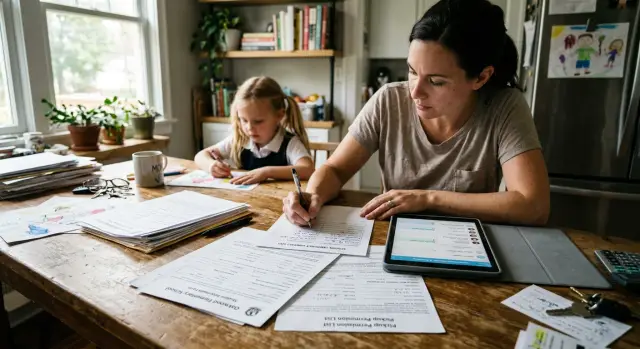
Why this happens without anyone noticing
Most families picture one child, one school file, and one medical chart. Real life is messier. One child can create records for several adults at once. A parent adds a grandparent as an emergency contact, a sitter gets pickup approval in an app, and an aunt is listed for after-school care. Soon the same home address is attached to all of them.
That usually happens during ordinary admin work. A school office reuses last year's form. A camp imports contacts from a signup tool. A clinic copies household details from an older profile so staff do not have to enter everything again. No one is trying to expose your address. The system just keeps repeating what is already there.
The bigger problem is that each place often keeps its own copy. The school may have one record, the district another, the nurse's office a third, and the after-school program one more. If a grandparent helps with pickup, that adult may now appear in several systems, each tied to the same address.
A child's routine can spread the same details across school and district forms, camps and activity signups, clinic and insurance records, parent apps, and shared family accounts.
Trusted relatives can widen the trail without meaning to. A grandmother may use the family address because it matches the school file and avoids delays. A caregiver may keep old confirmation emails with household details. A relative who helps with scheduling may sign in through a shared account and save contact info on their own device. Each step feels harmless.
That is why home address exposure is easy to miss. Parents focus on safety first: who can pick up the child, who should get the call, and who needs access in a pinch. They do not spend much time thinking about emergency contact privacy or how long pickup permission records stay in a system after they stop being useful.
Over time, the same address appears again and again under different adult names. That makes it easier for outside companies to connect the dots. What started as a simple school form can turn into a much wider trail, especially when old records sit in separate systems and no one goes back to remove or update them.
Where the extra trail comes from
Most families think about the parent record first. That is only part of the picture. A school, camp, clinic, or after-school program often keeps separate records for every adult tied to the child, and that is where address exposure starts to spread.
Emergency contact forms are a common source. They may ask for a grandparent's full name, phone number, relationship to the child, and sometimes an address. Even when the form does not require an address, staff notes or imported contact cards can add it later.
Pickup permission records widen the circle again. A parent might add a grandparent, neighbor, babysitter, or older sibling so pickup runs smoothly. Every helper creates another person record, and those records often sit in the same system as the child's main profile.
The copying goes further than most people expect. One office enters the details into a student database. Another staff member pastes them into a parent app. A teacher adds them to an email thread or a class contact sheet. After that, the same information can live in several places at once.
Common repeat points include school and daycare intake forms, front-desk pickup records, parent apps, shared family accounts, calendar invites, class emails, and message threads.
Old forms make this worse. When a child moves to a new class, joins a summer program, or starts an activity, staff often reuse the previous record. That saves time, but it also carries forward outdated addresses, extra contacts, and notes no one meant to keep.
The notes field is often the leakiest part. Families write practical details, but those details can reveal a lot. A note like "Grandpa may pick up on Fridays, usually from our house if parents are late" gives away routine and location. "Use side entrance, blue house near the corner" is even more specific.
That is why emergency contact privacy is harder than it looks. The risk is not one form by itself. The risk is the same address, phone number, and family connection appearing across lots of small records. Once that happens, the trail becomes much easier for outside databases to piece together, especially when old contact lists and signup data are shared or sold later.
A simple example with a grandparent and a sitter
One child, one grandparent, and one sitter sounds like a small circle. In practice, that is often enough to spread a family address much farther than anyone expects.
Picture a child named Ava. Her parents add her grandmother, Diane, as an emergency contact at school because she lives nearby and can pick Ava up if work runs late. The school form asks for Diane's name, phone number, and relationship to the child. It also includes Ava's full home address so staff can match the contact to the right student record.
A month later, Ava signs up for summer camp. The camp asks for pickup permissions, emergency contacts, medical notes, and the home address again. Diane goes on that form too. So does the sitter, Nina, who covers two afternoons a week. Now the same address sits in two systems, tied to three adults.
Then the parent app enters the picture. Ava's school uses it for announcements, pickup changes, and after-school messages. One parent shares the login with Diane so she can check dismissal notes. Another day, a pickup confirmation email gets forwarded to Nina because plans changed at the last minute.
That small shortcut is usually the turning point.
Once a login is shared or an email is forwarded, the address can spread in ways the family never sees. Diane may open the app on her phone and tablet. Nina may save the email in her inbox, where it stays synced to a laptop. The app may keep old notices, attached PDFs, or profile details. If someone prints a form for backup, there is now a paper copy too.
None of this looks risky in the moment. It feels normal, even helpful. Yet the same home address now appears in a school database, a camp account, an email thread, a shared app login, a sitter's phone, a grandparent's tablet, and maybe a printed folder by the door.
That is the part families miss. They think they gave their address to one school and one camp. In reality, several adults and several devices may hold copies of the same details long after the pickup plan changed.
How to review your records step by step
Most families do not have one child record. They have many of them spread across schools, camps, clinics, sports apps, and old parent portals.
Start with one simple list. A spreadsheet works well, but a note on your phone is fine if you keep it organized. Make one line for every place that stores child or caregiver details, including current and past schools, daycare, summer camps, pediatric offices, therapy portals, activity apps, and any service that handles pickup or emergency calls.
For each place, note the address on file, which adults are listed as emergency contacts or approved pickup people, who still has a login or gets emails, whether paper forms or downloaded PDFs are sitting on someone's device, and whether the address is actually required.
Once you have the list, check names carefully. A grandparent may still be listed from two school years ago. A former sitter may still be allowed to pick up a child in an app. An ex-partner, older sibling, or family friend may still receive alerts because they were copied on a form once and never removed.
This part takes patience. Small leftovers matter.
Next, look at access, not just contacts. Ask who can still sign in, who knows the password, whose email receives notices, and which devices stay logged in. A shared tablet in the kitchen, an old phone passed to a relative, or a school app still open on a babysitter's device can keep your address visible long after that person stops helping.
If you find stale access, clean it up right away. Remove duplicate profiles. Delete old notes that mention your address, work schedule, or backup pickup plan. Change shared passwords. Then sign out of old devices instead of assuming they are no longer active.
A second pass helps. Contact each office or program and ask one plain question: "Which parts of our address and contact record do you actually need to keep?" Some places need a home address for billing, medical, or safety reasons. Others can switch to a limited mailing record, remove a second household entry, or drop old caregiver notes.
Write down the answer for each one. That gives you a clean map of where your address must stay and where it does not.
If your family records are cleaned up but your address still appears on people-search sites, that is a separate problem. Services like Remove.dev focus on removing personal data from data brokers and monitoring for relistings, which can help once the trail has moved beyond your own accounts.
Shared accounts deserve a second look
Shared family accounts create one of the easiest paths to home address exposure because nothing feels public. A family thinks the address is sitting safely inside a school portal or camp app, but the real issue is who can still open that account, receive its messages, or pull old forms from storage.
A common example is a parent portal login used by more than one adult. One password gets passed to a grandparent for pickup details, then to a sitter for schedule changes, and then it stays saved on a device. That login often shows more than calendar updates. It can include the family address, billing records, emergency contacts, and authorized pickup names.
Shared family inboxes can spread the same details even faster. Many households use one email address for school notices, camp receipts, or medical forms. If that inbox auto-forwards messages to another adult, the address can keep traveling long after that person stops helping. Old emails also sit in archives and backups, which makes cleanup harder than people expect.
School and camp apps are another weak spot. A grandparent may sign in once on a tablet to check dismissal time and never sign out. Months later, the app still opens straight to the child profile. If forms, pickup permissions, or contact cards are stored there, anyone using that tablet can see them.
Saved browser autofill causes quieter leaks. A caregiver filling out a form on their own phone or laptop may save your street address without thinking about it. The next time that device opens a similar form, your address appears as a suggestion. If the browser syncs across devices, the trail gets wider.
Cloud storage deserves the same attention. Families often scan registration packets, ID cards, or signed permission slips and drop them into a shared drive or photo album. Those files can hold a lot in one place: names, home address, phone numbers, birth dates, and contact instructions.
A simple rule helps: one adult, one login, one device when possible. When a grandparent, sitter, or other caregiver stops needing access, remove it right away. Waiting even a few weeks is enough for private records to spread further than you meant.
Mistakes that leave your address in too many places
Most families do not share their address carelessly. It spreads because small admin habits pile up over time. A school form, a camp login, a sitter note, a forwarded email - each one feels minor on its own.
The problem is rarely one dramatic leak. It is the same address copied into ten ordinary places and then left there long after the reason is gone.
One common mistake is leaving old caregivers on pickup or emergency lists. A former sitter may still be attached to pickup permission records months after the job ends. A grandparent who helped during one school year may still have full contact access the next year. If that person has old emails, screenshots, or printed forms, your address may still be sitting in their inbox or glove box.
Another easy miss is reusing last year's forms. Many parent portals save old details and auto-fill them into new forms. That sounds helpful, but it also means old apartment numbers, gate codes, and backup contacts can keep rolling forward without anyone checking each field.
Staff notes create a quieter risk. A note meant to help with pickup might say more than it should: a full address, where the spare key is, or which neighbor helps after school. Those details are often visible to more people than parents expect, especially in busy offices where several staff members handle the same record.
Shared family accounts make this worse. If a relative forwards a school email for convenience, that message may include account details, forms, and attachments. Once it lands in another inbox, you lose track of who can still open it later.
Paper copies are still a problem too. Permission slips and printed rosters get left in cars, diaper bags, kitchen drawers, and purses. They feel temporary, but they often stick around for months.
A quick reset goes a long way: remove anyone who no longer needs pickup or contact access, open every saved form field instead of trusting auto-fill, keep staff notes short, ask relatives not to forward account emails or attachments, and shred old printouts from cars and bags.
A quick family checklist
Most address leaks are ordinary, not dramatic. A school form gets reused, a sitter keeps a screenshot, or a grandparent stays on a pickup list after routines change. That is how the trail grows.
Run through this check every few months, especially after a move, a new school year, or a change in childcare.
- Review every adult attached to your child's records, including emergency contacts, pickup permissions, school portals, camp apps, and doctor files.
- Ask whether each account really needs your full home address. If the address is optional, delete it.
- Check old phones, tablets, and browsers that may still have access. Log out old sessions and change passwords if you are not sure.
- Ask grandparents and caregivers to delete old forms, screenshots, and downloaded PDFs.
- Search for duplicate child profiles in apps and portals, then delete or merge extras.
This review does not take long. For most families, 15 minutes is enough to find a few loose ends.
If you find outdated records, fix them right away and ask other adults to confirm that they removed local copies too. A short message like "Please delete that old form and log out of the app" is usually enough.
What to do next if your address is already out there
If your home address has spread through caregiver and family records, start with the places you control now. That usually means school forms, camp profiles, clinic portals, after-school programs, and any app where someone can still view or reuse your details.
Go record by record and check three things: the address on file, who is listed as an emergency contact, and who still has pickup or account access. Old names stay in systems for years. A grandparent who helped once, or a sitter from two summers ago, may still be attached to your child's profile.
A clear order helps. First update the current address everywhere your family still uses. Then remove people who no longer need pickup rights or account access. Ask each office to delete old contacts instead of just marking them inactive, and change shared passwords if relatives or caregivers ever used the same login.
After that, deal with the copies you cannot see. Ask grandparents, ex-partners, babysitters, and other caregivers to delete old forms, screenshots, email attachments, and saved logins from their devices. Be direct. A short message works: "Please delete any school, camp, medical, or pickup records that show our address."
This part feels awkward, but it matters. A screenshot in a text thread or a saved PDF in someone's downloads folder can last much longer than the official record.
Next, search for the address outside your own accounts. Try your street address with your last name, your child's last name, and any grandparent or caregiver name tied to past paperwork. People-search sites often connect households through relatives, former residents, and shared public records. If you find a listing, note which names appear together. That tells you where the trail widened.
If the cleanup starts to sprawl, Remove.dev can help with the outside trail. It removes personal data from over 500 data brokers worldwide and keeps monitoring for relistings, which is useful when the problem has moved beyond family accounts and into public databases.
Last, set a reminder for the next change in your family routine. Moves, new schools, a new nanny, or a different emergency contact are the moments when extra records pile up again. A short review after each change is usually enough to catch stale access before it turns into another address leak.
FAQ
Why does my home address end up in so many child-related records?
Because each school, camp, clinic, and app often keeps its own copy. When parents add a grandparent, sitter, or other helper, the same home address can get attached to several adult profiles without anyone noticing.
It usually starts with normal admin work, like reused forms, imported contacts, or shared logins. The result is one address repeated across many small records.
Do schools and camps really need every caregiver's full address?
Usually no. Many places need a way to reach or identify a caregiver, but they do not always need that person's full address.
Ask each office what they must keep and what they can remove. If the address field is optional or only left over from an old form, ask them to delete it.
What is the real problem with adding a grandparent or sitter as a contact?
The risk is not just pickup access. Once a grandparent or sitter is tied to your child's record, your address can spread through emails, app access, saved forms, and staff notes.
That can leave your address sitting on personal devices long after the person stops helping.
Are shared parent portal logins a bad idea?
Yes, shared logins are one of the easiest ways for private details to travel. A single account can show your address, emergency contacts, pickup permissions, and old forms.
If more than one adult needs access, separate logins are safer. When that is not possible, change the password once someone no longer needs it and sign out old devices.
What should I remove first if I find old contacts in a school or camp app?
Start with anyone who no longer needs access. Remove former sitters, old emergency contacts, and anyone still getting alerts or holding pickup rights.
After that, clean up duplicate profiles and old notes that mention your address, schedule, or pickup routine.
Do old notes, emails, and screenshots really matter?
They do. A note or forwarded message can reveal more than the main form, especially if it mentions where you live, when no one is home, or how pickup usually works.
Old emails, screenshots, and PDFs also tend to stay around for months. That is why cleanup should include inboxes, downloads, and photo folders, not just the official account.
How often should I review these records?
A quick review every few months is usually enough. Check again after a move, a new school year, a new caregiver, or any change in pickup routines.
Those are the moments when stale contacts and old addresses tend to pile up.
What should I ask a school, clinic, or camp to delete?
Ask them to tell you exactly what address and contact details they still store, who can see them, and what they can delete. Be direct and ask them to remove old contacts instead of only marking them inactive.
If there are notes fields, ask whether old comments can be cleared too.
What do I do if a caregiver still has my forms or address on their phone?
Send a direct message and keep it simple. Ask them to delete old forms, screenshots, downloaded PDFs, and saved logins that show your address.
If they used a shared app or portal, change the password and sign out all devices after they confirm.
What if my address is already showing up on people-search sites?
Then shift to the outside trail. Search your address with your family name and any caregiver name that was tied to past records, and note which names appear together.
If your details have spread to people-search sites, a service like Remove.dev can remove your data from many brokers and keep checking for relistings while you clean up the source records.