Home improvement permits privacy: how details get exposed
Home improvement permits privacy matters because public search tools, contractor filings, and local notices can reveal your address and project timing.
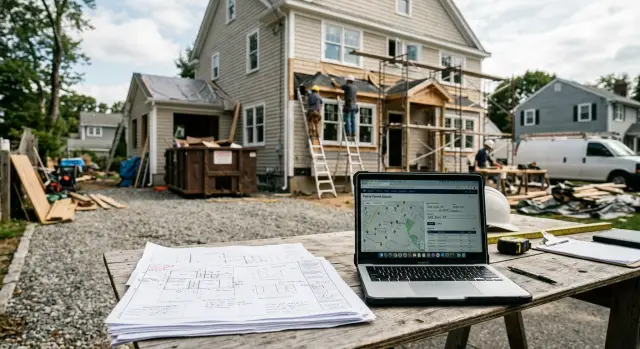
Why a permit can reveal more than expected
A building permit sounds routine. It's paperwork for a legal job. The privacy issue starts when that paperwork becomes public and easy to search.
Most permits include a property address. That gives anyone a fixed point: your home, tied to a project and a timeline. If your city posts permits online, strangers can find that information without ever visiting a records office.
The work description can say more than homeowners expect. A note like "kitchen remodel," "new rear door," "window replacement," or "finish basement" tells people what changed inside the home. Sometimes it also hints at the layout, entry points, or whether part of the house may be empty during the job.
Dates add another layer. Issue dates, inspection dates, and start dates can suggest when workers will be on site and when tools or materials may be outside. That is useful to neighbors and marketers, but also to people with worse motives.
The bigger problem is spread. A permit filed with a town can be copied into permit search tools, real estate databases, neighborhood feeds, and data broker records. Once that happens, the local filing stops being local. It becomes one more piece of your home address privacy problem.
Even a small remodel shows how fast this adds up. If you replace a front door and add wiring for a camera, the permit may list your address, the contractor, the permit type, and the filing date. To you, that is routine. To someone else, it shows that work is in progress and that the front of the house recently changed.
That is why permits can expose more than the finished project. The risk is not only the document itself. It is the way separate details - address, work type, and timing - can be stitched together and reused long after the job is done.
Where your project details can appear
A permit record rarely stays in one place. Once a job is filed, the same details can spread across city pages, county databases, contractor portals, and notice archives.
The first stop is usually a city or county permit search page. Some portals show only a permit number and status. Others also display the job type, filing date, contractor name, inspection schedule, and a short work description.
Weekly or monthly permit logs create another trail. Many local offices still post them as simple PDFs. They look harmless, but they are easy to download, save, and search later. If your address appears there, it may stay online long after the project ends.
Contractor filings can also appear in license lookup tools or inspection portals. The contractor may file under a business account, but the job still points back to your property. If inspections are listed, outside readers may see when work started, whether it passed, and when crews are expected back.
Some places also publish public permit notices in government bulletins or local newspapers. These notices are often brief, but they still connect an address to construction activity.
Parcel maps make the problem worse because one public record leads straight to another. A person can click a property, then jump to permit history, tax records, or assessor data. Even if each page shows only a little, together they can paint a very clear picture of what is happening at a specific home.
What filings and notices often include
A permit record can look harmless at first glance. Then you read the fields. One page may tie together your address, your contractor's name, the type of work, the project value, and a rough timeline.
That pairing matters. If an owner name and contractor name appear together, anyone searching either one can land on the same project. A curious neighbor, scraper, marketer, or data broker does not need much more once those details sit in one searchable record.
Scope notes often say a lot. A short description like "new primary bath," "replace electrical panel," or "install tankless water heater" does more than confirm that work is happening. It tells people which part of the house changed and what equipment may now be inside.
Project value is another clue. Even a rough number can reveal more than homeowners expect. A $2,500 permit suggests a minor repair. A $95,000 permit points to a much larger upgrade. People can make decent guesses about additions, finishes, or major system work from that alone.
Inspection records add progress updates. If a status says rough framing passed, final electrical pending, or inspection rescheduled, it shows how far the job has gone. That can suggest whether the house is still under construction, partly occupied, or close to completion.
The record becomes easier to match when parcel numbers and tax details appear nearby. A parcel ID can connect a permit listing to assessor pages, tax maps, sales history, and other public records. If one site leaves out a full name, another site may fill it in.
None of these details feels huge on its own. Put together, they can create a surprisingly complete picture of the home and the people tied to it.
A simple example from a small remodel
Picture a normal bathroom remodel. A homeowner replaces an old tub, moves a sink, and updates the wiring, so a permit gets filed before work starts.
At first, nothing about that feels unusual. The surprise comes later, when the paperwork starts showing up in places anyone can search.
The city portal may list the street address, permit number, issue date, and a job description like "bathroom remodel" or "interior plumbing and electrical work." In some places, the contractor's name and estimated project value appear too.
Then a public notice may repeat part of the same information. On its own, each record looks minor. Together, they give a stranger a neat summary of what is changing inside the home and when the work began.
If someone types that address into search engines or permit databases, they can often build a basic timeline: permit filed, permit issued, work described, value posted. That tells them more than "a remodel happened." It can suggest the room being updated, the home's condition, and sometimes how much the owner was willing to spend.
This is where the privacy risk stops feeling abstract. A public record does not always reveal a full profile in one place, but it leaves breadcrumbs. Those breadcrumbs can connect to people-search sites later, tying the remodel to a resident's name, phone number, relatives, or age range.
A small bathroom project can end up exposing much more than tile choices and plumbing work.
How to check what is already public
Start with your city or county permit portal. Search by your full street address first, then try a shorter version if the site is picky. Many permit tools show more than a permit number. You may see the work type, contractor name, inspection dates, and notes that make the project easy to identify.
Do not stop at the first results page. Open any PDFs tied to the record, including permit logs, inspection summaries, meeting packets, zoning files, and public notices. The search page may look bland while the attached documents contain the details people actually care about.
A quick review usually works best:
- Search the permit portal by full address and by street name only.
- Open every PDF or notice tied to the permit.
- Search your address with the project type, permit number, or contractor name.
- Save screenshots and note the date you found each result.
That last step helps later if you ask for a correction, redaction, or takedown.
After the official search, run a normal web search. Put your address in quotes, then try variations with your city name, contractor name, or the type of work. This is often where the problem spreads. A filing that starts on a county site can end up copied onto contractor pages, neighborhood forums, notice boards, or search snippets.
If you find your address on sites beyond the local agency page, keep a record of those too. The original permit may be public for legal reasons, but copies on other sites are a separate issue.
What to do before work starts
Many permit privacy problems start before the first form is filed. Once a contractor submits details to a city or county system, you usually cannot pull them back.
Start with the contractor. Ask which fields on the permit application become public and which stay internal. Some offices show the owner name, phone number, permit description, contractor notes, and planned start date in a searchable record. Others show much less. You want that answer before your information enters the system.
If the form allows it, use contact details created for the project instead of your everyday ones. A work email or separate phone line will not hide your address, but it can reduce spam and random messages.
The project description matters more than most people think. If you can choose plain wording, keep it plain. "Bathroom remodel" says enough. "Primary bath expansion with new entry point and second-floor occupancy changes" says far more than strangers need to know.
A few questions are worth asking before anyone files:
- Which permit fields will the public see?
- Can owner contact details be limited or omitted?
- Does the city require a notice posted at the property?
- Can the project description stay short and general?
- Will the filing show the expected start date?
That last point matters if you will be away. Permit dates can hint at when crews will arrive, when dumpsters will show up, or when the house may be noisy and partly empty.
Site notices are another easy thing to miss. Some places require a printed notice in a front window or on a fence. Ask how long it must stay up and what it has to include. If there is any flexibility, choose the least detailed version allowed.
None of this is dramatic. It is basic damage control before your information gets copied into public records.
Mistakes that make exposure worse
Most privacy trouble does not come from the permit alone. It gets worse when a public record is copied, reposted, or matched with things you share yourself.
One common mistake is assuming the record stays on one government site. In practice, permit data travels. A contractor may mention the job in a portal, a local notice may be indexed by search engines, and third-party sites may copy the address, permit type, or filing date.
Another mistake is posting photos that show paperwork. A quick garage photo can catch a permit card taped to a window. A close-up of a new kitchen can reveal an address label, contractor invoice, or inspection sheet on the counter.
Exact dates are another giveaway. If you post "demo starts Monday" or "final inspection is Friday at 9," you make it easier to match the public record to your home and your routine.
Many homeowners also stop after checking the official record. Meanwhile, cached pages, local reposts, and aggregator sites keep the same details alive. Waiting until the project is finished makes cleanup harder because the information may already be indexed and copied elsewhere.
A simple example makes the point. Someone pulls a permit for a bathroom remodel, posts a before photo, tags the contractor, and mentions the inspection date. Each detail feels harmless on its own. Together, they can confirm the address, show which part of the house is changing, and tell strangers when workers will be coming and going.
The safer approach is boring, but it works. Check what is public early, crop paperwork out of photos, avoid posting exact dates, and look beyond the first official record.
A quick review routine
If you care about home address privacy during a remodel, do a few checks before the first form goes in and repeat them as the project moves forward.
Start by searching your address before anything is filed. Look for old permits, parcel records, contractor pages, or public profiles that already connect your name, phone number, or property details.
Check again after the permit is approved. That is often when contractor filings become easy-to-find public records. Then recheck when inspections begin, since inspection dates and status updates can expose more than the original filing.
As you go, clean up public pages you control. Remove home details from business pages, portfolio posts, neighborhood apps, and social profiles if they point straight to your house. Keep a short list of any outside sites that copied the record, and take screenshots with page titles and dates.
This review usually takes 15 to 20 minutes. It is worth doing more than once because records often appear in stages, not all at once.
What to do next
Once you see how much a permit trail can expose, move quickly. Start with the source. Call or email the local building office and ask what can be corrected, hidden, or updated. Some records cannot be removed, but staff may fix errors, remove extra contact details, or explain which version of a record is public.
Then look beyond the government site. If a third-party page reposts your address, project details, or full name, send a direct removal request to the site owner. Keep it short and specific. Include the page title, the exact page, and what you want removed.
After that, search for your address on people-search and data broker sites. Permit records can feed those databases when they connect an address with names, relatives, phone numbers, and age ranges. Search your full name plus address, and search the address by itself.
Manual cleanup works, but it gets old fast. If permit details have spread beyond the original public record, Remove.dev handles that separate problem by finding and removing private information from over 500 data brokers and monitoring for relistings. That can help when a permit filing starts showing up in places that have nothing to do with the local building office.
The practical next step is simple: fix what you can at the source, remove copied pages where possible, and keep checking whether your address spreads further.
FAQ
Are home improvement permits really public?
Often, yes. Many cities and counties publish permit records through search portals, PDFs, notices, or inspection pages, and those records can be found by address.
What details does a permit usually show?
A permit record may show your address, permit number, work type, filing or issue date, contractor name, and sometimes inspection status or project value. Even when each field seems minor, together they can reveal a lot about your home.
Why is a small remodel still a privacy risk?
Because it ties your home address to a project and a timeline. A short note like bathroom remodel or new rear door can tell strangers what changed and when work is happening.
Where can my permit info show up online?
Your details can move beyond the local office fast. They may appear on city or county permit pages, public notices, contractor portals, permit logs, parcel maps, and copies on third-party sites.
How do I check what is already public?
Start with your city or county permit search and look up your full address, then try shorter address versions if needed. Open any attached PDFs or notices, then run a normal web search for your address with the contractor name or project type.
Can I keep my phone or email off the permit?
Sometimes, but it depends on the local form. Ask before filing whether owner contact details are public, and use a project-only email or phone number if the office allows it.
What should I ask my contractor before they file?
Ask which fields become public, whether the description can stay general, and whether start dates or notices will be visible. It is much easier to limit extra detail before the form is submitted than after it is posted.
Do inspection dates create a safety risk?
They can. Inspection dates and status updates may show when crews are on site, when materials are outside, or when work is partly finished, which gives away more than most homeowners expect.
What mistakes make permit exposure worse?
Posting photos with permit cards, invoices, or labels in view is a common one. Sharing exact demo or inspection dates online also makes it easier for someone to match the public record to your home and routine.
What can I do if my permit details spread to data broker sites?
First, ask the local building office what can be corrected, hidden, or updated on the original record. If copies show up on people-search or data broker sites, you can send removal requests yourself, or use a service like Remove.dev, which removes personal data from over 500 data brokers and watches for re-listings.