Keep new phone number private after leaving the old one
Learn how to keep new phone number private by changing carrier settings, fixing account recovery, and removing old numbers from apps and brokers.
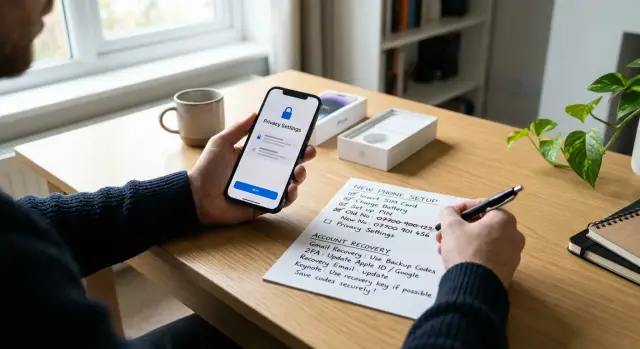
Why old numbers keep following you
Changing your number feels like a clean break. Usually, it isn't. The hard part isn't the SIM card swap. It's all the places your old number still lives.
A phone number gets copied everywhere over time. It ends up in login settings, saved receipts, shipping notices, loyalty accounts, clinic portals, school forms, and old two-factor setups. Even after you stop using it, those records can stay active for months or years. One forgotten account can still send a text, receipt, or password reset to the wrong place.
People spread it too, usually without meaning to. A friend saves your new number and syncs contacts across apps. Someone forwards it to a family group, a coach, or a landlord. A business owner adds it to their phone, and that contact gets pulled into email, messaging apps, and caller ID apps. Your new number can travel fast.
Caller ID and contact apps add another layer. If your old and new numbers are tied to the same name, email address, or device, some databases treat them as one person. That's why a new number can start getting old calls, or why an old name record still shows up when you call someone.
Data brokers make the problem worse. They collect phone numbers, addresses, emails, household links, and public records, then merge them into a single profile. When they detect a new number tied to the same person, they often add it to the old profile instead of treating it as a fresh start.
The pattern is usually simple. An old store account still has your number. A recovery setting points to it. A contact-sync app matches both numbers to your name. Then a data broker connects the dots and keeps the old profile alive.
That's why changing numbers alone rarely fixes the issue. You're not just leaving a number behind. You're trying to untangle a record that has been copied, shared, and resold for years.
Before you drop the old number
If you want to keep your new phone number private, do a cleanup before you cancel the old one. Most problems start when the old number is still tied to sign-ins, password resets, or two-step codes you forgot about.
Start with the accounts you can't afford to lose access to, even for a day. Check your main email, bank, work apps, cloud storage, social accounts, and mobile carrier account first. See which ones still send SMS codes to the old number.
A short checklist helps:
- Review recent text messages for login codes.
- Open account security settings and check the saved phone number.
- Write down every account that still uses SMS recovery.
- Save backup codes for your most important accounts.
Backup codes matter more than most people expect. If your phone is lost, wiped, or locked during the switch, those codes can save you from a long support process.
Wherever you can, move logins away from text messages and into an authenticator app, passkeys, or another backup method. SMS is easy to set up, but it's also easy to forget, and old phone number account recovery can stay active long after you think you changed it.
If possible, keep the old number active for a short overlap. Even a week or two makes the switch much less stressful. During that time, sign in to your usual accounts, trigger a code, and confirm it goes to the right place.
One example is enough to show why this matters. You might update your bank, Gmail, and payroll app, then miss a tax portal that only texts once a year. If you cancel the old number too soon, that one account can block you later when you actually need it.
This is also a good time to remove the old number from places outside your logins, like store accounts, delivery apps, and people-search sites. If old listings are already floating around, a service like Remove.dev can help get them removed from data brokers so the number is less likely to stay attached to your identity.
Check your carrier and voicemail settings
Your carrier can expose more than most people realize. Start with the settings tied to the phone line itself, not just the apps on your device.
A quick call or chat with your carrier can clear up a few things fast:
- Turn off any directory listing or directory assistance entry for the new number.
- Ask how your outgoing caller name appears and whether it can be hidden or left blank.
- Check that call forwarding is off on both the old line and the new one.
- Put a port-out lock or transfer lock on the account.
That caller name setting matters. Even if you never post the number anywhere, your name can still appear when you call a business, school, or doctor's office. Some carriers let you change it. Some don't. It's worth asking instead of guessing.
Call forwarding is another easy miss. If your old number still forwards to the new one, anyone trying the old line can land on the new one by accident. That's one of the simplest ways for an old contact, spammer, or broker source to reconnect both numbers.
Voicemail needs attention too. Many people keep the default greeting or record one with their full name and forget about it for years. Set a fresh PIN, delete old messages if needed, and use a plain greeting like "Please leave a message." Don't say your full name or your new number.
Shared accounts deserve a closer look. On a family plan, the account owner may see line details, billing records, or device changes. On a business plan, admins often see even more. If privacy matters, ask what other people on the account can view and whether your line can be separated.
A small check now can save a lot of cleanup later. Your new number should feel like a fresh start, not a rerouted version of the old one.
Update account recovery step by step
Start with the account that can reset everything else: your main email. If that inbox still uses the old number for recovery, the rest of your cleanup can fall apart fast. A password reset, sign-in alert, or account lockout may keep sending codes to the number you're trying to leave behind.
A clear order helps:
- Update the recovery phone number on your main email account first.
- Add a backup email you control and save any recovery codes.
- Move to your bank, password manager, cloud storage, and primary social accounts.
- Remove old trusted devices and unknown sessions.
- Test recovery in a private browser window to make sure the old number no longer appears.
A common mistake is changing the phone number on the profile page and assuming that fixes recovery too. Often it doesn't. Many services store one number for contact, another for password resets, and another for two-factor login.
If an app still forces SMS, update it early and note it in a simple checklist. That gives you a clear view of which accounts still expose the old number and which ones now point to the new one.
This is also where people expose the new number too widely. If your goal is privacy, use SMS only where you have to. For everything else, an authenticator app, passkeys, or backup codes usually give you less to clean up later.
And if your old number already appears on people-search sites, changing account recovery won't remove it from public listings. That is separate work, and it's worth doing soon after the switch.
Where old numbers tend to reattach
Old numbers usually don't come back through one big leak. They come back through small, forgettable places. A bank alert, a pharmacy text, a delivery app, or a school portal can quietly keep using the old number, then copy it into a fresh profile months later.
Start with the accounts that send texts on their own. Those are the ones most likely to keep a hidden copy and reuse it later.
Places to check first
Banking apps, credit cards, and payment wallets are obvious, but they often store more than one phone field. You might update login verification and still leave the old number attached to fraud alerts, card notices, or peer-to-peer payments. Check every notification setting, not just the security page.
Shopping accounts are sneakier. A store can save your number in checkout, delivery notes, receipts, and return updates. One reused guest checkout can put the old number right back into your account.
Messaging apps create a different problem. Many of them scan your contacts, suggest people you know, or tie identity directly to a phone number. If the app still sees the old number in your address book or in an older profile, it may keep surfacing it. Friends can make this worse by saving your new number under your old contact card, which spreads both numbers farther than you expected.
School, medical, insurance, and utility portals are messy because they often have several contact layers. A patient profile, billing contact, emergency contact, and SMS alert setting may all live on different screens. You update one and miss three. That happens all the time.
Loyalty programs and everyday apps are easy to ignore, but they leak quickly. Ride-share and food delivery apps send driver calls, arrival texts, promo offers, and receipts. Grocery rewards and airline accounts do the same. Once a number gets into those systems, it tends to stick.
A good rule is simple: if an account ever texted you, search it and check it. Remove the old number completely, not just from sign-in.
Make the switch quietly
If you want to keep a new phone number private, the first few days matter as much as the number change itself. Most leaks happen right after the switch, when people hand out the new number too widely or rush to update every app at once.
A quieter approach works better.
Keep the old SIM active for about a week if you can. Use that time to catch missed login codes and replies from people who still have the old number. Update the accounts that can lock you out or affect your money first: email, bank, payroll, and anything tied to identity checks.
Only after those are done should you move to messaging and social apps. That order lowers the chance that a shopping app, rewards program, or contact-sync tool grabs the new number before you're ready.
Be selective about who gets it. Family and the small number of people who truly need it should get it first. Everyone else can reach you by email for a while. That short delay helps a lot, because once a number spreads through group chats, contact books, and store accounts, it starts moving on its own.
A simple handoff looks like this:
- Keep the old number live for about 7 days.
- Update email, bank, payroll, and primary logins first.
- Share the new number with a small circle.
- Use email instead of the new number for receipts and store accounts when possible.
- Check both numbers on people-search sites after the switch.
That last step is easy to skip, and it's often the one that saves trouble later. Search for both the old number and the new one. If either appears on people-search pages or data broker listings, file removal requests right away. If you don't want to keep checking by hand, Remove.dev can monitor for relistings and send new removal requests when a number shows up again.
This method is a little slower. It's also much cleaner. One quiet week can save you months of spam, wrong-number calls, and old recovery problems.
Mistakes that bring the old number back
The annoying part isn't the switch itself. It's the small habits afterward that pull the old number back into your life and sometimes expose the new one too.
One common mistake is using the old number for "one last" verification code. That single login can refresh the old number inside a bank, store account, or social app. A week later, that service may suggest it for recovery, send it to a partner, or match it to a new profile.
Contact sync causes another problem. Some apps scan your address book and connect names, emails, and numbers behind the scenes. If your new number sits next to the same contacts, the app can decide both numbers belong to you.
Public posts do more damage than people think. A marketplace ad, business profile, community page, or old bio line can turn a private number into a searchable one. Once that happens, people-search sites and data brokers can copy it quickly.
Shared accounts are another easy miss. Family streaming plans, utility logins, delivery apps, and store rewards accounts often keep an old number in the background. You may update your own profile and still leave the shared account untouched.
Paper forms still matter too. Clinics, schools, repair shops, gyms, and vet offices often reuse old records instead of starting fresh. A front desk worker may copy the old number forward without asking, or add the new one to a record that gets shared across several systems.
A few habits help avoid all of this:
- Don't use the old number again after your switch date.
- Turn off contact syncing in apps that don't need it.
- Keep the new number off public profiles and ads.
- Check shared accounts, not just personal ones.
- Treat paper forms the same way you treat online forms and read every field.
Once a number spreads, it keeps moving. It's much easier to stop these small mistakes early than to clean up a wide trail later.
Quick checks for the first month
The first 30 days matter more than most people expect. A new number often stays private at first, then leaks through old recovery settings, store accounts, or people-search sites. A few weekly checks can stop that.
Start with your five most important accounts. Think email, banking, your main social app, your carrier login, and one shopping account you use a lot. Run the password reset flow on each one and see which number or backup method appears. If the old number still shows up anywhere, change it now. If the new number appears on an account that doesn't need it, remove it.
Then search your old email inbox for your old number. Look through account alerts, receipts, loyalty programs, shipping notices, and two-factor messages. Old email often reveals which companies still have the wrong contact details.
A social check helps too. Ask two trusted people to look at your contact card, old message thread, or caller info. Do they still see the old number? Do they see the new one when they shouldn't? That catches sync issues from contact apps, shared address books, and messaging services.
Watch your text messages closely during the first month. Random coupon texts, pharmacy reminders, delivery alerts, and retail promos often mean your number was added to a marketing list quickly. Opt out where needed, then check the account behind the message and remove the number there too.
One more check is worth the effort: search for both your old and new number on people-search and broker sites. Relistings happen, especially after a move, a new signup, or an app syncing your information again.
A short weekly routine is enough:
- Test recovery on a few important accounts.
- Search old email for number-related messages.
- Check whether any new marketing texts came in.
- Look for fresh people-search listings.
If something slips in during week one, you can still contain it. If it sits for a month, it usually spreads.
What to do next
The switch isn't finished when the new number starts working. The next few weeks decide whether the old number fades out or works its way back into accounts, contact cards, and broker listings.
Start a simple log. It doesn't need to be fancy. A notes app or spreadsheet is enough, as long as you track which account you changed, the date, and whether you removed the old number completely or only added the new one.
That record helps because phone numbers tend to reappear in dull, forgettable places: banking apps, delivery accounts, email recovery, messaging apps, loyalty programs, and old social profiles.
A monthly check can stay simple:
- Review your account log and finish anything still marked "pending".
- Open your main email, bank, and cloud accounts and confirm the recovery number is still correct.
- Recheck apps after a phone upgrade, app update, or device restore.
- Search for both numbers on people-search pages and broker sites.
That third step matters. Some apps pull old details back from backups, synced contacts, or saved autofill data. If you set up a new device, take five extra minutes and look at recovery settings again.
If your old or new number keeps appearing on broker sites, remove it as soon as you can. One listing can spread fast because many brokers copy from each other. If you don't want to spend hours chasing those removals by hand, Remove.dev can handle removals across more than 500 data brokers and keep watching for relistings while you finish the rest of your account cleanup.
If you do only one thing after the switch, keep that log updated for the first month. It gives you a clear list, a clear timeline, and fewer surprises later.
FAQ
Why doesn’t changing my phone number fix the privacy problem?
Because the old number usually still lives in account recovery settings, receipts, store accounts, and contact-sync apps. Data brokers can also connect your old and new numbers through your name, email, address, or device, so the old profile keeps following you.
What should I update before I cancel my old number?
Start with accounts that can lock you out: your main email, bank, carrier account, password manager, cloud storage, payroll, and primary social accounts. Check both login verification and recovery settings, then save backup codes before you shut the old line off.
Should I keep the old number active for a short overlap?
Yes, if you can. Keeping it for 7 to 14 days gives you time to catch missed login codes, yearly portals you forgot about, and replies from people still using the old number.
Should I stop using SMS for two-factor logins?
Use SMS only where you have no better option. An authenticator app, passkeys, and backup codes are usually cleaner because they don’t keep your phone number tied to recovery for years.
Which carrier settings matter most for privacy?
Check directory listing, outgoing caller name, call forwarding, voicemail PIN, and a port-out or transfer lock. Those settings sit at the phone-line level, so they can expose your identity even if your apps are clean.
Can caller ID or voicemail expose my new number?
They can. A voicemail greeting with your full name or new number gives callers more than they need, and caller ID may still show your name when you call out. A plain greeting and a carrier check can cut that down.
Where do old phone numbers usually reattach?
They usually come back through small accounts you forget about, like pharmacy texts, delivery apps, store receipts, school portals, utility accounts, and loyalty programs. If an account ever texted you, it is worth checking.
How do contact syncing apps reconnect my old and new numbers?
Many apps scan contacts and try to match names, emails, and numbers. If your old and new numbers sit under the same contact card, the app may treat them as one person and spread that match farther.
When should I start giving out my new number?
Not right away. Give it first to a small circle who truly need it, and use email for everyone else for a bit. That slower handoff helps stop the new number from getting copied into group chats, store accounts, and public profiles too fast.
How do I stop data brokers from relisting my number?
Search for both your old and new numbers on people-search and broker sites during the first month and after major signups or moves. Remove listings as soon as they appear, or use a service like Remove.dev to handle removals and watch for relistings automatically.