Meal train privacy risks and how families can share less
Meal train privacy risks are easy to miss. Learn how support pages can expose address clues, family names, and daily routines, plus simple ways to limit it.
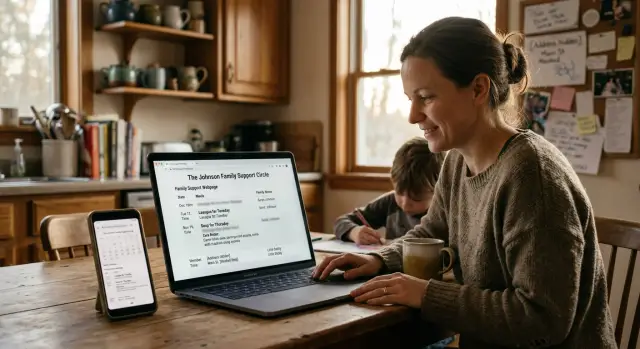
Why these pages can expose more than people expect
Meal-train and care pages are built for a good reason. They help friends, neighbors, and relatives organize meals, rides, child care, visits, and updates when a family is dealing with illness, recovery, or loss.
The problem is that these pages often collect more personal detail than people notice in the moment. A post might mention the best drop-off time, which door to use, food allergies, when the patient is resting, who is watching the kids, or which relative is staying overnight.
Each detail sounds minor on its own. Together, they can sketch out a household's routine with surprising accuracy.
A stranger does not need a full address to learn a lot. If they know when meals are delivered, when visitors are asked to stay away, and which family member handles updates, they can often guess when someone is home, who might be alone, and when the family is under the most stress.
These pages can also expose people beyond the patient. Children may be mentioned by first name, school schedule, or favorite foods. Older relatives may be described as needing rides or daily check-ins. Caregivers often end up identified too, along with their work hours, phone number, or the days they cannot be there.
Even a page meant for a small circle can spread further than expected. Someone forwards it to a cousin, shares a screenshot in a group chat, or copies the details into a public social post. Once that happens, private facts can travel far beyond the people who were meant to help.
This is easy to miss because these tools reward specificity. Clear instructions make support easier. But the same note that helps a friend bring soup at the right time can also reveal who lives in the home, what the daily pattern looks like, and when the family is most exposed.
The details that reveal an address or routine
Most privacy problems start with details that feel practical, not risky. A page meant to organize dinners may include the street name, which entrance to use, where to park, and what time someone will be home. Put together, that is much more than a dinner plan. It is directions to a private home.
Delivery notes are often the clearest giveaway. A line like "Use the Maple Avenue side door" narrows the location fast. "Apartment 3B, buzz code 4412" gives away the exact unit and how to reach it. Even parking tips help. "Park behind the duplex by the alley" tells someone what the building looks like and where they can approach.
Timing reveals just as much. Families often post the best drop-off window, quiet hours, nap times, school pickup times, or when someone is at the hospital. That can show when the house is busy, when one person is alone, or when nobody is there. A note like "Please come after 7 p.m. because Dad is alone before then" says far more than it needs to.
Names add another layer. Care pages often mention who is staying over, who has the spare phone, which aunt is answering the door, or when grandparents arrive to help with the kids. That helps friends, but it also maps the family circle. If someone can connect those names with social posts or people-search sites, the page becomes much easier to trace.
A safer page keeps logistics broad. Share a neighborhood or part of town, not the street name. Send door codes, apartment numbers, and parking instructions in private messages. Use short delivery windows instead of a full daily schedule. When full names are not needed, roles like "sister" or "neighbor" are usually enough.
If a helper truly needs exact details, send them directly. The shared page should explain how to help, not show who lives there, who is visiting, and when the home is easiest to reach.
How small clues get pieced together
Most privacy problems on support pages do not come from one big mistake. They come from a pile of small details that seem harmless on their own.
A single post might say, "Please drop dinner after 6 because chemo runs late on Tuesdays." That does not reveal an address by itself. But a calendar can still show which days someone is home, when the house is empty, and when visitors are expected.
Comments often fill in the rest. A friend writes that they left food on the back porch. A cousin thanks "Grandma for picking up Ava and Noah from school." Another person says Dad will be home by 7. Now an outsider knows there is a back entrance, children in the home, and a rough evening schedule.
That is how these privacy risks grow. One clue gives context. Another confirms it. A third makes it easier to search elsewhere.
Public names are often the bridge. Once a page shows a full name, people can search social profiles, old fundraiser posts, school team photos, or neighborhood groups. Those places may reveal a city, a workplace, a relative's name, or a photo with a house number in the background. Even when the support page hides the address, other public posts can help someone guess it.
People-search sites make this even easier. If someone already has a name, an age range, a town, and two relatives, they may not need much more to find a likely home listing.
The pattern is usually simple:
- One update mentions treatment days.
- The meal calendar shows delivery slots.
- Comments confirm who lives there.
- Public profiles connect the family to a town or street.
None of this feels serious when a family is tired, grieving, or just trying to organize help. Together, though, those details can map daily life with surprising accuracy.
If you want to protect relatives online, pause for one minute and think like a stranger. What could someone learn from the page, then from a quick name search or a data broker record? That short pause catches a lot.
A simple example of how it happens
Picture a family helping a parent recover after surgery. They set up a support page so friends can bring dinner for two weeks. It feels private enough because it is meant for neighbors, school parents, and relatives. Nobody thinks of it as a public record of family life.
At first, the details seem harmless. One person writes, "Please drop food off between 5:30 and 6:15 because Dad has physical therapy later." Another adds, "Use the side door by the driveway. The front bell wakes the baby." A family friend says, "Text when you arrive because the dog barks if someone knocks."
Then an out-of-town cousin posts an update to be helpful. She thanks "Sarah and Mike Thompson" for organizing meals for "Linda Thompson" and says their daughter Emma can finally rest after sleeping at the house all week. Now the page has full names, a family connection, a rough household schedule, and clues about who is home.
A stranger does not need much more. If they already know the town, or even just one family name, they can compare those details with social profiles, old public posts, school team photos, or people-search sites. The side door note, the therapy time, and the mention of a baby turn a warm support page into a map of the home routine.
By that point, someone outside the family could make a solid guess about which house is theirs, when people are likely home or away, which entrance is used for drop-offs, how many relatives are involved, and which names belong to adults and children.
That is what makes care page address clues so easy to miss. No single comment gives everything away. The problem is the pileup. Each helper adds one small detail, and together those details can point to a real address, a daily pattern, and a list of relatives the family never meant to share.
How to set up a support page with less exposure
A support page should share just enough to help people show up. No more. That is the simplest way to lower exposure without making the page useless.
Start with the broad version of the story. Say what kind of help is needed, when help is useful, and who is coordinating. Skip the full home address, full names of children, daily schedule, and room-by-room details. People often post those because they are tired and want to avoid extra messages, but that convenience can cost a lot of privacy.
A good first step is to use a general area instead of a street address. A neighborhood, part of town, or nearby landmark is often enough at the start. If someone wants to bring dinner or run an errand, send the exact address only after they are confirmed and expected.
That extra step matters. A public or semi-public page with phrases like "leave food on the blue porch by the side gate" gives away more than delivery instructions. It can reveal when the house may be quiet and point strangers toward relatives who are helping.
Medical details should stay brief. "Recovering from surgery" is usually enough. Most visitors do not need the diagnosis, doctor name, clinic schedule, or updates about when the patient is away from home. The more detailed the post, the easier it is to map the family's routine.
Before you publish, look at the page the way a guest would. Check what shows without logging in. See whether comments reveal surnames or family ties. Look at calendar entries to make sure they do not reveal long empty-house windows. If you are using photos, make sure they do not show street numbers, school logos, or license plates.
A small wording change can make a big difference. Instead of posting "Bring meals to 214 Cedar Lane after chemo on Tuesdays at 6 p.m., Grandma Jean will answer the door," say "Dinner help is welcome on Tuesday evenings. Confirmed helpers will get delivery details by message."
That version may feel less personal. It is still clear, kind, and much safer.
Mistakes families make when they are under stress
Stress makes people choose speed over privacy. A friend sets up the page in ten minutes, sends the link to a group chat, and everyone starts filling in dates. That is usually when avoidable mistakes happen.
One common mistake is putting the full home address in the page title or opening note. It feels useful because people need to drop off food or flowers. But titles get copied into email previews, screenshots, and forwarded messages, and they often last longer than anyone expects.
Another mistake is leaving the page open to anyone with the link and forgetting about it after the crisis passes. Weeks later, it may still show delivery days, notes about the home, and the names of people around the family.
Schedule notes can reveal even more. A post about school pickup on Wednesday, a note that one parent works nights, or a comment saying the family will be away for treatment on Friday can show when the house is empty and who covers care. One detail is minor. Five details together tell a very clear story.
Names are another blind spot. Families often list every adult and child by full name so helpers know who is who. That makes it much easier to connect the page to social profiles, school mentions, public records, and broker listings.
Comments deserve extra care because they are easy to overlook. Someone might add that they will leave soup on the back porch after soccer practice, or mention that an aunt is staying over for the weekend. Warm, helpful updates can still expose relatives and routines if the page is too open.
A safer default is simple: keep street addresses and door codes in private messages, use first names or roles instead of full names, share timing in broad terms instead of exact shifts and travel days, and close or archive the page once help is no longer needed.
When people are tired and worried, they share what feels useful right now. A quick privacy check before posting can prevent months of exposure later.
What helpers and visitors should avoid posting
A lot of the risk comes from kind people trying to be useful. The issue is not bad intent. It is that small updates can tell strangers where a family lives, who lives there, and when the house is quiet.
Share the plan, not the household details
If you are bringing food, offering rides, or stopping by, keep your post focused on the task. A public note does not need house numbers in the background, a full street view from the driveway, or a photo that shows a unique porch, mailbox, school sign, or parked car.
Timing matters too. Posts like "No one will be home until after chemo" or "I left dinner on the porch because they are at the hospital all afternoon" create an empty-house window. Even a casual update can expose a routine fast.
Medical details are another common slip. Most helpers do not need the full treatment schedule, room number, or the exact day a parent will be home alone with the kids. Keep updates broad unless the family has asked for more detail.
A good rule is to post only what another volunteer needs to do the next step. Gate codes, alarm notes, and entry instructions belong in private messages. So do details that help someone find the home or predict who will be there.
Ask before tagging people
Names connect dots. One tag can reveal a maiden name, a sibling, a grandparent, or where a child goes to school. That is enough for someone to build a much fuller profile than the family meant to share.
If you want to mention another helper, ask first. Some relatives stay private for good reasons, especially during illness, loss, or a custody issue. Children deserve the most caution. First names are often plenty, and sometimes no names are better.
Public support can still feel warm and useful when it stays general. That is usually the better trade-off.
A quick privacy check before sharing
Before you post a meal page or care update, do a fast privacy pass. Two minutes now can save a lot of trouble later.
Start with the page settings. If anyone on the internet can open it without approval, treat every detail on it as public. A support page works better when only invited people can view updates, comments, and sign-up details.
Then look at what the page shows at a glance. A full street address is often more detail than most helpers need. If possible, share only the city or neighborhood on the page, then send the exact address privately to people bringing food or visiting.
This quick check works well:
- Use first names only when possible.
- Move exact delivery or visit times into private messages.
- Delete updates that no longer need to stay up.
- Check photos for house numbers, school logos, or mail on a counter.
- Ask one person outside the household to review the page before it goes live.
Names matter more than people think. A full name for the patient, a grandparent, and two children can make it much easier for someone to connect relatives, schools, and home records. First names, or roles like "aunt" or "neighbor," are often enough for coordination.
Timing details need the same care. Posting that dinner should arrive between 5:15 and 5:45 every Tuesday tells strangers when people are home, when they are busy, and when they may be distracted. Share precise windows only with the helpers who need them.
Old updates are another common miss. Once the surgery date has passed or the temporary stay at a relative's home is over, delete that note. Support pages are often built for a short moment, but the details on them can linger.
If a page still feels too revealing after this check, trust that feeling. Less detail is usually enough.
What to do next if details are already out there
If a care page has already exposed too much, move fast, but keep it simple. You do not need a perfect cleanup in one sitting. First remove the easiest clues, then stop new ones from piling up.
Start with the page itself. Old meal drop-off notes, visitor comments, and update posts often mention the house, apartment number, gate code, school pickup time, or which relatives are staying over. Even a short comment like "I will drop soup by the side door after chemo" can reveal more than people meant to share.
A practical cleanup usually looks like this:
- Edit or delete old posts and comments that mention location details, schedules, children, or relatives by name.
- Change the page settings so only invited people can view it, and close sign-ups once help is no longer needed.
- Ask family and friends to remove copied updates from Facebook groups, neighborhood apps, and group chats with loose membership.
- Search your name, address, phone number, and a few unique phrases from the page to see where details have spread.
- Check people-search and data broker sites for listings that now connect your family members to one address.
Do not forget screenshots. A post can be deleted from the original page and still live on in someone else's feed or camera roll. A short message to relatives helps: ask them to delete reposts, old screenshots, and captions that mention where the family lives or when the home is empty.
If broker sites are already connecting your name, address, and relatives, manual cleanup can take a while. Remove.dev automates personal data removal requests across more than 500 data brokers and keeps monitoring for relisting, which can help when one support page clue starts linking your family across multiple records.
After the cleanup, set a reminder to check again in a few weeks. New copies often show up later, especially if the original post was shared widely.
FAQ
Is a meal train page private by default?
Not always. Many care pages are visible to anyone with the link, and links get forwarded more than people expect. Check the view settings first, and assume anything open without approval could spread.
What details give away our address?
Street names, apartment numbers, door codes, parking notes, and comments like "use the side door" can narrow a home down fast. Share only a general area on the page, then send exact directions in a private message.
Can delivery times really create a safety risk?
Yes. Drop-off windows, school pickup times, work shifts, and treatment days can show when the house is quiet or empty. Keep the shared page broad, such as "Tuesday evening," and send the exact time only to the helper who needs it.
Should we use full names on the page?
Usually no. Full names make it easier to connect the page to social profiles, public records, and people-search sites. First names or roles like "aunt" or "neighbor" are often enough.
How much medical detail should we share?
Keep it brief. Most people only need to know the kind of help needed, not the diagnosis, clinic name, room number, or full treatment schedule. A short note like "recovering from surgery" is usually plenty.
What should helpers avoid posting?
Ask them to avoid posting house clues, exact arrival times, photos from the driveway, and notes about nobody being home. A simple update like "meal delivered" is enough for the group.
When is it okay to share the exact address?
Send it after someone signs up and you know they are expected. That extra step keeps your page useful without turning it into a map to the home.
What should I do if the page already shares too much?
Start by editing or deleting posts that mention the address, door codes, schedules, children, or relatives by name. Then tighten the privacy settings and ask friends and family to remove reposts, screenshots, and copied updates.
Should we delete the page after the crisis passes?
Yes. Once help is over, close or archive the page and remove old comments if you can. Old calendars and visitor notes can still expose routines long after the situation has changed.
Can data broker sites make this problem worse?
They can. When a page shows names, a town, and family links, broker sites may connect that to a home listing. You can remove those records by hand, or use a service like Remove.dev to send removals across more than 500 brokers and keep watching for relisting.