Minimal first contact: when one test request is enough
A minimal first contact can show whether a site answers clearly, asks for too much, or has a usable process before you send IDs, phone numbers, or more data.
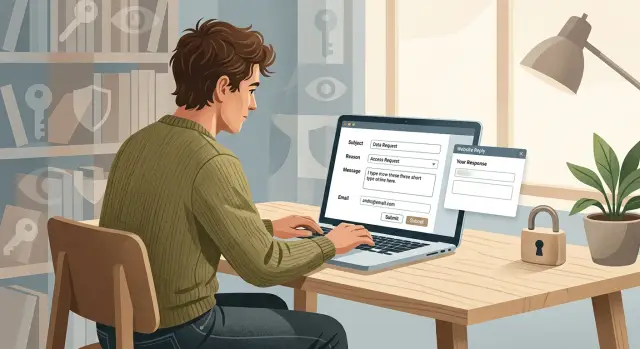
Why this matters before you share anything
Some sites ask for your ID, a selfie, or a current address match before they explain what they actually do. That's backwards. If a company wants sensitive documents before it explains the process, slow down.
A small first contact lowers your risk when the process is unclear. One short message can tell you a lot. You can see whether a real reply arrives, whether the next step is explained in plain language, and whether the site asks only for what it needs. If the answer is vague, delayed, or pushes for extra details right away, that tells you something too.
This matters even more when the site already has your information. Data broker pages often show enough to identify you: your full name, city, age range, past addresses, and sometimes relatives. In that situation, sending more details too early can make the problem worse. You are not helping yourself by proving your identity with extra data before you know how the site handles it.
Early replies also show whether a real workflow exists. A decent response usually includes a case number, a reason for any verification step, and a timeline you can judge. A weak response is often generic, asks for broad documents, or sends you in circles.
That's why one low-risk message is a smart first move. You give the site a chance to show its process before you reveal more. Often, that first answer is enough to tell you whether to continue, ask a narrower question, or walk away.
What one test request can tell you
One small message tells you more than most people expect. The goal is not to finish the whole removal right away. The goal is to see how the site treats privacy before you hand over anything extra.
First, you learn whether anyone is actually reading requests. An automated reply is not always a problem, but it should still answer your question in a way that makes sense. If you ask what they need to verify you and the response ignores that, their process is probably sloppy.
Speed matters, but clarity matters more. A reply that arrives in two hours and explains the next step clearly is better than a fast template that says almost nothing. Good replies use plain words, lay out the steps in a sensible order, and explain why each item is needed.
A short test request also shows how the site thinks about identity checks. Some sites ask for photo ID almost immediately, even when safer options exist. That's a bad sign. In many cases, they can start with something lighter, such as the profile URL, the exact listing details, or a reply from the email shown on the record.
Most first replies fall into a few familiar patterns. The good ones explain the process clearly and ask only for the next small piece of proof. Some offer a lower-risk verification method, like email confirmation or a case form. The bad ones send a canned response that doesn't match your question, or they push for full ID without saying why.
A simple line like this is often enough:
"I found a profile that appears to be mine. What is the least personal data you need to confirm ownership and start a removal request?"
That one sentence can reveal a lot. If they answer with a clear sequence and a lower-risk option first, the process is probably workable. If they dodge the question, use vague language, or ask for a driver's license before doing anything else, stop there. You've learned enough without sharing more.
When this approach makes sense
This works best when you want to learn the rules before you hand over more of your identity. One short message can show whether a site has a real process, asks for reasonable proof, or turns a simple request into a messy back-and-forth.
Data broker opt-out forms are a common example. Many brokers ask for more than they need on the first screen, including full address history, phone numbers, or extra ID. A small test request lets you see what they actually require after a reply instead of guessing and giving away too much up front.
The same logic applies to deletion or correction requests. If a listing has the wrong age, address, or relative, you may not need to send every detail at once. Start with enough to identify the record and ask what they need to verify the change.
It also makes sense for old accounts you barely remember. Maybe you signed up years ago with an email you still control, but you don't know what name, address, or phone number is attached. If you share a lot too early, you can create a stronger identity match than the account itself.
Sites with weak contact information are another good fit. If the only option is a generic form, a support inbox, or a page with vague instructions, treat that as a reason to go slowly. One message can tell you whether anyone answers, how they verify identity, and whether the reply looks trustworthy.
This approach is usually smart when waiting a few days will not hurt you. If there is no fraud, account takeover, or legal deadline, a short delay is often worth the privacy trade.
A simple rule helps: start small when the record is annoying but not urgent, when the site asks for more than the request seems to need, when you're not sure which details they already have, or when the verification process is murky. In those cases, a low-risk first contact can save you from a bad request path.
What to put in the first message
A good first note has one job: learn the site's process without giving away more than you need to. If the site can explain how it handles removal requests after one short message, you've already learned something useful.
Start with one plain sentence that says what you want. Keep it direct. For example: "I am requesting removal of my personal information and would like to know your verification steps before I send any more data."
Then add one detail that helps them find the record. Pick the least risky option. In many cases, the public profile URL is best because it points to the exact listing without revealing anything new. If you don't have the URL, the exact name shown on the listing, the city shown on the listing, or the email address already visible on the page can be enough.
Don't stack details unless they ask. Sharing less at the start keeps the request focused and makes it easier to see what the site really needs.
Your next sentence should ask about verification before you send anything private. Be specific. Ask what they require, whether they need it for every request, and whether they accept something lower risk than a full photo ID.
That part matters. Some sites will accept a reply from the email listed on the record, a masked document, or a signed statement with partial details. If they jump straight to "send your driver's license," ask whether they can use another method first.
Tone matters too. Brief and polite usually works better than a long explanation or a threat. You are trying to get a clear answer, not win an argument.
A simple draft can look like this:
"I found a record about me on your site and want it removed. The listing appears at [public profile URL]. Before I share any extra personal information, please tell me what verification you require and whether you offer an option other than a full photo ID. Thank you."
How to do it step by step
This works best when you keep it boring and small. The goal is not to solve everything in one message. The goal is to learn how the site handles a basic privacy request before you send more personal data.
Start with the contact method the site already gives you. Look for its privacy email, support form, or removal page. If a site says it handles data removal requests, this step should be easy to find. If it isn't, that's a signal by itself.
- Send the message from an email address you control and check often. Don't use a work inbox or an old account you might lose.
- Share one identifier only. That might be one email address, one phone number, or one profile URL. Don't send your full name, home address, birth date, and extra accounts all at once.
- Keep the note short. Ask them to confirm their process and what they need to verify a removal request for that one identifier.
- Save proof before and after you send it. Take a screenshot of the page, the form, or the email, and note the date and time.
- Then stop. Wait for their reply before sending anything else.
That pause matters. Some sites answer with a clear, limited request, such as asking you to confirm control of the same email address you used. That's reasonable. Others ask for much more than they need, like a full ID scan to remove a simple listing tied to one email. That's a warning sign.
A good reply usually matches the data involved. If you asked about one email address, they should explain why any extra detail is needed. If the request feels too broad, ask one follow-up question instead of rushing to comply.
For example, if a broker lists one old phone number, a first message with only that number may tell you enough about its verification process. If the reply is clear and the request stays narrow, you can decide what to share next. If it isn't, you just avoided giving away your full profile.
A realistic example
Say you search your name and find your home address on a people-search site. The page shows your full name, current city, and a record number. You want it gone, but you don't want to send your driver's license, date of birth, or anything else before you know how the site handles removal requests.
This is a good place to start small. Instead of sending a full packet of personal details, send a short note that identifies the exact listing and asks what proof they need before removal.
You might write:
"I found a listing that appears to be about me. The record is listed under [full name] in [city/state], with record ID [number]. Before I send any documents, what proof do you require to process a removal request for this record?"
That message does two useful things. It points to the exact page, and it tests the site's process without giving away extra information.
Then look at the reply.
If they answer with plain steps, that's a decent sign. They may say they need the record URL, the record ID, and a reply from the email address you used in the request. Some sites send a code by email and ask you to confirm it. That's often a reasonable next step.
If they reply with a broad demand like "send a government ID" or "provide full legal name, birth date, phone number, and current address" before they explain anything else, pause there. That does not automatically mean the site is unsafe, but it does mean the process asks for more than you may want to share.
At that point, you have your answer. The first response tells you whether to continue, ask for a narrower option, or stop.
Mistakes that reveal too much
One habit ruins the whole idea: sending far more than the site needs to answer a basic request. If your first note is supposed to test the process, it should not look like a full identity packet.
The biggest mistake is attaching a passport or driver's license in the first email. A document like that can solve one problem and create several more. If the site is legitimate and has a clear verification step, it can ask for it later and explain exactly why.
Another common mistake is bundling too many details at once. A phone number, home address, and birth date together create a strong set of identifiers, especially when your name is already in the message. For a privacy test, that's often more than enough to regret later.
Email choice matters too. Using your work email for a personal privacy request mixes parts of your life that should stay separate. It can expose your employer, your job title, or your company domain to a site that doesn't need any of that.
A safer first message keeps the footprint small. In many cases, a name, the page or record in question, and a short request are enough to learn how the site handles a removal.
Watch for a few obvious red flags before you send more:
- The response comes from an address that does not match the site domain.
- The message asks for full ID without saying why.
- The wording is vague, such as "for security purposes" with no real explanation.
- The site asks for several personal details at once.
That domain mismatch matters. If you contact example-site.com and the reply asking for your ID comes from a random mail account, stop there.
Vague language is another trap. A real site should tell you what it needs, why it needs it, and what can work instead. If it cannot explain the verification process in plain words, don't reward it with more data.
Quick checks before you send more
A decent reply does not mean you should send everything they ask for. Before you share another detail, take two minutes and check whether the process still makes sense.
Start with the reply itself. Did they answer the question you asked, or did they send a canned message that ignores it? If you asked how they verify identity and they answer with a vague demand for a full ID upload, that's a warning sign.
Then check where the message came from. The domain should match the company you contacted, with no odd spelling, extra letters, or switch to a free email account. A real privacy or support team may use a subdomain, but it should still clearly belong to the same company.
A safer process usually asks for the smallest proof that can do the job. That might be a screenshot with one matching detail, a confirmation from the email address on file, or a document with most fields covered. If they jump straight to a passport, driver's license, or full utility bill, be skeptical.
Use a quick filter before you reply:
- The message addresses your request instead of sending a generic script.
- The sender domain clearly belongs to the site.
- Every new detail they ask for has a plain reason.
- The proof request feels limited, not excessive.
- You can cover unrelated data before sending anything.
Redaction matters more than people think. If they need your name and address to match a record, they do not need your account number, photo, balance, barcode, or the names of other household members. Leave visible only what supports the request.
A good rule is simple: if you can't explain why they need a piece of information, don't send it yet. Ask one more question first.
What to do next
After that first contact, keep the next move small too. If the site replies with a clear step, send only what that step asks for. If they need the email tied to the listing, send the email. If they need a profile URL or record number, send that. Don't add a photo ID, home address, or extra phone numbers "just in case." Extra details can sit in inboxes, support tools, and logs long after your request is done.
Keep a simple record of every exchange. Save the text you sent, confirmation screens, reply emails, dates, and any ticket number. A basic folder with screenshots is enough. It takes a few minutes now and can save a lot of back-and-forth later.
One rule works well here: follow the site's stated step, not your guess about what it might want next. Share one new detail at a time when possible, keep copies of each message, and stop if the site keeps asking for information that doesn't match the removal process.
If you're doing this across dozens of data brokers, the manual work gets old fast. Remove.dev can handle removals across more than 500 data brokers, track each request in one dashboard, and keep watching for re-listings, which is a lot easier than repeating the same careful steps by hand.
If the site follows a clear process, continue one step at a time. If it doesn't, stop there. A slow, narrow reply is usually safer than a fast, oversized one.
FAQ
What is a minimal first contact?
It means sending one short message that asks how the site handles removal or verification before you share anything sensitive. The goal is to test the process, not finish the whole request in one step.
What should I put in the first message?
Start with a plain removal request and include only one low-risk detail that helps them find the record, such as the public profile URL or record ID. Then ask what verification they require and whether they accept something safer than full photo ID.
Should I send my ID in the first email?
Usually no. If a site asks for a driver's license or passport before it clearly explains why, pause and ask whether a narrower option will work first.
How much personal information should I share at first?
One identifier is usually enough at the start. If you pile on your full name, address, birth date, phone number, and extra emails, you may give them more than the public record already shows.
What are the main red flags in their reply?
Look for a reply that does not match your question, asks for broad documents with no reason, or comes from an odd email domain. A decent response should explain the next step in plain language and keep the request limited.
When does this approach make sense?
It works best when the issue is annoying but not urgent and you want to see the rules before giving away more data. If there is fraud, account takeover, or a deadline, you may need a faster route.
What if the site gives me a vague answer?
Ask one follow-up question and keep it narrow. If they still dodge the process or keep pushing for too much information, stop instead of feeding the thread with more personal data.
Can I use my work email for a removal request?
Use an email address you control and check often, but keep work out of it if you can. A work inbox can expose your employer or job details to a site that does not need them.
Are there safer options than sending full photo ID?
Often yes. Some sites can start with a reply from the email on file, the exact record URL, a case number, or a masked document that shows only the needed fields.
What should I do after the first reply?
Save the message you sent, any confirmation screen, the reply, dates, and ticket numbers. If you are doing this across many brokers, Remove.dev can handle removals from over 500 brokers, track requests in one dashboard, and watch for relistings so you do not have to repeat the same steps by hand.