Old marketplace listings can expose your contact details
Old marketplace listings can leave your phone number, pickup area, and seller notes searchable long after a sale. Learn how to find and remove them.
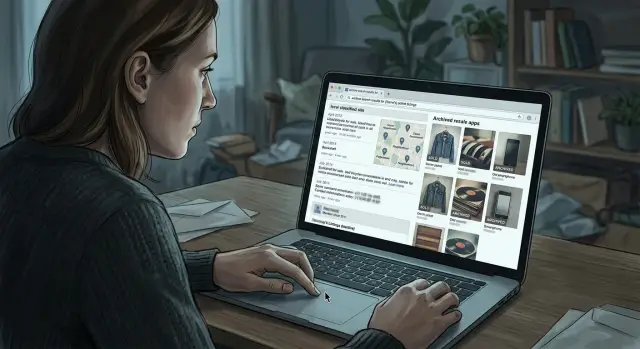
Why sold listings still show up
A sold item usually leaves your mind before it leaves the internet. That is the real problem with old marketplace listings. The sale ends, but the page can stay public for months or years.
Most marketplaces do not treat "sold" as "deleted." They keep the page because it still helps them. Old listings can support search results, price history, seller ratings, and message records. For the company, the page still has a use. For you, it can still show a username, a rough location, and the way buyers were told to contact you.
Search engines make this worse. If the listing was public, Google or another search engine may have indexed it while the item was live. After the app marks it as sold, the search result can keep sending people to that page. Sometimes only the title and snippet remain. Sometimes the full page still opens.
Old posts usually keep living in four places: the original listing page, your public seller profile, copied or archived versions on other sites, and search results that keep pointing people back to them.
The item being gone does not mean the page is gone. A marketplace may only change the label from "available" to "sold." Everything else can stay in place. If the page still exists, it can still be indexed, shared, screenshotted, or copied into an archive.
Sell a used desk today and forget about it by next week. Two years later, that old post might still appear in search with your first name, neighborhood, and seller profile. The desk is gone. The page is not.
That is why privacy problems around resale apps often start with old posts people forgot about. The risk is not the item. It is the leftover page, and the extra places where it can keep showing up.
What old listings can reveal about you
Old sale posts often reveal much more than the item itself. A chair, bike, or phone listing can leave behind enough small details for someone to work out who you are, where you live, and how to reach you.
The clearest leak is contact information. Many sellers paste a phone number into the description or upload a screenshot that shows a name, email address, or profile photo. Even if the app later hides part of it, an older cached copy or archived page may still show the full version.
Location details are another common problem. A line like "pickup near Oak Street" or "meet outside the west entrance of Riverside Mall" feels harmless when you are trying to sell something quickly. After a few listings, those clues can point to your neighborhood, your routine, or the places you visit often.
Photos can reveal even more. A quick picture of a lamp on your porch might show a building number in the background. A stroller in your hallway can reveal the layout of your home. A car in the driveway or a familiar landmark can make an old post much more personal than you intended.
Common leaks include phone numbers in descriptions, screenshots that show your name or email, pickup spots tied to your neighborhood, photos with your home or car in frame, and usernames that match your real name on other sites.
That last one catches people all the time. If your seller name matches your Instagram handle, gaming profile, or old forum username, someone can connect those accounts in minutes. Old marketplace listings stop being old posts and start turning into a breadcrumb trail.
Picture a simple case. You sell a bookshelf, write "cash only, text me," add your number, and upload a photo taken in front of your apartment gate. The item is gone in a day, but the page stays up for months. Now your number, rough location, and a clear image of your building are still searchable.
That is a privacy issue, not just clutter.
Where old listings keep living
A sold item can disappear from your view and still stay public in several places.
The first is the app or site itself. Many resale apps keep a public seller page even when individual items show as sold, expired, or hidden from the main feed. That page may still show your first name, profile photo, general location, past listings, and old details copied into a description.
Local classifieds are another common source. Some keep expired ads in public archives because those pages still bring in traffic from search. A listing for a used sofa or phone may be marked closed, but the page can still load in a browser and still show the meeting area, email handle, or phone number you typed months ago.
Then there is search. Search engines can hold onto a cached version of a page after the original post changes or disappears. Third-party archive sites and scraping tools can keep copies even longer.
Screenshots are the messiest part. They do not depend on the original post staying live. If your ad showed a street corner, phone number, or a photo with your building in the background, that image can keep moving through local deal groups, chats, and hobby forums. Even a blurry screenshot can reveal more than people expect.
That is why deleting a post does not always finish the job. The listing may vanish from the front page while parts of it keep living on in seller archives, search results, and shared images.
How to find your old seller pages
Start with the details you actually used when you were selling, not just your full name. Old listings often show up under a username, a phone number, or an email-based handle you barely remember now.
Use a private browsing window so past logins do not change what you see. Then search for your details one by one. Try your full name, old usernames, phone number, email address, and item names paired with your city or neighborhood. If a general search turns up nothing, search the way you would have written the listing. "Trek bike Austin" or "IKEA desk Brooklyn" can work better than your name.
Next, check the seller profile inside every app or site you used, even if you have not opened it in years. Resale apps, classifieds, forum marketplaces, and hobby sites often keep profile pages live long after the item is gone. Sometimes the item page is hidden, but the profile still shows your name, photo, city, or old reviews.
If you cannot remember every account, search your email for sale alerts, listing confirmations, and "item sold" messages. That usually gives you a clean list of places to check.
Look beyond the main results page. Image results, cached snippets, and seller profile previews can expose old sale posts that do not show up right away. One public result is enough to expose a phone number you forgot was there.
When you find something, save proof before you try to remove it. Take screenshots of the full page, the URL bar, the visible contact details, and the date if one appears. A simple folder with filenames like "marketplace-old-lamp-listing" makes the cleanup much easier.
How to remove or hide them
Start with the source page, not search results. If the listing is still in your account, open it and check both the ad settings and your seller profile. Many apps let you mark an item as sold, but that does not remove the page from public view.
The cleanup usually goes like this:
- Delete the listing if you can. If not, switch it to private, archived, or hidden from search.
- Check your seller profile and turn off public visibility if the app allows it.
- Edit any old posts that still show a phone number, email, street name, or pickup note.
- Search your username, phone number, and item title to look for copies elsewhere.
Pay attention to the small details inside the post. A phone number in the description, a street name in pickup notes, or a line like "message me after 6 pm near Oak Street Station" can stay searchable long after the item is gone. Remove or edit that text before you abandon the profile or close the account.
If the page is already gone from the app but still appears in search, the issue may be a cached result or a copied page on another site. Take screenshots, note the exact page title, and send a takedown request to the site still hosting it. After the source page is removed, ask the search engine to refresh or remove the outdated result.
Some copied pages come from scraper sites or classified ad archives. Those are slower to clean up, but they can still come down. Be direct. Say the page contains your personal contact details, the item is no longer for sale, and you want the page removed.
A simple example of how this happens
Say Anna sells an old couch through a resale app. She wants it gone fast, so she writes a practical listing: "Cash only, pickup near Oak and 3rd," and adds her phone number because the app's messages feel slow.
The couch sells in two days. Anna assumes the post is finished. The app marks it as sold instead of removing it.
A few months later, the sold page still shows up in search. If someone types her number, or searches for the couch brand with her neighborhood, the listing can still appear.
On its own, the post does not look dramatic. It shows a first name, a phone number, a few photos from her living room, and a rough meeting spot. Put together, that is enough to identify a real person in a real area with a working contact method.
The problem gets worse if Anna uses the same username and profile photo on a social account or local forum. Now the listing is not just about a couch. It points back to her.
Even the location clue matters more than people think. "Near Oak and 3rd" narrows her area. A lamp in the background, a building view through the window, or a note that says "pickup after 6 p.m." can reveal when she is usually home and what part of town she lives in.
That is how resale app privacy problems usually happen. Not through one dramatic mistake, but through a pile of small details left public for too long.
Mistakes that keep old posts public
The most common mistake is simple: people delete the app, not the listing. Removing a resale app from your phone does not erase your account, seller page, or old posts. If you never go back and close them one by one, those pages can stay visible for years.
Another bad assumption is that "sold" means hidden. On many apps and classified sites, sold posts still work as public pages. They can keep the item photos, your username, the sale area, and the date. Some sites keep them because old listings help other users compare prices.
Photos cause more trouble than most people expect. A seller may blur a phone number in the description but leave it visible on a handwritten sign in one image. Or the background gives away too much: a building number, a parcel label, a school logo, even a license plate. Once the photo has been saved or copied, editing the text alone does not fix much.
Using the same username across several sites also makes the problem worse. A name you picked years ago for a resale app might appear on a forum, an old social profile, or a gaming account. One sold bike or lamp listing can then connect to years of public activity.
A few habits keep these posts alive: leaving old accounts open, trusting default privacy settings, posting contact details in captions or screenshots, and reusing the same handle and profile photo everywhere.
The fix is not hard, but it does take a little care. Check old accounts, remove sold posts where you can, change public usernames if needed, and look at every photo as if a stranger were zooming in.
A short privacy routine
You do not need a perfect system. You need a boring one that you actually repeat.
Every few months, or after a sale, do four things:
- Search your name, phone number, email, and old usernames.
- Check image results as well as normal search results.
- Review old profiles on resale apps, classifieds, and local selling sites.
- Look for sold-item pages and seller archives that still show personal details.
If you find something exposed, take screenshots first. Then delete the post, hide the profile if the app allows it, remove seller details from account settings, and ask search engines to refresh outdated results after the page is gone.
This does not take long. Fifteen minutes every few months catches more than most people expect.
What to do next
The best fix is a small habit you repeat after every sale. Share less up front, and check what is still visible once the sale is over.
Keep location details broad. "North side pickup" is enough. You do not need to name your street, building, workplace, or the cafe you visit every weekend. Use the app's inbox when you can. Public phone numbers and email addresses are easy to copy, search, and resell.
After each sale, delete the post if possible, check your seller profile, search for your username and contact details, and remove anything that reveals regular pickup spots or personal information. Five minutes of cleanup beats trying to undo years of old posts later.
If your details have already spread beyond the original app, manual cleanup gets harder fast. Sold listings can be copied into archives, scraper pages, and broker databases. In cases like that, Remove.dev can help by finding and removing exposed personal data from over 500 data brokers and then monitoring for re-listings so it does not quietly come back.
A simple routine works better than a one-time cleanup. After every sale, check what is still public before you move on.
FAQ
Why do sold listings stay online after the item is gone?
Because many marketplaces treat sold as a status, not a deletion. The item is gone, but the page can stay public for search traffic, price history, ratings, or old messages.
What personal details can an old marketplace listing reveal?
A stale listing can expose your phone number, email, username, first name, pickup area, and photos that show your home, car, or routine. Small details from a few old posts can be enough for someone to identify you.
How do I find my old seller pages?
Start with the details you actually used when selling. Search your name, old usernames, phone number, email address, and item titles with your city or neighborhood in a private browsing window.
Does deleting the app remove my old listings?
No. Deleting the app from your phone does not remove your account, seller profile, or past listings. You usually have to sign in again and delete or hide those pages yourself.
What should I do first if I want an old listing gone?
Begin with the original listing page or seller profile. If you can, delete the post, switch it to private, and remove any phone numbers, email addresses, street names, or pickup notes still showing there.
Can Google still show a listing after I deleted it?
Yes, sometimes for a while. Search engines may keep an outdated result or snippet after the page changes, and copied versions on archive or scraper sites can last even longer.
What should I screenshot before I ask for removal?
Save the full page, the URL, the visible personal details, and the date if one appears. That proof makes it easier to ask the site to remove the page and to request a search refresh later.
Are listing photos really that risky?
They are often the biggest problem. A photo can reveal a building number, street sign, license plate, parcel label, or a view into your home even if the text looks harmless.
How often should I check for old listings and seller profiles?
A simple routine works best. Check after each sale, or set aside about fifteen minutes every few months to search your details, review old profiles, and look at image results too.
What if my contact details already spread beyond the original marketplace?
Manual cleanup is still worth doing, but it gets slow once copies spread. If your info has reached data brokers, Remove.dev can find and remove exposed personal data from over 500 brokers, usually finish removals in 7 to 14 days, and keep watching for re-listings.