Data removal for online sellers after turning a hobby into business
Data removal for online sellers can stop old shipping labels, seller profiles, and tax paperwork from pointing buyers and brokers back to your home.
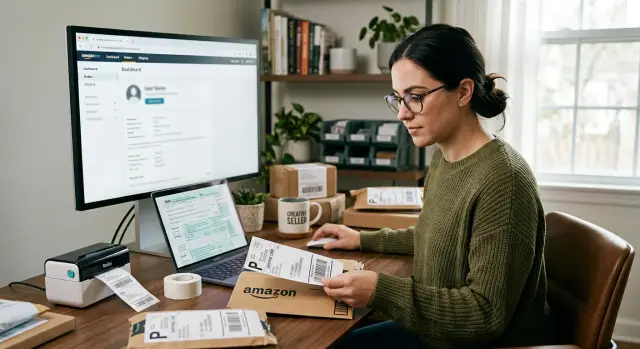
Why a hobby seller's address gets exposed
Most people who start selling online do whatever is easiest. They use a home address for a marketplace account, a payment profile, a return label, and maybe a receipt template. That feels harmless when you're shipping a few orders a month.
The trouble starts when the same address gets copied everywhere. A marketplace pulls details from a payment account. A shipping tool saves a sender address and keeps reusing it. A tax form matches the payout profile. Months later, the shop looks like a business, but the back-end setup still points to your house.
Old records make it worse. An early seller page, an emailed receipt, a screenshot of a shipped order, or a reused label can stay visible long after you update your settings. If your side hustle turned into steady income, your first setup often stays attached to your name.
Data brokers don't need one perfect record. They stitch together small matches: your full name, an email, a phone number, a city, and an address that appeared on an old form. Once those pieces line up, your home address can spread far beyond the store where it first showed up.
Buyers don't need much either. A package return address, a public seller handle, and a name can be enough. Add a phone number from an order confirmation or a personal profile that uses the same email, and the gap gets very small.
Picture a seller who starts by mailing handmade candles from home. The first labels use their full name and street address. Later they open a proper shop name, but old order slips and account details still match the same phone number. One curious buyer runs a search and finds the business, the person behind it, and the home address tied to both.
That's why address privacy usually breaks through a chain of ordinary choices, not one dramatic mistake. The fix works the same way. You have to clean up the chain.
Where addresses usually leak
A home address usually escapes through routine business tasks. Once you start selling often, your return address, payout details, business name, and paperwork begin to connect.
The most common sources are simple:
- return labels and package photos
- marketplace profiles and public contact fields
- tax and payout forms
- business filings, permits, and registrations
Shipping causes a lot of problems because labels pass through many hands. Buyers keep boxes, take photos, resell items, or post unboxing pictures without thinking about the label. Even if your storefront looks private, one clear image can tie your seller name to your home.
Marketplace settings are another weak spot. Some platforms ask for a public contact address, customer service email, or location line. If you used home details to get started and never changed them, that information can stay visible longer than you expect.
Tax and payment paperwork creates a quieter trail. Marketplaces, payment processors, bookkeeping tools, and support systems may all store the same legal name and address. You might never see those records in public, but they can still spread through exports, vendor databases, old account notes, or later business filings.
Public records raise the stakes. A local business license, resale permit, LLC filing, or home occupation permit can put your address into a searchable database. After that, data brokers can copy it and attach it to your phone number, relatives, and past addresses.
The first useful question is usually this: where did the address appear first, and who copied it after that? Once you find the source, the rest of the cleanup gets easier.
Shipping labels can undo your privacy
Many sellers lock down social media and public pages, then print their home address on every box they ship. It usually happens by accident. The return address is often turned on by default, so a home address ends up on dozens of labels before anyone notices.
That creates a paper trail you can't really control. A buyer can keep the box, photograph it for a review, post an unboxing video, or toss it into a donation pile with the label still attached. Even a partly covered label can reveal enough. A street name and ZIP code can narrow things quickly.
This gets worse once selling becomes regular. A hobby seller prints a few labels at home and barely thinks about it. A business seller ships every week, reuses the same presets, and sends the same address out again and again. One old package turning up months later can put that address back into circulation.
Carrier accounts can also keep the leak alive. Pickup requests, saved sender profiles, label presets, and address books often hold onto old details. You change the address once, but the next batch of labels pulls the old one back in.
If you're checking your exposure, start with the shipping side, not just the storefront. Look at saved sender addresses, default return settings in each marketplace, old templates in shipping apps, pickup settings, and any scan form setup you still use. These boring settings cause a lot of repeat leaks.
This is why broker cleanup alone doesn't solve the problem. If your labels still point home, your address can keep reappearing no matter how many old listings you remove.
Marketplace profiles can expose more than you think
Buyers usually see your marketplace profile before they see anything else. That's often where a home address starts to reconnect to your real identity.
Some marketplaces ask for a location so buyers know where an item ships from. That sounds minor, but the field may show a city, neighborhood, or an old item location pulled from past listings. If you filled it out casually when the shop was small, it can become a problem later.
Store bios create trouble too. Sellers write things like "Message me for local pickup" or "Call before 6 pm" and forget about it. A phone number, personal email, or pickup note can connect your shop to your real name very quickly. Small clues add up.
Your business name can open another door. If the seller name matches a sole proprietorship, a resale certificate, or a local filing, a basic search can lead straight to public records. Home-based sellers do this all the time without realizing it because one name feels easier to use everywhere.
Closed listings are another issue. Deleting a listing does not always erase it. Old pages can stay in search results, screenshots, caches, and scraper sites that copied the original version. So even after you update your live profile, older contact details may still appear.
A quick profile review should cover your public location, shipping origin, store bio, FAQ text, seller name, business name, and contact email. Then check whether inactive or sold listings still show up in search. Clean the live profile first. After that, go looking for copies.
Tax and business forms leave a paper trail
A lot of sellers clean up the public side of the shop and miss the paperwork behind it. That's often where the address keeps leaking.
A W-9, payout form, or account verification record can carry the same address you use for banking, taxes, or mail. Even if that form was never meant to be public, the address can still spread through account records, support tickets, archived exports, vendor tools, or later filings.
Sole proprietors usually have a harder time here. If you register a business, apply for a permit, or file a resale certificate with your home address, that address can stay tied to your business name for years. A broker site only needs one public record to start building a profile around you.
The usual trouble spots are seller tax onboarding, payout setup, local business licenses, reseller documents, archived invoices, and old accounting exports. None of this looks dramatic. That's the point. The leak is often hidden inside normal admin work.
One old form also rarely stays in one place. A county database can feed a people-search site. A marketplace record can end up in a support platform. An accountant's copy can sit in cloud storage long after the original address changed. That's how a home address keeps coming back online.
If a record allows updates, replace the home address with a business mailing address or a registered agent address where permitted. Then check whether older copies still exist. Updating the source matters first. After that, copied listings are easier to deal with.
A simple cleanup plan
Start with a master list. Write down every marketplace, shipping tool, payment account, tax service, store platform, and email account tied to your sales. Include old accounts. A shop you stopped using last year can still expose your address in an old profile or receipt.
Next, choose one business mailing address you are allowed to use going forward. That might be a PO box, a mailbox service, or another lawful mailing address for returns and account records. If different tools keep different addresses, the old one tends to come back through autofill and saved settings.
Then work in a practical order:
- update return labels and shipping presets
- change storefront contact details and seller profiles
- fix payout records, billing settings, and invoice templates
- review tax software and business registration records
- clear browser autofill and saved form data on the devices you use for work
That order matters. New labels and fresh orders create new records fast. If your shipping app still prints your home address, cleaning up old listings won't help for long.
After the active accounts are fixed, look for old copies. Search your name, shop name, phone number, and old address in different combinations. Check public seller pages, old PDFs, search results, and data broker sites. Send removal requests anywhere the old address still appears.
If the broker side is the part you keep postponing, Remove.dev handles removals across more than 500 data brokers and keeps monitoring for re-listings after a record is taken down. That's useful when the source records are fixed but the copied versions keep coming back.
Keep a simple log while you work. A spreadsheet with five columns is enough: account, address found, date changed, removal sent, and follow-up date. It sounds boring because it is boring, but it works.
One final check catches a lot: place a test order, generate a sample label, download a receipt, and read every address line. The live systems have to be clean, not just the public profile.
A realistic seller example
Maya started selling handmade candles from a spare room in her house. At first it felt small. A few orders a week, a simple shop name, and labels printed at home.
Then sales picked up. She added returns, which meant every package carried her home address. She used the same store name on a marketplace, on packaging, and on a business registration form. That filing listed her real name and home address. Once the store name and address matched, anyone could connect the pieces in a few minutes.
Data brokers filled in the rest. One listing showed her name and an old phone number. Another showed the same address with possible relatives. A third tied the address to the business name. None of those pages had the full story by themselves, but together they made her home easy to find.
Her first instinct was to remove the broker listings right away. It didn't stick. New records kept showing up because the source data was still live in her seller profile, her return labels, and the business filing tied to the shop.
The cleanup only started working after she changed what she could control. She switched to a separate return address, updated marketplace details, and checked which business records could be changed or limited. Only then did removal requests start to hold.
That's the part many sellers miss. If one label, one profile, or one form still points home, the address has a way of coming back.
Mistakes that put the address back online
The frustrating part of privacy cleanup is how easy it is to undo. One missed setting can bring the old address right back.
A common mistake is updating the marketplace profile but forgetting the shipping tool connected to it. The store page looks clean while the label app still prints the old return address. A few packages go out, and the address starts spreading again.
Saved templates cause the same problem. Sellers reuse last season's label format, a tax document, or a return form because it's faster. That shortcut can bring back the exact address they meant to retire.
Personal and business details also get mixed more often than people think. A business name on one account and a personal phone, personal email, and home address on another makes it much easier for data brokers to reconnect everything.
New paperwork is another weak spot. If you file a tax form, LLC document, resale certificate, or verification form with your home address again, that fresh record can feed broker sites and public databases. Then old listings return even after a cleanup.
A few habits help:
- check every tool that touches orders, not just the storefront
- delete old templates and autofill entries
- keep one consistent business contact set for forms, shipping, and support
- review new filings before submitting them
- check again a few weeks later for re-listings
That last step matters more than most people expect. Removal is rarely one-and-done. Records come back when a new source appears or an old database refreshes. Ongoing checks work better than a one-time purge.
A quick privacy check
You can learn a lot in five minutes.
Search your full name, your shop name, and your city in different combinations. You're not trying to find every mention of yourself. You're trying to see what a stranger would find first.
Then check the places that most often reconnect an address. Look at your last few shipping labels before printing the next batch. Open your storefront in a private browser window and read it like a buyer would. Search public business records tied to your seller name. Review any tax or resale paperwork submitted through marketplaces or payment services.
A simple test works well: what could a stranger learn in five minutes using only your shop name? Could they find your street, your legal name, your city, and then match that to broker listings? If yes, the risk is real.
This is where privacy work starts to feel practical instead of abstract. You're not chasing every mention of your name online. You're finding the small details that let someone connect your business identity to your home.
If you find a leak, fix the source first. After that, remove the copied records. Otherwise the same address will keep surfacing.
What to do next
Start with the sources that can create fresh records. If your shipping software, marketplace profile, return address, or business paperwork still shows your home address, old listings will keep coming back. Fix the live records first, then clean up what is already out there.
A practical order usually works best:
- update seller profiles, store contact details, and return addresses
- review tax, licensing, and registration records that still point home
- search for your address under your name, business name, and old seller usernames
- remove broker listings after the current records are corrected
For many small sellers, a monthly check keeps the problem from growing back. Put one reminder on your calendar and spend 15 to 20 minutes reviewing your marketplace account, shipping settings, business filing sites, and search results for your name and shop name. If you moved, changed a return address, or opened a new seller account, check sooner.
If you want one simple rule, use this: every time you create a new seller account or submit a new form, assume it can reconnect your home address unless you verify every field.
Manual cleanup is possible, but it gets tedious fast. If you want help with the broker side after you've fixed the source records, Remove.dev can automatically remove personal data from broker sites, monitor for re-listings, and track requests in one dashboard. Most removals are completed within 7 to 14 days, which is a lot easier than chasing the same listings by hand.
The goal isn't perfect invisibility. It's stopping your home address from spreading every time your business grows.
FAQ
How does a hobby seller’s home address end up online?
It usually happens through small setup choices that get reused. Your home address may show up in a return label, payout profile, receipt template, or early seller account, then get copied into other tools and records over time.
What should I check first if I think my address is leaking?
Start with shipping settings. Check your default return address, saved sender profiles, label presets, pickup settings, and any old shipping apps that may still store your home address.
Are shipping labels really that risky?
Yes. A return label can pass through buyers, photos, resale listings, and unboxing posts. Even a partial label with a street name or ZIP code can make it much easier to connect your shop to your home.
Can my marketplace profile expose me without showing my full address?
They can. A city field, pickup note, personal email, phone number, or seller name that matches a filing can give someone enough to connect your shop to your real identity, even if your full address is not on the page.
Do tax forms and business filings matter if buyers never see them?
Yes, because those records can still spread. A W-9, payout form, license, permit, or registration can feed vendor systems, archived exports, support records, or public databases that data brokers later copy.
Should I switch to a PO box or business mailing address?
Use one lawful business mailing address going forward if your platform and local rules allow it. A PO box, mailbox service, or registered agent address can reduce repeat leaks, but you still need to replace old home addresses already saved in your tools.
What’s the best order for cleaning this up?
Fix the live sources first. Update shipping labels and presets, then clean your storefront details, then review payout, billing, tax, and registration records. After that, search for old copies and send removal requests.
Why does my address keep coming back after I remove it?
Because the source is still active somewhere. If one label app, old profile, tax record, or filing still points to your home, fresh records can be created and broker sites may add the address again.
How can I tell if my old address is still exposed?
Run a quick five-minute check. Search your full name, shop name, old usernames, phone number, and address in different combinations, then place a test order or generate a sample label and read every address line.
When should I use a service like Remove.dev?
It makes sense after you correct the source records but copied listings still keep showing up. Remove.dev removes personal data from more than 500 data brokers, monitors for re-listings, and tracks requests in one dashboard, with most removals finished in 7 to 14 days.