Open house sign-in forms and where your data can end up
Open house sign-in forms can feed real estate lead systems, data brokers, and people-search sites. Learn where your info goes and how to limit it.
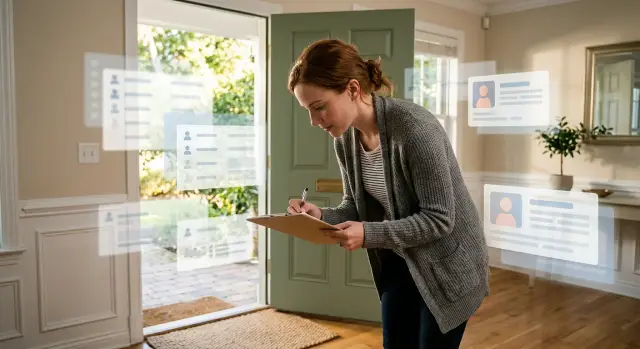
What happens when you sign in at an open house
Most buyers treat the sheet by the door like a guest book. It feels routine. The agent wants to know who stopped by, the seller wants a rough headcount, and someone may need a way to follow up if there is an offer deadline or a price change.
That is only part of the story.
Open house sign-in forms often do much more than record a visit. Once you hand over your name, phone number, and email, that information can be added to a brokerage database or a real estate lead system. If you also share your current address, budget, or timeline, the record becomes much more useful to the office.
From there, a one-time visit can turn into an ongoing contact record. The system may label you as a buyer, assign you to an agent, and schedule follow-up texts or emails. In some offices, your details are visible to more than the person who greeted you at the door.
Picture a simple version of this. You visit one Sunday open house, sign in with your usual email, and mention that you hope to move by summer. The next day, you get a text. A week later, listing alerts start arriving. Two months later, another agent from the same brokerage calls because your name is still in the database with notes attached.
That is how one short visit can lead to months, and sometimes years, of contact. The sign-in takes less than a minute. The record can last much longer. Even if you were only curious about the house, the system may read your visit as buying intent and keep treating you like an active lead until someone deletes the record or stops using it.
What surprises most buyers is not that an agent follows up once. It is how long the follow-up can continue, and how much detail can sit behind it after a casual visit.
Why the form is useful to lead systems
Open house sign-in forms look simple because the form itself is simple. What happens after is not.
A visitor may think they are only checking in. The agent sees a new contact that can be sorted, saved, and used later. On paper, the form often asks for your full name, phone number, email, and current address or ZIP code. Digital forms usually ask for the same basics, then add questions about whether you already have an agent, your price range, when you want to move, and which areas interest you.
That is enough to build a usable profile.
If the form is digital, the details can go straight into a CRM, which is just a contact database for sales follow-up. If it is a paper sheet, someone can type it in later the same day. Either way, the record is easy to tag with notes like the property address, the date you visited, and whether you seemed ready to buy soon.
Those notes matter more than most buyers realize. After a short conversation, an agent might add that you want a three-bedroom home, need to stay under a certain budget, hope to move before school starts, or only want a few neighborhoods. Later messages can feel personal because the system already has context.
That is the real value of these forms to a brokerage. They do not just collect contact information. They build a timeline and a picture of intent. Someone who writes "moving in 60 days" will usually get different follow-up from someone marked "just browsing."
A single Sunday showing can become a long contact record. Months later, that same entry may still include your name, phone number, email, price range, move date, and comments from the conversation near the kitchen island. That helps sales follow-up. It also means one small form can stick around much longer than most buyers expect.
How your details can spread beyond the showing
A sign-in sheet feels minor. You write your name, email, and phone number, walk through the house, and leave. But in many real estate lead systems, that entry does not stay in one place.
The first copy often goes into a brokerage CRM or a showing app. After that, the same record can move into a marketing tool, a texting service, an agent's phone contacts, or another app used by the office. Every handoff creates another copy. No bad intent is required for this to become messy. More copies simply mean more chances for your data to sit around for months or get reused later.
Email addresses and phone numbers usually spread fastest. Ad platforms can match them to existing user accounts, often through an encoded version of the data instead of plain text. That match can be used to build ad audiences, run follow-up ads, or connect your open house visit to other activity tied to the same contact details. You may never see that matching step, but you can still notice the result.
Missing details do not always stay missing either. Public records, voter files in some places, property records, and list-matching tools can fill gaps by connecting your name or number to age range, address history, relatives, or homeownership status. A partial record can turn into a fuller one pretty quickly.
This is where people-search sites become a problem. They often collect data from many sources and merge it into one profile. So a simple open house sign-in entry can later appear next to past addresses, family names, and other contact details that were never written on the form.
The pattern is pretty common. You sign in at a showing. The agent adds your details to a follow-up tool. Your email or phone number gets matched in an ad system. A broker or partner database shares or sells the record. Then a people-search site combines it with public records.
Once that cycle starts, data broker privacy gets harder to manage. If your details are already moving around, the next step is usually to remove personal information from the broker and people-search sites that picked it up. That is the kind of cleanup Remove.dev is built for.
A simple example of how it grows
Open house sign-in forms can look harmless. You walk in, type your full name and personal phone number into a tablet, and move on.
Picture a buyer named Erin. She visits one Sunday showing and signs in because she does not want to seem difficult. During a short chat, the agent learns that she wants a home under $650,000 and hopes to move within four months.
That small moment creates more than a guest log. The agent now has a current name, a working number, and a rough buying timeline. In many real estate lead systems, those notes sit beside contact details and can be used for follow-up calls, texts, ad matching, and remarketing.
A few weeks later, Erin starts noticing a pattern. She gets texts from agents she does not remember meeting. Real estate ads follow her around online. A lender leaves a voicemail. None of it feels connected to that one open house, but that is often where the clean, up-to-date record began.
This is how it usually grows. One sign-in gives a fresh name and phone number pair. A short chat adds budget, neighborhood interest, and timing. Follow-up tools use that profile for calls, texts, and ads. Later, data matching connects the same number to older records.
That last step is where the exposure gets sticky. People-search sites and other lookup tools often build profiles by combining many sources. A current phone number is a strong match point. Once that number is tied to a real person, it can help connect past addresses, age range, and even relatives who appear in public or commercial records.
So the problem is not only more marketing. One accurate sign-in can make an existing data trail easier to join together. A stranger searching Erin's number months later may see much more than a missed call log. They may see where she has lived and who is linked to her.
That is a lot to grow from a single visit.
The details that create the most exposure
Some fields on an open house form reveal much more than they seem to.
A first name and a throwaway email create one kind of record. A full legal name, your main email, your mobile number, and your current address create a record that is far easier to match across real estate lead systems, ad platforms, and people-search sites.
The real issue is not one detail by itself. It is the combination. Once a form includes two or three strong identifiers, other databases have a much easier time deciding that several records belong to the same person.
Your main email is one of the strongest connectors. If you have used it for store receipts, newsletters, account sign-ups, or medical portals, it may already exist in a lot of databases. Add that same email to open house sign-in forms, and the new entry can attach to a much larger profile.
Your mobile number works the same way, and sometimes even better. Many data brokers treat phone numbers as stable identifiers because people keep them for years. If that number is also tied to delivery apps, banking alerts, and social accounts, one showing visit can feed a profile that keeps growing.
Address details add context. Your current home address tells systems where to place you now. A target neighborhood or move date suggests what you may do next. That can lead to more ads, more calls, and more records sold to people-search sites.
Then there are the notes. They are often the most personal part of the file. "Expecting a baby," "relocating for work," or "preapproved up to $700,000" may sound harmless in conversation. Written down, those details can shape how you are categorized and how you are marketed to later.
If you want less exposure, give only what is needed. Use a separate email for home searches when you can, and think twice before writing personal details into comment boxes. If your information is already circulating, a service like Remove.dev can help remove it from many data brokers and keep checking for relisting.
How to limit the spread before and after a visit
The best time to reduce exposure is before you hand anything over. Many open house sign-in forms look casual, but they often feed a sales database. Once your details enter a real estate lead system, they can stay there for years.
Before you sign
Ask one plain question first: "Is sign-in required to view the home?" Sometimes it is. Sometimes it is just a lead collection step. That small pause tells you whether you are checking in for access or simply volunteering data.
If you do sign in, keep it minimal. A name and one contact method is often enough for a visit. You usually do not need to add your home address, work email, full budget, move date, or family details. The more specific the form gets, the easier it is for that information to be matched with other records later.
A simple habit helps here: use an email alias or a separate phone number when you can. If follow-up spreads farther than expected, your main inbox and everyday number are not the first things being passed around.
Be especially careful with comment boxes. They look harmless, but details like "relocating in June," "approved up to $850k," or "need room for two kids" make your profile much easier to identify.
After you leave
Keep the first texts and emails you receive after the showing. Do not delete them right away. Save them in one folder or take screenshots with the date and sender.
That gives you a trail. If an agent, lender, or home service company contacts you later, you can compare names, dates, and message timing. It becomes much easier to see where the follow-up started and who may have shared your details.
A simple example makes this clear. If you visit one open house on Saturday and by Monday your alias gets three property alerts and a mortgage pitch, you already know which visit likely triggered it. That makes opt-out requests much more precise.
Think of the form as a long-term record, not a guest book. The less you put in, the less there is to circulate.
Common mistakes buyers make
Most buyers do not think of an open house sign-in form as a long-term data handoff. It feels like a quick courtesy at the door. But those forms often feed real estate lead systems, and small choices on the form can linger long after the showing.
One common mistake is using the same personal email address at every visit. After a few weekends, that one address can tie together your name, phone number, search area, budget, and response history. If that email is also connected to shopping accounts, newsletters, or old public profiles, matching it across databases gets much easier.
Another mistake is filling in every blank on a QR form just because the form asks. Many digital sign-ins request an employer, current address, timeline, financing status, and more. Some of that may help an agent qualify a lead, but not all of it is needed to walk through a house. Optional fields are often where extra exposure starts.
Home address is a big one. Buyers sometimes enter their full street address when a ZIP code would do. That single detail can connect a sign-in record to property records, household data, age ranges, and people-search sites. Once that match happens, the profile tends to grow.
The rushed phone-in-hand moment causes problems too. People scan first and read the consent language later, if they read it at all. By then, they may have already agreed to follow-up by call, text, or email, and sometimes to sharing with partner tools used for marketing.
Ignoring early follow-up is another easy mistake. Silence does not always slow the flow. If you are not interested, opting out early is usually better than letting messages pile up while your contact record stays marked as active.
A safer default is simple: use a separate email for home shopping, skip optional fields unless they help you, give a ZIP code instead of a full address when possible, read the consent language before you submit, and opt out after the first unwanted follow-up. It may feel picky at the door. It can save you years of extra exposure later.
Quick checks to see if your info is already out there
If you have filled out open house sign-in forms a few times, it is worth doing a quick check before more details spread. A manual search is boring, but it beats guessing and usually takes less than 15 minutes.
Start with the obvious searches
Search your full name with your city. Then search your phone number by itself, and again with your city. If you sometimes use a middle initial, try that version too.
Look closely at the results. People-search sites often create more than one profile for the same person, especially when an old address, alternate spelling, or second phone number gets pulled in.
You do not need a complicated system. Search your name and city, search your phone number, check for profiles tied to old addresses, note duplicate profiles, and save screenshots or write down the site names. Old addresses matter more than most buyers think. Once a profile connects your current phone number to a past address, other sites can copy the same record.
Watch for clues in your inbox and phone
Your email can tell you a lot. If real estate messages start mentioning things you shared only once, like your price range, the neighborhood you asked about, or whether you want a three-bedroom home, your details may already be moving through real estate lead systems.
Your phone is another clue. If calls and texts jump right after a weekend of tours, note the timing. A spike on Monday or Tuesday often means your information did not stay with one agent or one showing.
Keep a short list of every place where you signed in. Include the date, property, and what you gave them: full name, email, phone, or current address. Later, if a new profile appears or the calls start climbing, you have a trail instead of a vague memory.
If you decide to remove personal information later, that sign-in list makes the cleanup easier. It also helps you compare what changed after you started opting out or using a service that handles removals for you.
What to do next if your data is already circulating
If your details are already out there, move quickly and keep it simple. You do not need a perfect cleanup on day one. You need a record of who has your information, where it appears, and which removals are still pending.
Start with the place that likely collected it first. Send opt-out or deletion requests to the agent, the brokerage, and any partner lists tied to the showing. Ask what they collected, who received it, and how to stop future sharing. A short, direct email usually works better than a long complaint.
Then move to the public side of the problem. Search your name, phone number, email, and home address on major people-search sites and submit removals one by one. When open house sign-in forms feed real estate lead systems, your contact details often spread first. After that, the same details can show up on other sites that buy and resell data.
A simple tracking habit makes the process much easier. Save screenshots before and after each removal request. Write down the site name, the date, and how you contacted them. Keep confirmation emails and replies. Then recheck the same profiles every few weeks.
That last step matters. Profiles often come back after a new data refresh or partner sync. You may remove a listing in April and see it return in June with the same phone number and a slightly different address.
If the process starts eating your evenings, handing it off can make sense. Remove.dev handles removals across more than 500 data brokers, tracks requests in one dashboard, and keeps checking for relistings so new removal requests can go out automatically. For anyone trying to remove personal information without turning it into a part-time job, that kind of ongoing monitoring is the practical part.
The main thing is to stay organized. Keep your requests, screenshots, and replies in one place so you can see what changed, what came back, and where to push next.
FAQ
Do I have to sign in at an open house?
Not always. Ask plainly whether sign-in is required to enter, because sometimes it is just a lead capture step rather than a rule for the showing.
What information should I avoid putting on the form?
Skip anything you do not need to share, especially your full street address, work email, move date, budget, employer, and family details. A name and one contact method is often enough.
Why do they want my phone number and email?
Because those details let a brokerage turn a quick visit into a contact record for texts, emails, calls, and ads. Once your info goes into a CRM or another app, it can stay there long after the showing.
Can one open house really lead to months of follow-up?
Yes. One visit can be tagged with notes about your price range, timing, and neighborhoods, then used for follow-up weeks or months later.
Is a QR code sign-in form riskier than a paper sheet?
Usually yes, because digital forms often feed other tools right away. Paper sheets can still be typed in later, but QR forms make sharing and matching faster.
What is the safest way to sign in if I still want to tour the house?
Use a separate email for home shopping if you can, and give only the minimum needed. If a ZIP code works, do not offer your full address, and leave comment boxes blank unless there is a real reason to use them.
How can I tell if my data has already spread?
Check your inbox and phone for a spike in real estate texts, lender calls, or ads right after a tour. You can also search your name, city, and phone number to see whether people-search profiles or duplicate records show up.
Should I ignore the first follow-up message?
Reply and opt out early if you are not interested. Ignoring messages can leave your record marked as active, while a clear stop request gives you a paper trail.
Can people-search sites connect an open house sign-in to other details about me?
They can. A current phone number or main email makes it easier for other databases to connect your sign-in record with old addresses, age range, and family links already sitting in public or commercial records.
What should I do if my information is already showing up online?
Start with deletion or opt-out requests to the agent and brokerage, then remove your profiles from people-search sites. If doing that by hand takes too much time, a service like Remove.dev can handle removals across hundreds of brokers and keep checking for relistings.