Opt out mistakes that keep your personal data online
Learn the most common opt out mistakes, from hidden listings to missed follow-ups, and use a simple process to keep your data offline.
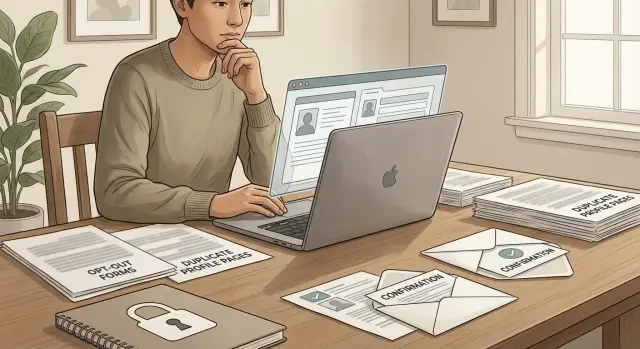
Why first opt-outs fail
Most failed opt-outs do not fail because the broker refused to act. They fail because one small detail got missed.
You send a form, get a confirmation email, and assume the page is gone. But the same record may exist on several sites, or even on the same site more than once. One page might use your current city. Another might use an old address, a middle initial, or a past phone number. Removing one listing does not remove the rest.
Data brokers copy from each other all the time. One broker pulls from public records, another copies that file, and a third republishes it with a slightly different profile. Search makes this worse. A site's own search box does not always show every profile page it has, so you can miss live pages without realizing it.
Requests also fail in quieter ways. Some brokers split requests into suppression, correction, and full deletion. Pick the wrong form and nothing happens. Others want an ID check, a confirmation click, or a reply from the same email address you used in the form. Miss one step and the request stalls.
That is why manual data broker removal usually takes more than one pass. A first opt-out can look successful while your information is still live somewhere else.
Missing hidden and duplicate listings
One of the most common opt out mistakes is assuming one search result shows your whole data trail. It rarely does.
Data brokers often split the same person into several profiles. One page may show a current address, another an old apartment, and a third a near-match with enough detail to identify you. Smaller differences matter more than most people expect.
Start wider than the broker's own search box. Search engines often find profile pages that the site does not show in its internal results. Try a few versions of your information:
- your full name with your city
- your name with an old address or ZIP code
- your name with your age
- nicknames, middle initials, shortened first names, or a past last name
A listing under "Jon Smyth" may still be yours if the age, street, or relatives line up. The same goes for records that use a maiden name, drop a middle name, or shorten a long surname.
When you find a match, save the exact URL before you submit anything. That simple step prevents a lot of confusion later. Some sites hide the page after a request, and many confirmation emails do not say which listing they received.
Treat each profile as a separate request unless the site clearly says one form removes all related entries. Many do not. That is why someone can submit one opt out request form, get a receipt, and still find another live profile a few days later.
Using the wrong form or request type
A lot of opt-outs fail for a very plain reason: the request went to the wrong place.
Many broker sites separate suppression requests, deletion requests, and general privacy questions. A generic contact form is usually the worst option. It may go to support or billing instead of the team that handles removals.
The legal path matters too. Some forms are built for residents of a certain state or country, so the region and law you choose should match your situation. If you live in California, a CCPA request may fit. If you live in the EU, the GDPR path may fit better. Choosing the wrong one often leads to extra questions and delays.
Another common slipup is pasting the home page instead of the exact profile URL. That forces the broker to search for you by hand, and some simply do not do it. Use the direct page that shows your name, age, address, or relatives.
Before you hit submit, check four things: you are on the broker's actual opt-out form, you chose the right legal basis, you pasted the exact listing URL, and the details in your request match the listing. If the form asks for ID, a screenshot, or email confirmation, handle that right away.
Stopping after the first confirmation email
A confirmation email usually means the broker received your request. It does not always mean the page is gone.
This trips people up constantly. They submit a form, see the email, and move on. A week later, the listing is still live because there was one more step hidden in the message.
Some brokers send a simple receipt. Others send a second email asking you to confirm the request, click a verification button, or reply from the same address you used in the form. If you skip that step, the request may expire without much warning.
Spam folders cause more problems than people expect. Follow-up messages often land there, especially when they come from unfamiliar domains or automated systems. If you are trying to remove personal information online, check spam and promotions for a few days after each request.
Keep the case number until the listing is actually gone. It makes follow-up easier if support says they cannot find your request.
Then wait for the stated review window. If the email says 10 business days, do not check once on day two and assume the process failed. Check again after the window ends, and search the same way you found the page the first time.
Sending details that do not match the listing
Another common problem is a mismatch between your request and the record you want removed.
If the profile shows "Jen Miller" at an old apartment in Phoenix, but your request says "Jennifer Miller" with your current address, the broker may not connect the two. It sounds petty, but many sites are exact about matching details.
Start with the profile itself. Use the name, address, age range, and city exactly as they appear. If the listing includes an old phone number or a past address, include that too. Old details often matter more than current ones because they are what the broker used to build the page.
Typos can break the match as well. One wrong digit in a ZIP code, one missing letter in a street name, or a misspelled last name can send the request to the wrong record or to no record at all.
Another mistake is grouping several people into one request. If a listing mentions you, your spouse, and your adult child, send separate requests unless the broker clearly asks for a household request. One form for three people often leads to one removal and two missed records.
Use an email address you actually check. Some brokers reply days later with a follow-up question or another verification step. If you miss it, the listing stays up.
A simple habit helps here: copy the listing details into your notes before you submit the form. Working from the page itself is much safer than working from memory.
Skipping proof, notes, and rechecks
A lot of people send one request, see a confirmation screen, and move on. That makes the whole process harder than it needs to be.
Start with proof. Take a screenshot before you submit the request so you have a record of what the listing showed. Save another screenshot of the confirmation page, and keep the email receipt. It feels tedious, but it saves time when you need to match a case number to a specific listing.
You also need a simple log. It does not have to be fancy. A notes app or spreadsheet is enough if you keep the same fields each time:
- site name
- exact profile URL
- date sent
- details used to match the record
- case number or status
These notes matter when one broker has duplicate pages for you, or when one listing uses a middle initial and another does not. Without a paper trail, it is easy to think a site ignored your request when you actually submitted the wrong details for one version of the record.
Rechecks matter just as much as the first request. Most brokers do not remove listings instantly. Give each request about 7 to 14 days, then check the exact page again. Do not rely on a single name search. Open the listing itself and confirm it is really gone.
Some records come back later. A broker may republish your data after a fresh scrape, or a partner site may create a new page with the same details. That is why one clean removal is not always the end of the job.
A cleaner way to handle opt-outs
The easiest way to avoid opt out mistakes is to treat the work like a small admin process, not a one-time search.
Start by finding every version of your record. Search your name, old addresses, phone numbers, and common misspellings. When you find a listing, save the exact profile URL, not just the broker name.
Next, keep one simple tracker. For each site, note the broker, the URL, the date you sent the request, the email you used, and when to check again. Then submit requests one site at a time. It sounds slow, but it prevents mix-ups.
Save everything in one folder. Keep the page screenshot, the confirmation message, and any follow-up emails together. If the broker says they cannot find your request, you have proof. If the page comes back later, you know when it first disappeared.
Finally, set reminders as soon as you send each request. Most removals do not fail because the first form was impossible. They fail because nobody followed up.
If manual tracking feels like too much, that is the part a service can take over. Remove.dev handles removals across more than 500 data brokers, tracks each request in a dashboard, and keeps monitoring for re-listings so you do not have to repeat the same searches by hand.
A quick example
Say Nina searches her full name, city, and an old phone number. She finds one current profile on a people-search site and two older listings on smaller brokers. All three show enough detail to identify her, even though one record is years old.
She starts with the current profile but copies the search-results URL instead of the exact profile URL into the form. Two days later, she gets a reply saying the request could not be matched.
On the second try, she opens the profile itself, copies that page address, and sends the form again. This time she includes a past street address because the listing uses her old apartment, not her current one. The request goes through, and the page disappears a week later.
The other listings take more patience. One broker sends a confirmation email, but nothing changes until she clicks the final verify button. Another removes the record, then posts a fresh copy from another source a month later.
What helps most is a plain tracking sheet. Nina keeps five columns: broker name, exact listing URL, date sent, matching details, and status after recheck. Nothing fancy. But when the same data appears again on another broker, she does not have to start from zero.
Before you call it done
A removal is not finished when you get a confirmation email. It is finished when the public page is gone.
Before you move on, do a few quick checks:
- open the exact profile page you submitted
- search your name and old details again
- look for duplicate pages under older addresses or name variations
- save proof that the page no longer loads
- set a later recheck in case the listing comes back
Search results can lag behind the live page, so click through before you panic. If the search result still points to a dead page, the removal probably worked. If it still opens a live profile after a week or two, the record may have been recreated or never removed in the first place.
If manual opt-outs are too much
Manual opt-outs sound simple until you are deep into follow-ups, screenshots, and waiting on confirmation emails. The hard part is not the first request. It is staying consistent when listings reappear or when one broker leaves a duplicate behind.
If you still want to do it yourself, keep the process small. Start with the brokers that show the most personal detail, keep one tracker, save your proof, and recheck the same listings after a few weeks. It is boring work, but it works better than sending a rush of forms and hoping they stick.
If that already feels like a second job, using a service can make more sense. Remove.dev uses direct API integrations, browser automation, and privacy-law removal requests under rules such as CCPA and GDPR to find and remove personal data. It also keeps checking for re-listings and sends new requests when your information shows up again.
The real fix for opt out mistakes is consistency. Either build a routine you will keep using, or hand the tracking and follow-up to a service that keeps watching after the first removal notice arrives.
FAQ
Why is my data still online after I got a confirmation email?
Not always. A confirmation email often means the broker received your request, not that the page was removed.
Open the exact profile page after the stated review window and check whether it still loads. Also watch for a second email asking you to confirm, reply, or verify your request.
Do I have to remove every profile one by one?
Usually, yes. Many brokers treat each profile page as its own record, even when the pages are clearly about the same person.
If you find duplicates under an old address, a nickname, or a middle initial, submit a separate request for each exact URL unless the site clearly says one request covers all related entries.
Should I search the broker site or use a search engine?
Start wider than the broker's own search box. Search engines often find profile pages that the site does not show in its internal results.
Try your name with your city, an old address, a ZIP code, a past phone number, or a name variation. That helps you catch hidden and duplicate listings.
What URL should I put in the opt-out form?
Paste the exact profile URL, not the home page and not a search-results page. The broker needs the page that shows your name, address, age, or relatives.
Before you submit, save that URL in your notes so you can check the same page again later.
Why does using my current information sometimes fail?
Use the details shown on the listing itself. If the page says "Jen Miller" at an old Phoenix address, send that version rather than only your current information.
Old addresses, past phone numbers, and small spelling differences often decide whether the broker matches your request to the right record.
How long should I wait before I check if a listing is gone?
Give it the review time the broker mentions, then check again. Most removals take about 7 to 14 days, and some sites are slower if they ask for extra verification.
Check the exact page you submitted, not just a name search. Search results can lag behind even after the live page is gone.
Do screenshots and case numbers really matter?
Yes. A screenshot of the listing, the confirmation page, and the email receipt make follow-up much easier.
Keep the site name, exact URL, date sent, and case number in one note or spreadsheet. That stops you from guessing which request matched which page.
What should I do if a broker asks for ID or another verification step?
Do it right away. If the broker asks for ID, a reply from the same email, or a verification click, the request can stall until you finish that step.
Check your spam and promotions folders for a few days after each submission. A lot of removals get stuck there, not on the form itself.
Why did my information come back after it was removed?
Because brokers copy from other sources and from each other. A page can return after a fresh data pull, or a partner site can publish the same record again.
Set a reminder to recheck later, even after a successful removal. If the page comes back, send a new request using the saved URL and proof from your first case.
When should I use a service instead of doing opt-outs myself?
Manual opt-outs are workable if you only have a few listings and you do not mind tracking URLs, follow-ups, and rechecks yourself. Once you are dealing with lots of brokers or repeat re-listings, the work adds up fast.
A service like Remove.dev handles removals across more than 500 brokers, tracks requests in a dashboard, and keeps monitoring for new listings so you do not have to repeat the same searches by hand.