Parent volunteer sign-up privacy after the event ends
Parent volunteer sign-up privacy matters even after the event. Learn where old names, emails, and schedules linger and how to clean them up.
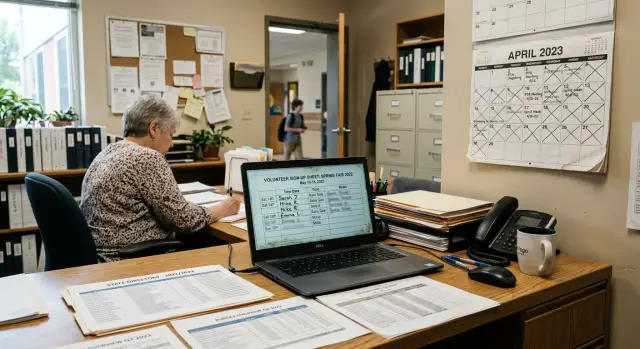
Why old sign-up pages become a problem
A parent volunteer page usually starts as a quick fix. Someone makes a shared spreadsheet, a calendar entry, or a simple form so families can claim snack duty, ride slots, or ticket table shifts. The event ends, everyone moves on, and the page stays right where it was.
That is the problem. Old sign-up pages rarely disappear on their own. If nobody deletes them, changes the sharing settings, or removes copied versions, they can sit online for months or years.
Most families assume the list is temporary, and that makes sense. A bake sale sign-up feels like a short school task, not a lasting record. But if the sheet was set to "anyone with the link," if the calendar was public, or if the same details were pasted into a class page or PTA post, the information can keep circulating long after the event is over.
Search makes this worse. A page does not need much traffic to show up again. Sometimes an old spreadsheet title, a volunteer form, or a cached calendar entry appears when someone searches the school name, a parent name, or the event name. Shared drives can keep extra copies too, especially when staff or volunteers duplicate files instead of updating one original.
It does not take much information to create a problem. A field trip sign-up from last spring might still list a parent's full name, phone number, child's classroom, and a note like "can drive 4 students." That may sound ordinary, but it reveals more than most families meant to share. It also shows which adult is connected to which child and where that child goes to school.
The point is not that every old page will lead to harm. The point is simpler: forgotten pages create unnecessary exposure. Once personal details spread across a spreadsheet, a public calendar, and copied school posts, cleaning them up gets slower and harder.
Where volunteer details stay
After an event ends, the data often lingers in several places at once. The problem is usually not one page. It is the trail of copies left behind after the sign-up was shared, downloaded, reposted, and forgotten.
The spreadsheet is often the first place to check. A sign-up sheet may still sit in a shared drive with broad access, or in an old folder that was once sent to parents, staff, or volunteers. Even if the live page is gone, the file can still be open to anyone with the link.
Public calendars are another common leak. A school or PTO calendar might still show names, shifts, classroom assignments, or arrival times weeks after the event. That can expose a family routine more clearly than people expect.
Copied pages make cleanup harder. A fundraiser notice might start on one school page, then get copied to the PTO site, a club page, a district page, or a classroom page. One copy gets removed, two others stay up.
The same thing happens off the website. A parent downloads the roster to print it and forgets it in a downloads folder. Another saves it to a phone. Those copies do not vanish when the school updates its website.
Search engines and archive tools add one more layer. An older version of a page can stay visible after the page changes. If family contact details have spread beyond the original page, cleanup may take more than one request. That is why schools need to check every copy, not just the first one they find.
What information gets left exposed
The problem is rarely just a name on a page. A parent volunteer sign-up can leave behind a small profile of a family, even months later.
A typical sheet may show a parent or guardian's full name, personal email, mobile number, and the job they agreed to do. That alone gives strangers enough to contact them directly or match them with other public records.
It gets more sensitive when the form also names a child. Many school sign-up pages include the student's class, teacher, club, team, or activity. Put together, that tells someone which adult belongs to which child and where that child is likely to be during the week.
Timing details make it worse. If a sign-up says a parent will be on campus from 9:30 to 11:00 on Friday, or working the ticket table at the spring concert, it reveals part of a family's routine. One date may seem harmless. A few dates start to sketch real life.
The notes column is often where pages become far too personal. People add details because they are trying to help: food allergies for a class party, supply lists tied to a family name, parking instructions, gate codes, pickup notes, or special arrangements. None of that belongs on a page that might still be visible later.
Even ordinary comments can say too much. "Call me if I am late after soccer pickup" or "Mrs. Chen in Room 12 needs gluten-free snacks" mixes contact data, child details, location, and schedule in one place.
That is why this matters after the event, not just before it. The risk is not one dramatic secret. It is the pileup of small details that, together, make a family easy to identify, contact, and track.
A simple fundraiser example
Picture a normal school fundraiser. A parent sets up a volunteer sheet for the spring bake sale. It asks for names, email addresses, phone numbers, student names, and time slots. At first, that feels harmless. Everyone just wants to fill the table, bring snacks, and get through the day.
Then the event ends, but the page does not.
One parent copies the sign-up sheet into a class newsletter so other families can check arrival times and donation needs. The newsletter goes out to a wide email list. A few people forward it. Someone saves it as a PDF. Now the same details live in more than one place, and nobody is tracking where they went.
Another volunteer downloads the spreadsheet to make planning easier next time. A few months later, they reuse the same file for a fall event. The old names and contact details are still there in hidden rows, extra tabs, or version history. Even if the new list looks clean, the archived spreadsheets behind it may still carry last semester's data.
The school calendar can add another layer. A staff member posts the bake sale on a public calendar with a note like "see volunteer list" or copies text from the original sign-up page into the event details. After the fundraiser, the calendar entry stays public because nobody removes it.
Now picture a parent searching for the event name a year later. The results still show last year's volunteer page, the copied newsletter, and maybe a cached file title with parent names in it. No one meant to publish private details for months. The problem came from reuse, copying, and pages that were never taken down.
A small fundraiser can leave a long trail. One sign-up form turns into a newsletter copy, a saved spreadsheet, a public calendar entry, and a search result that should have disappeared when the cupcakes did.
How to clean it up
The fastest way to fix this is to treat it like a small search project, not a one-file edit. One volunteer sheet often gets copied into a calendar entry, saved in a shared drive, attached to a newsletter draft, and downloaded by several organizers.
Start with public copies
Begin with anything a stranger could see without asking for permission. If the bake sale sign-up was posted on a school page, in a PTA calendar, or in a public folder, clean those copies first. Remove names, phone numbers, email addresses, and notes about a child, ride, allergy, or shift swap.
A simple order helps. Search for every version of the page by event name, teacher name, club name, and date. Check the school site, shared drives, public calendars, newsletter archives, and attachment folders. Edit or unpublish the public version before you touch internal copies. Delete files nobody needs to keep, and save a blank template for next time instead of reusing an old filled-in sheet.
This first pass matters because public copies spread quickly. A calendar entry with one attached spreadsheet can end up indexed, forwarded, or saved elsewhere.
Then clean the leftovers
Once the public versions are down, move to the quieter places where files tend to sit for months. Look in staff drives, PTA folders, email attachments, class message archives, and print-ready newsletter files. If a file exists only because it was convenient during the event, delete it.
Keep one clean template and name it clearly, such as "Volunteer sign-up blank." That small fix makes it much less likely that someone will duplicate last year's file with family details still inside.
Do not assume the job is done when the main page is gone. Ask each organizer, room parent, or staff helper to remove any personal copies from email, desktop downloads, and phone storage. A short message is enough: "Please delete any saved volunteer lists from the spring fair and confirm when done."
You do not need a perfect audit trail. You need fewer copies, less exposed data, and one clean starting point for the next event.
Mistakes that leave data behind
Most of these privacy problems come from leftovers, not hacking. The event ends, the table is cleaned up, and everyone moves on. The page, file, or calendar entry stays where it is.
One common mistake is closing the form and assuming the work is done. The form may stop taking responses, but the page can still be public. If names, phone numbers, classroom details, or time slots are still visible, the risk is still there.
Another easy mistake is deleting only the main copy. A PTA page might be removed while the same details still sit in a public school calendar, a teacher newsletter, or a copied page in another part of the site. Cleanup often fails because people remove the version they remember and forget the one that was shared later.
Archived spreadsheets cause trouble for the same reason. Someone exports responses to a spreadsheet, saves it to a shared drive, and forgets about it. Months later, a new organizer opens last year's file as a template. The old names are still inside, along with emails, phone numbers, and notes that should have been deleted.
Volunteer apps can create a false sense of safety too. A form tool may hide or remove the live page, but exported files usually stay where they were saved. If a copy was downloaded to a laptop, emailed to a committee member, or stored in a shared folder, it will not vanish on its own.
Small details leak more than people expect. A filename like "BookFair-ParentCellNumbers.xlsx" says a lot before anyone even opens it. An event title such as "Need 3 dads for gym setup, call Maria" puts contact notes in places that can show up in search, calendar feeds, or previews.
The pattern is simple: one event creates many copies. If even one copy stays public, the problem is not finished.
How to prevent it next time
The easiest fix is simple: decide who cleans up before anyone signs up. Problems usually start when everyone assumes someone else will remove the page later. One named owner, even for a small event, cuts that risk quickly.
Set the removal date when the event is first planned. If there is a sign-up sheet, public calendar entry, classroom post, or copied page on the school site, each one needs an end date too. A good rule is to remove public details within a day or two after the event, not "when someone has time."
Start fresh every time. Reusing last year's spreadsheet sounds harmless, but old names, phone numbers, and notes often stay behind in hidden tabs, comments, or copied cells. A blank template for each new event takes a little more effort at the start and saves a lot of cleanup later.
Public calendars should stay plain. Families may need the event name, date, time, and location. They do not need volunteer names, student names, phone numbers, email addresses, or shift notes. If a calendar is public, keep it at the level you would be comfortable posting on a bulletin board outside the school.
It also helps to keep contact lists in one controlled place. Trouble starts when the same list gets copied into email threads, chat messages, shared drives, and club pages. Then nobody knows which copy is still live.
A short checklist is enough:
- Assign one person to own cleanup from start to finish.
- Put a removal date on the plan before the page goes live.
- Use a new blank form or sheet for each event.
- Keep public calendars and copied school pages free of personal details.
- Store contact details in one private place with limited access.
Small habits beat last-minute scrambling. If the school can answer "Who owns this page, where is the main list, and when does it come down?" before the event starts, far fewer family details will linger online.
A quick check before you move on
Before you close the folder and call the event done, do one short privacy sweep. It takes about 10 minutes, and it can catch the leftover copies that usually cause trouble later.
Search the event name and the school name together. Try the exact event title first, then add words like "volunteer," "signup," or the grade level. Open the public calendar entry and a few old newsletters. Many schools remove the main page but forget the calendar post or the monthly PDF.
Click every attachment you can still see. A page may look harmless, but an old spreadsheet or sign-up sheet can still download. Check shared folders for copied lists too. Staff often make duplicates in Drive, Dropbox, or email attachments and forget which one was the public version.
Then confirm access on the files that remain. Only current staff who still need the records should be able to open them. Pretend you are a parent who was never involved in the event. Can you still find names, phone numbers, email addresses, child names, classroom details, or shift times in two or three clicks? If the answer is yes, the cleanup is not finished.
Attachments deserve extra attention. Schools often remove the page but leave the file live, which means an archived spreadsheet can still show up in search results or get passed around long after the fundraiser ends.
Shared access is the other common miss. A file may no longer be public on the website, but if an old staff account, volunteer, or broad "anyone with the link" setting still works, the exposure is still real.
If you find anything left behind, fix the access first, then delete or replace the file. Make a short note of where it appeared so the same calendars, newsletters, and shared folders get checked next time.
What to do next
Treat this as a repeatable habit, not a one-time fix. The easiest way to protect volunteer sign-up privacy is to make cleanup part of event closeout, right next to counting donations or sending thank-you notes.
A simple routine works: close the sign-up form as soon as the event ends, delete or restrict shared sheets and calendar entries that still show names, emails, or phone numbers, check copied pages and older PDFs, and set one clear deletion date for volunteer data.
That last step matters. Parents should know how long their details will stay on file. A short note on the sign-up page or in the volunteer email is enough: what is collected, who can see it, and when it will be removed. Clear expectations prevent awkward follow-up later.
Do not stop with the current fundraiser, concert, or class trip. Old volunteer pages are often the real problem because nobody remembers they still exist. One spreadsheet from last spring, copied to a public folder and indexed somewhere else, can keep exposing family details long after the bake sale is forgotten.
If you manage school events often, keep a small checklist in the same place every year. Five minutes of review after each event can save hours of cleanup later. It also lowers the chance that a parent finds their phone number on an old page months down the line.
Sometimes the data spreads beyond the school site. A name, email, phone number, or home address can end up on people-search sites and data broker pages. If that happens, Remove.dev is one option for finding where personal data appears, sending removal requests to data brokers, and monitoring for re-listings so the same details do not quietly pop back up later.