Pet registry privacy: how pet listings expose your address
Pet registry privacy matters because microchip databases, shelter pages, and pet directories can expose your name, phone, and home address.
Why pet records can expose more than you expect
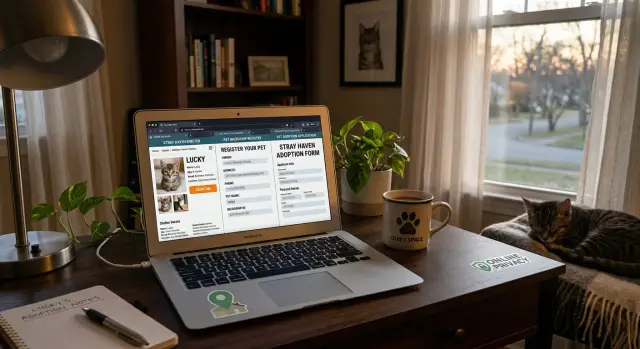
A pet record looks harmless. It might be a microchip profile, an adoption form, a lost-pet post, or a shelter page with a happy update. But those records often carry the same details a stranger would need to find or contact you offline: your full name, phone number, email, street address, and sometimes even notes about where you live or when you're usually available.
That's why pet registry privacy matters more than most people realize. People share this information for sensible reasons. They want a lost dog returned quickly. They want a shelter to approve an application. They want a vet or microchip company to have the right contact details. The risk is easy to miss because the form feels personal, not public.
Small details build a trail. A first name and cell number on a pet page can connect to a people-search site. A city and pet name can match an old social post or neighborhood listing. Add a rescue story, breeder page, or local club directory, and someone can start piecing together where you live.
Search engines make the problem worse. If a shelter page, registry listing, or public post gets indexed, it can appear when someone searches your name, phone number, or address. After that, copy sites may pull the same information and repost it elsewhere. One public record can spread far beyond the place where you first shared it.
This usually happens by accident. Many pet owners assume a form is private, or that a page will come down after the adoption is complete. Often it stays up for months or years.
A simple example: you adopt a cat and fill out a profile with your full name, phone number, and suburb. The rescue later posts a success story, and your details end up in the page text, caption, or image file. Now your contact information is tied to your home area, your routine, and a search result that keeps getting copied.
Where the information usually starts
Most leaks don't begin with a data broker. They begin with an ordinary pet record you filled out quickly.
A shelter adoption form may ask for your full name, home address, phone number, email, emergency contact, landlord details, and vet information. A microchip registration often asks for much of the same. Then there are lost-pet posts, rescue pages, and local community directories that publish contact details so someone can reach you fast.
The usual starting points are simple:
- adoption and foster applications
- microchip registration records
- lost-pet posts on shelter or community pages
- local pet club, breeder, or reunion directories
- old rescue listings left online after the case is closed
One record often feeds another. A shelter may post a success story with your first name and town. A rescue volunteer may copy part of that text into a social post. A local directory may repeat the same details in a public listing. If your phone number or street name appears once, it can travel farther than you'd expect.
That's why pet registry privacy gets messy so fast. The first page may look harmless. The copied versions are harder to spot, and they can keep showing up in search results long after you've forgotten about them.
Lost-pet posts are a common example. You publish your mobile number and neighborhood because time matters. The pet is found that night, but the post stays live on a shelter archive page, in a local Facebook mirror, and on a volunteer-run site that copied the alert. Months later, someone searching your name or phone number can still find it.
Old pages are a quiet problem. Shelters and local groups are busy, and cleanup often falls to the bottom of the list. An adopted pet profile, a found-pet notice, or a chip update page may stay public for years unless someone asks for it to be removed.
How microchip databases become searchable
A microchip record usually starts with good intentions. You register your pet and fill in whatever seems useful: your name, mobile number, email, home address, an alternate contact, and sometimes notes about the pet, your vet, or where the animal spends time.
That information is meant to help a shelter or clinic reach you fast. Trouble starts when a chip record is tied to search tools, public pet profiles, or partner databases that show more than most owners expect.
Some microchip services have lookup pages for found pets. In the best setup, a stranger sees only a safe message form or a masked phone number. In weaker setups, the page may show your full name, city, email, or details that make your home easy to identify.
Account settings add to the risk. A public profile, a lost-pet alert, or a box that shares contact details with recovery partners can turn a private record into something much easier to find. Many people set this up once and never check it again.
Partner networks make things murkier. A chip company may work with shelters, rescue groups, vets, and pet recovery services. That can help reunite a lost animal with its owner. It can also mean the same contact details move across several systems, each with its own privacy settings and search rules.
The part that confuses people most is the difference between emergency access and public visibility:
- Emergency access is limited. A shelter scans the chip and contacts you through a controlled system.
- Public visibility is different. It lets people outside that process see or infer who you are and where you live.
That difference matters. A pet finder page does not need your street address to work. In most cases, a first name, a contact form, or one dedicated phone number is enough.
If a chip profile shows "Sarah M., Maple Street, Springfield" and the pet's name is unusual, that may be enough for someone to match the record with social posts, old adoption listings, or people-search sites. Your home contact details become easier to piece together, even if no single page shows everything.
If you care about microchip database privacy, treat your microchip account like any other public-facing account. Check what a stranger can see, turn off public fields you don't need, and keep emergency contact details separate from anything searchable.
How shelter pages and rescue posts stay public
Shelters and rescue groups often post with good intentions. They want to place pets faster, thank adopters, or raise money for care. The problem is that these posts can include more personal detail than people expect.
An adoption profile might mention the pet's name, the adopter's first name, and the part of town where the pet is headed. A "happy tails" update can go further and include a family photo, a street name in the caption, or a note like "call Sarah at 555-1234 if you found him." A fundraiser post may list an email address or payment contact so people can send help directly.
None of that feels risky in the moment. Put together, it can be.
Small details turn into searchable clues
A single shelter page may seem minor. But search engines can pick up names, phone numbers, email addresses, neighborhood names, and pet names. That gives strangers easy clues to search elsewhere.
Say a rescue posts: "Bella was adopted by Megan in Oak Park." Another post thanks Megan for fostering Bella's litter. A lost-pet flyer in a local group lists Megan's phone number. Now a stranger has a name, a neighborhood, a pet name, and a contact detail. That's often enough to find a home address or match the person to other public records.
This is why pet adoption form safety matters even after the form is submitted. The risk isn't only the paperwork. It's the public story built around it.
Why the information stays up
Many rescue pages are never cleaned up after the pet is adopted. Old profiles stay live for years because the site is rarely updated, the volunteer who posted them has moved on, or the post still helps bring in donations.
Even if the original page is removed, copies can stick around. Search engines may keep a cached version for a while. Social posts get reposted into neighborhood groups. Volunteers, foster networks, and local pet pages may copy the same text or image to help the animal get noticed.
So one post can keep traveling long after the rescue thinks it's gone. If your name or contact details appeared once, they may still be searchable in places you never approved.
How local pet directories create easy clues
Local pet directories often look too small to matter. A breed club roster, breeder page, lost-and-found board, or community pet listing can feel obscure. For pet registry privacy, that's exactly why people overlook them.
These sites often collect more than owners expect. A page may show your first and last name, your town, your pet's name, breed, and a phone number for contact. Some keep old contest results, training club member pages, litter announcements, or adoption updates. Each detail seems minor on its own. Together, they can point to a real household.
A pet name plus city is often enough to start. If someone searches for "Bella" and "Austin," then finds a local agility club page with an owner name, they can check public people-search sites, social profiles, or old classifieds. Add a phone number or neighborhood name and the guess gets much easier. If you've used the same email address for pet forms and other accounts, the trail gets shorter.
Reuse is the bigger issue. The same owner details may appear on kennel club pages, breeder referral lists, local event results, neighborhood directories, and rescue community boards. Once one page is indexed, copies can spread. Small directory sites are often scraped by other sites that collect local listings. A breeder directory may be copied into a general pet directory. A club page may be archived or reposted elsewhere. Even if the original page comes down, the copied version can stay up.
That's why these listings deserve a close look. A short entry like "Max, golden retriever, owned by Sarah T., North Portland" may not show a street address, but it can still lead to one after a few searches. The risk isn't only what the page says directly. It's how easily the page connects with other public records.
What a real exposure can look like
Picture a family adopting a dog named Milo from a local rescue. They fill out the adoption form, register the microchip, and move on. A week later, parts of that same information start appearing in places they didn't expect.
The rescue posts a happy adoption update with Milo's photo, the family's first names, and their town. That feels harmless on its own. But the post stays public, gets copied to other pages, and keeps showing up in search results months later.
Next comes the microchip record. Some databases keep full details private, but others expose enough to connect the dots, such as an owner's surname, city, phone number, or a public contact form tied to the pet's profile. If the family used the same phone number everywhere, that number becomes the thread connecting the records.
Then a local pet directory or license page adds one more clue. It might list Milo's name, breed, year of registration, and the owner's last name. None of this looks dangerous by itself. Together, it builds a pretty clear profile.
A typical trail looks like this:
- A rescue post gives first names, pet name, photo, and town.
- A microchip listing gives a phone number or owner surname.
- A local directory confirms the pet name, last name, and area.
Now a stranger has enough to search people-finder sites, social media, or map listings and land on a home address. That's where pet registry privacy stops feeling abstract.
The first signs are often annoying rather than dramatic. The family may get breeder offers, pet insurance calls, lost-pet scams, or direct mail addressed to Milo. It can get worse if someone uses the dog's name to sound trustworthy on the phone, or figures out where the family lives and when they're likely out walking the dog.
That's why small details matter. A pet's name, a town, and one contact method can be enough when the same household appears in more than one public record.
How to check your exposure step by step
If you want a clear picture of your risk, search the way a stranger would. Start broad, then narrow down. Old pet pages often stay online long after an adoption, a chip update, or a lost-pet post.
A basic check takes about 15 to 30 minutes per pet. It's a little tedious, but it shows you exactly where your contact details are still visible.
- Search your full name with your pet's name and city. Then try a few variations, like a shortened first name, an old surname, or a past email address. If your dog is named Luna, search combinations like "Jane Miller" Luna Austin.
- Search for each pet on its own. Many public pages mention the animal first and the owner second. Check old shelter listings, rescue pages, adoption announcements, lost-pet boards, and microchip portals that show profile previews or contact details.
- Open the results and scan slowly. Look for your phone number, email address, street name, ZIP code, apartment number, and any photo that shows your front door, mailbox, house number, or license plate.
- Save proof before you ask for changes. Take screenshots of the page, the web address, the date, and the details that expose you. If the page changes later, you'll still have a record.
- Repeat the same process for every pet and every family member name tied to that pet. One page may list your name, while another uses your spouse's phone number or a child's old email address.
What people often miss
Many people stop after the first page of search results. That's a mistake. Go a few pages deeper and check image results too. A shelter might remove text from a profile but leave the same photo file online with a caption that includes your name or town.
Also check duplicate pages and cached snippets. A rescue group may post the same pet on its own site, a partner shelter page, and a local lost-and-found board. One edit request won't fix all three.
If you find something exposed, note where it appears first. That makes cleanup faster. Start with the page that shows the most detail, then move to copies and reposts.
Common mistakes that keep details online
A lot of pet registry privacy problems start with ordinary habits, not a hack. People fill out forms quickly, assume only staff will see them, and forget how many pages stay public after the original need is over.
One common mistake is giving a full home address when a city and state would do. A rescue group may only need your general location to match you with an animal or confirm service area. But once a street address gets copied into a listing, intake page, or contact record, it can spread far beyond that first form.
Old contact details are another problem. A lost-pet post from two years ago can still show up in search results with your phone number, email, or address. The same goes for old adoption pages, foster profiles, and reunion notices. People often think the post is gone because the shelter changed its site, but older pages can stay live on archive pages, duplicate domains, or cached search results.
That false sense of cleanup causes trouble. A shelter might redesign its website and remove a profile from the main menu, yet the page still opens if someone has the direct address. In practice, that means your information can stay searchable long after you stopped checking it.
Backup contacts create another weak spot. Many forms ask for a relative, partner, or friend in case your pet is lost or you can't be reached. If that person's name, phone number, or address gets published with your record, the exposure spreads to someone who never agreed to be listed publicly.
A simple rule helps: share the least detail needed for the task. If a page must stay public, use a dedicated email, avoid full addresses, and review old pet posts every few months. That small habit does more to remove home address information online than most people expect.
A quick checklist before you submit anything
A short check before you fill out a pet form can spare you a lot of cleanup later. Small choices matter. One extra field, one public success post, or one old lost-pet alert can leave your contact details easy to find.
Before you hit submit, treat pet paperwork like any other public profile. Some details are needed for safety and reunions. Many are not.
Use this filter:
- Create a separate email for adoptions, microchip accounts, and pet-related logins.
- Share only the contact details a form truly requires, especially on anything that might appear on a public page.
- Ask the shelter or rescue what parts of your form, story, or pet profile could be posted online.
- Check your microchip account privacy settings once or twice a year.
- Delete old lost-pet posts when your pet is back home.
A dedicated email helps more than most people think. If that address starts showing up in search results, local directories, or people-search records, it's easier to contain. It also keeps pet-related messages away from your main inbox, which often holds banking, billing, and personal accounts.
Be extra careful with fields that ask for a full street address, personal phone number, or alternate contact. If the form is public-facing, your city and an email may be enough. If a rescue wants more for screening, ask whether that information stays private or appears in an adoption story, donor post, or alumni page.
Microchip accounts need a second look after setup. Many owners fill them out once and never return. Review what is visible, remove anything public that doesn't help reunite your pet, and make sure old phone numbers are gone.
Lost-pet posts are another quiet risk. They often include a photo, neighborhood, phone number, and a note that someone is worried and away from routine. Once the emergency passes, take those posts down. Five minutes now can prevent months of your contact details floating around later.
What to do next if your details are already out there
Once a pet listing is public, the problem turns into cleanup. Start with the pages that show the most direct contact details, not the oldest page or the one that irritates you most.
If one page shows your street address and another only shows your first name, fix the address page first. Do the same for a public phone number, personal email, or a map pin tied to your home.
A simple order works well:
- remove or edit pages with your full address
- then tackle pages with your phone number or email
- next, update shelter profiles, rescue posts, and local pet directories
- after that, check microchip and lost-pet registry profiles
- last, search your name and address together to see what copied the data
When you contact a shelter, directory, or registry site, keep the request short. Ask for removal if the page doesn't need to stay public. If the record must stay up, ask them to replace exact details with a city, a contact form, or a masked phone number.
Some sites move slowly. A polite follow-up after a few days often works better than a long complaint.
Keep a small log while you do this. A note on your phone or a plain spreadsheet is enough. Track the site name, page title, date you contacted them, what you asked for, and whether they changed it. This saves time when you need to follow up, and it helps you spot which sites keep reposting old details.
A common pattern looks like this: you remove your phone number from a rescue adoption page, but two weeks later the same number still appears on a people-search site. That usually means the pet page was copied before the edit, or your details were already pulled into data broker records.
That's where manual cleanup gets tiring. If pet-related pages have fed your information into people-search and broker databases, Remove.dev can remove personal data from more than 500 data brokers and keep monitoring for relistings, which is useful when one public pet page has already spread your details well beyond the original source.
After the first round of removals, search again in a week or two. If the same details return, focus on the source that keeps feeding the rest.
FAQ
Can pet records really expose my home contact details?
Yes, they can be. Adoption pages, lost-pet posts, microchip profiles, and local pet directories sometimes show your name, phone number, email, town, or even parts of your address. Even when the original form was meant for staff, a copied post or public profile can make those details searchable.
What details in a pet listing are most risky?
Your street address, mobile number, personal email, and full name create the biggest risk. A pet name, photo, neighborhood, and daily routine notes can also help someone connect the dots and find where you live.
Should a microchip database show my address or full name?
No. A microchip record only needs enough information to help a shelter or vet reach you through a controlled process. If your profile shows more than a contact form, masked number, or general location, review the settings and hide anything a stranger does not need to see.
Why do old shelter and rescue posts stay online for so long?
Because many shelters and rescue groups leave old pages online after the pet is adopted or found. Search engines may also keep the page in results for a while, and copies on partner sites or social posts can stay up even after the original is edited.
How can I check what pet information about me is online?
Start by searching your full name with your pet's name and city. Then search your phone number, email, old surnames, and the pet's name by itself. Check normal results and image results, and save screenshots before you ask for changes.
Should I use a separate email or phone number for pet forms?
Use a separate email for pet accounts if you can, and avoid putting your full address on anything that might become public. If a rescue or registry needs more detail for screening or recovery, ask whether that information stays private or appears on public pages.
What should I ask a shelter or rescue before I submit a form?
Ask what parts of your form, story, or pet profile may be posted online. You should also ask whether they remove old adoption pages and lost-pet notices after the case is closed, and whether they can use a contact form instead of your direct details.
What should I do with old lost-pet posts after my pet is found?
Take them down as soon as your pet is safe. If the post is on a shelter page, community board, or volunteer site, ask for deletion or for your phone number and address to be removed. Then search again to catch copied versions.
Can a pet listing end up on people-search or data broker sites?
They can. One public pet page may be copied by other sites, then picked up by people-search or broker databases. Once that happens, removing the first page helps, but you may still need to clean up the sites that reused the data.
Can Remove.dev help if my pet details have already spread online?
Manual cleanup works best when you start with the pages showing your address, phone number, or email. If your details have already spread wider, Remove.dev can remove personal data from more than 500 data brokers, monitor for relistings, and most removals are completed within 7–14 days.