Podcast guest pages can keep old details online for years
Podcast guest pages can keep old emails, jobs, and cities online after you move. Learn what to update, what to ask hosts to change, and what to watch later.
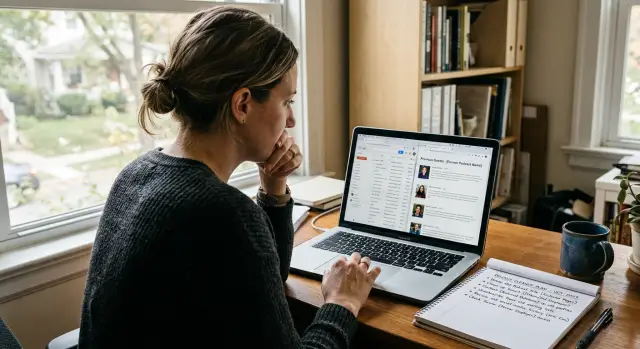
Why old guest bios stay online
Podcast pages are built to last. Once an episode is published, it usually becomes part of the show's archive, and archives rarely get much attention unless something breaks.
That is why a bio written for one moment in your career can stay public for years after you changed jobs, moved, or stopped using that email address. Most hosts treat a guest bio as a snapshot. They publish the episode, promote it for a few days, then move on. Unless you ask for an update, no one goes back to check whether your title, employer, headshot, or contact details still match real life.
A lot of stale details stick around for a simple reason: they were copied from an intake form. You fill out one questionnaire, send a short bio, and a producer pastes that text into the episode page, show notes, newsletter, and sometimes other listing pages. If that original line says "Head of Partnerships at X" or includes an old work email, the same wording can spread word for word across several places.
A few things make these pages especially sticky. Episode pages stay live as part of the back catalog. Small teams rarely review old posts. Search engines keep ranking pages that already get traffic. So even minor details can stay visible much longer than you expect.
Search results make it worse. A page with your name, episode title, and transcript can rank well for years, even when the details on it are outdated. Someone searching for you may see an old employer or city before they see your current site or profile.
Say you left a startup in Chicago and now work freelance in Denver. A guest page from 2021 might still list your old company email and office location because that was true on recording day. Years later, that old bio can still be one of the first things recruiters, clients, or strangers find.
What details usually linger
The details that linger are usually the ones people stop noticing. A host may update a thumbnail or headline, but the short bio often stays exactly as it was on recording day. That is how an old job, old inbox, or old city keeps showing up in search.
The most common leftover is a work email from a past employer. It looks harmless until someone tries to reach you there, or uses it to connect your name to a company you left years ago. Old company emails also tend to spread into scraped directories, cached pages, and contact databases.
Former job titles hang on too. If your bio still says "Marketing Director at X" or "Staff writer at Y," people may assume that role is current. After a career change, one stale profile can make your public identity look split in two.
Location details are another problem. A city, metro area, or office address in a short bio can reveal more than you meant to share. Even something broad like "based in Denver" or "works from the London office" can stay online for years and keep pointing back to a part of your life you already left.
Other details often linger as well: an old personal site that now redirects somewhere else, social handles you no longer use, a headshot with a company logo in the background, or a one-line bio that still names a past employer even when the rest of the page looks current.
The photo matters more than most people think. A headshot can quietly reveal an old workplace, conference, age range, or city. If that image gets copied to other sites, it can keep dragging those old details forward.
If those details have already spread beyond the original page, the cleanup becomes bigger than one edit request. That is where a service like Remove.dev can help. It focuses on finding and removing personal data from data broker sites while you work on fixing the original media page.
How one old bio spreads further
One stale bio rarely stays in one place. A single podcast appearance can create several pages, each with slightly different details, and each one can stay live for years.
The episode page may use your short bio and old company name. The show notes may repeat your site, email, or city. The transcript may include your introduction again, sometimes word for word. A separate guest or author page may keep the same bio long after the episode itself stops getting attention.
These copies do not always appear at the same time. A host may publish the episode first, add a transcript later, and build a guest archive months after that. By then, you may already have changed roles.
Then the spread gets wider. Other sites may pull the episode into newsletters, roundups, conference recaps, or "best episodes" lists. They often paste the same old bio because it is easy and already written. No one checks whether your email still works or whether you still want your old employer attached to your name.
Podcast guest pages are especially persistent because they look harmless. A host may think, "It is just a bio." Search engines do not treat it that way. They can index the episode page, the transcript, the archive page, and any copied mentions on other sites.
That creates a chain reaction. One outdated profile becomes four or five search results. If your old work email is on one of them, it may end up on people-search sites or broker databases later. Once that happens, you are no longer fixing one page. You are fixing the copies too.
Picture a simple case. You appeared on a podcast in 2021 while working at a startup in Austin. By 2024, you freelance from Denver and use a different email. The episode page still names the startup. The transcript still shows the old email. The guest archive still says Austin. A blog that reposted the interview keeps all three.
That is why one edit request often is not enough. When you find an old bio online, look for every version tied to that appearance, not just the first result you see.
How to find every outdated mention
Start with the versions of you that used to be online. Search your full name with your old company, old job title, old city, and any email address you no longer use. That usually catches more pages than searching for your name alone.
Think about how hosts and editors write bios. One page might say you are "a product lead at..." while another only includes your name and an old website or email. Check the episode page, show notes, transcript, and any separate guest profile.
Use a few targeted searches
You do not need fancy tools for the first pass. A few focused searches are usually enough:
- your full name + old company
- your full name + old email address
- your full name + old city
- your full name + podcast
- your full name + bio
If your name is common, add one more detail that appeared in the old bio. That could be a former employer, a topic you used to speak about, or the domain from an old work email. Small details cut down the noise fast.
Do not stop at the search snippet. Open the page and read it. Some sites update the title or description but leave the old bio in the body text.
Keep a simple tracker
As you find pages, save them in a basic spreadsheet. Keep it simple: page title, site name, what is outdated, who to contact, and status. It takes a few extra minutes now and saves a lot of backtracking later.
Write down the best contact as soon as you find the page. Sometimes it is the podcast host. Sometimes it is an editor, site owner, or general contact inbox. If the page belongs to a larger network, note both the show contact and the network contact so you do not have to hunt for them again.
If the problem turns out to be bigger than expected, that is normal. Old bios spread quietly. A careful search list and a clean tracker usually get you much further, much faster.
What to ask a host or editor to change
Vague requests are easy to ignore. A short note with the exact fix is much easier to approve.
Start with the line that is wrong. "My bio is outdated" creates work for the editor. "The line saying I work at Westline Media and live in Denver is no longer correct" gives them something they can change quickly.
Then send the replacement text in plain words. Do not ask them to rewrite your whole profile unless you have no better option. If an old email address is still public, ask for it to be removed unless the page truly needs one. A public email on a guest page often gets copied elsewhere, which makes cleanup harder.
A good request usually includes the page title or episode name, the exact text that should be removed, the new wording you want posted, and a simple note asking them to remove any public email address.
Also check whether the site has more than one page for you. Many podcasts have an episode page and a separate author, speaker, or contributor profile. Some also have transcript pages with the same old bio pasted in again. If you only ask for one page to be fixed, the outdated version can stay live elsewhere on the same site.
Keep the note short and polite. Editors are more likely to help when the request feels easy. You do not need to explain your whole career change or privacy concerns in detail.
A message like this usually works:
Hi, I noticed my bio on the episode page is out of date. The line that says I work at Bright Lane and uses my old email should be changed. Please replace it with: "Jordan Lee is an independent product consultant." Please also remove the old email address from the episode page and any author profile linked to it. Thanks for your help.
That format works because it answers the editor's next questions right away: what is wrong, what should replace it, and where else they should check.
If you are cleaning up several old mentions, keep notes on who replied and what they changed. That makes follow-up easier if something is missed.
A simple example after a career change
Six months after appearing on a podcast, Maya left her job, moved to another city, and started using a different professional title. The interview itself was fine. The problem was the guest page that stayed behind.
It still showed her old work email in the bio. That address had been shut off when she left the company, so messages were either bouncing or going to an inbox she no longer controlled. The page also named her former employer and listed the city she had moved away from.
That sounds minor until you see the search results. When people searched Maya's name, they kept seeing the old company and old city before they saw her current profile. A recruiter could get the wrong picture. A stranger could connect old work details with her current life.
Maya sent a short note to the podcast host. She did not ask for the episode to disappear. She only asked for the guest bio to be updated and for the work email to be removed. The host made the change that week, which fixed the main page.
But the transcript was still wrong. Her old bio had been copied there too, and search results kept picking up that text even after the main page was corrected.
That is a common snag. One update may fix the visible profile, but duplicate text can still sit on transcript pages, episode notes, media kits, and archive feeds. Once Maya asked for the transcript edit as well, the old details started to drop out of search.
The lesson is simple: a short request can work, but you often need one more pass to catch the copies.
Mistakes that slow down cleanup
A lot of people start by asking for the whole page to be deleted. That often backfires. A podcast host or editor may ignore the request because they want to keep the episode live, the transcript indexed, or the archive complete.
A smaller ask usually works better. If the episode can stay up, ask them to change the old email, job title, employer, city, and bio text. When the fix is simple, you are more likely to get a yes.
Another common mistake is stopping at the main guest page. Old details often sit in more than one place. The same text may also appear on the transcript page, a speaker page, a press page, or a site archive.
Long emails slow things down too. Busy editors do not want to dig through a life story to figure out what changed. If you need an old email removed from a page, send a short note and paste the exact replacement text.
Before anything changes, take screenshots. This helps more than people expect. If the host updates one page but the same bio appears on another site later, you still have a record of what was published.
One more mistake is treating one fix as the end of the job. Search results are messy. A host may update the page today, but search engines can show the old snippet for days or weeks. Copied pages may stay live even longer.
Check again after the first edit. Search your name with the old company, old city, and old email. Look past the first page of results too. That is often where stale guest profiles keep hiding.
Quick checks after the edits
A page update is only half the job. Old details can stay in page text, sidebars, transcripts, and search snippets long after an editor says the bio was fixed.
Start by reading the page like a stranger would. Do not stop at the bio box. Check the intro paragraph, episode notes, image captions, and any line that invites people to contact you. An old email often survives in plain text even after a button or form has changed.
Then check the rest of the site. A host might update one episode page but miss the author archive, guest page, transcript, or featured guest section on the homepage.
A quick review usually catches most problems:
- search the page for your old email address and old employer name
- search the site for your name plus the old job title
- look at the search result snippet and see whether your old city still shows
- write down the date when each fix was confirmed
That last step matters. If an editor asks what still looks wrong, you have a clear record. It also makes follow-up easier if the site restores an older version later.
Search snippets need patience. Sometimes the live page is correct, but Google still shows an older city or employer in the preview text for a while. Open the page itself and confirm whether the wording is actually gone.
If your old details have spread beyond the original media page, the follow-up can turn into a separate privacy problem. Remove.dev focuses on that part of the work by finding personal data on more than 500 data brokers and sending removal requests, which helps when an old email, company, or location keeps resurfacing elsewhere.
What to do next
Once you spot an outdated bio, make the next cleanup easier. Keep one short current bio in a note on your phone or computer. Two or three sentences are enough: your current work, a broad location if you want one, and one contact method you still control.
Use that same bio for every interview request, guest form, and speaker page. That alone reduces the odds of a podcast page mixing an old employer with your current role.
A small routine works better than a one-time cleanup. Review your public bios after any job change, move, or email change. Search your name every few months and check old interviews, event pages, and author profiles. When you contact hosts, ask for exact edits instead of saying "update my bio." Keep a short list of pages that were fixed so you can check them again later.
This does not need to take long. A 15-minute check every few months is often enough to catch an old company name, a city you no longer live in, or an email address that should be gone.
If you changed careers, be a little stricter. Old bios often stay online because they still sound close enough to the truth. That is exactly why they cause confusion.
There is one more place to watch: data broker sites. They may copy an old email, company, or city and keep publishing it long after a host updates your bio. If that starts happening, Remove.dev can remove those records and keep monitoring for re-listings so the same outdated details do not keep coming back.
You do not need to erase your past. You just want strangers to see a version of you that is current, accurate, and safe to share.
FAQ
Why is my old podcast bio still showing up years later?
Because podcast pages usually stay in the archive and no one checks old bios after the episode goes live. If your bio came from an intake form, the same old job, email, or city may also get pasted into show notes, transcripts, and guest pages.
What parts of a guest bio usually go out of date first?
Old work emails, past job titles, former employers, and cities tend to stick around the longest. Headshots, old social handles, and outdated personal sites can also keep pointing people to parts of your life you already left.
How do I find every page with my outdated details?
Start by searching your full name with your old company, old email, old city, and the word "podcast" or "bio." Then open the results and check the episode page, show notes, transcript, and any separate guest or author profile.
Should I ask the host to delete the whole episode page?
Most of the time, no. Asking for a small edit works better than asking for the whole episode to disappear, because hosts usually want to keep the archive live. Focus on removing or replacing the wrong bio details instead.
What should I say when I ask for a bio update?
Keep it short and specific. Name the page, quote the text that is wrong, paste the exact replacement, and ask them to remove any old public email address anywhere else on the site where it appears.
If the main episode page is fixed, is that enough?
Not always. Transcripts, author archives, speaker pages, and reposted summaries often keep the same old text. After one edit, search again so you can catch the copies that were missed.
Why does Google still show my old employer after the page was updated?
Usually not right away. The live page may be updated first, while search snippets keep showing older text for days or weeks. Check the page itself before assuming the host missed something.
How can I keep track of the cleanup without getting lost?
Take screenshots before and after the edit, and keep a simple record of which pages changed and when. That makes follow-up easier if a transcript stays wrong or an older version comes back later.
What if my old podcast bio has already spread to data broker sites?
Once an old email, company, or city gets copied into people-search or broker sites, one host edit will not fix everything. Remove.dev can help by finding those records, sending removal requests to more than 500 data brokers, and watching for re-listings.
How do I stop this from happening again?
Keep one short current bio ready and reuse it for every guest form, interview, and speaker page. After a job change, move, or email change, do a quick search of your name so you can fix stale pages before they spread further.