Portfolio site privacy: when your home city gives too much away
Portfolio site privacy matters when a home city, bio, and client details combine into a clear identity trail for brokers, scammers, and unwanted outreach.
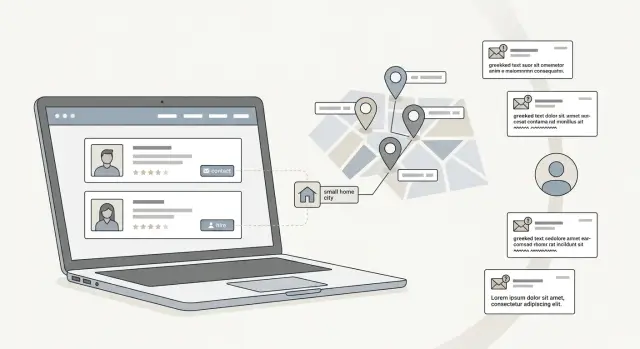
Why a home city can be enough
Portfolio privacy often breaks on a detail that feels harmless. A home city sounds vague. It is not your street, your phone number, or your full address. But for someone trying to match your profile to real-world records, it can be enough.
That is because people do not search with one perfect clue. They stack small clues until a profile starts to look certain.
How profile details get stitched together
A city name on its own does not seem risky. The problem starts when the same clue shows up in several places.
That is how portfolio privacy usually falls apart. A broker, scraper, or scammer does not need your full address right away. They only need enough details to decide that a portfolio, a social account, an event page, and an old bio all belong to the same person.
Your About page is often the first piece. Many freelancers and creators mention a home city in a short bio, then repeat the same line on social profiles, guest posts, directory listings, and speaker pages. Once that bio gets copied around the web, the city stops looking casual. It becomes a reliable match point.
Client work adds more context. A case study might mention a local bakery, a neighborhood brand, or a business group in your area. That may feel harmless, but it creates local ties that make your profile easier to pin to one real person.
Testimonials can do the same thing by accident. A client might call you "our favorite copywriter in Denver" or mention the meetup where they met you. That gives your city extra weight because the detail comes from someone else, not from your own bio.
Then the rest of the web fills in the gaps. Podcast notes may mention where you live. Event pages may list your city next to your headshot. Social accounts often reuse the same one-line intro, so a scraper can match your name, face, job, and location in seconds.
It does not take much:
- your portfolio says you are a designer in Chicago
- your Instagram bio repeats Chicago
- a testimonial names a local client
- a podcast page mentions a talk you gave there
Now your city starts acting like an identity anchor. From there, it gets much easier to connect you to broker records, old addresses, phone numbers, and even relatives.
Scammers use the same approach. A message that mentions your city, a recent client, or an event you attended feels more believable, so you are more likely to open it or reply. That is why small profile details deserve a second look.
What brokers and scammers look for
A lot of people assume a city name is too minor to matter. It often matters a lot. For a public portfolio, your full name plus "Denver" or "Bristol" can narrow the field fast, especially if your name is not very common.
Data brokers do not need one perfect source. They collect scraps. A portfolio bio, an old conference page, a business directory entry, and a cached social profile can all point to the same person.
Work history makes matching easier. If your site says you designed for a startup in 2021 and another profile says the same thing, that is a strong identity check. Add a city, a job title, or a client niche, and the guess gets much closer to a match.
Public contact details help too. An email address on your portfolio can connect to old forum accounts, newsletter signups, domain records, or social profiles that use the same address. Even if the email seems harmless, it can lead to a much larger trail.
Scammers look for slightly different signals, but the goal is the same: sound real enough that you respond. They pay attention to your city, your recent clients, the email name you use for work, and local places or events you mention. That is how fake messages start feeling personal. A note that mentions a nearby business district, a former client, or a local meetup sounds specific because it is built from public details you shared in separate places.
Broker listings are often built the same way. One record might pull a name from a people-search site, a city from a portfolio bio, an age range from a marketing list, and a work detail from a freelance platform. None of those pieces looks serious by itself. Together, they create a profile that is good enough to sell, target, or use for impersonation.
That is why "just my home city in bio" is rarely just that.
Do a 15-minute profile audit
Most people check their homepage and stop there. That misses the pages strangers actually use.
A quick audit works best when you act like someone who knows nothing about you and wants to learn fast. Open your site in a private window, ideally on your phone. Read it cold and ask one simple question: if I landed here for the first time, what could I guess about where this person lives, works, and spends time?
Then search your full name with your city and your job. If your city appears on your site, that search often pulls up more than expected. Old portfolio pages, speaker bios, guest posts, event listings, and PDF resumes can show up together.
Keep the audit simple:
- note every page that names a city, neighborhood, office, coworking space, or local client
- check image captions, filenames, and screenshots for place names
- open any resume or case study PDF and scan the header, footer, and contact block
- look for old domains, archived pages, and forgotten portfolio versions
- review linked social profiles for matching location details
One detail on its own may seem harmless. Five matching details are different. A city name, a niche job title, a conference talk, and a PDF with a phone number can be enough to identify the right person.
If you find more than you expected, do not panic. Make a list. Start with the pages you control, then check whether the same details have spread elsewhere. If your personal data is already circulating beyond your own site, Remove.dev can help by finding and removing listings from data brokers while you clean up the public pages you own.
What to change without hurting your portfolio
You do not need to scrub your portfolio until it sounds fake. Most clients only need to know what you do, what kind of work you take on, and roughly where you are based.
For many people, the safest edit is small. Replace "Austin, TX" with "Texas," "Central Texas," or "available remotely." That still tells people your time zone and market without giving brokers a neat location tag.
Treat your contact details the same way. Use a public work email, not the personal inbox tied to banking, family accounts, or old signups. If one address appears on your portfolio, social profiles, newsletter, and domain records, it becomes a strong identity anchor. A separate public inbox keeps that trail shorter.
Routine details are another quiet leak. "I work every Friday from X cafe" sounds friendly, but it reveals a place and a habit. The same goes for coworking spaces, weekly meetups, school pickup windows, and old notes like "come find me at..." These details feel small. Together, they make you easier to trace.
A good cleanup usually means a few practical edits:
- swap your city for a region, state, or "remote"
- use a public work email and keep your personal address private
- remove exact hangouts, recurring schedules, and repeated local clues
- shorten old bios on guest posts, speaker pages, and archived portfolios
- check embedded profile cards and feeds that may still show old data
That last one catches people off guard. Your main site may look clean, while an embedded Instagram bio, GitHub card, or design platform profile still shows your city or old contact details. Review anything that imports data automatically.
Be practical, not secretive. Clients do not need your street, your favorite coffee shop, or the neighborhood where you take meetings. They need a clear sense of your work, your availability, and how to contact you.
A simple example
A freelance designer puts a short bio on her portfolio: "Elena Voss, brand designer based in Portland." It feels harmless. Lots of freelancers add a city so local clients know where they work.
The problem is that "Elena Voss" is not a common name. A social profile with the same surname also says Portland. An old profile uses the same photo and mentions a college name. A few public comments mention moving apartments a few years ago.
On their own, those details do not look serious. Together, they start to pin one real person to one real place.
A broker can then fill in the gaps. One listing might show an age range, say 30 to 34, plus two old addresses in the Portland area. Now a stranger does not just have a designer's website. They have a much stronger guess about who she is, where she has lived, and which records belong to her.
A scammer can use the same trail. Instead of sending a generic phishing email, they send one that sounds local: "We met at the design meetup near Mississippi Studios" or "A client referred me after your talk downtown." Even without her street address, the message feels believable because it borrows details that fit her city and her work.
That is what makes this tricky. None of the details were secret on their own. Her city was public. Her surname was public. Her old address history was already sitting on broker sites. But once those pieces line up, the message stops feeling random.
A simple rule helps: if a detail helps a stranger confirm "this is the same person," treat it with care.
Common mistakes that make you easier to trace
Most people do not get traced because of one huge leak. It usually happens through repeated small details.
The first mistake is repeating the same city on every profile you own. A city may feel harmless, but when it appears on your portfolio, social profiles, speaker bios, and freelance directories, it becomes a strong match point.
Old resumes cause trouble too. Many freelancers leave a PDF on their site and forget about it. That file may still show a personal email, phone number, full work history, and older location details. Even after you update your main site, the old resume can keep circulating in search results, inboxes, or archived pages.
Local references narrow things down fast. A school name, a neighborhood group, a volunteer page, or a church bulletin can reveal more than you meant to share. If someone already has your name and city, those extra clues can help them work out where you live, who you know, or which accounts belong to you.
Email reuse makes the problem worse. If one address is tied to client work, social apps, shopping, and banking alerts, one exposed profile can open several doors at once. It gives brokers more data to match and makes phishing emails more convincing.
Archived pages are another weak spot. Guest bios, podcast notes, event pages, and old agency team pages often stay online for years. You may have cleaned up your current site, but an older bio can still show the exact city, personal contact details, or a profile photo that ties everything together.
Before you publish or update a page, do one last pass. Ask whether a real client needs each detail to hire you today. If the answer is no, cut it.
What to do next if your details are already out there
If your privacy has already taken a hit, move quickly and keep the cleanup simple.
Start with the pages you control. Remove your home city, personal email, phone number, and old bio lines that reveal where you live or work day to day. If you still want local trust, use a wider area instead, like a state, a region, or "available remotely."
Before sending removal requests, save proof of what is live now. Take screenshots of your portfolio, social profiles, people-search pages, and broker listings. Save the page title and date in the filename. It is boring, but it helps when a listing comes back later and you need to compare versions.
Then work outward. Focus first on broker and people-search sites that show your full name with a city, age range, relatives, old addresses, or phone numbers. Those are the records that make it easiest to connect your portfolio to data that was never meant to be public.
A simple order works well:
- update your site and public profiles first
- save screenshots of exposed pages
- send removal requests to people-search and broker sites
- check again every few weeks for relistings
- keep a basic log of dates and results
The annoying part is that removals do not always stick. Many brokers buy fresh data or copy from each other, so old records can come back. If you do not want to keep chasing those relistings by hand, Remove.dev automates removals across more than 500 data brokers and keeps monitoring for your information to reappear. Most removals are completed within 7 to 14 days, and you can track requests in a dashboard instead of managing every form yourself.
The order matters. Stop new leaks first, then clean up the copies that are already out there. That usually saves the most time and makes the rest of the work easier.
FAQ
Is it really risky to put my city on my portfolio?
Yes. Your city can help strangers match your portfolio to social profiles, old bios, broker records, and local event pages.
On its own, a city may seem minor. Paired with your name, face, job, or a client mention, it can turn into an easy way to confirm that several pages belong to the same person.
What should I write instead of my exact city?
A simple swap usually works. Use your state, region, country, or "available remotely" instead of your exact city.
That still tells clients your market or time zone without giving brokers a neat location tag to match across sites.
Can a city really lead someone to my address?
Sometimes, yes. A city does not reveal your address by itself, but it can narrow the search fast when combined with your full name, work history, or email.
Once someone finds the right broker record, they may uncover old addresses, phone numbers, or relatives tied to you.
Which pages should I audit first?
Start with the pages you control most directly. Check your About page, contact page, case studies, testimonials, PDFs, image captions, and embedded profile cards.
Then search your full name with your city and job title. That often surfaces old portfolio versions, event pages, guest bios, and cached profiles you forgot were still public.
Are old PDFs and speaker bios a real privacy problem?
They are. An old resume or speaker page can keep showing your city, phone number, personal email, or past employers long after your main site is cleaned up.
Because those pages often rank in search or stay archived for years, they can undo the privacy edits you made elsewhere.
Does using the same email everywhere make this worse?
It can. One email used across your portfolio, social apps, newsletters, and old accounts makes matching much easier for brokers and scammers.
A separate public work inbox keeps that trail shorter. Keep your personal email for private accounts only.
Will removing my city make my portfolio less trustworthy?
Usually not. Most clients care more about your work, availability, and how to contact you than your exact home city.
If you still want a local signal, share a wider area like "Central Texas" or say you work with local and remote clients.
How do I show my time zone or service area without oversharing?
Give the useful detail without being too exact. You can mention your time zone, response hours, or a broad service area.
That answers the client question while keeping your daily location and routine private.
What should I do if broker sites already list my information?
First, remove or edit the details on pages you own. Save screenshots of what is live, then send removal requests to broker and people-search sites that show your name with a city, age range, old addresses, or phone numbers.
Check again every few weeks. Those records often come back, so keeping a simple log helps you spot relistings.
Can Remove.dev help if my data keeps reappearing?
Yes. Remove.dev finds and removes personal data from over 500 data brokers and keeps monitoring for relistings.
Most removals are completed within 7 to 14 days, and you can track requests in the dashboard instead of chasing each broker by hand. Plans start at $6.67 per month and include a 30-day money-back guarantee.