Privacy cleanup for public library staff after disputes
Privacy cleanup for public library staff helps reduce how staff pages, board packets, and news stories point people to a home address.
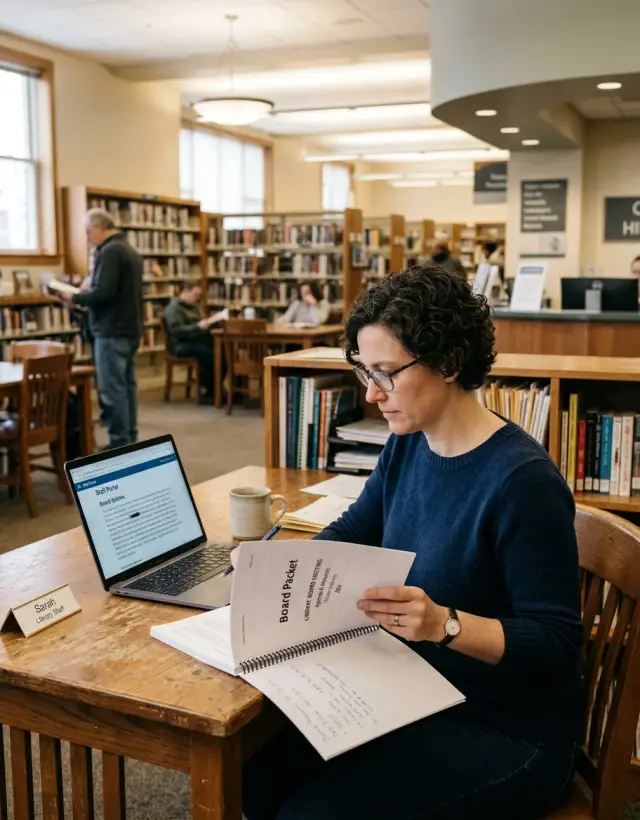
How a work role gets tied to a home address
For public library staff, privacy problems often start with details that seem harmless on their own. A staff page might show a full name, title, branch, and photo. A board packet might include a resume, a signature, or an old personal email. A local article might repeat the same name and role after a dispute or tense meeting.
None of that looks especially risky by itself. Together, it can create a clean trail.
That trail is what people-search sites and data brokers use. They collect names, past addresses, phone numbers, relatives, and age ranges from many sources. When your work role is easy to confirm through public library pages, meeting files, and local coverage, those broker listings look more believable. One search result turns into several, and a work identity gets tied to a home address very quickly.
A common chain is simple: a library bio posts a full name and title, a board packet adds a resume or signature, a local article repeats the name and role, and a people-search site matches all of it to a home address.
That last step is where the risk changes. Public work information becomes personal location information.
A small example shows how fast it can happen. A branch manager is quoted in a meeting dispute. Their library profile lists their full name. A board PDF includes an old resume with a personal Gmail address. A people-search site already has that email tied to a home address from a past utility record. Now a stranger can connect the job role to the house in a few minutes.
This is why data broker removal matters. Public work pages may start the trail, but broker sites often turn it into a map.
Where to look first
Start with the places that are easiest to miss.
Check the library's public website first. Look at staff pages, branch pages, department pages, committee pages, and old bio pages that still appear in search even if they are no longer in the site menu. Archived pages often carry more personal detail than current ones. An old bio may list a past title, a personal email, or a career summary that makes it easy to match you to other records.
Then move to meeting materials. Board packets, agendas, minutes, and PDF attachments often reveal more than the page linking to them. A PDF may expose a name in the file title, a signature block, tracked edits, or a scanned form with an address no one noticed before posting.
Local coverage comes next. Search news stories, event listings, photo captions, newsletter archives, and even comment sections. A short article about a dispute or meeting can be enough to connect your name, role, city, and a quote that matches other public records.
Keep your searches plain and specific. Search your full name in quotes, then try your name with the library name, city, job title, and branch name. Even if a result looks harmless, open it. The risk usually comes from small details spread across several pages, not from one obvious mistake.
As you find matches, write them down in one note or spreadsheet. Save the page title, file name, date, and the exact detail that appears. Pay attention to repeats. If the same phone number, middle initial, neighborhood, or family name shows up in several places, that is often the thread you need to cut first.
What to save before asking for edits
Before asking anyone to change or remove a page, save proof of what is public now. Pages get updated, PDFs get replaced, and once that happens it becomes harder to show what exposed your information in the first place.
Take screenshots of the full page and of the exact part creating the problem. If the issue is inside a PDF, save the file itself and capture the page number in your screenshot. That makes later requests much easier because you can point to one clear spot instead of asking someone to search through an entire packet.
Save the surrounding details too. The page title, file name, and publish date often matter almost as much as the exposed text. They help you explain where the information appeared and when it was public.
A simple record is enough:
- page or file title
- file name if it is a PDF or attachment
- publish date or meeting date
- exact wording that reveals personal details
- whether the item is on the library site or another site
Copy the wording exactly as it appears. If a packet says "resides at" or lists a street address in a candidate bio, note that phrase word for word. Specific wording helps the editor remove the right detail quickly.
It also helps to keep a short list of name variants tied to your work history. Include maiden names, middle initials, old job titles, former departments, and older branch assignments. A stale committee agenda may use one version of your name while a data broker listing uses another.
Keep library-controlled items separate from outside sources. A staff directory, meeting archive, or board PDF may be easy to fix through the library. A news story, cached document, or copied agenda on another site usually needs a different request path.
If you later use a data removal service, this record saves time. You already know which pages connected your work role to your home address, and you have proof in case the wording changes after you report it.
How to clean up library-controlled pages
Start with a plain inventory. Open the library website, staff directory, board portal, meeting archive, and any PDF folders you can find through site search. Make one list of every page and file that shows your name, title, photo, contact details, or full work history. Old PDFs matter as much as live pages because search engines often keep sending people to meeting packets, archived agendas, and downloadable reports.
When you contact the library, ask for exact edits instead of sending a broad privacy complaint. That usually gets faster results. If a page shows a personal email address, personal phone number, or street address, ask for it to be removed fully. A partial address can still be enough to connect you to property records and broker listings.
Shorter bios are often the best fix. Many staff pages include past employers, schools, neighborhood groups, or other background details that make one person easy to trace across public records. If that background is not needed for the public to understand your role, ask for a trimmed version with only your current title, broad duties, and a brief line about experience.
A good request should name the exact page or PDF, point to the detail that should be removed, offer replacement text if needed, ask whether the old file will be deleted or replaced, and request a rough date for the change.
For PDFs, ask the library to upload a new file and remove the old one from public archives when possible. Posting a corrected PDF under a new name is not enough if the old file still opens in search results. Ask staff to check meeting packet folders, board document libraries, and media folders too. The same document often lives in more than one place.
After the edits go live, search your name again over the next week or two. Check the page itself and the downloadable files. A library may fix the live page but miss the archived PDF, and that one file can keep the whole trail open.
What to request for board packets and meeting files
Board packets are often posted quickly and reviewed later. That is how a home address ends up in a PDF and stays there for years.
If a local dispute has made attention feel personal, start here. Ask for a public version of the packet that removes personal details, even if the library keeps a fuller internal copy for records. That split is often the cleanest fix. It preserves the meeting record without leaving your home address in a searchable file.
Be direct. Name the exact items you want removed from the public packet and any archived copy. In most cases that means your home address, personal email, personal phone number, signature image, and handwritten notes.
A short request should cover a few basics. Ask the library to redact any home address wherever it appears, including forms, reimbursement pages, travel records, and attachments. Ask staff to move personal forms out of the public packet when policy allows and leave only a note that the document is on file. If scanned pages show signatures or handwriting, ask for a clean typed version instead.
Then ask them to re-export the PDF and test it. This part matters. A file can look clean on the page and still expose details through hidden text from OCR. If someone visually blacked out an address on a scan, the address may still appear in copy-paste results or PDF search.
If the file is already online, ask for the original packet to be replaced, not just supplemented with a corrected version. Old copies stay indexed, downloaded, and reused. Also ask staff to check meeting portals, agenda archives, and shared document folders, since the same packet is often stored in several places.
For future packets, the safest template is usually the simplest one: work address, role-based email, and office phone only. That small change prevents the same problem from coming back next month.
What to do about local coverage
A local news story or neighborhood post can do more than report a dispute. It can connect a library title, a full name, and enough location detail for someone else to find a home address.
Start with the article itself, then check anything attached to it. Local outlets sometimes publish a PDF of a complaint letter, a screenshot of an email, or extra photos with captions. Look closely for contact details, street names, apartment numbers, map views, or a return address sitting in the corner of a document.
Quoted letters need special attention. A reporter may quote a public comment or board packet and leave in details that never should have been public in the first place. Screenshots can be worse. A tiny line in an image may show a full address, personal email, or phone number.
Read every caption too. A line saying someone lives on a certain street, near a park, or in a small neighborhood may sound minor to an editor, but it gives strangers one more piece of the puzzle.
Then look for copied versions. A local newsletter archive, community forum, or reposted image may keep the same exposed detail even after the original story is fixed. Cleaning up the first source helps, but copied versions often need their own requests.
When you write to an editor, keep it brief and specific. Name the exact article, image, or caption, point to the detail that is exposed, ask for removal or redaction, and say that it creates a personal safety concern. That direct approach usually works better than a long explanation.
A simple example after a local dispute
A staff member speaks during a tense board meeting after a local dispute. A local reporter writes about it the same day and uses the staff member's full name and job title. On its own, that may not seem like much.
The problem starts when that story lines up with other public files. The library's staff page has the same full name, branch, and work history. A board packet posted online includes an attachment with the staff member's name again, along with a personal email used on an old form and a city name in a header. None of those details gives away a home address by itself. Together, they make a clean match.
A people-search site then picks up the name, city, and age range and ties the staff member to a home address. Now anyone reading the story can jump from the work dispute to a likely residence in a few minutes.
The first move should be boring, not dramatic. Fix the library-controlled pages first. If the same clues stay public on official files, outside removals often do not last.
Start by trimming the staff bio to job-related details only. Ask for personal email addresses, signatures, and extra attachments to be removed from board packets. Replace old files with redacted versions when policy allows. Check meeting agendas, PDF metadata, and scanned forms for personal details.
After that, contact outside sites. That may include a news outlet if a correction or update is justified, and people-search sites that now show the home address.
Once the same name, city, personal contact details, and work role stop appearing in several places, the trail gets weaker. The address may still exist on broker pages for a while, but it becomes much harder to confirm.
Mistakes that make the trail easier to follow
The most common mistake is adding fresh personal details while trying to fix old ones. If you ask for an old address to be removed, do not include your current one. Do not send a personal phone number "for follow-up" either. Those details can end up in an inbox, help desk note, or forwarded email thread, which creates one more place your information can sit.
Another mistake is blaming Google and stopping there. Search results are just the map. The real problem is the source page, PDF, or attachment still holding the information. If that source stays public, the result can come back.
Old board packets are where people miss things most often. A staff page may be cleaned up, but an older packet can still connect a name, title, committee role, personal phone number, and home address in one file. Meeting attachments are easy to overlook because they are buried in archives and posted under bland file names.
A familiar pattern goes like this: a librarian gets a staff bio edited, sees the search result change, and assumes the job is done. Two weeks later, a data broker republishes the address because it was copied from a board packet PDF that never changed. One forgotten file can rebuild the whole trail.
That is why this kind of cleanup needs a full pass, not one quick edit. Review staff pages, directory listings, board packets, agenda PDFs, meeting attachments, old uploads with similar file names, and public document folders that still index archived files.
The last mistake is expecting one fix to end the problem for good. Once an address has been picked up by brokers, it can reappear after the original source changes. That does not mean the cleanup failed. It means you need follow-up, rechecks, and repeat removals when copies show up again.
Quick checks for the next 30 days
A short weekly check works better than one large sweep at the end of the month. After a dispute, your name can spread in small ways. An old agenda packet gets reuploaded. A local story gets copied. A staff page still shows enough detail to connect your job to your home address.
For the next 30 days, run the same quick review once a week. It usually takes 10 to 15 minutes if you keep it simple. Search your full name with the library name and town. Open older meeting packets and search inside the PDF for your name, street name, phone number, and email. Check whether your work title appears next to any street address, parcel record, or voter-style listing. Look for new people-search pages after local news coverage, letters to the editor, or meeting recaps.
Keep a short log of what was removed, what still shows, and what came back. That record matters more than people think. If the same file returns twice, or the same broker republishes your address after a takedown, you now have dates and screenshots instead of a vague memory. Even a note on your phone is enough.
Pay extra attention to PDFs. A packet may look clean on the page while the hidden text layer still exposes an address when someone searches inside the document. Test both the visible page and the PDF search bar.
This is the point where cleanup becomes less about one fix and more about watching for repeats. Public records, local coverage, and staff pages often connect in ways that are easy to miss at first.
Next steps if your address keeps showing up
If your home address keeps appearing, treat it like three separate problems: library-owned pages and files, news coverage or community posts, and people-search or data broker sites. Track them in one simple sheet so you can see what was fixed, what is still live, and what keeps coming back.
A basic sheet should note where the address appeared, who controls that page or file, what you asked for, when you asked, and what happened after that. This helps because each source moves at a different speed. A library website edit may happen the same day. A newspaper may update a story but leave an older copy visible for a while. Data broker sites often repost the same address after a new scrape, even after one successful removal.
If the source is tied to your job, ask your employer to fix the process, not just the page. Safer templates help a lot. Board packets, staff directories, volunteer forms, and contact pages should use work email, work phone numbers, and role-based contact details instead of anything tied to home records. If a mailing address must appear in a public document, it should be the library address, not a personal one.
It also helps to set a quick review step before future files go public. One person can check PDFs, agendas, packet attachments, and meeting minutes for personal details before posting. It is a small habit, but it prevents the same problem from showing up again next month.
Keep monitoring for at least a few weeks after each fix. Search your name, role, and town together. Then search your name with an old phone number or old street name if those were ever public. Old details often return through new listings, scraped copies, or mirror sites.
If people-search sites keep reposting your address, manual removal gets old fast. Remove.dev can help by finding and removing personal information from over 500 data brokers, monitoring for re-listings, and sending new removal requests when your details show up again. That kind of follow-up is often the hardest part to do by hand.
The goal is not one perfect cleanup in a single week. It is to break the chain between your work role and your home address, then keep that chain from forming again.
FAQ
How can my library role get tied to my home address?
It usually happens through small public clues that line up. A staff page shows your full name and title, a board packet adds an old email or signature, and a local story repeats your role and city. A people-search site can match those details to a home address and make the connection look real.
What should I look at first?
Start with the library website and any old pages that still appear in search. Then check board packets, agendas, minutes, PDF attachments, and local news coverage.
Search your full name in quotes, then try it with the library name, branch, city, and job title. Open results that look minor, because the risk often comes from several small details on different pages.
What should I save before asking for edits?
Save proof before anything gets changed. Take a screenshot of the full page and another of the exact line or image causing the problem.
If it is a PDF, save the file and note the page number, file name, page title, date, and exact wording. That makes your request much easier to handle.
What should I ask the library to change on my staff page?
Ask for exact edits, not a broad complaint. Remove any personal email, personal phone number, street address, signature image, and extra background details that make you easy to match.
A shorter bio is often safer. Your current title, broad duties, and work contact details are usually enough for a public page.
Are old board packets really a big problem?
Yes, often more than staff pages. Old packets can include resumes, reimbursement forms, signatures, scanned notes, or attachments that were posted fast and never reviewed closely.
Even if the main site looks clean, one old packet can keep the trail open. Ask for a redacted public version and for the old file to be replaced where possible.
Why do PDFs still matter after a page is fixed?
Because a file can look clean and still expose the text underneath. If someone blacked out an address on a scan, OCR text may still show it in PDF search or copy-paste.
There is also the problem of duplicate files. The same packet may live in a meeting archive, a document folder, and a media library at the same time.
Should I contact Google first?
Go to the source first. If the original page, packet, or image stays public, the search result can come back.
Once the source is changed or removed, search results usually fade with time. Fixing the source gives you a better shot at keeping the detail from returning.
What should I say to a local editor or reporter?
Keep it short and specific. Name the article, image, or caption, quote the exposed detail, and say it creates a personal safety concern.
Ask for removal or redaction of the exact item, not a full rewrite. If a screenshot or copied PDF is involved, mention that too.
How often should I check after a dispute?
A weekly check for the next 30 days is a good default. Search your name with the library, town, branch, and job title, then open older PDFs and search inside them.
Keep a simple log of what was removed, what still shows, and what came back. That helps if the same file or broker listing returns later.
When does a data removal service make sense?
It helps after you clean up the library-controlled sources. If broker sites already copied your address, manual removals can take a lot of time and they often come back.
Remove.dev can find and remove personal information from over 500 data brokers, monitor for re-listings, and send new removal requests when your details show up again. That follow-up is usually the hardest part to do by hand.