Privacy cleanup plan for moving, retiring, and more
A privacy cleanup plan should change with your life event. Learn what to remove first when moving, retiring, starting a business, or buying a home.
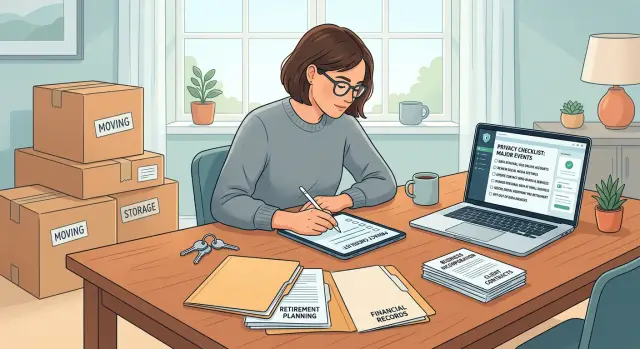
Why life events change your privacy risk
A move, a home purchase, a business filing, or retirement can put fresh personal details online fast. Data brokers grab the update, connect it to older records, and keep both versions available.
That is why a privacy cleanup plan should start with what just changed in your life, not with a giant list of websites. A move can expose your new home address within days. Buying a home can create public records through county filings, property databases, and marketing lists. Starting a business can put your name, phone number, and address into state records if you file with personal details.
New records are only part of the problem. Old listings often stay up long after your situation changes. If you moved last month, people-search sites may still show your old address, your new one, and relatives linked to both. That gives anyone searching for you more ways to confirm they found the right person.
The order matters. If your address just changed, start with anything that shows where you live now. If a new filing used your personal phone number, fix that before you clean up older profiles. Doing it backwards wastes time because fresh records can keep feeding the same sites.
A quick example shows why. Someone who buys a home might rush to remove old people-search listings, but the bigger risk is often the new property record that brokers copy within days. Someone retiring may have the opposite problem: old staff pages, professional directories, and outdated contact details that stay online for years.
Start with the details that make you easy to find today. Then work outward to older profiles, relatives, and duplicate listings.
How to set the order before you start
Start with one question: what became public in the last 90 days?
A move, home purchase, retirement paperwork, or new business filing can push personal details into public records very quickly. Fresh records usually spread faster than old ones, so recency matters.
Before you send any removal request, make a short working list. You do not need every mention of your name yet. Begin with anything that exposes where you live or how someone can reach you. That usually means your home address, your personal phone number, a personal email attached to your full name, or a property or business filing that shows home details.
Then rank each item by urgency, not by website type. This is where many people lose time. Ten old people-search profiles with stale data may matter less than one fresh listing with your new address and mobile number.
For most people, this order works well:
- New records with your exact address or phone number
- Listings copied from those records
- Older profiles that still help someone connect the dots
- Low-risk mentions that show only your name
Keep one tracker for everything. A spreadsheet is enough if it shows where the record appeared, what personal data it exposed, when you sent the request, and when you need to check again.
If you moved last month and also started an LLC, the filing that shows your home address should come before an old directory page with a past job title. Focus on what can expose you right now.
If you're moving, remove these first
Moving creates fresh records fast. A lease, utility signup, or mail forwarding request can turn into new broker listings within days. That is why your cleanup should begin with anything that points to the place you live now.
Start with people-search sites that already show your new address, new city, or new ZIP code. Those profiles go first. An old address is annoying. A current one gives strangers a direct path to your door.
Next, check both old and new phone numbers. Data brokers often use phone records to connect one address to another. If you changed numbers during the move, remove profiles tied to each one. If you kept the same number, search it with both your old city and your new one.
After that, review the records most likely to create the next wave of listings. Mail forwarding requests, utility accounts, rental applications, property records, and moving or storage accounts often feed new copies elsewhere.
Store accounts need attention too. Retailers, grocery apps, pharmacies, and delivery services often keep a mix of old shipping addresses and new billing details. That mismatch can make your data easier to match across sites. If you still use the account, update the address. If you do not, close it.
A good rule is to remove what points to your new home first, then clean up the trails from the old one. That usually works better than starting with the oldest records just because they look messy.
Do another sweep after 2-4 weeks. New copies often appear after the move is finished, especially once forwarding, utilities, and store systems sync.
If you're buying a home, change the order
Buying a home creates a fresh public trail very quickly. The deed, tax record, listing copies, and people-search sites can all start pointing to the same address within days or weeks. That is why your cleanup should start with the new home, even if older records are still online.
Begin with the source records and the pages that copy them. In many places, the original property record is public and will stay public. What you can often reduce is the spread. Search for your new address by itself, then search your name with the city and ZIP code. Real estate portals, broker pages, and smaller data broker sites often reuse sale price, square footage, and owner details.
Search by owner name, but search by mailing address too. If your mortgage, title, warranty, or change-of-address paperwork used a personal email, phone number, or mailing address, those details can end up in broker databases and marketing lists. Check which contact details you gave during the purchase and replace or remove them where you can.
Family links can widen the problem. If a spouse, parent, or adult child now shares the same address, one search can expose everyone at that home. Look up each household member and see whether broker pages connect them through the new address.
The safest order is usually this: first find copied property listings and owner pages tied to the new address, then remove people-search entries that show the home with your name, then check household members who now point to the same address. After that, review the phone numbers and emails used in loan and title paperwork. Older addresses can wait until the new one stops spreading.
Say you buy a house in June and set up utilities, insurance, and a forwarding address the same week. By July, one broker page may list your full name, home value, and relatives. Fixing that page and similar copies early can stop the address from spreading even further.
If you're starting a business, separate work from personal
Starting a business can put your personal details into public records faster than almost any other life event. The best time to prevent that is before the first form, not after it.
Pick your work contact details before you file anything. That means a business email, a work phone number, and a mailing address you are comfortable making public if the record gets copied elsewhere. If you use your personal email or cell number on day one, that detail can spread to broker sites, directories, and search results within weeks.
Your home address needs extra care. In many places, business filings, licenses, and local registrations become public. If the rules allow it, use a separate business mailing address or another approved address option instead of your home. Check this early. Once your home address is attached to the business, it often gets copied far beyond the original filing.
Then review every place your business appears. People usually think about state filings first, but leaks also come from domain registration details, local licenses, booking tools, map listings, and old profiles that mix personal and work information.
A quick check catches most of the mess. Search your name with the business name. Search your personal email with the brand name. Search your business phone number and your home address. Then check map listings and directory sites for address leaks.
A small example shows how this goes wrong. Someone starts a home repair company and files with a personal Gmail address, their own cell number, and their house as the business address. Later, that same mix shows up on directory pages, people-search sites, and maps. Cleaning it up takes time. Setting up separate work details first is much easier.
If you're retiring, close old public trails
Retirement changes your privacy risk in a quieter way. Your daily work life stops, but old work pages often stay online for years. That leaves a trail of office addresses, job titles, committee roles, and phone numbers that no longer need to be public.
In a retirement privacy checklist, old professional records should move close to the top. Former staff pages, board bios, archived leadership pages, and speaker profiles are common sources. They often give data brokers enough to rebuild a profile, especially when they show your full name, city, and work contact details.
The order here is fairly direct. Ask former employers to remove or shorten old staff pages and board bios. Update office numbers that now forward to your mobile or personal voicemail. Check alumni groups, trade associations, and member directories. Then remove broker entries tied to those old work records.
This saves time. If the public source stays up, broker listings can reappear quickly. Remove or shorten the source first when you can, then send the opt-out requests.
Retirement is also a good moment to decide which public profiles still make sense. You may want one simple profile for consulting, volunteer work, or a board seat. You probably do not need six old bios that still show your former office, assistant line, and workplace address.
One problem gets missed a lot: the office number that now rings your personal cell. That turns a harmless old listing into a direct path to your private phone.
A simple month-long plan
A privacy cleanup plan usually works better when you spread it across a month. That keeps you from sending rushed requests, missing duplicate listings, or forgetting to check whether your data came back.
Start with one master file. Add every version of your name, old and current addresses, phone numbers, email accounts, and any business contact details tied to you. If you moved recently, include the old address and the new one. If you retired or started a business, add older work details too.
Before you send anything, save proof. Take screenshots of each listing, the full profile page, and the search result that led to it. It feels tedious, but it saves time when a broker says the record was never there or when the same data shows up again with a slightly different spelling.
A basic four-week schedule is enough for most people:
- Week 1: collect names, addresses, phone numbers, and emails in one place, then save screenshots of every listing you find.
- Week 2: send removal requests in life-event order, starting with the details that changed most recently or expose your current location.
- Week 3: search again for copied records, alternate spellings, and profiles linked to family members.
- Week 4: set reminders to check for relistings and follow up on anything still live.
Give each week one clear job. That is usually enough to keep the work moving without turning it into an all-day project.
Common mistakes that waste time
The biggest mistake is starting with every site you can find. That turns a focused job into a mess. Start with the records that changed because of the life event itself. After a move, the new address matters more than old directory clutter. After starting a business, records that tie your home address to the business should go to the top.
Another common mistake is putting your new home address into every opt-out form. People do this because they want to prove the record is theirs. But you may be handing a broker the exact detail you are trying to keep private. If a listing already shows your old address, use the minimum information needed to match that record.
Relatives are easy to forget, and that can undo a lot of work. A spouse, parent, or adult child may still have a people-search profile with a shared address, phone number, or a "possible relative" tag. Your own listing can be gone and still be easy to find through someone else's page.
Many people also stop after one round. That is rarely enough. Data brokers relist records, merge them, or buy a fresh copy from another source a few weeks later. Ongoing checks matter.
Another time-waster is mixing business and personal details in the same request. If you started a business, keep those trails separate. A request that includes your company phone, personal email, home address, and business address can create confusion and slow the match.
A better rule is simple: handle the newest and most exposed details first, share as little new data as possible, and check again after the first cleanup.
A short checklist before you begin
A little prep makes the work much easier. You want to see what is exposed right now, decide where replies should go, and make sure you can track every request.
Before you start, check these five things:
- Figure out which address matters most right now. If your new one is already public, start there. If only the old one is exposed, start with the listing that appears most often.
- Set up a separate email for removal requests so confirmations and follow-ups stay out of your main inbox.
- Search your full name with your current city, former city, and phone number.
- Make a note of public records that may keep exposing you, such as property records, business filings, or professional licenses.
- Put a follow-up date next to every request.
This setup saves more time than most people expect. Without it, people often chase the wrong address, miss broker replies, or forget which requests need another look.
A realistic example
Maya and Chris buy a house in Colorado two weeks before leaving Illinois. That changes the order of their privacy cleanup plan. They do not start with every account they own. They start with the places most likely to connect their old address, new address, phone numbers, and home purchase.
Their first pass is narrow and fast. They look for copies of the sale record on property sites, then check people-search pages that can turn one public record into a full profile. Those removals go first because fresh move data spreads quickly.
After that, they clean up the slower leaks. Chris updates grocery, pharmacy, airline, and retail loyalty accounts that still point to the Illinois address. Maya finds old shopping accounts, a package forwarding profile, and a warranty registration that still use her personal number.
Their timeline is simple. In week 1, they deal with property sale copies, people-search sites, and the biggest public listings. In week 2, they update loyalty programs, store accounts, delivery apps, and old address entries. In week 3, they check mailing lists, account recovery details, and duplicate profiles that still mix both states.
A month into the move, Maya starts a small side business. That creates a new risk, so they change course. Instead of using her personal cell and main inbox on vendor forms, she sets up separate work contact details and uses those everywhere the business needs a public presence.
That one choice matters a lot. If her business email, work phone, and business mailing address stay separate, future listings are less likely to pull her home details back into search results.
For the next 60 days, they watch for relistings. A few profiles pop back up after old databases sync again, which is common after a move. By the end of those two months, they have not erased every trace. But they have cut off the fastest paths that connect a home purchase, a move, and a new business to one easy-to-find profile.
What to do next
Do not try to clean up everything at once. Pick the life event that matters right now and make your first pass today. If you are moving, start with listings that show your current address. If you are retiring, start with old work bios, staff pages, and people-search sites that still tie you to an office, phone number, or title.
A privacy cleanup plan works best when it follows the change in your life. That keeps the work focused and cuts down the chance that you miss the details that matter most.
A plain tracker helps more than most people expect. A spreadsheet or notes app is enough if it includes the site name, what was exposed, when you sent the request, the result, and when to check again. Without a tracker, it is easy to forget which sites replied, which ignored you, and which quietly posted your data again a month later.
A good starter routine looks like this:
- Choose one event: move, home purchase, new business, or retirement.
- Spend 30 minutes on the first pass and log every request.
- Check back in 7-14 days for removals and missed replies.
- Repeat on a schedule you can actually keep, such as once a month.
If you want less manual work, Remove.dev can fit neatly into this process. It automates removals across more than 500 data brokers, lets you track requests in a dashboard, and keeps monitoring for relistings, which is useful after moves, home purchases, business filings, and retirement.
The best plan is the one you will still follow after the boxes are unpacked or the retirement party is over. Start small, write everything down, and keep one check-in on your calendar so old details do not creep back online.
FAQ
Why should I start with a life event instead of a list of websites?
Because a move, home purchase, business filing, or retirement can create fresh public records fast. Start with what changed most recently, then work outward to older profiles and duplicates.
What should I look for first before sending removal requests?
Look at anything that became public in the last 90 days. Your current address, personal phone number, personal email, and any new property or business filing should usually go to the top.
What should I remove first after moving?
After a move, remove listings that show your new address, new city, new ZIP code, or current phone number first. Then check utility records, mail forwarding, rental or property records, and store accounts that may keep feeding new copies.
Does buying a home put my address online faster?
Often, yes. Deeds, tax records, listing copies, and owner pages can start pointing to your new home within days or weeks, so copied property pages and people-search profiles tied to that address should come before older clutter.
Should I remove old addresses before my new one?
Usually not. Your current address is the bigger problem because it points to where you live now, so deal with fresh listings first and clean up old addresses after that.
What if I started a business from home?
Set up separate work details before you file anything. A business email, work phone, and public mailing address can help keep your home address and personal cell from spreading through filings, maps, and directory pages.
What should retirees clean up first?
For retirement, begin with old staff pages, board bios, speaker profiles, and office numbers that now reach you personally. If those public sources stay up, broker listings often return.
Do I need to check family members too?
They do. A spouse, parent, or adult child can still expose a shared address or phone number through their own people-search page, even after your profile is gone.
Should I put my new address into opt-out forms?
Keep it minimal. If a site already shows your old address, use only the details needed to match that record and avoid giving a broker your new home address unless the form truly requires it.
Can I automate this instead of doing it all by hand?
Yes, if you want less manual work. Remove.dev handles removals across more than 500 data brokers, tracks requests in a dashboard, monitors for relistings, and most removals are done in 7–14 days.