Privacy tips for host families welcoming students or au pairs
Privacy tips for host families welcoming students or au pairs, with simple ways to reduce address, routine, school, and travel exposure.
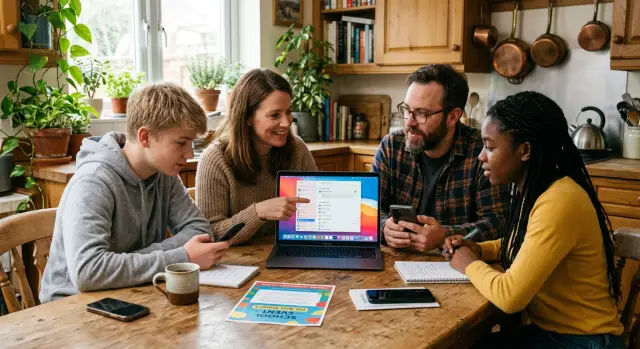
Why hosting can reveal more than you expect
Hosting a student or au pair changes what a family shares. People post more photos, mention more places, and talk more openly about daily plans because it feels friendly and normal. An airport pickup, a first day at school photo, or a weekend trip update can look harmless on its own.
The problem is that strangers do not see those details one at a time. They put them together.
One public post might show a school logo on a sweatshirt. Another mentions pickup at 3:15. A third shows the front of the house, the family car, or a suitcase tag. Together, those small clues can reveal where your child studies, when adults are away, and when the house is likely empty.
That risk goes up during the first weeks of hosting because there is a burst of activity. Relatives comment. Friends share posts. Schools publish welcome notes or exchange program updates. The guest may post too, often without knowing your usual privacy rules. What feels like a warm update to one person can become a neat little map for someone else.
This is why privacy advice for host families needs to go beyond social media settings. The issue is not only what you choose to post. It is what other people can infer from a series of public details.
Even basic information can connect fast. If your family name, address, or phone number already appears on people-search or data broker sites, public hosting updates make that profile easier to match to real life. A stranger does not need much. A last name on a school page, a neighborhood photo, and a note that the family is away for the weekend can be enough.
A simple example shows the problem. A host parent posts, "Picked up Sofia from the airport tonight." The au pair posts a selfie in front of the home. The local school shares a welcome message. None of that sounds risky. Together, it tells a clear story about who lives there, who is new, and where everyone will probably be during the week.
Most privacy problems start that way. Not with one big mistake, but with a pile of small, cheerful details.
Where household details become public
A host family can share more than it means to. Usually the risk is not one major leak. It is a trail of details posted in different places that, taken together, show who lives in the home, when people come and go, and what a normal week looks like.
School and program pages are often the starting point. A welcome post might include a first name, a photo, the town, the school name, and the host family's last name. Each detail seems fine on its own. Together, they can point straight to your household.
Places people often miss
Social posts are usually the biggest source. A caption like "first day drop-off" or "picked her up after soccer at 5:30" can reveal your routine without you noticing. If those posts are public, anyone can build a rough schedule from them.
Travel photos create another problem. Airport reunion pictures are common, but boarding passes, visa pages, baggage tags, and passport covers can expose names, flight numbers, booking codes, and sometimes dates of birth. Even a blurry photo can show more than you think if part of the text is still readable.
Weekly activities fill in the rest. Team rosters, concert programs, tournament schedules, and school event calendars often list names, locations, and times. If your student or au pair appears in several of them, your household routine starts to look predictable.
A common chain looks like this:
- A school page names the student and town.
- A public Instagram post shows the airport pickup day.
- A sports roster shows practice nights.
- A school calendar shows early dismissals and holidays.
No single item says much. Together, they say plenty.
Most strangers will never look that closely. Scrapers, data brokers, and bad actors can. They do not need one perfect source when several ordinary sources tell the same story.
That is why it helps to look beyond social posts alone. If your name, address, or family details are already circulating on data broker sites, it becomes much easier to connect those public clues back to your home. Cutting down those listings lowers the chance that a school page or travel photo leads straight to your address.
Set posting rules before day one
Excitement makes people post fast. A welcome photo at the airport, a first-day-of-school selfie, or a weekend trip update can seem harmless. But a few small details in those posts can tell strangers where your family lives, when the house is empty, and which route someone takes every day.
The best time to set rules is before your student or au pair arrives, or on day one at the latest. Keep it simple. Everyone in the home should know what is fine to share and what stays private.
A useful rule is this: people are fine, location details are not. A photo at dinner is usually fine. A photo that shows your house number, a street sign, a school badge, or a car plate is not. The same goes for envelopes on the counter, luggage tags, and papers left in the background. Those details are easy to miss until the post is already public.
Location tags need special attention. Turn them off on every family member's phone, not just the host student's phone. One tagged post or shared album can undo everyone else's effort.
It also helps to agree on one rule for time-sensitive updates: no real-time posts about arrivals, school runs, or trips. Post later if you want to share the memory. That short delay matters. It makes your routine harder to map.
Keep the rules calm and plain:
- No live posts when someone is traveling, being picked up, or dropped off.
- No photos with house numbers, street signs, school names, or car plates visible.
- No location tags or check-ins.
- Ask everyone in the photo before posting it.
Most exchange students and au pairs understand this right away when you explain why. You are not trying to hide normal life. You are stopping strangers from building a file on your household from a few cheerful posts.
A simple privacy setup for the whole home
You do not need a full security overhaul. Most homes can cut a lot of risk in 30 minutes. Treat your address, daily routine, and travel details like house keys.
Start with a quick household search. Look up each adult and teen by full name, then add your town. That often pulls up old sports rosters, school pages, club results, fundraiser posts, and social profiles you forgot were public.
What matters is the pattern, not one post by itself. A school page with a student name, a public team schedule, and a family photo album can give a stranger your neighborhood, your usual pickup times, and the fact that a new young person is living in the home.
A basic setup usually includes a few simple steps:
- Switch family social accounts to private and review who can tag, comment, and view old albums.
- Check older photos for house numbers, street signs, school uniforms, license plates, and repeat locations.
- Ask schools, clubs, and activity groups to use less detail in public posts when possible.
- Put passports, visas, boarding passes, and printed itineraries in a drawer or folder, not on the kitchen counter.
- Search your address on maps and people-search sites to see what is already out there.
That last step matters more than people think. People-search sites often list names, past addresses, relatives, and age ranges in one place. If your address is posted there, it becomes much easier to connect a family name from a school page to a real home.
Schools and clubs are often the weak spot. A polite note usually works. Ask them not to post full family names, home addresses, or detailed travel information tied to your student or au pair. First names are often enough.
If cleaning up those broker listings turns into a chore, Remove.dev can help. It removes personal information from over 500 data brokers and keeps monitoring for re-listings, which is useful if your household details keep resurfacing.
How one airport post gives away too much
It often starts with a nice photo and a warm caption. A parent posts a selfie from the airport: "We picked up Sofia at 6:40 p.m. and made it home safe." It feels harmless. To other people, that single post can sketch out your household routine.
The arrival time gives away more than excitement. It shows when someone left home, when the house may have been empty, and roughly when the family came back. If the photo is public, strangers do not need much else.
Then the post gets tagged with the student's school or a local welcome page. Now the area is easier to place. Even if your full address is not visible, the school name can narrow the neighborhood, bus route, and daily schedule more than most families expect.
Small details in the image can do the rest. A luggage tag might show the student's full name. A school logo on a hoodie can confirm the district. A comment from a friend like "See you at Westfield tomorrow" can connect the airport post to the next day's plan.
Within a minute or two, someone can piece together:
- when the family was away from home
- which school area the student is tied to
- the student's full name
- the first-night or first-school-day routine
- enough detail to search for addresses and relatives
That is the part people miss. Friends, neighbors, classmates, and strangers do not view one post in isolation. They combine the caption, tag, comments, and photo details into one simple story: where this family lives, when they travel, and who is staying in the home.
A better move is to treat airport posts like delayed vacation photos. Share them later, crop baggage tags, skip school tags, and keep the audience small. The photo can still say "welcome." It just says less to everyone else.
Mistakes that reveal your routine
The biggest mistake is posting in real time. A cheerful update like "school drop-off done" or "heading to the station now" can tell strangers when the house is empty, when someone is traveling alone, or which parts of your week happen on a fixed schedule.
Photos often reveal more than the caption. A school badge on a jumper, a uniform crest, a bus stop sign in the background, or a street name on a corner can point straight to a daily route. One clue may seem harmless. A few clues together can map out a routine.
Printed travel papers are another common slip. Families take arrival photos on the kitchen table, by the car, or near the front door, and a boarding pass or itinerary sits in the frame. Names, dates, flight numbers, and booking details are sometimes readable with a quick zoom.
Before anyone posts, check the whole image, not just the faces. Look for school names, logos, bus stop signs, street signs, printed tickets, schedules, forms, luggage tags, calendars, and pickup notes.
A different problem comes from mixed rules at home. One parent avoids posting location details, a teenager shares stories in real time, and an au pair tags the neighborhood cafe after school pickup. No one means harm, but the combined picture is clear.
The fix is simple. Everyone follows the same rule. Delay posts. Crop hard. Keep papers out of sight before taking photos. If a post mentions a school, trip, or activity, leave out the timing and exact place.
It may sound a little strict. It is still easier than trying to pull your family routine back once it has been copied, reposted, or matched with other public details.
A monthly privacy check that actually gets done
A monthly check is better than a huge cleanup once a year. It takes about 15 minutes and helps you catch small leaks before they turn into a clear picture of your home routine.
Start with the last few weeks of posts from everyone in the house. Look for photos, captions, and stories that reveal dates, pickup times, school names, landmarks, or the fact that the house will be empty for a weekend trip.
Then check the places you do not fully control. Schools, sports clubs, music groups, and local community pages often post welcome notes, event photos, and team updates. A short mention paired with a group photo can reveal more than people mean to share.
A once-a-month routine is enough:
- Search your family names, phone numbers, and home address.
- Review recent social posts for dates, uniforms, street signs, and location tags.
- Check school and club pages for new mentions or photos.
- Delete or archive older photos that show the front of the house, car plates, or a visible house number.
- Ask your student or au pair to do the same on their own accounts.
Old photos are easy to miss. A move-in day picture, a holiday post on the porch, or a selfie by the mailbox can stay public long after the moment is gone. If the front of the home is visible, take it down or limit who can see it.
The search step matters. Type in your address, your mobile number, your last name with the town, and your student or au pair's first name with your city. If the same details keep showing up on data broker sites, that is a sign to start removing them. Services such as Remove.dev can automate that work and keep checking when listings return.
If your address or schedule is already public
If a post, school page, or event listing already gives away your address or routine, do the boring cleanup first. It works. Fast action will not erase every copy, but it can reduce how many people see it and make old details harder to find.
Start with anything that shows too much at a glance. A photo of an airport pickup sign, a luggage tag, a school badge, or a travel document can reveal names, dates, and places in one shot. If you cannot delete the post, crop it, blur the details, and remove location tags.
Then ask other people to clean up their copies. Schools, exchange programs, sports clubs, and parent groups often post more family detail than they need. A short message usually works better than a long complaint. Ask them to remove your street name, phone number, student schedule, or any note that ties your household to a regular time and place.
If the exposure is recent, change visible routines for a week or two. Use a different pickup spot. Shift dog walks or school runs by 20 minutes. Skip public check-ins for a while. Small changes matter because people who misuse personal details often rely on patterns staying the same.
A simple checklist helps:
- Delete or edit posts that show tickets, tags, badges, or school names.
- Ask organizations to remove extra family details from pages, PDFs, and calendars.
- Change repeated routines for a short period if your home or schedule was exposed.
- Search for your name, address, and phone number every few weeks to catch reposts.
Do not stop at social posts. People-search sites and data brokers often copy home addresses, relatives, and old phone numbers, then spread them again. That is where a removal service can save a lot of manual work. Remove.dev uses a mix of direct integrations, browser automation, and privacy-law requests to remove listings and keep watching for re-listings, so the same information is less likely to keep coming back.
One leaked post is annoying. Repeated copies are the real problem. Clean up the original, remove the extras, and keep checking until the same details stop resurfacing.
Keep the system simple
The best privacy habits are the ones you can repeat without thinking. A one-time cleanup helps, but routines change fast during a school year. New photos go up, school pages update, and travel plans get shared in group chats that later spill into public posts.
Start with a short written list of what should stay off public sites:
- full home address
- daily pickup and drop-off times
- a school name paired with your street or neighborhood
- passport, visa, or boarding pass photos
- real-time travel updates when the house will be empty
That works better than vague warnings like "be careful online." People usually follow rules when the rules are plain.
Give your student or au pair a one-page privacy note on day one. Explain what you do not post, what needs a quick check before sharing, and who to ask if they are unsure. A friendly note prevents awkward corrections later, especially when someone is excited and posting in the moment.
Set one monthly reminder to search your names, address, phone numbers, and older listing photos. Do another quick check before school events, holiday trips, and the end of term, when people tend to post group pictures and goodbye updates.
A good system stays small: one rule sheet, one day-one conversation, and one monthly reminder. That is usually enough to catch the posts and public listings that reveal more than they should.
FAQ
What should we avoid posting in the first week?
Start by avoiding live updates about arrivals, school runs, and weekend trips. In the first week, skip posts that show the house, school logos, street signs, car plates, luggage tags, or exact times.
Are private social media accounts enough?
No. A private account lowers exposure, but it does not stop tagged posts, shared screenshots, school pages, or club updates from filling in the gaps. Privacy works better when you also limit what appears in photos and captions.
Why are airport pickup photos risky?
Because one photo can reveal more than it seems. A pickup time, a school tag, or a readable baggage tag can show when the family was away, where the student is headed, and who is staying in the home.
Should schools or clubs post our full names and details?
Ask for less detail in public posts. First names and group photos are usually enough, while full names, town details, schedules, and travel notes make it much easier to trace your household.
What details should I check for in photos?
Check the background before you post, not just the faces. Watch for house numbers, street signs, school crests, uniforms, bus stops, calendars, papers on counters, boarding passes, and car plates.
How do we set privacy rules with an exchange student or au pair?
On day one, agree on a few plain rules and keep them the same for everyone. No real-time travel posts, no location tags, and no photos that show your address, school, or routine usually covers most of the risk.
What should we do if our address or routine is already public?
First, edit or delete posts that show names, times, badges, tags, or location details. Then ask schools, clubs, and parent groups to remove extra details, and change repeated routines for a short time if your home or schedule was exposed.
How often should we do a privacy check?
Aim for a short monthly check instead of a huge cleanup once a year. Search your names, phone numbers, and address, then review recent posts and school or club pages for anything that reveals timing, places, or your home.
Do data broker sites make this problem worse?
Yes. If your name, address, relatives, or old phone numbers are already listed on people-search sites, public posts become easier to match to your real home. Removing those listings cuts down the chance that a school page or photo leads straight to your address.
Can a removal service help us keep our home details off the web?
If manual cleanup keeps dragging on, a removal service can save time. Remove.dev removes personal information from over 500 data brokers, usually finishes most removals in 7–14 days, and keeps checking for re-listings so the same details are less likely to pop back up.