Privacy request email: what to include for better replies
A simple guide to writing a privacy request email that gets a clear response, asks for only what matters, and avoids sharing extra personal details.
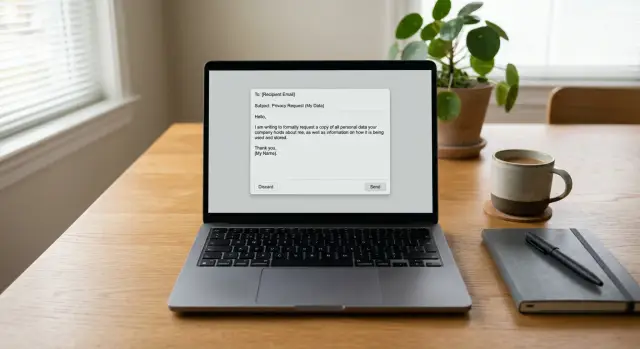
Why many privacy emails get ignored
A privacy request gets ignored for a simple reason: the company can't tell what you want.
"Please remove my information" sounds clear, but it can mean different things. You might want an account deleted, a public profile taken down, marketing emails stopped, or a copy of your data. If the request is vague, it often ends up in the wrong queue or waits for a follow-up.
Long emails cause the same problem. If the message starts with a full backstory, frustration, and several different asks, the reader has to hunt for the actual task. A short note with one request is much easier to route and answer.
Oversharing is another common mistake. People often send extra details "just in case" - old addresses, phone numbers, family names, even ID numbers. That creates a new privacy risk, especially if the message lands in the wrong inbox.
Companies still need enough detail to find the right record. That is where a lot of requests fall apart. "Delete my data" is too little. "Here is every address I've used since college" is too much. The better middle ground is a few details that match the record they are likely to have, such as your full name, the email tied to the account, or the address shown on a broker listing.
A good rule is simple: give them enough to identify you, and nothing extra.
For example, this is easy to act on: "Please delete the profile tied to [email protected] and 14 Oak Street, Boston." A long message with a life story, several old phone numbers, and a demand to "erase everything everywhere" is much harder to process.
The same rule applies whether you handle a few requests yourself or use a service like Remove.dev for broker removals. Clear, targeted requests are easier to act on than messy ones.
Choose the exact request first
Many requests fail because they ask for several things at once. Before you write the first line, decide on the one action you want.
Most requests fall into four groups:
- access to the data a company has about you
- deletion of that data
- correction of wrong data
- opt-out from sale, sharing, or listing
Pick the one that matches your goal, then use the same wording in the subject line and body. If you want deletion, say "I am requesting deletion of my personal data." If you want to opt out, say "I am requesting to opt out of sale, sharing, or listing." Mixed terms slow things down because the company has to guess.
Routing matters. A deletion request may go to a privacy team. A support question may go to a general inbox. If your email sounds like both, it can sit in the wrong place.
Keep the first message focused on one main request. You can ask follow-up questions later. Do not send one email that asks to delete your data, correct an old address, send a copy of every record, and stop marketing emails. That is four jobs, not one.
A broker removal request is also different from normal support. If a people-search site posts your name, age, address, or relatives, you usually want removal or opt-out of the listing. You are not asking for password help or a refund. When possible, send the request to the privacy contact rather than the general help desk.
Match the request to the problem. Wrong information calls for correction. Publicly posted information calls for removal or opt-out. Data you no longer want held calls for deletion. Once that part is clear, the rest of the email gets much easier to write.
A simple structure that works
Most people write too much. A good request can be read in under a minute.
The person on the other end needs five things, in this order: a direct subject line, one sentence that identifies you, the exact action you want, one or two details to find your record, and a request for confirmation once the job is done.
A clear subject line matters more than most people think. "Data deletion request" or "Request to remove my personal data" gives the reader context before they even open the message. "Question" or "Need help" does not.
Your opening sentence should do the basic work. Something like "My name is Jane Miller, and I am requesting deletion of my personal data from your records" is enough. You do not need to explain your entire privacy philosophy.
Then state one request in plain language. If you want deletion, say deletion. If you want access, say access. If you want to opt out of sale or sharing, say that. When several requests are packed into one paragraph, the reply usually slows down.
Add only the details needed for a record match. That often means your full name, the email address tied to the account, and sometimes a mailing address or phone number if that is how the company knows you. Avoid sending documents on the first try unless they specifically ask for them.
Close with a short line asking for confirmation. That gives you a clear endpoint and makes follow-up easier if you do not hear back.
What to include
A good request gives the company enough to find your record and act on it. No more. Think of it as handing someone the right folder name, not your whole filing cabinet.
Start with the name that appears on the record. If the listing uses your full name, include your full name. If it uses a middle initial, a maiden name, or an older spelling, add that version too. Small differences like that save time and reduce back-and-forth.
After that, add one or two identifiers that are most likely to match. An email address is often enough. If the record is tied to an old home, an old address may help more than a phone number. Pick the details that fit the listing instead of cramming in every address and number you have ever used.
A short checklist is enough:
- your full name as shown on the record
- one or two matching details, such as an email address or past address
- the page title, account name, record ID, or other listing detail if you have it
- a clear request to delete, correct, or opt out
If you can point to the exact listing, do it. A record number, username, copied listing title, or a short quote from the page can make the request much easier to process. That matters when several people have the same name.
You can add a short deadline, but keep it plain and use it only when the law that applies to you supports one. For example: "Please confirm receipt and process this request within the time required by applicable privacy law." That works better than sounding angry or threatening.
Match the amount of detail to the request. If you want a public listing removed, include enough to find that listing. If you are writing about an account, include the account email or account ID. That is usually enough to get a real reply.
What to leave out
A good request should stay narrow. Extra material gives the other side more chances to delay, ask follow-up questions, or keep even more of your information.
That is the odd part of a privacy email: sending too much can work against you. Give them just enough to find your record and act.
Usually, leave out photos of your ID, extra phone numbers you never used with them, a long personal story, and unrelated documents.
ID photos are the biggest mistake. Many people attach a passport or driver's license right away because they want to look serious. Usually that is a bad trade. If the company does not need it, you just sent a high-risk document to the kind of business you are trying to leave behind.
Extra contact details can create noise. If a broker has one old email address and one phone number tied to your record, sending three other numbers "just in case" can slow the match. It may even widen the profile they build around you.
Long explanations do not help much either. You do not need to defend your reasons. A short, polite request gets read faster than a long message about spam calls, identity theft, or privacy in general.
The same goes for unrelated paperwork. Utility bills, records from other sites, or copies of forms sent to another company usually do not help. They just add clutter.
A simple rule works well: if a detail does not help verify, locate, or complete the request, leave it out.
If they ask for more, send the next smallest piece of information that answers the request. Start lean. You can always add more later, but you cannot take back an overshare.
A real example of a good request
Say Maria finds her home address on a people-search site. The page shows her full name, city, age range, and street address. She wants the record removed, but she does not need a long story or a stack of documents on the first try.
A good request is usually short. The goal is simple: give the site enough information to find the listing and act on it.
Sample email
Subject: Removal request for my personal listing
Hello,
I found a listing about me on your site and I am requesting its removal.
Name shown on listing: Maria Lopez
Listing details: Profile for Maria Lopez in Phoenix, AZ
Information shown: home address and related personal detailsPlease remove this listing and confirm when the request is complete.
Thank you
This works because Maria includes the exact name shown on the page and enough listing detail to locate it quickly. She asks for one thing only: removal. That makes the message easy to read and easy to process.
What she leaves out matters just as much. She does not include her work address, family names, past employers, or extra contact details that are not needed. She also does not attach ID unless the site asks for it. Sending extra personal data can create a new problem.
After she sends the email, Maria saves a copy and notes the date. If the site says requests take a week or two, she waits for that window to pass before following up. If there is no reply, she sends one short follow-up with the same listing details and the date of her first message.
That is what a clean request looks like in practice. It is specific, calm, and easy to act on. In most cases, that beats a long emotional message.
Common mistakes that slow things down
A clear request can still get ignored for simple reasons. Most delays come from tone, routing, or missing details, not the law itself.
One common mistake is writing like you are starting a fight. A sharp subject line, threats, or a long rant may feel satisfying, but it makes it easier for the other side to treat the message as noise. Calm and direct usually works better.
Another mistake is sending the same message everywhere. A request sent to sales, billing, or a general help inbox may sit there while staff figure out who handles privacy issues. Even a well-written email slows down when it lands with the wrong team. If a company has a privacy contact or data rights form, use that first.
People also forget to name the data they want removed. "Remove my information" is not specific enough if the company has multiple records or if your name is common. Point to the account, profile, listing, email address, or address you want them to check.
Too many asks in one message can cause the same problem. If you want deletion, access, correction, and marketing opt-out, send separate requests or handle them one at a time. It takes a little longer up front, but it cuts confusion.
A missing paper trail hurts too. If you do not save the sent email, the date, and the reply, follow-up gets messy fast. Keep a copy from the start.
Quick check before you send
Before you hit send, do one fast review. The goal is to make the request easy to act on and hard to delay.
- Use a direct subject line. "Data deletion request - Jane Smith" works much better than "Question" or "Urgent."
- Put the ask in the first three lines. State the action you want, who the request is about, and which email, address, or listing they should check.
- Include only the details needed to find the record. Skip extra IDs and personal history unless they clearly require them.
- Ask for confirmation. A short line like "Please reply when this record has been deleted or suppressed" gives them a clear next step.
- Save proof before sending. Keep the sent email, take a screenshot if needed, and note the date in one place.
A small example helps. If a broker page shows your old address, you do not need to send your phone number, job title, and photo ID on the first try. Your name, the listed address, and a clear ask are usually enough.
Keeping a copy matters later. If they do not reply in a week or two, you can follow up with the exact date, wording, and details you already sent instead of starting over.
If you have more than one request
If you need to contact several companies, treat it like a small admin task. That sounds dull, but it saves time and cuts mistakes.
Start with one clear request per company. Send it, wait about a week or two, then send one follow-up if there is no reply. More messages than that usually do not help. They just make the thread harder to read.
A simple tracker is enough. Keep the company name, the date sent, the email address or form you used, what you asked for, and whether they replied or completed the request.
This matters once you have a handful of requests in motion. After the fifth or sixth one, details start to blur. You can easily forget who asked for ID, who confirmed deletion, and who never answered.
Once you have a simple template, reuse the structure each time, but do not copy and paste blindly. Change the company name, the account or listing details they need to find you, and the exact request type. A broker opt-out, an account deletion, and a marketing unsubscribe may sound similar, but they often go to different teams.
Plain subject lines also help when you are managing a batch. "Request to delete my personal data" or "Opt-out request" is enough. Fancy wording does not get faster replies.
If you are dealing with a long list of broker sites, manual requests get old quickly. You send one email, then another, then wait, log replies, and check later to see whether a listing came back. That is manageable for a few companies. It is rough for dozens.
For that kind of workload, Remove.dev can take over the repetitive part. The service handles removals across more than 500 data brokers, shows each request in one dashboard, and keeps monitoring for re-listings so new requests can be sent again. For two or three requests, doing it yourself is fine. For a long list, having it handled in one place is a lot easier.
FAQ
What should the subject line say?
Use a direct subject like Data deletion request or Removal request for my personal listing. If it helps them find you faster, add your name or the email tied to the record.
How should I structure a privacy request email?
Keep it short. Start with who you are, name the one action you want, add one or two details that match the record, and ask for confirmation when it is done.
How much personal information should I include?
Send enough to match the record and stop there. Usually that means your full name as shown, the email tied to the account, or the address shown on the listing.
Should I attach my ID right away?
Usually no. Unless they ask for it, avoid sending a passport, driver's license, or other ID in the first message because it creates extra risk for you.
Can I ask for several things in one email?
It is better to send one request at a time. If you ask for deletion, access, correction, and marketing opt-out in one email, the company may not know where to route it.
What if my name is common?
Give them something specific to locate the right record. A listing title, username, account email, record ID, city, or street address can make the request much easier to process.
Where should I send the request?
Send it to the privacy contact or data rights form when possible. A general support inbox can work, but privacy requests often move faster when they go to the team that handles them.
When should I follow up if nobody replies?
Wait for the company’s stated timeline first. If they give no timeline, a short follow-up after about one to two weeks is reasonable, using the same details and the date of your first message.
Should I mention CCPA or GDPR in the first email?
You can mention them, but keep it plain. A simple line asking them to process the request within the time required by applicable privacy law is enough.
When does it make sense to use Remove.dev instead of sending emails myself?
For a few requests, doing it yourself is fine. If you have many broker listings, a service like Remove.dev can handle requests across more than 500 brokers, track them in one place, and watch for re-listings so new removals can be sent again.