Remove personal data from public calendars and booking pages
Learn how to remove personal data from public calendars, booking pages, and archived event listings before phone numbers and emails spread.
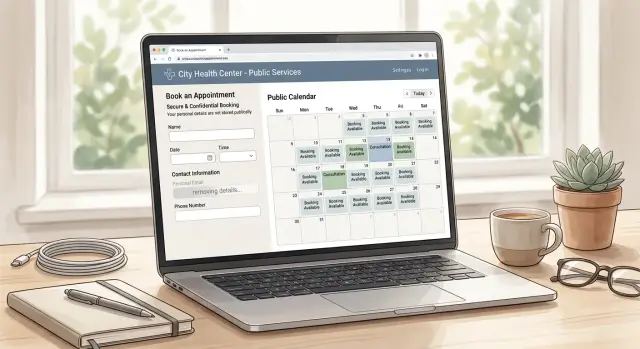
Why public calendars expose contact details
Public calendars seem harmless because they feel temporary. A meeting sits on the page for a day or a week, then everyone moves on. Search engines, booking tools, and archive pages do not move on as fast.
People often put contact details in the quickest place they can find: the event title. That might be "Call Sarah at 555-0182" or "Zoom with [email protected]." It saves a few seconds when booking, but it can turn a calendar entry into a public contact card.
Descriptions can reveal even more. A short note might include a meeting link, office address, phone number, guest list, or a line like "text me when you arrive." On a private calendar, that may be fine. On a shared calendar, team schedule, or public booking page, those details can be indexed, copied, and reused.
The tricky part is how much some tools share by default. A calendar may be visible to anyone with the link, open inside a workspace, or discoverable in search because of one setting changed months ago. Some scheduling tools also create public pages for event types, and booked slots can leave behind extra pages with your details on them.
Old event pages are another common leak. A workshop from last year can still show the host's personal email, mobile number, home address, or a direct meeting link. Even when the main page is gone, copies may still appear in search results, calendar feeds, or archived pages on other sites.
It helps to think of every public calendar entry as a small web page. If strangers can view it, they can save it, search it, and pass it around later.
Where to check first
Start with pages you or your team made public on purpose. They are usually the easiest to overlook because they look normal. A calendar entry or booking page may seem routine, but it can reveal your full name, email, phone number, work hours, city, and meeting notes.
Begin with anything you control yourself. Check public calendar pages tied to Google Calendar, Outlook, or Apple Calendar. Look at event descriptions, organizer fields, recurring events, and old invites that still show direct contact details. Then open every scheduling profile you have shared before, including links used in email signatures, newsletters, and social profiles. These pages often keep old bios, fallback emails, location text, and meeting instructions.
After that, review shared team calendars and group booking pages. A coworker may have added your address, mobile number, or role to make handoffs easier and then forgotten it was public. Old webinar, meetup, workshop, and conference pages also deserve a close look. Event organizers often leave them online long after the event ends, and speaker pages can still list contact details.
Do not forget attachments. Agendas, speaker sheets, and event PDFs are easy to miss, but they can still show up in search results and keep your details online.
Make a simple note for each page: what is exposed, who controls it, and whether you can edit it yourself. That one habit keeps the cleanup from turning into a guessing game.
How to find exposed details
The easiest way to find exposed details is to stop thinking like the account owner and start thinking like a stranger. Do not begin inside your calendar app. Begin with what anyone can see from a search bar or a public booking link.
Search like a stranger
Open a private browsing window first. That helps you see more neutral results instead of pages shaped by your own logins and history.
Search your full name with your phone number. Then try your name with your city or job title if those appear on event pages. After that, search your email address in quotes. Quotation marks matter because they force an exact match, which often pulls up old invites, meeting pages, speaker bios, and booking forms.
"[email protected]"
"First Last" "555-123-4567"
"First Last" calendar
"First Last" booking
"First Last" event
Look past the first few results. Page two, image results, and older cached pages can still reveal shared calendar exposure, especially from tools that once created public pages by default.
Check the pages you forgot about
Next, open your booking page without logging in. Use the same public link a client or stranger would use. Read the page slowly. Many people focus on the available time slots and miss the smaller details: a phone number in the footer, an email in the confirmation text, a profile photo, workplace name, or a line like "text me if you are late."
Then search your inbox for words like "confirmed," "rescheduled," "invite," and "event." Old confirmation emails often contain links to pages that are still live long after the meeting ended.
Also check event-related profiles such as speaker pages, webinar listings, community calendars, and meetup archives. These pages often outlive the event itself.
Keep a running list with the page title, the personal detail that is exposed, and whether the page is public. It sounds simple, but it saves a lot of time later.
How to clean calendar entries step by step
Start with the source page, not the search result. If an event page is public, anything in the title, description, location field, or attached notes can be visible to strangers.
Work through the cleanup in a fixed order:
- Change the calendar from public to private, or limit it to invited guests only. If you still need some events visible, use a separate public calendar for basic event information.
- Open each public event and scan every field. Remove phone numbers, personal email addresses, home addresses, and private notes from titles, descriptions, custom locations, and notes boxes.
- Replace your personal email with a safer contact method. A work alias, separate booking address, or contact form is usually enough.
- Delete old events that no longer need to be online. Past webinars, office hours, and one-time bookings often stay visible long after they stop being useful.
- Check the page again in a private browser window so you can see what other people still see.
Do not stop after one event. Public calendars often use repeated templates, copied notes, or recurring entries that carry the same contact details forward for months. Review recurring series one by one, and if your calendar connects to a booking tool, update the default event template there too. Otherwise the next booking can put the same detail right back online.
Screenshots help more than people expect. Save one before the change and one after it. If an old page reappears later, you will have a clear record of what was exposed.
How to handle booking pages and archived event pages
Calendar entries are only part of the problem. Booking pages, event landing pages, and old conference archives often keep the same details online long after the event is over.
Start with your booking page. Many scheduling tools publish more than your available times. They may show your full name, work title, email address, phone number, meeting location, and notes pulled from your bio or confirmation text.
Open the public version of the page and read it like a stranger would. Check the bio, custom form fields, confirmation message, reminder text, and any auto-filled meeting instructions. A lot of people remove their phone number from one field and miss the same number in the confirmation note.
Turn off any field that exposes direct contact details unless it is truly needed. In most cases, a booking page does not need to display your personal email, direct phone line, or home address. If the tool lets you choose between public and private fields, keep sensitive details private and share them only after someone books.
Archived event pages need a different fix. If you spoke at a webinar, joined a panel, or hosted a workshop, the organizer may still have an old page with your contact details in the speaker bio, downloadable agenda, or PDF handout.
When you contact the page owner, be specific. Tell them the page title, the exact detail that needs removal, where it appears, and the names of any attached files that also need updating. Include a screenshot and save a copy of your request.
That last part matters. A page may remove your email from the speaker bio but leave it in a PDF agenda or attachment name. Until every visible copy is changed or deleted, the detail is still exposed.
A simple example
A coach sets up an online calendar so clients can book 30-minute sessions. To make last-minute changes easy, she adds her mobile number in the event notes: "Text me if you need to reschedule." It feels harmless because the page is meant for clients, not the public.
A few months later, the same number shows up in more places than she expects. The booking page still has an older session type with the number in the description. A shared calendar entry for a past workshop includes it too. Then she finds an old workshop page that is still live, months later, with the same number in plain view.
This is the pattern that trips people up. They remove the number from the current booking page and assume the problem is fixed. But the number was copied into the calendar event, the workshop page, and sometimes the message template the scheduling tool sends out. One edit does not remove every copy.
The fix is straightforward, but it takes a full pass. She replaces the phone number on the live booking page with a safer contact method, edits the shared calendar notes, and hides or deletes the old workshop page. Then she searches the exact number in quotes to catch whatever is still left.
Mistakes that keep data visible
Most cleanup jobs fail for a simple reason: people stop after fixing the obvious page. The current booking page looks clean, but an older event listing, duplicate calendar entry, or cached copy still shows the same phone number or email.
The oldest pages are often the worst. A shared calendar made public years ago for a workshop, open house, or client booking block may still be online long after everyone forgot it existed. Those entries can expose direct contact details, guest names, meeting notes, and location information.
Some leaks are easy to miss because they are not in the page text. An attachment name might still say something like jane-smith-cell-555-0147.pdf. A downloadable invite can include a personal email in the file itself. If you only edit the visible paragraph, the exposed detail may still be there.
Deletion also takes time. When you remove an event, it may disappear from your dashboard right away but remain visible on public pages, synced calendars, archive pages, and search results for days or longer. That delay confuses people.
Using one email address everywhere makes the problem worse. If the same personal address appears in your scheduling tool, calendar invites, webinar pages, and speaker bios, one search can connect all of them.
If you want a quick self-check, do these four things:
- Search for old public calendars tied to past jobs, side projects, and events.
- Open attachments and check file names, not just page text.
- Review team calendars and shared profiles, not only your own.
- Recheck deleted pages after a week to see what still appears.
A quick privacy check
A short review catches most problems.
- Keep phone numbers, home addresses, personal email accounts, and full birth dates out of public event titles, descriptions, notes, bios, and files.
- Open every public booking page you still use and read the confirmation text, reminder text, and profile details.
- Make personal calendars private and limit shared calendars to invited people whenever possible.
- Search your name, phone number, and email after you make changes so you can see what is still live.
The common mistake is checking only the current page. Old PDFs, auto-generated booking profiles, and archived event pages are often where contact details stay online.
What to do next
Cleaning this up once is good. Putting it on a routine is better.
Public calendar entries, booking pages, and old event pages have a habit of coming back. A tool gets reconnected, an old profile is copied into a new one, or an archived page stays live long after you forgot it existed. Set a reminder to check again every few months.
Keep one simple tracking note with the calendars you use, the booking tools you signed up for, and any past event pages tied to your name, email, phone number, or meeting link. Save screenshots before and after each change, and follow up on removal requests that were ignored or only partly done.
It also helps to separate your public contact details from your private ones. If a scheduling page has to stay public, use a dedicated email address or work line instead of your main personal contact. That one change limits how far your details can spread.
Calendar pages are not the only place this information can end up. Data broker sites often copy contact details from many sources and repost them. If your information has already spread that far, Remove.dev can help find those listings, send removal requests, and keep watch for relisting.
The next step is simple: put a reminder on your calendar now and treat this like regular maintenance.
FAQ
Why can a public calendar expose my contact details?
Because a public event page can act like a mini web page. If your title, description, notes, or booking text includes a phone number, email, address, or meeting link, strangers can view it, save it, and share it later.
What details should I remove first?
Start with your phone number, personal email, home address, direct meeting links, and private notes. Those are the details most likely to be copied, searched, or reused.
How do I check if my calendar or booking page is public?
Open the page without logging in, ideally in a private browser window. If you can see the event or booking page as a visitor, treat everything on that page as public.
What is the fastest way to find exposed information?
Use a private window and search your full name, email address in quotes, and phone number in quotes. Then open old booking links, event confirmations, and speaker pages to see what is still live.
Should I delete old events or just edit them?
If the event no longer needs to be online, delete it. If it still needs to stay public, edit every field first so only basic event details remain.
Do I need to review recurring events one by one?
Yes. Recurring series often reuse the same title, notes, and templates for months. Clean the current entry, older entries, and the default template in your scheduling tool so the detail does not come back.
Are booking pages riskier than normal calendar entries?
Often, yes. Booking tools may show your full name, bio, confirmation text, reminder text, and contact details all in one place, so one page can reveal more than a single calendar entry.
Can attachments and PDFs still leak my data?
They can be. A PDF, agenda, or file name may still contain your email, phone number, or address even after the page text is fixed, so open the files and check them directly.
Why does my information still show up after I removed it?
That delay is common. Search results, synced calendars, archive pages, and cached copies can keep showing old details for days or longer after you make a change.
How often should I check again after cleanup?
Set a reminder to check every few months and after any new event, workshop, or booking setup. If your details have already spread to data broker sites, Remove.dev can help remove those listings and watch for relisting.