Public data and password resets: what to retire first
Public data and password resets are a risky mix. Learn which old email addresses, phone numbers, and home addresses to replace first.
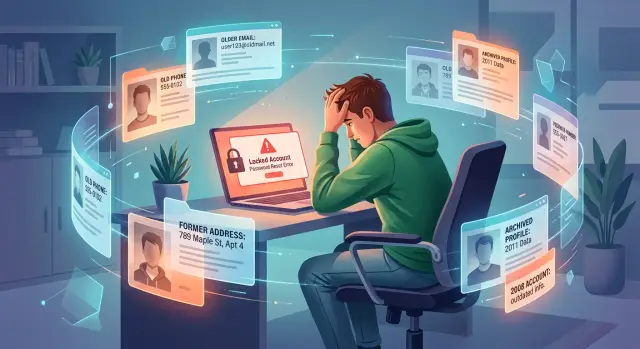
Why old public data weakens password resets
Password resets help when you're locked out. They also create a second way into an account, and that second way is often weaker than your password.
Many services still trust contact details you stopped using years ago. An old email address, a phone number from a canceled plan, or a previous home address can stay attached to an account long after you forgot about it. If those details also show up on data broker sites, they stop being private and start becoming clues.
People-search pages often combine past emails, phone numbers, relatives, and addresses into one record. Someone does not need to hack anything first. They just need enough public information to spot a weak recovery option or pass a basic identity check.
The oldest recovery path is often the worst one. Most people protect their current inbox and current phone. They do not watch the email address they made ten years ago, and they do not think about the phone number they gave up after switching carriers. If that old detail is still on file, it can work like a side door into an otherwise well-protected account.
Addresses matter too. Some companies still use them during support calls, fraud reviews, or account verification. A past street name or ZIP code is not much of a secret when it is already listed across broker databases.
The problem is not just privacy. It is trust. A service may see a matching phone number or email and treat it as proof that the person asking for access is really you. That logic falls apart when the same details are easy to find, easy to buy, or no longer under your control.
What exposed records reveal
A stranger does not need your full identity file to cause trouble. A few exposed records can be enough to point them toward the right account, the right reset method, and the right moment to try.
Old addresses are a bigger problem than they look. Many services still use address history in support checks, security questions, or extra reviews after a failed login. If someone already knows an old street name or ZIP code, they are not guessing in the dark.
The same goes for old email and phone exposure. Imagine a people-search page shows a Yahoo address you stopped using and a mobile number you gave up two years ago. If one of your accounts still offers either one for password reset, that public record tells someone where to aim. They do not need every contact method. They need the forgotten one.
The real risk is how small scraps fit together. One record shows a past address. Another shows a phone number. A breach dump shows an old email. Put together, those details can confirm that an account probably belongs to you. That makes phishing more believable and recovery attempts more targeted.
A simple chain is common. A data broker page lists an old number and two past addresses. A leaked database shows an email you still use for shopping or travel. Someone tries password reset on a few large accounts tied to that email. When a site asks for a partial phone check or an address question, they already have a head start.
Each piece may seem harmless on its own. Together, they are useful. An old phone number can feel dead. A past apartment can feel irrelevant. But if those details are still public and still attached to recovery settings, they become a map.
What to retire first
Start with anything you no longer control. When recovery settings go stale, the weakest option matters more than your password.
Retire these first:
- Old email accounts you no longer check. A forgotten inbox is the most dangerous recovery option because one email account can unlock many others.
- Phone numbers from canceled plans or old devices. Carriers recycle numbers, sometimes faster than people realize.
- Past home addresses that still appear in account profiles or support records. Some companies still use them as confidence checks.
- Security questions with real answers. A pet name, old street, school, or family detail can often be guessed from public records and social posts.
Old email usually belongs at the top of the list. Even if you still remember the password, it is risky if you have not logged in for months, no longer control its recovery options, or created it on a device you do not own now.
Phone numbers come next. Plenty of people leave an old number on important accounts because changing it feels annoying. That delay can turn into a real problem once the number is reassigned.
Addresses are easy to ignore, but they still matter. A support agent may ask for a previous address or ZIP code as a confidence check. If that answer is sitting in public records, it is weak evidence.
Security questions are often the weakest option of all. They feel harmless because they are old-fashioned, but the answers do not expire. If a site lets you turn them off, do that. If it does not, use random answers and store them like passwords.
Retiring a recovery option means removing it from the account, not just stopping use. If those old details are already spread across broker sites, taking them down matters too. Remove.dev handles that kind of cleanup across more than 500 data brokers and keeps checking for relistings while you update the accounts themselves.
How to clean up recovery settings
Start with the accounts that can unlock everything else. Your main email comes first. Then check banking, cloud storage, Apple or Google, your phone carrier, and any password manager. If one of those still points to an old email, phone number, or mailing address, fix it before you move on to smaller accounts.
Go in order. Open the security or sign-in page for each account and review every recovery email, phone number, mailing address, trusted device, and backup method. Replace old details before you shut down an inbox or give up a phone number. If you close the old option first, you can lock yourself out of your own accounts.
That order matters more than people expect. The same is true for phone numbers. A number that felt private last year may now belong to someone else.
If an account offers an authenticator app, use it. It is usually safer than SMS because phone numbers can be exposed, ported, or reused. A security key is even better for your highest-risk accounts if the service supports it. You do not need to overhaul every login in one night, but fix the accounts tied to money, identity, and other logins first.
Backup codes are easy to ignore until you need them. Store fresh ones somewhere you can reach without that account, such as a password manager or a printed copy at home. Do not leave them sitting in your inbox.
Review recovery settings after a move, a phone upgrade, a new job, or a switch to a new email provider. Old details tend to linger for years unless you remove them on purpose.
A common account recovery failure
Picture a shopping account you opened years ago. It still uses your college email as the recovery address because you never bothered to change it.
That address is not really gone, even if you stopped checking it. It may still show up in old sign-up lists, marketing databases, or people-search pages tied to your name, an old apartment, and a phone number you used in school.
Now imagine someone finds that record. They do not need your password right away. They just need enough clues to guess which recovery options the account might still trust.
They start the "forgot password" flow. The site shows a partial hint for the recovery email and maybe the last digits of an old phone number. That is often enough to confirm they are looking at the right account.
The reset message goes to an inbox you have not opened in two years. Maybe the school shut it down. Maybe it still works, but you never see the message because you do not use it anymore. Either way, you are out of the loop.
The trouble often appears later. You try to sign in, the password fails, and the site asks you to confirm through that old email or phone. Now you are locked out because the recovery path is tied to outdated public data.
Cases like this usually come down to three weak points: an old email still attached to the account, a phone number that still appears in public records, and a reset flow you have not tested in years.
Cleaning up broker listings reduces the clues people can find about you, but the first fix is inside the account itself. Replace the college email, remove the old phone, and make sure the next reset message goes somewhere you actually check.
That small update can save hours of support emails later.
Mistakes that keep old recovery paths alive
Most people update their password and stop there. The weaker point is often the recovery setup they forgot to change.
One common mistake is deleting an old email address before moving every account off it. It feels tidy, but it can leave banking, shopping, tax, or social accounts pointing to an inbox you no longer watch. If reset links still go there, you may not see them. If that old address has also appeared in breach lists or broker records for years, it becomes an easy place to start.
Another mistake is reusing one backup phone number across dozens of accounts. It is convenient, but it creates a single weak point. If that number is public, tied to old profiles, or listed on people-search sites, it gives an attacker one more clue during a reset attempt.
People also assume an old home address stops mattering after a move. It would be nice if that were true. Many services still use past addresses in identity checks, support calls, or fraud reviews. If that address is easy to find online, it can help a stranger sound far more believable than they should.
Security questions are another quiet problem. Many were set years ago and never touched again. A first school, old street, parent's middle name, or favorite team can often be guessed from public posts or found in old records. The answers do not need to be true. They need to be hard to predict.
Then there are the accounts you barely remember: an old retailer login with a saved card, a food delivery app, a travel site, or a subscription you paused two years ago. Those accounts are easy to ignore and annoying to clean up, which is exactly why they stay risky.
A quick way to spot trouble is to look for the same pattern over and over: accounts tied to an email you no longer open, the same backup phone on most logins, real answers to security questions, old addresses still sitting in profiles, and forgotten accounts with saved payment details.
If those stale details are still public, fixing the account is only half the job. Removing the public record matters too. Services such as Remove.dev can keep sending removal requests and watch for relistings so old data is harder to find again.
Quick checks you can do today
You do not need a full audit to spot the obvious weak points. Ten minutes is enough to catch a lot.
Start with your main email, bank, phone carrier, password manager, and main social accounts. For each one, check:
- every recovery email still belongs to you and you can still sign in to it
- reset texts do not go to a number you canceled, ported away, or left on an old family plan
- the account profile does not still show a past home address that could help with identity checks
- security questions are gone, replaced, or filled with random answers you stored safely
- backup codes are current and stored somewhere that is not your inbox
If one of those checks fails, fix it on the spot. Do not leave yourself a note and plan to come back later. Old recovery paths stay alive because people assume they are harmless.
A simple test helps. Start the "forgot password" flow on an account you trust, then stop before the final step. Look at what the site offers. If it can send a code to an email you forgot about or it shows the last digits of an old phone, that account needs cleanup.
Pay closest attention to any service tied to money or identity. Your primary email matters most because it often controls resets for everything else. If someone can reach that inbox, the rest can fall quickly.
One more check is easy to miss: search your old email addresses, phone numbers, and home addresses online. If they still appear on people-search pages, they can still help with account recovery attacks. Manual opt-outs work, but they take time and repeat follow-ups. If you want help, Remove.dev automates removals, tracks them in a dashboard, and keeps monitoring for new listings.
What to do next
Treat recovery settings the way you would treat old house keys. If you no longer control an email address, phone number, or mailing address, it should not still unlock anything important.
Start with the accounts that can cause the most damage if you lose them. Update your primary email first, including its recovery email, backup phone, and any security questions that still exist. Then move to banking, payment apps, your carrier account, cloud storage, and the accounts you use to sign in elsewhere.
If you changed your phone number two years ago but your bank still lists it, fix that before you clean up smaller accounts. One stale recovery option is enough to create a weak spot.
After that, clean up the public trail. Removing old broker listings will not fix a bad recovery setup by itself, but it does cut down on the clues strangers can use. Doing both is what closes the gap.
Set a reminder to review recovery settings every few months, especially after a move, a new phone number, a job change, or a switch to a new email provider. Old details have a way of sticking around longer than people expect.
A good final test is simple: list every recovery email, phone number, and mailing address attached to your most sensitive accounts. If you see one you no longer control, remove it today.
FAQ
Why are old email addresses so risky for password resets?
Because an old inbox can still receive reset links for other accounts. If you no longer watch it, or you lost control of its own recovery settings, it becomes an easy way around a strong password.
Is a canceled phone number still a threat?
Yes. Carriers recycle numbers, sometimes sooner than people expect. If an account still sends reset codes to that number, someone else may end up with a path into your account.
Do old home addresses really matter for account recovery?
More than people think. Some companies still ask for a past street name or ZIP code during support calls or fraud checks, and that information is often public on people-search sites.
What should I retire first in my recovery settings?
Start with anything you no longer control. In most cases that means old recovery emails first, then old phone numbers, then past addresses and security questions that use real facts about your life.
Should I delete an old email account before updating my logins?
No. Move every account to a current email first, then test that you can sign in and receive recovery messages, and only after that should you shut the old inbox down.
Are security questions still a weak spot?
Usually, yes. Real answers like a first school, pet name, or old street can often be guessed from public records or social posts. If a site lets you remove them, do that. If not, use random answers and store them like passwords.
Is SMS recovery less safe than an authenticator app?
For most accounts, yes. An authenticator app is usually safer because it does not depend on a phone number that can be exposed, ported, or reused. For your most sensitive accounts, a security key is even better if the service supports it.
How can I tell if an account still uses stale recovery info?
Open the account's security or sign-in page and review every recovery option. You can also start the "forgot password" flow and stop before the final step. If you see an old email or the last digits of a dead phone number, fix it right away.
Will removing my broker listings solve this on its own?
No. You still need to update the account itself, or the weak recovery path stays in place. Removing broker listings helps by cutting down the clues strangers can find about your old emails, phones, and addresses.
How can Remove.dev help with old public data?
After you fix your accounts, Remove.dev can handle the public-data side by sending removal requests to more than 500 data brokers and watching for relistings. Most removals finish in 7 to 14 days, and you can track requests in the dashboard.