Public recovery email hints and account takeover risk
Learn how public recovery email hints turn old profiles, bios, and breach scraps into account takeover clues, and what to fix first.
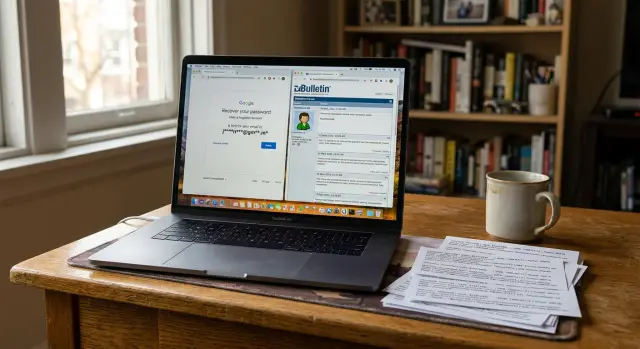
Why a few hidden characters still matter
A recovery email hint is the masked address a site shows when you try to sign in or reset a password, like "j***@g***.com" or "ma****[email protected]." Most of the address is hidden, but the few visible characters still tell a story.
Sometimes that story is enough to help the wrong person.
Even two or three characters can narrow the field fast. The first letter, part of the domain, or a number at the end can reveal whether the address is an old Gmail account, a work inbox, or a personal Outlook address you made years ago.
The hint gets much more useful when it meets older public data. A forgotten forum profile might still show your username from 2014. A short bio may mention a school, hobby, employer, or favorite mail provider. A past breach might expose an older email pattern without showing the full address you use now. One clue means little. Several clues can point to one likely recovery inbox.
Most people do not create email addresses randomly. They use a first name, last name, initials, nickname, birth year, or graduation year. If someone already knows your name is Megan Hart and sees a hint like "m****h**@gmail.com," they do not need thousands of guesses. They may need only a few common patterns.
The details that usually make the guess easier are simple: the first or last letter, the provider, a familiar number, or an old username reused across sites.
This does not mean every masked hint leads straight to an account takeover. Attackers still need more than one clue, and many accounts have better protection. But the hint lowers the work. It turns a blind guess into an informed one.
That is why old profile pages matter. A forgotten message-board account, a public bio, or a data broker listing can fill in the blanks that the reset screen tries to hide. The site is trying to protect you by masking the address. Sometimes it does. Sometimes it hides only the easiest part.
If your recovery path points to an old inbox that other people can partly reconstruct, the weak spot is not the hint by itself. It is the hint plus everything else about you that still sits online.
Where these hints get exposed
A masked recovery address looks harmless on its own. Trouble starts when that small clue meets old scraps of public information you forgot about.
Forum profiles are a common source. Years ago, many people signed up with a public contact field, a visible username, or a bio that named an email address outright. Even if the full address is gone now, the username may still match the first part of the recovery email.
Bio pages create the same problem. A line like "best way to reach me is my old Hotmail" or "I still use Proton for personal mail" gives away the provider. If a recovery screen already shows a few masked characters, that cuts down the guesswork fast.
Screenshots can leak just as much. People post support requests, setup guides, or social updates and forget that account settings are visible in the image. A cropped corner with something like "m***[email protected]" may feel harmless. Years later, it can still line up with the masked hint on a bank, social account, or webmail login.
Breach data fills in more blanks. A leaked username, an old domain, or a reused handle can connect to the masked address. If someone sees "d7@g.com" and already knows you used "danny97" on older sites, the missing parts become easier to guess.
People-search and data broker sites make this worse because they bundle details that seem separate: your full name, age range, current and past cities, relatives, and sometimes usernames tied to old records. Recovery emails often follow simple patterns, so a bundle like that can remove a lot of doubt.
A quick self-check helps here. Search your name and old usernames. Look for bios, forum accounts, screenshots, and archived profile pages. Then ask what a stranger could combine with a leaked username or a people-search listing. If those pieces point toward an older recovery inbox you still depend on, the recovery path is weaker than it looks.
Cleaning up those extra clues matters. Remove.dev, for example, focuses on getting personal data off data broker sites and monitoring for relistings, which reduces one of the easiest sources of this kind of guesswork.
How attackers piece the address together
Attackers rarely start from zero. A hint like "j***.m***@g****.com" already gives them a first initial, part of a last name, and likely the provider.
The next step is matching that hint to names or handles you used elsewhere. Old forum profiles, game accounts, comment sections, and bio pages are full of usernames people forgot years ago. If your handle was "jmartin92" or "jules.m," the masked address stops looking random.
People also reuse the same pattern for years: first initial plus last name, full first name plus birth year, nickname plus graduation year. Once someone sees your city, school, or age on an old profile, the list of likely addresses shrinks fast.
Mail providers help too. Many people switched providers over time, but older habits still matter. Someone who used Yahoo in 2010, Gmail in 2015, and a custom work domain later may still have one of those older addresses tied to recovery. If the hint reveals even part of the provider, an attacker can focus on the addresses that fit your history instead of guessing in the dark.
Breached data can make the match even tighter. An old leak may show a full address that matches your naming style, even if you no longer share that address in public. If a breach exposed "[email protected]" and a recovery hint shows "j***.m***@y****.com," there is not much mystery left.
This is usually how the process works:
- Start with the masked hint.
- Match it to old usernames, bios, or public profiles.
- Use breach data or people-search listings to narrow the pattern.
- Try the small set of addresses that still fit.
They do not need certainty right away. They just need a shortlist that is good enough to test.
A simple example of a recovery guess
Take Leah. In 2012, she joined a hobby forum with the handle "leahmarie82." The profile is still public, and her bio says she uses the same screen name on most sites. In an old post, she mentions an email account she kept from her internet provider days.
Years later, Leah forgets the forum account exists. The clues stay online anyway.
Now imagine someone starts a password reset on one of her main accounts and sees a recovery hint like "l***2@bh.net." On its own, that looks vague. Next to the old forum profile, it starts to fit. The first letter matches. The ending number matches. The old provider domain matches what Leah mentioned years ago.
A second clue appears in an older breach from a small shopping site. It shows that Leah once used a Bellsouth address. That does not hand over the full recovery email, but it confirms the domain. The attacker is no longer guessing from scratch. They are testing a short list, such as "[email protected]" and a few close variations.
That changes the attack path. Instead of going straight at Leah's main account, they aim for the weaker recovery inbox. Older email accounts often have stale recovery questions, dead phone numbers, or no second login check at all. If that mailbox still works, even if Leah never opens it, it can receive reset emails for newer accounts.
Once the old inbox is exposed, the rest gets easier. Reset messages land there. Main accounts, shopping accounts, or social profiles can follow.
What makes this example believable is how ordinary it is. No single clue is dramatic. A reused handle, an old bio line, and a leaked domain are enough.
How to check your own exposure
Start with the accounts that can unlock everything else: your main email, bank, phone carrier, Apple or Google account, password manager, and any social account tied to sign-ins.
Do not try to audit your whole online life in one night. Pick five accounts and review the recovery options on each one.
Then search for the names you have used online over the years. That includes old usernames, gamer tags, display names, nicknames, and email-like handles. Search the ones you still use, but also the embarrassing older ones from forums, hobby sites, and comment sections. People reuse names for years, and attackers know it.
A forgotten profile can leak more than it seems. A short bio may reveal part of an email address, an old domain, a city, a school, or enough context to connect one alias to another.
When you review your accounts, focus on a few questions:
- Does the recovery hint point to an address I still control?
- Could someone guess the rest of that address from old public info?
- Does that same address or naming pattern appear in breach records or old profiles?
- Is the recovery inbox itself protected with a strong password and app-based two-factor authentication?
Pay extra attention to old school, work, or ISP accounts. If you no longer control that inbox, remove it from recovery settings now. A backup email you cannot access is a weak point. In some cases, old addresses can even be reassigned or reclaimed later.
It helps to keep a small private note with each important account, its recovery email, its recovery phone number, and the date you last reviewed it. Ten minutes of notes now can spare you a lot of panic later.
If your search turns up people-search pages or data broker listings with old contact details, clean those up too. Those records can fill in the blanks attackers need. Remove.dev can help here by automatically finding and removing personal information from data brokers and continuing to watch for relistings.
If you find one forgotten recovery address, assume there may be more. That is usually how this problem starts: several small clues that still line up.
Mistakes that leave recovery paths open
A lot of account takeovers start with something small and old. The usual problem is not one giant leak. It is several leftover clues that still connect.
One common mistake is keeping a recovery email tied to a mailbox you no longer use. Maybe it was a college address, an old ISP inbox, or a free account you stopped checking years ago. If that mailbox is breached, recycled, or left unprotected, it can still be the door back into newer accounts.
Another mistake is reusing the same handle everywhere. If your username on an old forum, gaming profile, and social app all match, an attacker has a clean thread to pull. Add a masked recovery hint, and the address starts to look less hidden.
Old bio text causes the same trouble. People leave lines like "reach me at my old nickname" or mention a side project, school, or city they no longer think about. Years later, those details still help fill in the blanks.
Ignoring breach notices tied to older email accounts is another bad habit. Most people focus on the inbox they use today. But if an older address appears in breach data, it still matters. Breach records can reveal naming patterns, backup addresses, and usernames that connect directly to recovery hints.
The most persistent mistake is assuming a masked hint is safe because most characters are hidden. It often is not. A hint like "j93 at g" may look vague alone. Put it beside a reused handle and an old breach record, and it becomes much easier to guess.
A fast self-check is simple: look for abandoned mailboxes in your recovery settings, search the usernames you have reused across sites, read old bios the way a stranger would, and review breach alerts for addresses you think no longer matter. If even two of those line up, your recovery path needs attention.
Before you rely on account recovery
Account recovery is often the last lock on the door. If that backup path is weak, the rest of your security can fall apart fast.
The problem is rarely the masked hint by itself. The real issue is how easily it lines up with an old forum bio, a reused username, or a breach record from years ago. A few visible characters can be enough.
Before you trust a recovery method, check the basics:
- Use a recovery email you still own, check regularly, and protect with its own strong password.
- Remove old recovery addresses you no longer control.
- Avoid usernames that match the first part of your email across multiple public sites.
- Turn on app-based two-factor authentication for both the main account and the recovery inbox.
- Recheck recovery settings after any breach notice or major email change.
A small example makes the risk obvious. Suppose a site shows recovery going to "j....s82@...". Alone, that looks vague. But if an old message-board profile still shows "james82" and a past breach exposed the domain you used for signups, the guess is not hard anymore.
This is also a good time to trim data broker exposure. People-search pages often connect names, aliases, age ranges, and older contact details in one place. That kind of bundle makes masked hints far more useful to an attacker. Remove.dev is built to remove private information from over 500 data brokers and keep monitoring for relistings, which can reduce that extra exposure.
What to do next
Start this week. These hints get more dangerous when they sit beside old bios, forum posts, and breach scraps that no longer feel relevant to you but still help someone else guess the rest.
Begin with cleanup. Look for old forum profiles, comment accounts, gaming handles, portfolio pages, and abandoned social profiles that still show part of an email, an old username, or a bio line you forgot about. Even something small like "jsmith82" can matter when it matches a recovery hint on another account.
Then fix your recovery setup. Many people have three or four email addresses and cannot remember which one protects which account. That confusion slows you down when you need to secure an account, and it leaves stale addresses attached longer than they should.
A simple routine works well:
- Keep a short private record of each main account and its recovery email.
- Remove recovery addresses you no longer use or fully control.
- Check whether any backup email still appears in public profiles or old bios.
- Review recovery settings every few months, especially after changing your main email.
Store that note in your password manager or another place you already trust. If you ever need recovery in a hurry, you want clear answers, not a guessing game between old inboxes.
It also helps to look beyond the accounts themselves. If your name, address, phone number, or older contact details appear on people-search sites, they can give attackers extra clues about the email patterns you use. That is one place where Remove.dev fits naturally: it automates removals across hundreds of data brokers, tracks requests in real time, and keeps checking for relistings so those clues are less likely to pile back up.
The goal is simple. Cut down the clues, keep a clean recovery map, and review it on a schedule. That makes recovery easier for you and much harder for anyone trying to guess their way in.