Public spreadsheet data leaks: hidden copies of your info
Public spreadsheet data leaks often come from export links, old backups, and mirrored copies. Learn where they appear and how to check them fast.
Why this problem is easy to miss
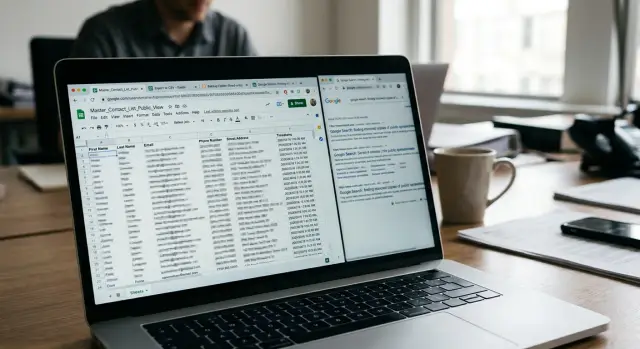
A spreadsheet can feel private even when it is not. People share one tab with a coworker, send a view-only link, or publish a file for a short time and assume the risk ends there. But if anyone with the link can open it, or if search engines and scraping tools can reach it, the data has already moved farther than most people realize.
That is why these leaks are easy to miss. The file still looks ordinary. It sits in a familiar tool behind a harmless-looking share button, with rows and columns that seem less exposed than a public post on a website.
The problem is simple: spreadsheets spread. One shared file can turn into several copies fast, and those copies do not always disappear when you fix the original.
A small example shows how this happens. A club posts a sign-up sheet with names, email addresses, and phone numbers so volunteers can swap shifts. Later, the owner changes the settings to private. That feels like the end of the problem, but it may only close one door.
Someone may already have downloaded a CSV or Excel copy. A server may have kept a backup in a public folder. Another site may have created a mirror, which is just a duplicate version showing the same rows somewhere else. If even one of those copies stays open, the information is still exposed.
Export links are one reason this slips past people. The main sheet can be locked down while an older download link still works. Directory backups are another. Teams often save files in shared web folders, and old versions can sit there for months with names dull enough to ignore.
Mirrors are even harder to notice because they may not look like the original file at all. The data can show up on a plain page, inside a searchable table, or in a scraped archive. To a person, that may look obscure. To a data broker, it looks tidy and easy to collect.
That part matters. A spreadsheet is not just readable. It is organized. One row can hand over a full profile in seconds: name, job, city, email, phone number, maybe even notes. That makes scraping cheap and fast.
So the risk often hides in plain sight. The original sheet may feel temporary or forgettable. The copies are what turn a quick share into a long leak.
Where public copies come from
Most spreadsheet leaks do not start with a hack. They start with a normal shortcut that stays open longer than anyone meant it to.
A common one is the direct share link. Someone sets a sheet to "anyone with the link" so a client, vendor, or teammate can open it quickly. Months later, the job is done, but the link still works. If that link gets pasted into an email thread, chat, support ticket, or public page, the sheet can spread far beyond the original audience.
Export links create a similar problem. A sheet may have a live CSV or XLSX export so another tool can pull the data. That sounds harmless when the file only holds inventory numbers or event dates. It turns messy when the same sheet also has names, phone numbers, home addresses, or notes in hidden columns. The export URL can keep giving out a clean, machine-readable copy that is easy to scrape.
Backup folders are another quiet source. Teams often save spreadsheet exports into shared web directories, old staging folders, or cloud storage buckets opened for convenience. Nobody notices because the main spreadsheet is no longer public. The backup copy is still there, often with a plain filename like contacts.csv or users-2023.xlsx.
Then there are mirror sites. Some services copy public sheets to display tables on a webpage, republish open datasets, or keep a synced clone for search and sorting. Once that happens, the sheet is no longer in one place. Even if the original owner locks the document later, the mirrored version may stay up because it lives on a different server.
Cached copies make cleanup harder. Search engines, preview tools, and content delivery caches can keep an older version of the sheet after edits or access changes. So a row deleted on Tuesday may still be visible in a cached snapshot on Friday.
That is why these leaks stick around. One live sheet can become several copies with very little effort:
- the original share link
- one or more export files
- a backup in a public folder
- a mirrored copy on another site
- an older cached version
That chain is exactly what data brokers look for. Spreadsheets are neat, labeled, and easy to parse. A single exposed file can hand over full names, email addresses, job titles, cities, and notes in one pass.
What brokers can pull from a sheet
A public sheet does not need to look sensitive to be useful to a data broker. If it has names, email addresses, phone numbers, or home addresses, that is enough to start a profile. One exposed export can turn a simple contact list into something copied, sorted, and sold.
The obvious material is easy to spot. A staff list, school roster, volunteer signup, or customer sheet may show full names next to job titles, class names, team names, or departments. That helps a broker connect one person to a workplace, campus, sports team, or local group.
Less obvious fields can be just as revealing. Order notes may mention apartment numbers, gate codes, delivery times, or who lives at the address. Appointment details can show when someone is usually away from home, where they go for services, or what office they visit. Form answers often include emergency contacts, dietary needs, birthdays, and other personal details people never expected to be public.
Small details add up
One row may look boring. Twenty rows can tell a very clear story.
A broker might combine a name and personal email, a phone number and ZIP code, a school or employer, and notes about orders, appointments, or support requests. That is often enough to match the person with other records already in circulation.
Say a sheet lists "Maya Patel," a mobile number, a work title, and a note that deliveries should be left with the front desk after 6 p.m. None of those fields seems dramatic on its own. Together, they point to where Maya works, when she is likely there, and how to connect this record with other databases.
That is why these leaks are so slippery. The danger is not only the obvious columns. It is the pattern that appears when several ordinary columns sit side by side.
Even team lists can create risk. If a sheet shows parent names, student names, coach contacts, and pickup notes, it maps real relationships between people. If it shows customers, service dates, and address notes, it can reveal routines. Data brokers do not need secrets. They just need enough pieces to make a confident match.
Once that match is made, the sheet becomes one more source feeding the wider market for personal data.
How to check if a sheet is exposed
Start with the simplest test. Search the exact spreadsheet title in quotes, then search a few unusual column names from the file. A copied sheet often keeps the same headers even when someone changes the title.
This works because leaks rarely stay in one place. The original file may be gone, but an export, backup copy, or mirror can still be open.
A quick check works better if you think like someone copying data, not like the person who made the sheet. Ask yourself where a public version could exist outside the main file.
Look in the places people forget about:
- old shared drives and team folders
- archive or backup directories
- exported files saved as CSV or XLSX
- copied sheets with the same columns but a different name
- folders named "old," "backup," or "final-copy"
Next, test common export paths. If a sheet was ever shared publicly, there may be downloadable versions in CSV or XLSX format even if no one uses them now. In practice, these files are easier for scrapers to pull because the data is clean and ready to sort.
Do not stop at one version. Search for the sheet title, then try a few exact phrases from the first row, a rare company name, or a less common email domain from the sheet. That often finds mirrors and copied files faster than broad searches.
A small example: a contact sheet called "Spring event signups" might not show up anymore. But a copy named "event-list-export.csv" in an old public folder can still appear, and the same rows may also sit in a mirrored sheet with the same headers: name, email, phone, city.
Before you change sharing settings, record what you find. Save the file name, where it appeared, what format it used, and when you found it. Screenshots help. If there are several copies, note which one looks like the source and which ones look scraped or duplicated.
That step feels slow, but it saves time later. Once settings change, some copies disappear from view, and you lose a clear map of where the data spread. If personal details are already moving between mirrors and broker databases, a clean record gives you a much better starting point for removal work.
How a simple sheet turns into a leak
A very normal case starts with a volunteer signup sheet. A school group, local charity, or neighborhood event wants an easy way for people to pick time slots, so someone creates a spreadsheet and shares it with "anyone with the link." The sheet may only show a few columns: name, email, phone number, and preferred shift.
That does not feel risky at first. It is just a spreadsheet for a weekend event. But this is how many leaks begin: a small file gets treated like a harmless tool, not like a public document.
The spread usually happens in small, boring steps:
- One organizer downloads the sheet as a CSV for offline use.
- That file gets uploaded to a backup folder or old web directory.
- A mirror, archive tool, or scraper finds it and saves a copy.
- A data broker scraper reads the CSV because it is easy to parse.
None of this requires a dramatic hack. The file was public once, and copies are cheap.
Now jump ahead a few months. The organizer locks the original sheet, removes public access, or deletes it. On their side, the problem looks fixed. If they open the old link, it no longer works.
But the copies can still be out there. The CSV in a directory backup may still load. A mirror may keep an older version. Someone who downloaded the file earlier may have dropped it into another shared folder without thinking much about it. One public link can quietly turn into several.
This is where the damage grows. A broker does not need the whole story behind the sheet. A name, email, phone number, town, and a note like "available evenings" is enough to match a real person to other records. That can feed spam, scam calls, and profile building.
The frustrating part is that the original owner often has no idea the spread happened. They remember sharing one sheet. They do not know about the export links, directory backups, or mirrors that kept the data alive.
Mistakes that keep data online
The biggest mistake is thinking "sharing off" means "gone." It does not. A sheet can stop being visible in the main app while old export files, published copies, or mirrored versions still sit somewhere public.
That is why these leaks often last longer than people expect. The original file gets locked down, but the copy that was easiest to scrape stays open.
A common example is the export link problem. Someone shares a CSV or XLSX export, then later closes access to the sheet itself. The team assumes the job is done. Meanwhile, that export copy may still work, and it may already have been saved by search engines, scrapers, or anyone who opened it before.
Another mistake is deleting rows and stopping there. If the sheet had a backup folder, an automatic archive, or an older mirrored copy, the deleted data can still live in those places. This happens a lot with contact lists, intake forms, and event sign-up sheets. You remove the phone numbers from the live version, but yesterday's backup still has every row.
Test sheets cause trouble too. People often use real phone numbers or real email addresses while checking formulas, imports, or mobile layouts. It feels harmless because the sheet is "temporary." In practice, temporary files stick around. They get duplicated, renamed, and forgotten.
Descriptive titles make leaks easier to find. A filename like "Client mobile numbers March" or "Staff address backup" tells a scraper exactly what it is looking at. Even if the file is only public for a short time, a bland title gives away less.
Moving a file is another false fix. A sheet moved into a private folder, archive, or different account can still stay public if its old permissions carry over. The same goes for spreadsheet export links shared outside the team. The location changed. The access did not.
A simple cleanup pass should check more than the visible sheet: old exports, backup folders, copied or mirrored versions, test sheets with real data, and published files with revealing names.
Say a small team shares a volunteer list, then later removes the names and moves the sheet to an archive folder. Months later, a broker finds an old exported copy in a public backup directory. The team did remove the data from the main sheet. They just did not remove the copies.
That is the pattern behind most of these leaks. People clean up the file they remember, not the copies they forgot.
Quick checks before you share a spreadsheet
A spreadsheet can look harmless right up until one wrong setting turns it into a public copy. That happens more often than people think, especially with rushed handoffs, old folders, and links passed around in chat.
A quick review takes two minutes and can save a lot of cleanup later. Before you share a sheet, check the file itself, the folder around it, and the exact link you plan to send.
Use a short routine:
- Check the share setting before sending anything. If the sheet says "anyone with the link," pause and ask if that access is really needed.
- Remove columns you do not need. Phone numbers, home addresses, notes, and internal IDs often stay in a sheet long after they stop being useful.
- Give temporary sheets generic titles. A name like "Client lead list - March" reveals more than "Working sheet 3."
- Put a review date on the folder or project so old exports and forgotten backups get checked.
- Open the link in a private browser window and see what appears without your normal login.
That last check catches more than people expect. A sheet may look locked down while you are signed in, but a private window shows what a stranger would see. If the file opens, previews, downloads, or exposes an export link, treat it as public.
It also helps to think about what someone can infer from small details. A simple contact sheet with first names, cities, job titles, and dates can still be enough for data broker scraping. Even if you removed the obvious personal fields, a mirror or cached copy can keep older versions alive.
One habit works especially well: make a "share copy" instead of sending the working file. Keep only the rows and columns the other person needs. That small step reduces the chance of sending hidden tabs, comments, formulas, or old data sitting off to the side.
If you share spreadsheets often, set a monthly reminder to review old folders and delete exports you no longer need. Most leaks do not come from one dramatic mistake. They come from boring leftovers nobody checked.
What to do if your data is already out
Once a sheet has been copied, start with containment. Stop the source before chasing the copies. If the original file is still public, every extra day gives crawlers, mirrors, and brokers more time to grab it.
Start with the sheet itself. Change sharing to private, remove "anyone with the link" access, and revoke old permissions you no longer need. If the file was published to the web, turn that off too. Many leaks stay alive because the main sheet gets locked while an old export feed still works.
Then check the files people forget about:
- CSV, XLSX, or PDF export links
- backup folders on a public server or cloud directory
- copied files in shared drives or old project folders
- sheet mirrors that turned rows into a web page
Delete what you control right away. If a file sits on a team server, ask whoever manages hosting or backups to remove public access, not just hide the folder. A file can still be fetched if someone already has the direct path.
For copies you do not control, send a short takedown request to the host. Include the exact page or file, what personal data is exposed, and why it should come down. Short, plain requests usually work better than long legal threats.
A small leak can spread fast. If a spreadsheet with names, emails, and phone numbers gets exported as CSV and left in a public backup folder for one weekend, that can be enough time for a scraper to copy it, a mirror to repost it, and a data broker to add it to a profile.
After the first cleanup, keep watching. Search for unique email addresses, filenames, or odd text strings from the sheet. Check again over the next few weeks, especially if an automated backup, sync, or reporting tool might publish the same data again.
If your details have already spread to data broker sites, manual takedowns get old quickly. Remove.dev focuses on that cleanup by finding and removing personal data from over 500 data brokers and then monitoring for re-listings, which helps when the same record keeps resurfacing after the original sheet is gone.
FAQ
How can a spreadsheet leak if I only shared it by link?
Because the link can spread far beyond the first person you sent it to. Once someone opens it, they may download a copy, paste the link into another chat, or store it in a ticket, backup, or shared folder.
Are CSV or Excel export links more risky than the sheet itself?
Usually, yes. Export URLs often give out a clean CSV or XLSX file that scrapers can read fast, and those links may keep working after the main sheet is locked down.
What is a sheet mirror?
A sheet mirror is a copy of your spreadsheet shown somewhere else, often as a table or plain web page. If the original was public even for a short time, another site or tool may keep that copy online after you change the source file.
What kind of personal data can brokers pull from one sheet?
Even plain columns can be enough. A name, email, phone number, city, employer, or note about deliveries, shifts, or appointments can help a broker match you to other records and build a fuller profile.
How do I check whether a sheet is still exposed?
Start by searching the exact sheet title in quotes, then try unusual column names, rare phrases, or a unique email domain from the file. Also check old folders, backup directories, and any export files that may still be public.
Does turning off sharing fix the problem?
No. Locking the main file only closes one version. Older exports, backups, cached pages, and mirrors can stay public unless you remove those copies too.
Can deleted rows still show up somewhere else?
Yes. Deleted rows can still live in backups, cached snapshots, old exports, or mirrored copies. Removing data from the live sheet is a good first step, but it does not erase earlier versions.
What should I do first if I find my data in a public spreadsheet?
First, close the source by removing public access and turning off any published or export feeds. Then save evidence of what you found, delete the copies you control, and send short takedown requests for copies hosted elsewhere.
How do I stop this from happening again?
Make a separate share copy instead of sending the working file. Keep only the rows and columns the other person needs, use a generic filename, and test the link in a private browser window before you send it.
Can Remove.dev help if my spreadsheet data has already spread to broker sites?
If the data has already reached broker sites, a removal service can save a lot of time. Remove.dev finds and removes personal data from over 500 brokers, keeps watching for re-listings, and most removals finish within 7–14 days.