Removal request spam: how one reply confirms your data
Removal request spam can start when a broker uses verification emails, reply checks, or tracking links to confirm your current contact details.
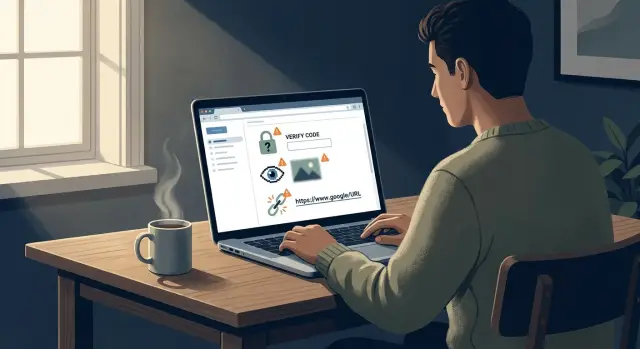
Why one request can create a new problem
A removal request sounds simple: ask a data broker to delete your record and move on. But done carelessly, that same request can tell the broker that your email, phone number, or both still work right now.
That can happen when you reply from an active inbox, click a confirmation link, or enter a code sent to your phone. Each step gives the broker fresh proof. They are no longer relying on an old leak or a stale record. They now know the contact detail reaches a real person today.
For a broker, that makes the record more useful. An old profile with a dead email address is less valuable than one tied to a live inbox or working number. So your opt-out can accidentally clean up their data before it is removed.
That is one reason removal request spam happens. You try to disappear, but the process itself sends a fresh signal. That can lead to more email, more profiling, or a new listing later if the confirmed data gets copied back into the broker network.
A small example makes the risk clear. A broker has your name, an old address, and two possible email addresses. You reply from your main inbox and confirm a message they send. Now they know which address still works, and they can tie that answer to the rest of your profile.
Even if the broker removes the entry after that, the confirmed detail does not suddenly become harmless. It can stay in logs, be matched against other records, or be shared before the deletion finishes. In some cases, the listing comes back later because another source sends over the same now-verified data.
Phone verification can be worse. If a site sends a one-time code and you enter it, you are not only asking for deletion. You are proving the number belongs to a real person who is paying attention.
None of this means you should avoid personal data removal. It means you should treat every reply, click, and verification step as a privacy choice.
How brokers confirm your contact details
A broker does not always know whether an email address or phone number is still active. Records age quickly. Some were copied months ago from another source. Your removal request can fill in those gaps if you respond in a way that proves the contact details still work.
A lot of that confirmation happens quietly. You may think you only opened a message, clicked a form, or replied with "please remove me." On their side, each step can add fresh proof to your record.
A unique link can connect your click to one exact profile in the broker's database. A tiny image inside an email can report that the message was opened from a live inbox. A reply from the same address can show that the account is active and under your control. A texted code or phone call can confirm that the number works and is in your hands.
The unique link matters because it removes doubt. If a broker sends thousands of emails, each one can contain a different hidden ID. When you click, they do not just see that someone interacted with the message. They can see which record did.
Email opens can work the same way. Many messages load a hidden image from a remote server. When that image loads, it can tell the sender when the message was opened, what type of device was used, and that the inbox is active enough to read mail. Even without a reply, that is new data.
Direct replies are even clearer. If you answer from the same mailbox listed in the record, you may be confirming that the address is current. Phone verification goes a step further by turning a maybe-correct number into a confirmed live one.
For a data broker, confirmed contact details are far more useful than guessed ones. That is the real risk behind a careless opt-out.
Verification steps that deserve caution
The trouble often starts at the verification step. This is where some brokers learn more from you than they lose.
If they ask you to confirm an email address, phone number, or mailing address, pause for a moment. Do they need that information to delete your record, or are they using the request to collect a cleaner, newer version of your data?
A common trick is easy to miss. The form has already found your profile, but it still asks you to type the same email or phone number again. That may look harmless. In practice, you may be confirming that the detail is current, active, and tied to you right now.
Codes deserve the same caution. Some brokers send a code by email or text before they process the request. Sometimes that is a real identity check. Sometimes it is also a contact test. If they can see the code was delivered and used, they now know the inbox or number still works.
Replying from your regular inbox creates the same problem. Even a short note like "please remove my record" tells them the address is active and monitored. If that inbox is also used for shopping, banking, or job applications, you are handing over a very clean signal.
A simple rule helps: only confirm details the broker already shows you, and do not volunteer extra information just to make the process feel complete. If a form asks for a second phone number, a backup email, a birth date, relatives, or old addresses, be skeptical. To remove a listing, they usually need enough information to find the record and enough proof to act on your request. They do not need your full life story.
Why tracking links are risky
A removal email can look harmless. The problem is often inside the button.
Many brokers send a unique URL, not a general page. That URL can include a record ID tied to your profile, your email address, or a request number that points back to you. On screen, the button may only say "Confirm" or "Review request," but the address behind it can still be unique to one person.
Once you click, you may confirm more than you meant to. A single visit can show the sender that the message reached a real inbox, when it was opened, and what device or browser was used. Sometimes it also helps them connect your current contact details with an older profile they were not fully sure about.
That is why tracking links in emails can make the problem worse. You asked to be removed, but the click can act like a fresh signal that your email is active today.
A clean-looking button is not safer just because it looks simple. Two people can receive the same message with the same wording while each button leads to a different tracked address.
Forwarding the message does not solve it either. The tracking code usually stays in place. If a friend, assistant, or family member opens it for you, the sender can still log activity tied to the original request.
Imagine a broker emails you after an opt-out request and asks you to "verify your listing." You forward the message to your work account so you can review it later. When you open the button there, the broker may now have a timestamp, a new device fingerprint, and another signal that both inboxes are in use.
Not every follow-up email is malicious. Still, it is smart to treat every button like a tracker first and a form second.
A safer way to send a removal request
The safest removal request is usually the shortest one that still points to the right record. If you rush, you can end up confirming an email address, phone number, or home address that a broker only partly had before.
Start by saving proof of what you found. A screenshot of the listing, the date, and the page title give you a record in case the page changes later. That also helps you avoid sending extra personal details just to explain what should be removed.
Before you reply, slow down and read the form or email twice. Some requests ask for far more than they need. If the listing already shows your full name and city, you may not need to add your phone number, alternate email, date of birth, or current address just to get a match.
A simple routine works well:
- Save a screenshot before contacting the broker.
- Send only the minimum details needed to match the record.
- Pause before clicking any button in a follow-up email.
- Keep a note of the date, what you sent, and how they replied.
That pause matters. Some confirmation buttons are harmless, but some tell the sender that your email is active and watched. If you are unsure, do not click right away. Check the message carefully and decide whether the broker can process the request without that step.
A basic log saves time later. You do not need a fancy system. A note with the broker name, date, listing details, and reply status is enough. When a record comes back, you will know what worked and what exposed too much.
A simple example
Maya finds a data broker page with two details about her: an old home address and the email she still uses every day. She wants the listing gone quickly, so when the broker sends a removal email, she opens it on her phone during lunch and taps the large confirmation button.
That click feels harmless. The page loads, the broker gets a response, and Maya confirms the request from her main inbox. She thinks the job is done.
A week later, her inbox gets noisier. A few extra marketing emails show up, then a couple more. None of them say, "thanks for confirming," but the timing is hard to ignore.
What changed? The request itself was not the issue. The problem was the fresh proof that her email address is live and checked by a real person.
By clicking the button and replying from the inbox she uses every day, Maya may have shared several signals at once: the email address still works, someone reads mail there regularly, links sent to that address get clicked, and the person behind the address is active right now.
That kind of signal can matter more than an old address on a stale profile. An outdated record is one thing. A newly confirmed inbox is another.
A safer move would have been slower. Maya could have checked whether the email used tracking, avoided clicking from the message itself, and thought twice before confirming from the inbox tied to her daily accounts.
The lesson is simple: when a broker already has a mix of old and current details, your reply can sort out the mess for them.
Common mistakes people make
The most common mistake is replying from a main email address. If you use the same inbox for bank alerts, shopping receipts, and social apps, that address is tied to a lot of your daily life. One careless reply can confirm that it is current, monitored, and worth keeping on a list.
People do something similar with phone numbers. A broker sends a follow-up form, and they type in their full mobile number without asking why it is needed. If the request can be matched with a name, city, or old address, giving a current number is often too much. You are trying to remove data, not refresh it.
Another mistake is opening every status email just to see whether the request moved. Some messages contain tracking pixels or unique links. When you open them or click through, you may confirm that the mailbox is active and checked by a real person.
Extra documents cause trouble too. If a broker has not clearly explained why it needs an ID, utility bill, or selfie, do not send one just because the email sounds official. Formal wording means very little on its own.
A safer habit is to use a separate email for opt-out requests when possible, share the least information needed to match the record, and pause before opening status emails or clicking buttons inside them. If someone asks for a document, ask why before sending it.
Most people overshare because they want the request finished fast. That urge is understandable. It also gives brokers fresher data than they had before.
Quick checks before you reply
When a broker sends a follow-up, slow down. A rushed reply can turn a removal request into proof that your email address or phone number still works.
Before you answer, ask one question: are they trying to process the opt-out, or are they trying to make you confirm fresh contact data?
Watch for a unique button, one-time link, or case-specific URL. Be cautious if they ask you to type the same email, phone number, or address they already show in the listing. Check whether a reply is truly required. And stop if they ask for more data than the listing contains. A page with your name and old city should not lead to a demand for your current phone number or ID.
If something feels off, do not handle it on your phone in a hurry. Save the message and review it later on a larger screen. Small mobile previews can hide strange sender details, tracking links, or extra form fields tucked under a button.
A common example looks harmless. A broker has an old profile with your name, age range, and an email address. The follow-up message says, "Click here to verify your identity," then asks you to re-enter your current email and phone number. That is a bad trade. You may get the page removed, but you also hand over newer data than they had before.
Good habits are simple. Keep a copy of the message, read the request line by line, and only share the minimum needed to match the listing.
Next steps if you want less manual work
If you already clicked a link or replied to a shaky verification email, do not panic. Just watch what happens next. A rise in spam, new calls from unknown numbers, or a listing that disappears and then returns can all suggest that the request confirmed current details.
Keep notes, even if they are basic. Write down the broker name, the date, the email address or phone number you used, and whether you clicked a link or uploaded ID. It takes a minute, and it makes patterns easier to spot later.
A separate inbox for privacy work is often a smart move. It keeps broker replies and follow-up messages away from your daily email. If you ever need to abandon that inbox, you can do it without affecting your personal or work accounts.
Manual data broker removal gets old fast. One broker wants a form, another wants ID, and a third relists you a month later. If you are dealing with a few sites, that may be manageable. If you are trying to stay off hundreds of broker databases, it becomes a chore very quickly.
If you do not want to manage that by hand, Remove.dev handles removals across more than 500 data brokers and keeps monitoring for re-listings. It also lets you track requests in one dashboard, which can cut down on the number of risky follow-up emails you have to deal with yourself.
The real benefit is simple: fewer chances to confirm your own data by mistake when you are tired, rushed, or juggling too many requests at once.
FAQ
Why can one removal request lead to more spam?
Because your reply can prove that your email or phone still works today. If a broker was unsure, your click, reply, or code entry gives them fresh proof tied to your profile.
That can make the record more useful before it gets removed, which may lead to more spam or a later relisting.
Is it risky to click the confirm button in a broker email?
Often, yes. That button may contain a unique URL tied to your record, so the click can show the broker that the inbox is active and being watched.
If you are not sure they need that step, pause first. A simple-looking button can still work like a tracker.
Should I use my everyday email address for opt-out requests?
Usually no. Replying from your main inbox tells the broker that the address is current and monitored.
If you can, use a separate email for opt-out requests so your daily inbox is not the one being confirmed.
Is phone verification worse than email confirmation?
Be careful with it. Entering a texted code or answering a call can confirm that the number is live and in your hands right now.
If the broker can match the record with less, do not give a current phone number just to speed things up.
What information should I avoid giving in an opt-out form?
Share only what is needed to match the listing. If they already show your name and city, you may not need to add your current phone, backup email, birth date, or other extra details.
The rule is simple: do not refresh their record for them.
How can I spot a tracking email from a data broker?
Look for signs that the message is record-specific. A one-time button, a case ID in the address, or a request to re-enter data they already have are common warning signs.
Even opening a message can leak data if it loads remote content, so treat status emails with care.
What is the safest way to send a removal request?
Start by saving a screenshot of the listing and noting the date. Then send the shortest request that still points to the correct record.
Before you click anything in a follow-up email, read it twice. If a step feels like data collection instead of deletion, stop and reconsider.
What should I do if I already clicked a link or verified my email?
Do not panic, but do keep notes. Write down the broker name, what you clicked or sent, and whether spam or calls increase after that.
If the broker removes the page, check later to see if it comes back. Fresh activity after your request can be a sign that you confirmed current data.
Do data brokers really need my ID to remove a listing?
Not always. Some requests for ID are real, but many ask for more than the listing itself contains.
If they have not clearly explained why they need a document, do not send one just because the message sounds official. Ask what exact proof is required and why.
How can Remove.dev help me avoid confirming my data by accident?
It reduces the number of risky follow-ups you have to handle on your own. Remove.dev handles removals across more than 500 brokers, uses legally compliant removal demands, and keeps watching for relistings.
You can track requests in one dashboard instead of replying to broker emails one by one, which lowers the chance of confirming your own data by mistake.