Remove personal data from a dissolved LLC online
Learn how to remove personal data from a dissolved LLC, clean up directory copies, old contact pages, and stale business records.
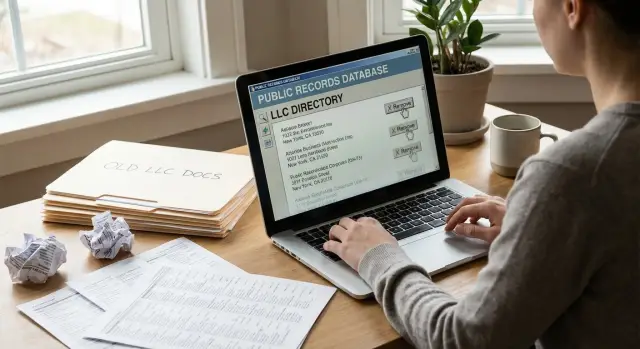
Why old LLC information stays online
A dissolved LLC does not disappear from the internet when you file the closure paperwork. State business records often stay public for years, and search engines keep showing pages that were copied, cached, or republished somewhere else.
That is why an old company name can still appear in search results long after the business is gone. The original filing may still exist, but the bigger problem is everything that copied it. Business directories, people-search sites, map listings, and lead databases often pull data from public records and keep their own version.
A home address or personal phone number can spread fast this way. Many small business owners used a house address, personal cell number, or personal email when they formed the LLC. Once that detail lands in one public filing, other sites scrape it, package it, and post it again. One record can turn into dozens of copies.
Old pages also stick around because nobody updates them. A contact page on an old website may still be live. A directory profile may still say the company is active because no one marked it closed. Even after a site removes a page, search results can keep showing an outdated snippet until the index refreshes.
This turns into a privacy problem when the company was tied closely to your daily life. Former clients may call a number you now use for family. Strangers may find your home address by searching the old business name. Data brokers may connect the LLC record to your personal profile and spread it even further.
That is why this kind of cleanup feels frustrating. You are usually not dealing with one source. You are dealing with copies.
What you can remove and what may stay public
When an LLC closes, some pages can usually be removed. Others may stay public because they are part of the official record.
A simple rule helps here: if a government office published the page as part of a business filing, it may stay online. If another site copied that filing, there is often more room to remove it.
Official filings often remain public as part of the historical business record. That can include articles of organization, annual reports, registered agent details, principal office addresses, and dissolution filings. In many states, you cannot erase a valid filing just because the LLC is inactive. You may still be able to correct mistakes, ask for redaction if personal data should not have been posted, or update contact details if the agency allows it.
The easier wins are usually copied pages. Business directories, local listing sites, company lookup pages, and lead-generation directories often pull old LLC data and leave it up for years. If the business is closed, these pages can often be deleted or marked inactive after a request.
Old websites fall into a separate group. If you still control the domain or hosting, you can remove contact pages, staff bios, and downloadable files that expose an email, phone number, or home address. Forgotten PDFs are easy to miss, and they can keep showing up in search even after the main site is gone.
People-search sites need their own cleanup. They do not just copy one business filing. They combine data from many sources and build a profile around your name, past addresses, relatives, and phone numbers. Removing a stale business directory page will not remove a people-search profile tied to you.
In practice, the job usually breaks down like this:
- Leave official historical filings alone unless there is an error or a legal reason to ask for redaction.
- Remove copied directory pages and old website contact pages first.
- Handle people-search sites and data brokers as a separate track.
That last part often takes the longest because new listings can reappear even after one removal.
Make a removal list first
Before you send requests, make one plain list of every page that still shows your old LLC details. This saves time because you stop guessing and start working from proof.
Search the way a stranger would search. Look up the LLC name, your own name, and the contact details that used to be attached to the company.
What to search
Start with the basics:
- the exact LLC name
- the owner or registered agent name
- the old business phone number
- the old business email address
- the old street address, if it was public
Open each result and save a screenshot before anything changes. Include the page title and the date in the file name if you can. Pages move, disappear, and change. Screenshots help if you need to show what was visible.
Next, note two things for each result: where the data appears and who controls the page. Those are not always the same. A state filing page is controlled by a government office. A copied listing may sit on a business directory. An old contact page may still be on a site you or a former developer can edit.
A simple spreadsheet works fine. Use one row per page and sort each row into a small group such as filings, directories, website pages, or broker sites. That matters because each group usually needs a different fix. A stale contact page might take five minutes to edit. A broker site may need a formal opt-out. A filing may need a correction request, a redaction request, or no action at all.
Remove old contact pages first
Start with the pages and files you still control. If the old website still shows your phone number, home address, or personal email, copied versions can keep popping up.
Sign in to the old website account before you cancel anything. That might mean WordPress, Squarespace, Wix, cPanel, a hosting dashboard, or the domain registrar. If you shut off hosting or change the domain too soon, cleanup gets harder.
Clean the live site
Begin with the pages most likely to expose you. Contact, About, Team, Staff, footer contact blocks, and press pages are common trouble spots.
A simple order works well:
- Unpublish or delete pages that show your direct contact details.
- Replace them with a short closure notice if the site needs to stay online for a while.
- Check every downloadable file linked from those pages.
- Review images, scans, and screenshots, not just text.
- Open the public site in a private browser window and check it again.
Many people miss the files. A page may be gone, but an old PDF brochure, intake form, invoice sample, or scanned letterhead can still expose the same details. Images can do the same thing. A screenshot of a business card or a contact graphic can keep your information visible even after the main page is removed.
If the site has a media library, search it for your name, phone number, email address, and street address. That often finds leftovers quickly.
Cached copies can stay visible for a while after the live page is removed. Search your old business name, your phone number, and any unusual email address to see what still appears in snippets. If the page is gone, those snippets often update after the site is crawled again.
If you lost access to the site, contact the person or company that set it up. A former web developer, hosting company, domain registrar, or old employee with billing access may be able to help. Send exact page names, file names, and the personal details you want removed. A specific request works much better than a vague one.
Ask directories and brokers to remove copied data
Once the website is cleaned up, move to the copied listings. These are often the pages that keep your home address, phone number, or email online for years.
Start with the pages that expose the most personal information. A broker page with your home address matters more than a thin listing that only shows the company name.
Use each site's own support form, privacy form, or removal email when possible. Keep the request short and specific. Include the exact page, the LLC name shown on it, the personal details you want removed, and a short note that the LLC is dissolved and the contact data is outdated.
A short message usually works better than a long one. For example: "This LLC has been dissolved. Please remove my personal phone number, email address, and home address from this listing because the information is outdated and no longer tied to an active business."
Keep a record as you go. A spreadsheet is enough for most people. Track the site name, request date, any reply, and whether the page was changed, removed, or ignored. Save a screenshot before and after when you can.
If nothing changes after 7-14 days, send a brief follow-up and attach the first request. Many sites do not act on the first message, especially if the page came from a third-party source. A calm second request often works better than starting over.
If your data shows up across dozens of broker sites, manual cleanup gets tiring fast. This is the kind of work Remove.dev focuses on: finding copied records, sending removal requests, and checking for relisting later.
Handle stale business filings carefully
Official filings need a different approach. Do not assume they can be removed just because the LLC is closed.
Start with the filing office itself, not the copies that appear in search results. That sounds backwards, but it helps you figure out whether the source record can be corrected, redacted, or left alone.
Some offices accept a correction, an amended filing, or a redaction request for personal details. Others keep the record as historical fact and will not change it, even if the business has been dissolved for years.
When you contact the office, keep your questions plain:
- Can a dissolved LLC filing be corrected after closure?
- Can a home address, personal email, or phone number be redacted?
- Do scanned PDFs or attachments follow different rules than the main record?
- If the record cannot be changed, can an updated contact detail or note be added?
That third question matters more than many people expect. The main record may be fairly harmless, while the real problem sits inside scanned attachments. Old annual reports, signed forms, and uploaded certificates sometimes show a home address, personal cell number, or personal email that is still in use.
If the office says the official record must stay as it is, separate that issue from the copied pages built from it. A directory, broker, or business profile usually has fewer reasons to keep old personal data online. Those pages can often be removed or corrected even when the government filing stays public.
This is where people often get discouraged. One bad answer from a filing office does not mean the whole cleanup is over. It usually means you need to leave the official record alone, ask about scanned attachments if needed, and then remove the copied versions one by one.
A simple cleanup order
The order of the work matters more than most people expect.
Take a common example: a one-owner LLC used the owner's home address and personal cell number everywhere. After the business closed, several online directories still showed both. The old website was still live too, with a contact page and a PDF invoice that listed the same details.
The first step should be the website, because that is the part the owner still controls. Remove the contact page, delete the PDF invoice, and check the remaining pages for the old phone number and address. That cuts off one of the easiest sources for other sites to copy.
Next, clean up directory listings. Mark the business as closed where possible and ask for personal contact details to be removed. Some sites update within days. Others move slowly. That is normal.
Only after that should you spend real time on brokers and people-search sites. By then, there is less public data left for them to pull from.
In most cases, this order works best:
- remove or edit pages you control
- clean up directory copies
- send broker and people-search removal requests
- recheck for relisting later
Search results usually improve over a few weeks, not overnight. One stale result may stick around longer than expected. That does not mean the process failed.
Mistakes that slow things down
Most delays come from small mistakes, not unusual cases.
One common problem is sending a vague request. "Please delete my old business info" gives a site owner almost nothing to work with. Send the full page address, the name shown on the page, and a short note about what is outdated.
Another problem is checking only the obvious page and missing the copies. Old LLC details often live in PDFs, scanned filings, image attachments, and forgotten subpages such as /contact or /team. If the phone number or home address appears in a download, removing the main page will not solve much.
Proof can also trip people up. Some requests come from a brand-new email address even though the exposed data points to an older business email. That can look suspicious. If you no longer control the old email account, send a short explanation and only the minimum proof needed to show that you were tied to the business.
The last mistake is stopping after one round. Directories copy each other. Data brokers relist records. A page that disappears this week can return next month from another source.
A good request usually includes the page address, the personal data shown, a short explanation of why it is outdated, and enough proof to confirm identity or ownership. A screenshot helps too.
Then check again after 2-4 weeks.
Quick checks and next steps
After you send removals, search again with fresh eyes. A page that looked gone last week may still show up in search, image results, or a copied directory entry.
Start in a private browser window so past searches do not shape what you see. Then run a few separate searches instead of one broad search. Search the old phone number by itself, the old email address by itself, the old street address by itself, the LLC name in quotes, and your name with the LLC name.
This sounds basic, but it works. A stale listing may show only the phone number, while a copied contact page may show only the address.
Also check image results and old file results. Screenshots, logo files, PDFs, and map images can keep showing your address or phone long after the main page is gone. Look at the search snippet too. Sometimes the live page is updated, but the snippet still shows old details for a while.
If you still see stale filings, directory copies, or old contact page issues after a few rounds, set a monthly reminder and recheck the same terms. Data often comes back because one source was missed and other sites copied from it again.
A light routine is usually enough. Spend 10-15 minutes once a month on the same searches, note what changed, and send one or two follow-up requests.
If the work keeps dragging on, a monitoring service can save a lot of time. Remove.dev removes personal data from over 500 data brokers, monitors for relistings, and lets subscribers track requests in one dashboard. That can help when a dissolved LLC leaves copies scattered across many sites.
The final test is simple: can someone still find your old phone number, email address, home address, or LLC name in a way that points back to you? If the answer is yes, that result goes back on your list.
FAQ
Can I remove a dissolved LLC from Google?
Usually, no. Google may keep showing old pages because it indexed a filing, directory listing, or cached snippet, but that does not mean every source can be erased.
Focus on the pages behind the search result. Official state filings often stay public, while copied directory pages, old website pages, and broker listings can often be removed or updated. Search results usually clean up after the source page changes.
What should I remove first?
Start with anything you still control. Delete or unpublish old contact pages, staff pages, PDFs, images, and files that show your phone number, home address, or personal email.
That cuts off one of the easiest places other sites copy from. After that, move to directories and then people-search and broker sites.
Can I delete the state filing for my dissolved LLC?
Most of the time, no. A valid state filing is often part of the public business record even after the LLC is dissolved.
You may still be able to correct an error, ask for redaction of personal data, or update a detail if the filing office allows it. Ask the office first before spending time on copied versions of the same record.
Why is my home address still online after the LLC closed?
Because one public filing can spread fast. Business directories, map listings, people-search sites, and lead databases often copy the same address and keep their own version for years.
Even if one page comes down, other copies may stay up. That is why this job usually takes more than one request.
How do I find every page that still shows my old LLC details?
Search the way someone else would search for you. Look up the exact LLC name, your own name, the old phone number, old email address, and old street address.
Save screenshots and the page address for every result you find. A basic spreadsheet is enough to sort pages into official filings, directories, website pages, and broker sites.
What should I say in a removal request?
Keep it short and specific. Include the exact page address, the LLC name shown, the personal details you want removed, and a note that the business is dissolved and the contact data is outdated.
A clear request gets better results than a long story. If the site has not changed the page after 7 to 14 days, send a brief follow-up with the first message attached.
What if I can’t log in to the old business website anymore?
If you lost access, contact whoever can still reach the site or domain. That might be a former developer, hosting company, registrar, or an old employee with billing access.
Send the exact page names and file names that need to come down. Being precise saves time and avoids back-and-forth.
Do people-search sites need separate removal requests?
Often, no. Removing a stale business directory page does not remove a people-search profile built around your name, phone numbers, addresses, and relatives.
Treat broker and people-search sites as a separate cleanup job. They often need their own opt-out or privacy request, and some may relist your data later.
How long does this cleanup usually take?
Some changes happen within days, but full cleanup usually takes a few weeks. Search results can lag behind even after a page is removed, and some sites ignore the first request.
Plan to recheck after two to four weeks. A monthly search after that helps catch relistings before they spread again.
When should I use a service like Remove.dev instead of doing it all myself?
It is worth using a service when your data is spread across many broker sites or keeps coming back after you remove it. Doing dozens of opt-outs by hand gets old fast.
Remove.dev finds and removes personal data from over 500 data brokers, watches for relistings, and shows request progress in one dashboard. Most removals finish within 7 to 14 days, and plans start at $6.67 per month.